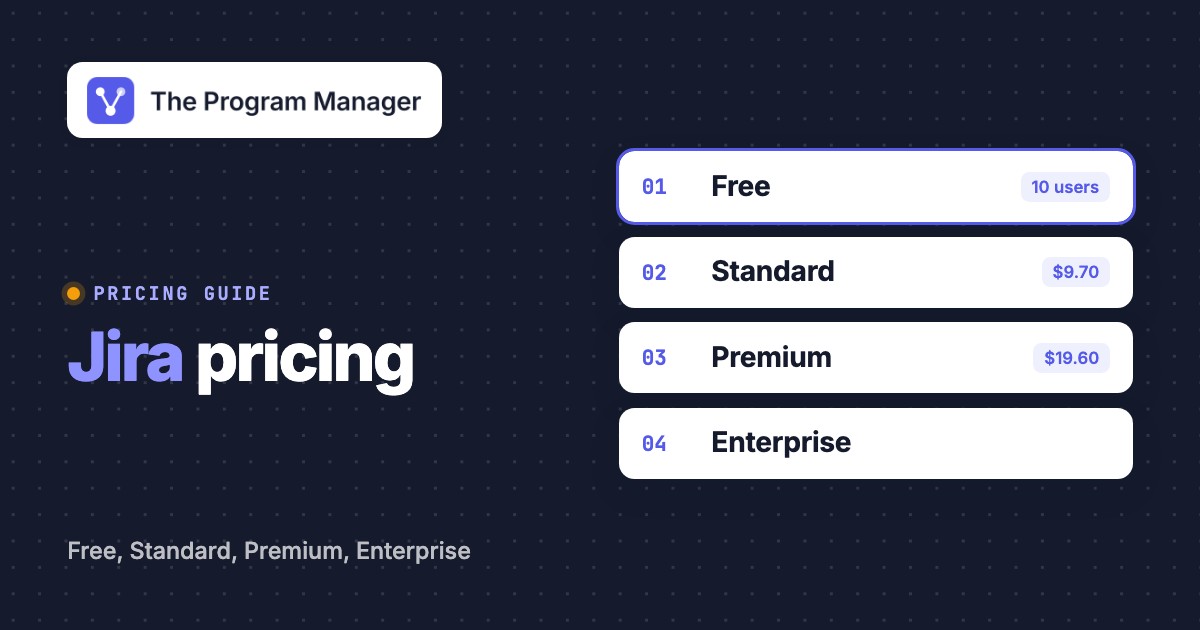
Jira Software pricing now means Jira Cloud pricing. Atlassian merged Jira Software Cloud and Jira Work Management into Jira, so the current purchasing decision is between Free, Standard, Premium and Enterprise. For US buyers, the October 13, 2026 list-price change matters more than older roundups that still quote last year's per-seat numbers.
For monthly billing at up to 100 users, Jira Standard costs $9.70 per user per month and Premium costs $19.60 per user per month under Atlassian's published October 2026 US price table. Free supports up to 10 users. Annual billing doesn't simply multiply those monthly rates by 12: it uses fixed user tiers, which can make annual more expensive for a team near the bottom of a tier.
A PMO buying Jira for multiple delivery teams should price the planning capability before the seat count. Standard can run individual teams' projects, but Premium's the first tier with Atlassian's cross-team planning and advanced dependency management. That's the budget line that changes the program manager's decision.
Teams moving from Trello can use Atlassian's official Trello importer, which creates one space per board. Our Trello alternatives page lists what it drops, such as checklists and custom fields, next to seven other tools.
Jira pricing plans at a glance
Jira's four Cloud editions have different buying triggers. These are US list prices effective October 13, 2026, not a quote for every customer or a universal blended rate.
- Free$0 up to 10 users
- 2 GB storage
- 150 automation steps per subscription per month
- Community support
- Standard$9.70 per user/month, monthly billing for seats 1-100
- 250 GB storage
- 400 automation steps per user per month
- Roles, permissions and Rovo
- Premium$19.60 per user/month, monthly billing for seats 1-100Cross-team planning
- Advanced cross-team plans and dependencies
- 750 automation steps per user per month
- Unlimited storage and 99.9% uptime SLA
- EnterpriseAnnual tier pricing annual contract; contact sales
- Multiple sites, up to 150
- Atlassian Analytics and Data Lake
- 1,000 automation steps per user per month
US dollars. Monthly rates shown apply to the first 100 users only. Annual tier prices and higher monthly seat bands differ. Checked against Atlassian official October 2026 tables.
| Jira Cloud plan | Monthly list price (USD), users 1-100 | Annual list price (USD), 100-user tier | Program-level planning |
|---|---|---|---|
| Free | $0, up to 10 users | Not applicable | Basic project planning |
| Standard | $9.70 per user | $9,700 | Basic project planning |
| Premium | $19.60 per user | $19,500 | Cross-team plans and advanced dependencies |
| Enterprise | Annual only | Quote for eligible tier | Cross-team plans plus centralized analytics |
The annual 100-user figures are whole-tier prices, not a promise that every customer with fewer users pays the same amount. Enterprise's published annual table starts at a larger user tier. The comparison is about buying capability, not ranking every plan by a single misleading per-user average.
What changed in Jira pricing in October 2026
Atlassian's new Cloud list prices took effect on October 13, 2026 PT for new purchases and relevant renewals or upgrades. Older pages that show Standard at $9.05 and Premium at $18.30 for the first monthly band aren't showing today's published list rates. They're using the prior table.
The Standard first-band monthly rate moved from $9.05 to $9.70 per user. Premium moved from $18.30 to $19.60. Annual prices changed too: the Standard 100-user tier is now $9,700 instead of $9,050 and the Premium 100-user tier is $19,500 instead of $18,300.
An older quote may still be valid under its own expiration terms. A new quote generated on or after the change uses the new prices. It's worth asking the billing contact which contract date and quote rules apply before the PMO circulates a cost comparison.
Monthly versus annual Jira pricing: the cost trap
Monthly Jira Cloud pricing is progressive. For Standard, Atlassian's October 2026 rates are $9.70 for users 1-100, $8.20 for users 101-250 and $6.85 for users 251-1,000. Premium uses $19.60, $14.65 and $10.20 for those bands. You don't apply the lower second-band price to the first users.
Annual Jira pricing instead charges for a fixed user tier. A team with 26 users enters the 50-user annual tier, while a team with 25 users fits the 25-user tier. That one-seat change can outweigh a supposed annual discount. The buyer's actual headcount and expected growth both matter.
| Jira Standard team | Monthly subscription over 12 months (USD) | Annual tier price (USD) | Lower option at list price |
|---|---|---|---|
| 25 Jira users | $2,910 | $2,450 | Annual by $460 |
| 26 Jira users | $3,026.40 | $4,850 | Monthly by $1,823.60 |
| 50 Jira users | $5,820 | $4,850 | Annual by $970 |
| 100 Jira users | $11,640 | $9,700 | Annual by $1,940 |
| 250 Jira users | $26,400 | $25,500 (300-user tier) | Annual by $900 |
These are worked examples using Atlassian's published US list prices, not invoice predictions. They assume the same number of billable users throughout the year, no promotions, no tax, no Marketplace apps and no extra usage charges. A 250-user monthly estimate applies the two progressive bands, while the annual figure uses the next published tier.
A 26-person PMO shouldn't automatically buy the 50-user annual tier just because an annual discount banner looks attractive. If hiring is uncertain, monthly can preserve flexibility. A 50-person team with stable access needs may reach the opposite conclusion. The math is straightforward, but the tier boundary isn't optional.
Illustrative Jira Standard base subscription for 1-100 users only. Excludes taxes, apps, usage overages, discounts and annual tier pricing. Use the official calculator for more than 100 users.
How Atlassian counts monthly seats
Atlassian describes its monthly model as Maximum Quantity Billing. The bill is based on the highest number of assigned seats during the billing cycle. Adding seats during a period can create a prorated charge, but removing access later in that period doesn't retroactively reduce that month's maximum.
This rule matters for program offices that temporarily invite contractors, delivery partners or short-term launch teams. A permission cleanup at month-end may help the next cycle, yet it doesn't erase a peak count from the current one. Budget owners should separate active delivery participants from people who only need a report.
Which Jira plan unlocks program management features
Jira's plan tiers matter most when a program manager needs to see dependencies across delivery teams, not merely track a backlog. A cross-team planning requirement is a capability requirement, while more storage is usually just a capacity requirement.
 Jira
- FreeSmall-team boards and basic work tracking; no dedicated cross-team planning entitlement.
- StandardPermissions, collaboration and basic planning for separate project teams.
- PremiumCross-team planning, advanced dependencies and configurable approvals.
- EnterprisePremium planning plus multi-site administration and analytics.
Free: evaluate workflows with a small delivery team
Free's useful when the goal is to see whether Jira's work-item model fits an engineering team's intake and delivery process. It supports up to 10 users, with 2 GB of storage and 150 automation steps per subscription each month. Community support is the default.
The limit isn't only the user count. A PMO with several teams can't treat one small Free site as a substitute for consolidated program planning. Use it for a focused pilot with a clear exit decision, not as an implied enterprise-wide license.
Standard: run projects with clear ownership
Standard adds roles and permissions, 250 GB storage and 400 automation steps per user per month. It also includes Rovo Search, Chat and Agents with an allowance of 25 Rovo credits per user each month. The credits are pooled across the organization rather than reserved for a named individual.
A project manager can run an individual team's backlog, workflow and dashboard on Standard. A program manager can still coordinate across teams manually, but they'll need to maintain a separate dependency register or reporting process if advanced cross-team planning is required. Standard's the right purchase when teams need dependable project execution and the portfolio layer already exists elsewhere.
Premium: coordinate dependencies between projects
Premium's the first Jira tier that explicitly adds cross-team planning and advanced dependency management. Atlassian also lists configurable approvals, unlimited storage, a 99.9% uptime SLA and 24/7 support for critical issues. Its automation allowance is 750 steps per user per month, while Rovo includes 70 credits per user per month.
Consider a release that depends on infrastructure, application and compliance teams. Each team owns work items, but the program manager needs to see which predecessor is late, what downstream milestone is affected and who can approve a schedule change. Premium's cross-team plans are designed for that coordination layer. A PMO should still define the escalation owner and decision record, because a dependency link alone isn't a governance process.
Enterprise: govern several Jira sites
Enterprise adds multi-site capabilities, Atlassian Analytics and Data Lake, broader identity controls and 24/7 support for all issues. Atlassian's current pricing table publishes annual Enterprise tiers, but buyers should confirm eligibility and the contracted user count with sales.
An enterprise PMO might need a common portfolio view across business units that retain separate Jira sites. Enterprise can support that architecture, but buying it only to improve a single team's roadmap is a poor justification. Establish the multi-site and reporting requirements before requesting the quote.
- A small team testing Jira work trackingFree, while the user and storage limits fit.
- Independent project teams need permissions and paid supportStandard, if cross-team planning is handled elsewhere.
- The PMO needs cross-team plans and advanced dependenciesPremium is the first matching Jira tier.
- The organization requires several Jira sites and centralized analyticsAssess Enterprise and request a tailored annual quote.
- The team is near the bottom of an annual user tierCompare twelve monthly bills with the full annual tier before committing.
Automation and Rovo: allowances that affect the bill
Jira's automation limits are measured in steps, not just the number of automation rules. Atlassian counts executed triggers, conditions, actions, branches and loops. The current published allowances are 150 steps per Free subscription, 400 per Standard user, 750 per Premium user and 1,000 per Enterprise user each month.
A Standard team with 25 paid users therefore receives an allowance of 10,000 automation steps per month before considering any other eligible subscriptions. The steps are pooled at the organization level. A heavily used notification rule can consume more steps than a simple rule, so a rule count alone won't forecast usage.
Rovo credits are a separate AI usage meter. Jira Standard includes 25 credits per user per month, Premium includes 70 and Enterprise includes 150. Atlassian says allowances are pooled across the organization. The cost conversation should therefore include both seat count and how people actually use automation and AI.
Atlassian's documentation says extra usage billing for automation steps and Rovo credits takes effect on December 3, 2026. The official pricing FAQ describes extra usage as requiring billing-admin opt-in, while another support page describes default settings differently. Confirm the actual account's spending controls in Atlassian Administration before relying on a no-overage assumption.
A practical PMO usage audit
The PMO can ask each delivery team to identify its highest-volume automations, the workflows they trigger and the consequences if an allowance is exhausted. Assign one administrator to check organization-level usage and one program owner to decide whether the automation actually serves a delivery commitment.
A status update that notifies every watcher might be convenient, but it can be a weak use of metered steps. A rule that alerts the accountable owner when a dependency crosses its escalation threshold has a clearer program benefit. The decision is about useful signals, not simply buying a larger allowance.
Hidden Jira costs to include in the business case
Jira's base subscription isn't the complete cost of running a program portfolio. The budget should also cover optional products, configuration effort and the work required to keep reports consistent across teams. If the bill is the reason you're looking elsewhere, compare the Jira alternatives first.
Marketplace apps and companion subscriptions
Marketplace apps can extend Jira into time tracking, test management, reporting or portfolio-specific workflows, but each app has its own licensing terms. Confluence and Jira Product Discovery are separate products unless an applicable collection or contract bundles them. Check the app's seat basis and whether the procurement team can remove it independently at renewal.
Identity governance may also change the total. Atlassian Guard offers organization-level identity and access capabilities, and Enterprise includes Guard Standard in its plan description. A security requirement isn't a reason to assume every Jira tier includes the same controls. Ask IT to list the required authentication, provisioning and audit capabilities before estimating add-on costs.
Configuration and reporting labor
A portfolio view becomes unreliable when teams define milestones, blockers and done states differently. Budget for a common field dictionary, ownership rules, dependency hygiene, report maintenance and admin support. Those are real implementation tasks even if they're not separate Jira invoice lines.
For a new PMO, the practical minimum is a named owner for each cross-team dependency, an expected handoff date, a risk or decision escalation path and an agreed reporting cadence. Without those conventions, an expensive planning tier may still produce contradictory executive dashboards.
The cost of parallel systems
Some organizations keep finance, staffing or strategic prioritization in systems outside Jira. Jira's work-tracking price doesn't automatically cover budget control, portfolio intake or resource allocation across the whole company. Document which system owns each decision and whether data will be synchronized or reconciled manually.
The key question is whether Jira will be the system of record for delivery execution, the program dependency view or both. That choice affects training and governance far more than a small change in seat price.
A Jira pricing example for a cross-team program
Consider a hypothetical PMO with 25 people who need Jira access. At the current first-band monthly list rate, Standard costs $242.50 per month or $2,910 over twelve months. Premium costs $490 per month or $5,880 over twelve months. The corresponding annual tiers are $2,450 for Standard and $4,900 for Premium.
The PMO shouldn't call the difference between Standard and Premium a generic productivity premium. It should identify a specific dependency-management outcome. If the teams already use another dependable cross-project planning tool, Standard may be enough. If leadership expects the program's critical handoffs to live in Jira Plans, Premium has a clearer rationale.
Suppose the program expands to 26 billable users without otherwise changing scope. Atlassian's annual tier jumps to the 50-user tier, while monthly billing still prices 26 seats. For Standard that means $4,850 per year on the annual tier versus $3,026.40 over twelve monthly bills. The PMO should document expected headcount growth before approving a renewal.
The example excludes tax, promotions, other Atlassian products, Marketplace apps and usage charges. It's a decision illustration based on public US list prices, not a vendor quote.
How to choose a Jira plan without overbuying
A program manager can make the Jira purchase decision repeatable by separating capability needs from user counts. First decide whether teams need independent project execution or a shared cross-project planning layer. Then test the billing model against a realistic access forecast.
Define the planning job
Write down whether the PMO needs team boards, cross-project dependencies, scenario planning or multi-site reporting. Identify the decision each view must support.
Count people who require Jira access
Ask the admin for the billable-user inventory, including contractors and users with access they no longer need. Forecast likely changes during the subscription term.
Compare monthly bands with annual tiers
Use Atlassian's October 2026 USD tables. Test the current count, the next tier boundary and the expected peak count.
List separate costs and usage exposure
Inventory Marketplace apps, Guard, companion products, implementation work and automation or Rovo usage. Assign an owner to each line.
Request a quote and document assumptions
Record the price date, billing cycle, user tier, discounts, renewal terms and who approved the business case.
A useful approval memo doesn't just say Premium costs more. It says which cross-team decision Premium makes possible, who'll maintain the dependency data and what'd break if the organization chose Standard instead. That's a stronger procurement argument than a feature checklist.
Jira pricing FAQ
How much does Jira Software cost in 2026?
Jira is now sold as Jira Cloud. As of the October 13, 2026 US list-price update, Standard costs $9.70 per user per month and Premium $19.60 for monthly-billed users 1-100. Higher seat bands use progressive pricing. Annual plans use fixed user tiers.
Is Jira free for small teams?
Yes. Jira Free supports up to 10 users with 2 GB storage and Community support. Its included automation allowance is 150 steps per subscription per month.
Is Jira Premium necessary for cross-project dependencies?
Premium is the first Jira Cloud tier with Atlassian's cross-team planning and advanced dependency management. Standard supports project execution but doesn't include that advanced planning entitlement.
Does annual Jira billing always save money?
No. Annual billing uses fixed user tiers. For example, 26 Standard users enter the $4,850 annual tier, while twelve monthly bills at the current first-band rate total $3,026.40 if the count stays constant.
Are Jira automation and Rovo credits unlimited?
No. Atlassian publishes plan-specific allowances for automation steps and Rovo credits, pooled across the organization. Extra usage billing is scheduled for December 3, 2026. Check the account's actual billing controls.
Is Jira Software Data Center still available to new customers?
Atlassian says new Data Center sales ended March 30, 2026, and affected Data Center products reach end of life March 28, 2029. Existing customers should verify their migration and support arrangements.
Leave a Reply