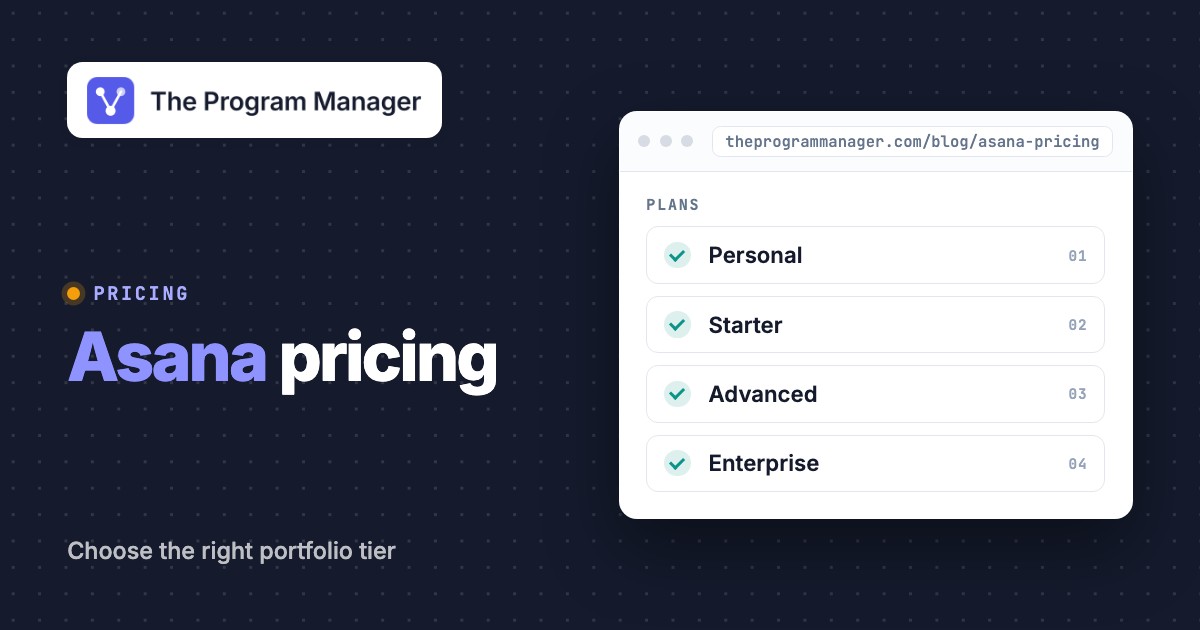
Asana pricing starts at $0 for Personal, while Starter costs $10.99 per user per month and Advanced costs $24.99 per user per month when billed annually. Monthly billing's higher. Enterprise and Enterprise+ need a sales quote, and there's no public price. For a program manager, the expensive mistake isn't choosing the wrong task view. It's buying Starter and finding out that portfolio rollups and workload planning require Advanced.
The right Asana subscription depends on whether your team is tracking isolated projects, coordinating delivery across departments or governing a portfolio of dependent initiatives. Below you'll find the current published US prices, the tier where portfolio controls show up, seat-count examples and a practical plan selection test. Here's the short version: Advanced is where portfolios start, period.
What does Asana cost per month?
Asana's published US prices cover a limited Personal plan, two self-serve paid tiers and negotiated enterprise tiers. Starter and Advanced have separate monthly and annual billing rates, so the advertised lower number isn't a month-to-month commitment.
- Personal$0 per month
- Up to two collaborators
- Unlimited tasks and projects
- List, board and calendar views
- Starter$10.99 per user per month, billed annually
- Timeline and Gantt views
- Forms, dashboards and custom fields
- Unlimited automations
- Advanced$24.99 per user per month, billed annually
- Unlimited portfolios and goals
- Workload visibility inside a portfolio
- Approvals, proofing and advanced integrations
- EnterpriseContact sales custom quote
- SAML authentication and SCIM provisioning
- Organization-wide workload and capacity planning
- Enterprise administration and view-only licensing
- Enterprise+Contact sales custom quote
- Additional security, compliance and governance controls
- Confirm specifics in the signed proposal
Public US base rates checked October 18, 2026. Starter monthly billing $13.49/user and Advanced monthly billing $30.49/user. AI usage, add-ons, taxes and negotiated terms can change the total.
The tier changes at Advanced. Starter gives you scheduling and project dashboards, but the official pricing table places unlimited portfolios, goal tracking and portfolio workload on Advanced. Enterprise builds on that with administrative controls and capacity planning that's meant for the wider organization. If the business needs portfolio reviews, don't assume a project dashboard is a substitute for a portfolio rollup. It isn't.
The free tier's built for individuals or small pairs. A shared departmental program with recurring dependencies, executive summaries and accountable approval gates needs more than Personal's task-management basics, and that's non-negotiable once leaders want a rollup.
How does annual billing compare with monthly billing?
Asana Starter costs $13.49 per user per month when billed monthly rather than $10.99 with annual billing. Advanced costs $30.49 monthly rather than $24.99 on its annual-billing equivalent. Compare totals over the same time horizon, because the headline rate doesn't tell the whole story.
For a 10-seat working team, the published Starter annual-billing equivalent is $109.90 per month and $1,318.80 per year. Advanced is $249.90 per month and $2,998.80 per year for the same seat count. This arithmetic excludes taxes, AI usage and add-ons. It also assumes exactly the number of paid seats modeled, and your real purchase might differ.
The incremental annual-billing equivalent for Advanced is $14 per seat per month over Starter. This is the fee to evaluate against portfolio oversight, not a guaranteed productivity return. If only a program lead needs portfolio visibility while the execution team works in project views, ask sales about mixed licenses rather than assuming everyone's on the higher tier.
Annual-billing list rates from the US pricing page. Monthly billing, taxes, AI requests and add-ons are extra, and Enterprise is quote only.
Which Asana features are in Starter versus Advanced?
Starter's the first paid Asana plan for teams that need coordinated project schedules. Advanced adds the portfolio layer that a program manager needs to consolidate work across several projects. Enterprise expands governance, provisioning and enterprise-scale resource controls.
- PersonalTrack tasks and individual project work; not a program portfolio
- StarterProject timeline, Gantt dependencies, forms, custom fields and dashboard reports
- AdvancedUnlimited portfolios, goals and workload for a portfolio
- EnterpriseSAML, SCIM and organization-level capacity planning; pricing by quote
- Enterprise+Additional governance and compliance capabilities; pricing by quote
Starter is for reliable project execution
A delivery lead can collect incoming requests with forms, sequence work on a timeline and watch a project dashboard. That's enough when one project manager owns the plan and leadership reviews a written status report. Starter becomes a poor fit when someone has to routinely compare milestones and workload across several unrelated projects.
A program with multiple workstreams still needs human discipline, and no plan supplies that for you. Define the official milestone owner, the escalation clock and the decision-maker for each dependency, because nobody else will. A Gantt chart won't resolve a blocked security sign-off on its own.
Advanced is the first meaningful portfolio tier
Advanced includes unlimited portfolios and portfolio-level workload. A PMO can group projects under one business outcome, see which workstreams are drifting and give leaders a common place to check project health. The product gives you the rollup, but your organization still needs consistent status definitions and reporting cadence.
A useful pilot is to put a shared release program in a portfolio and test an end-to-end dependency: platform changes have to finish before training begins, and training has to finish before the field launch. Check whether each owner can see the relevant upstream blocker without copying data into an executive slide deck.
Enterprise is for governance across the organization
Enterprise adds controls such as SAML authentication, SCIM provisioning, broad workload visibility and capacity planning. These features matter when portfolio governance has to span departments and centrally managed identities, and that's where Enterprise earns its price. Enterprise+ can add further compliance controls, but you'll want the purchasing team to insist on an itemized written package instead of treating all enterprise features as interchangeable.
What costs can increase an Asana subscription?
The advertised subscription price is only the base, and it's rarely the final bill. Headcount, annual commitments, consumption-based AI features, optional time-tracking or budget functions and enterprise requirements can affect the full contract. Estimate what people and workflows will actually use, because you won't know otherwise, then map each requirement to the first eligible tier.
Seat counting. Asana's billing documentation treats organization members and guest accounts differently. A guest who's invited to collaborate with a genuine external partner is different from an internal employee. Don't use external guest invitations as a workaround for paid staff seats. It's a flat out bad idea.
AI consumption. AI features and pricing keep changing. The live pricing page shows AI-related allowances and usage choices, but this article doesn't model an unverified organization-specific AI bill. Request the current account-level consumption policy and a cap before you give assistants access to production data.
Additional products. Asana sells products and add-ons beyond core project management. The specific billing treatment of time tracking, budgeting and AI can depend on the current package. Your purchasing worksheet should separate the base subscription from each nonstandard SKU.
Migration and administration. Importing projects won't preserve a working dependency governance process by itself. Decide how Jira work, portfolio milestones, permissions and cross-project ownership will be represented before assigning licenses to the full organization.
Which Asana plan should a program manager choose?
A program manager should usually evaluate Advanced when portfolio coordination is the purchasing reason. Pick Starter when the actual job is project execution, and investigate Enterprise when organization-wide governance, provisioning or cross-portfolio resource controls are hard requirements.
- Personal task tracking with a collaboratorStart with Personal and test whether its collaboration limits are sufficient
- Project-level schedules, intake and status dashboardsConsider Starter; confirm seat counts before checkout
- Portfolio rollups, goals and workload inside a portfolioEvaluate Advanced with a representative cross-project pilot
- Organization-wide workload, SCIM provisioning or centralized governanceRequest an Enterprise quote with explicit feature entitlements
- Specialized compliance, advanced security or regulated controlsCompare Enterprise+ terms with the organization security checklist
- Dependency mapping across separate Jira and Asana systemsTreat native Asana plan selection separately from cross-platform graph and evidence requirements
A practical program-level Asana acceptance test
The most important buying question is whether the plan cuts manual portfolio reconciliation. Run the test with a real recurring cross-functional review, not a vendor demo where everything's perfectly maintained.
- Choose an actual program. Include a delivery workstream, a dependent approval and an executive milestone, and don't skip the approval. Write down who owns each item and which source is authoritative; if it isn't written down, it's not owned.
- Build the dependency view. Represent the handoff in project schedules, then confirm whether the portfolio view shows the information leaders need. If a dependency still lives in Jira, note exactly what is missing.
- Introduce realistic change. Move the upstream milestone and see who's notified. Confirm whether the downstream owner can identify the new risk without manual copy-and-paste.
- Check the operating cadence. Assign a weekly status owner, risk reason and evidence record. Test whether another team member can reproduce the executive update.
- Inspect the invoice model. Count editing users, reviewers, guests and administrators, because they won't all cost the same. Request a current written quote when license boundaries aren't clear.
The test result should be an explicit decision, and it shouldn't be vague: use Starter for reliable projects, buy Advanced for portfolio visibility or evaluate another layer if the central problem is reconciling dependencies across separate systems. An elegant interface alone isn't an acceptance criterion, and it's not what you're paying for.
Can Asana replace a cross-platform dependency register?
Asana can track work and portfolio health inside its own workspace, and it does that well. A program that spans separate Jira and Asana systems might still need an independently maintained dependency register and evidence trail. The portfolio view doesn't prove that a milestone's upstream system is updated or that the accountable owner accepted a proposed change.
A sensible division of responsibility keeps task execution in its source system, expresses cross-team commitments as named milestones and has a PMO owner verify decisions at agreed intervals. If a dependency tool is added, evaluate whether it records owner acknowledgement and change history without promising bidirectional synchronization that hasn't been demonstrated.
How should a PMO compare Asana with its existing delivery stack?
Asana pricing only becomes meaningful after the PMO describes where its work currently lives. A project system with an attractive portfolio screen isn't automatically the system of record for a program that's built on Jira issue statuses, release approvals, resource assignments and decisions kept in other applications.
First, classify your sources. Projects may be planned in Asana, engineering work may be in Jira and executive commitments may live in slide decks or spreadsheets. Put one authoritative source next to each milestone. Document who may change it and who must accept a forecast change. This inventory often shows that the problem isn't missing charting software, but missing ownership of the boundary between systems.
Then separate reporting from control. A portfolio summary can show a project's latest color and target date. It can't prove that an upstream dependency was accepted, and it can't show who owns an overdue decision. Make the acceptance test require a specific owner, a recorded decision and a visible consequence for the downstream milestone.
Evaluate the data handoff. If the operations team copies delivery dates from Jira into Asana by hand, ask who's reconciling discrepancies. If the workflow uses an integration, test failed syncs, ambiguous issue ownership and duplicate task creation. A vendor demo that only works for a clean, happy-path project doesn't prove the coordination is reliable.
A PMO should document the result it wants in an evidence table before purchasing. Each row should identify the business outcome, source application, decision owner, source of proof and the person who receives the next action. After a pilot, ask whether Advanced made that evidence easier to find. If not, an additional seat may improve dashboard cosmetics without removing the operational bottleneck.
What should go into the Asana procurement worksheet?
A procurement worksheet should link every license to a real job, not an org chart. The useful fields are person or role, responsible workstreams, edit permissions, portfolio access, expected approval actions, guest eligibility and whether centralized identity controls are required.
Consider three groups independently, since they don't need the same rights. Contributors work in project tasks and update milestones. Program leaders need cross-project status and dependency visibility. Executives and external reviewers often only need to see decisions and the evidence behind them. The optimal rights for these groups may not be identical. Ask the vendor for the current seat and view-only rules rather than assuming everyone who's viewing a dashboard needs the same paid tier.
For each proposed add-on, write down the operational question it answers. Time tracking can support cost analysis, AI can help summarize status updates and enterprise controls can cut the work of user provisioning. Treat each as its own purchase justification, and don't bundle them. If you can't state the workflow, owner and success criterion, defer the add-on until you can measure the need.
Finally, request a test of the entire renewal lifecycle. Confirm what happens when a paid member leaves, a team expands, an external partner is invited or the company reduces capacity. Keep those answers in the order form or the internal licensing guide, where they won't get lost. A unit price isn't enough to show the total contract commitment, period.
What does a successful Asana rollout look like for program management?
A rollout should produce changes you can observe in how risks are noticed and decisions are recorded. The PMO can start with one actual program, choose a small set of high-risk dependencies and compare the previous reporting method with the new one. The question isn't whether users prefer a different interface, but whether the review meeting surfaces blocked work earlier and leaves a clearer decision record.
Before the pilot, write a weekly reporting contract. It's short. An owner updates the authoritative date, explains movement against the baseline, identifies dependencies and names the next decision-maker. During the pilot, the group measures missing owner fields, duplicate updates and the number of external spreadsheets required to prepare a steering-committee review.
At the end, decide which source stays authoritative for project tasks, program milestones and executive decisions. If Asana is used primarily for the portfolio overlay, document that boundary. If you expect it to replace several systems, insist on migration testing before you expand paid licenses. That's how the subscription becomes a governed operating change rather than another dashboard expense.
Asana pricing FAQ
These questions cover the subscription decisions that project and program managers ask about most. Here's what we found.
Is Asana free for teams?
Asana Personal is free and supports a small pair of collaborators. Larger or more complex coordinated work means you'll need to evaluate the paid tiers.
How much does Asana Starter cost?
Asana Starter is listed at $10.99 per user per month with annual billing, or $13.49 when billed monthly, based on the checked US pricing page.
How much does Asana Advanced cost?
Asana Advanced is listed at $24.99 per user per month with annual billing, or $30.49 with monthly billing.
Which Asana plan includes portfolios?
Unlimited portfolios are listed in Advanced. If you're a program manager who needs portfolio rollups, evaluate Advanced rather than assume Starter's got the same capability.
Does Asana offer a single paid seat?
Asana's pricing page describes plans for teams as small as 2 members and lists seat increments of 1 between 2 and 5 users. It doesn't state a single-seat option, so confirm the minimum in your quote.
What does Asana Enterprise cost?
Asana doesn't show a universal Enterprise list price on the checked public pricing page. Ask for a written proposal that lists seats, add-ons, security features and contract terms, since there's no public list price.
Leave a Reply