Project management software lets a team plan work, assign it, schedule it, track progress and report status in one place. The ten tools below all do that. They differ in which plan unlocks a Gantt chart, dependencies and time tracking, in how much a client or contractor can see, and in whether they suit an IT team.
We compared ten tools on exactly those points. For each one we read the US pricing page, a feature page, a help-center article that shows how a feature really behaves, and a review site. If you're managing several projects at once and need rollups across them, see our guide to program management software instead.
- tools compared
- 10
- have a free plan
- 8
- cheapest paid seat per month (Trello Standard, billed annually)
- $5
Our picks by team and project type
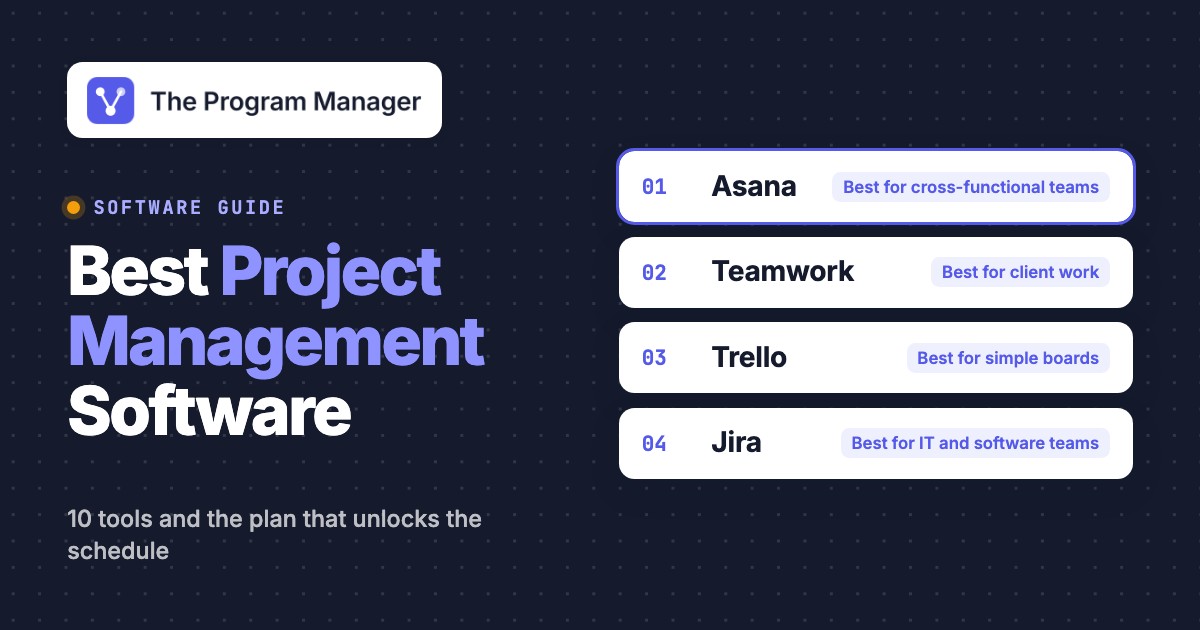
 Best for cross-functional teamsAsanaTimeline, dependencies and unlimited free guests come with the $10.99 Starter plan.
 Best for client workTeamwork.comGantt, dependencies and time logging are on the Free plan for up to five users, and client users are free on paid plans.
 Best for simple boardsTrelloThe Free plan covers 10 collaborators on a Kanban board, with paid plans from $5.
 Best for IT and software teamsJiraBacklog, sprints and Git activity on the work item, and a Free plan for 10 users.
 Best for Microsoft 365 teamsMicrosoft Planner and ProjectBasic Planner is included in Microsoft 365, and Plan 1 adds Timeline and dependencies for $10.
 Best flat price for many usersBasecampStudio costs $59 per month with unlimited users, message boards and per-project client access.
 Our product · for the gaps between toolsThe Program ManagerIt isn't a project tool. It maps dependencies across Jira and Asana and watches milestones for risk.
All 10 tools at a glance
| Tool | Type | Free plan | Where the schedule features start | Starting price (USD) | Rating |
|---|---|---|---|---|---|
| Asana | Work management + portfolio layer | Free for 2 users | Timeline and dependencies from Starter ($10.99) | $10.99 per user per month (Starter) | 4.4 (14,029) |
 monday.com monday.com | Work management + portfolio layer | Free for 2 seats | Gantt from Standard ($12), dependencies from Pro ($19) | $9 per seat per month (Basic, 3 seats minimum) | 4.7 (17,262) |
 ClickUp ClickUp | Work management + portfolio layer | Free Forever, unlimited members | Gantt and time tracking from Core ($9), Timeline and Workload from Business ($17) | $9 per user per month (Core), dashboards and workload from $17 (Business) | 4.6 (14,956) |
 Wrike Wrike | Work management + portfolio layer | Free, board and table views | Gantt from Team ($10), timesheets from Business ($25) | $10 per user per month (Team), forms and proofing from $25 (Business) | 4.2 (4,544) |
| Teamwork.com | Project management for client work | Free for 5 users, with Gantt and dependencies | Client users from Basics ($9.99), critical path from Accelerate ($24.99) | $9.99 per user per month (Basics, billed yearly, min 3 users); Free for up to 5 users | 4.5 (Capterra, 942) |
| Trello | Kanban boards for small teams | Free for 10 collaborators, board view only | Timeline and Table from Premium ($10) | $5 per user per month (Standard), billed annually; Free for up to 10 collaborators | 4.4 (14,063) |
| Basecamp | Simple all-in-one project collaboration | Free for 1 project and 5 users | No Gantt chart; time tracking from Pro ($99 per month) | Free for 1 project; paid from $25 per month flat (Freelancer, 3 active projects), no per-user fees; Pro $99 per month adds time tracking | 4.1 (5,486) |
| Jira | Agile program planning | Free for 10 users | Timeline on every plan, cross-project Plans on Premium ($19.60) | $9.70 per user per month (Standard, monthly, first 100 users), Plans from $19.60 (Premium) | 4.3 (8,007) |
 Smartsheet Smartsheet | Work management + portfolio layer | None, 30-day trial | Gantt and dependencies from Pro ($9, new customers only) | $9 per member per month (Pro, new customers only), Portfolios only on Enterprise (custom) | 4.4 (22,770) |
| Microsoft Planner and Project | Microsoft 365 planning | Basic Planner included in Microsoft 365 | Timeline and dependencies from Plan 1 ($10) | $10 per user per month (Planner Plan 1), portfolios from $30 (Plan 3), paid yearly | 7.7/10 (TrustRadius, 738) |
| The Program Manager Our product | Cross-tool dependencies and milestone risk | The Program Manager maps dependencies across Jira and Asana, watches every milestone for risk, and keeps blockers, decisions and approvals in one graph. | Maps dependencies across Jira and Asana and watches milestones for risk | Invite-only | No reviews yet |
USD per user per month, billed annually unless stated, checked on each vendor's pricing page on October 15, 2026. Basecamp is flat-rate per month. Ratings are G2 out of 5 unless the cell names Capterra (out of 5) or TrustRadius (out of 10).
What is project management software?
Project management software is a tool that helps a team plan, schedule, assign, track and report project work in one place. A good one answers four questions at any moment: who owns which task, when is it due, what is blocking it, and how much time has it taken.
The "big 3" in project management are scope, time and cost, often called the triple constraint, because changing one puts pressure on the other two. The software maps onto them directly. The task list holds scope, the Gantt or timeline view holds time, and time tracking or budgets hold cost.
It helps to separate three kinds of tool, because Google mixes them on this keyword.
| Kind of tool | What it handles | Typical question | Where it shows up here |
|---|---|---|---|
| Task tracker | A list of to-dos for a person or small team | What do I do today? | Trello's Free plan, Asana Personal |
| Project management software | Tasks, schedule, dependencies, time and status for a project | Will we hit the date? | Asana, Teamwork, Jira, Wrike |
| Portfolio and program tools | Several related projects together | Which projects are at risk? | Our program management software guide |
How we evaluated these tools
We evaluated these tools from published sources, not hands-on tests of all ten products, and we don't claim otherwise. For each tool we read four sources in October 2026: the US pricing page, a feature page about project work, a help-center article that shows how a feature behaves, and a review site (G2 where we could read it, otherwise Capterra or TrustRadius). Five questions decided what went into each entry.
- Views and scheduling: which plan first gives a Gantt or timeline view.
- Dependencies: whether one task can block another, and what happens to dates when it slips.
- Time tracking and cost: whether time is tracked natively or only through an add-on.
- Collaboration and outside people: comments, chat, and what a client or contractor can see.
- Fit for IT and software work: sprints, backlog, issue types and Git links, or their absence.
We left out personal task apps, tools aimed at one industry such as construction, and anything we couldn't document from vendor pages this month. Prices are USD per user per month billed annually unless we say otherwise, and Basecamp is flat-rate.
Work management platforms for cross-functional teams
Asana, monday.com, ClickUp and Wrike are general work management platforms. Each puts the schedule features behind a plan that costs more than the headline price, and the plan that holds Gantt, dependencies and time tracking together differs for every one of them.
Asana
Asana
Work management tool whose Advanced plan adds portfolios, goals and workload, so a program becomes a portfolio of projects with rollup fields and templated status updates.
A cross-functional team that plans several projects with deadlines, handoffs and outside guests gets Gantt, dependencies and unlimited free guests from the $10.99 Starter plan.
The team it fits. Picture ten people across marketing, product and operations running a launch, a website rebuild and a few recurring processes at once. Each project shows the same tasks as a list, a board or a calendar, and forms standardize how work is requested. On Starter, the Timeline and Gantt views add dates and dependencies, so a blocked task shows up where the schedule depends on it. Rules assign work and move tasks along, and clients or contractors join as guests without taking a paid seat.
What it will miss. Time tracking is the gap. The free plan tracks time only through integrations, and native tracking with estimated versus actual time starts on Advanced at $24.99 per user per month. If you bill by the hour, Teamwork or Jira cover that on cheaper plans. The pages we read also describe no native sprints or issue types, so engineering teams usually pair Asana with Jira.
- your projects cross departments and you want one task list per project with Gantt and dependencies from $10.99
- clients or contractors need access to specific projects without a paid seat
- you bill by the hour: native time tracking starts on Advanced at $24.99
- your team runs sprints: the pages we read describe no native sprint or issue-type model
- Users like
- ease of use (1,382 mentions in G2's pros summary) and task management (1,379)
- Users dislike
- missing features such as time tracking (562 mentions) and a steep learning curve (555)
- Source: G2, 14,029 reviews
How dependencies and time tracking work
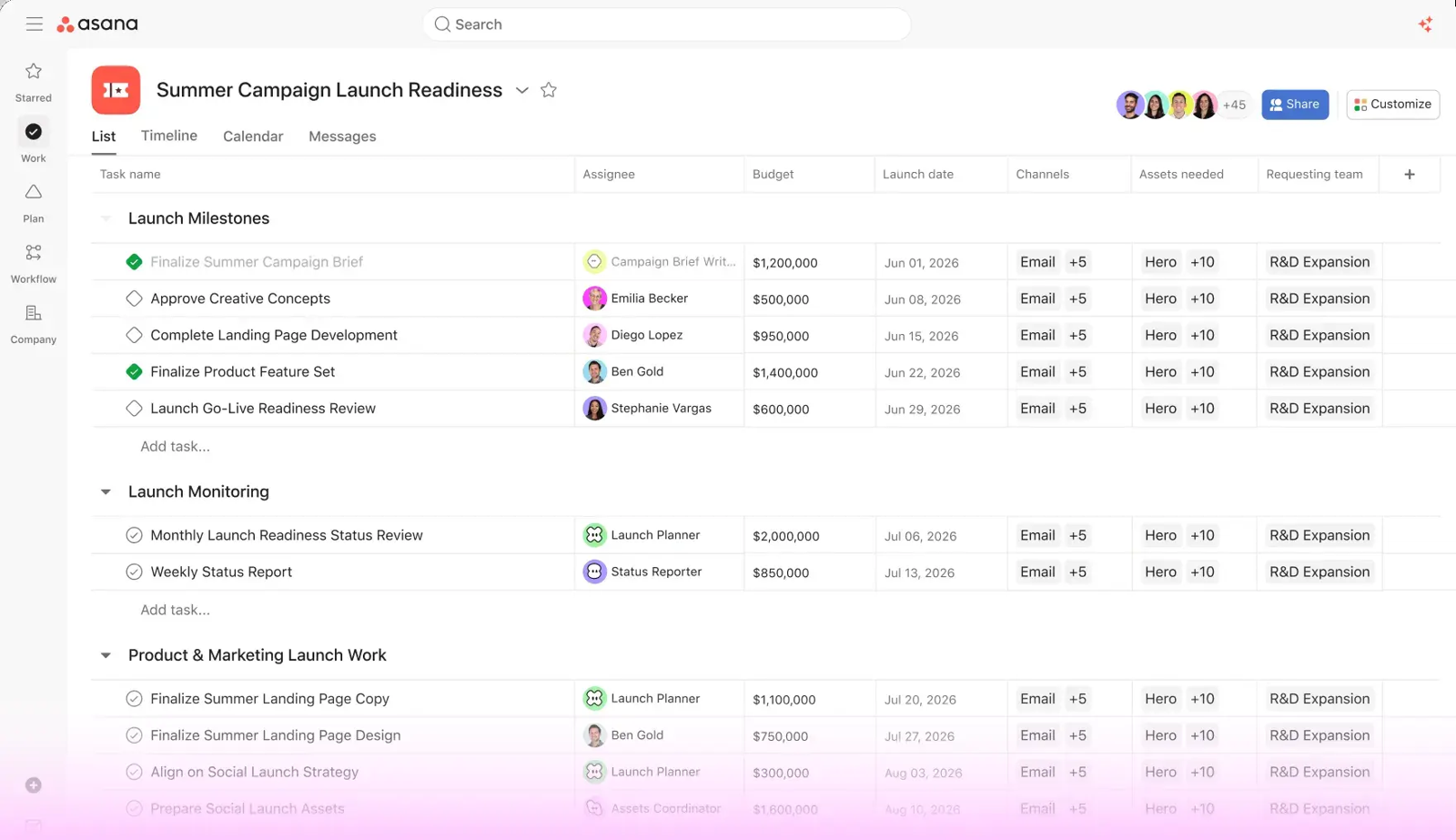
Asana's dependencies are blocked-by and blocking links drawn on the Timeline, and they can point at tasks outside the project. Starter also includes unlimited automations and reporting dashboards. Portfolios, which roll several projects into one view, start on Advanced and are covered in our program management software guide.
- Starting price
- $10.99 per user per month (Starter)
- Program tier
- Advanced, $24.99 per user per month billed annually
- Dependencies
- Starter and up, at most 30 dependents and dependencies per task
- Capacity
- Workload in one portfolio (Advanced), universal (Enterprise)
- Free plan
- Personal, up to 2 users, unlimited tasks and projects
- Time tracking
- Advanced, $24.99 per user per month
monday.com
monday.com
Board-based work management whose Enterprise portfolio solution connects up to 200 project boards to one portfolio board with health, progress and AI risk lists.
A team that wants to shape its own boards gets Gantt on Standard at $12, but dependencies, time tracking and a workload view only arrive on Pro at $19.
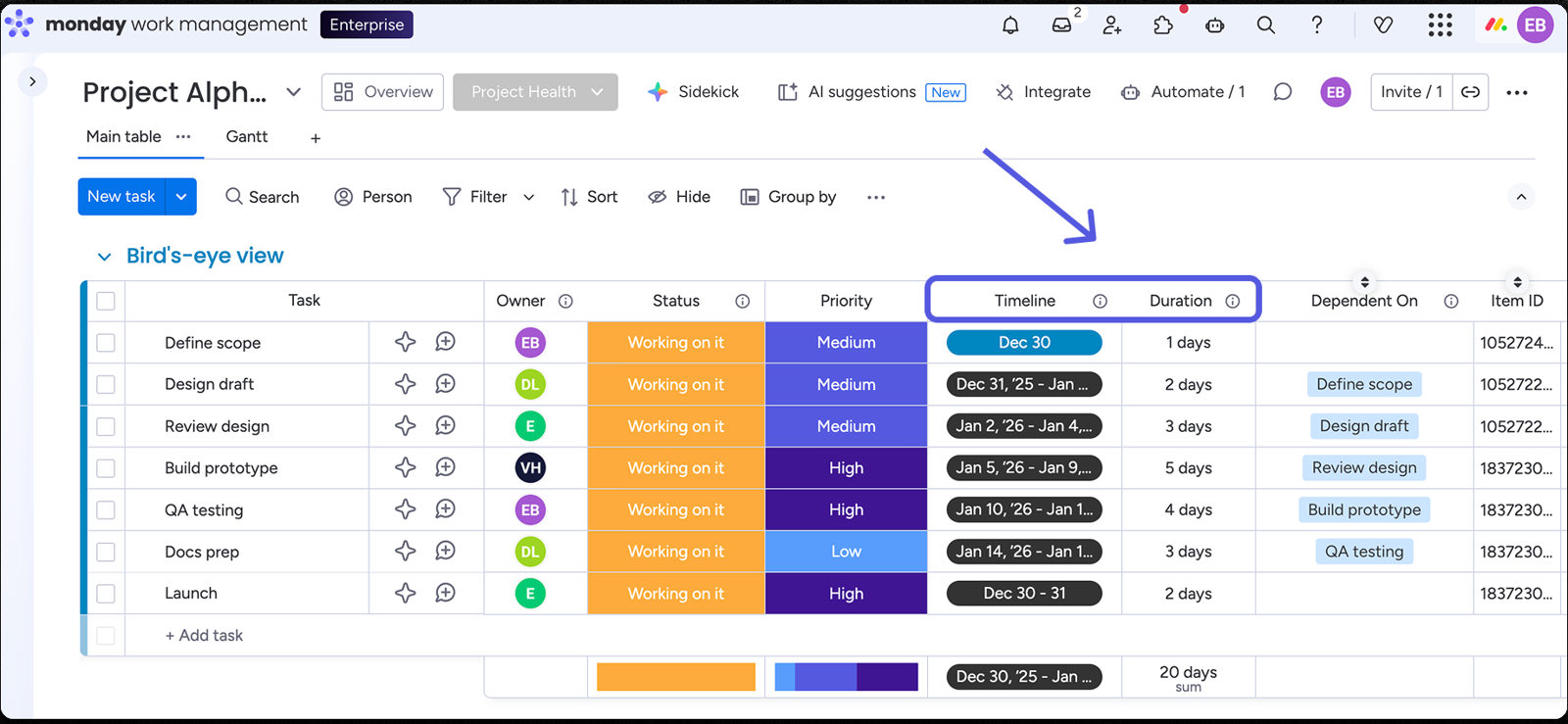
The team it fits. A delivery team that wants each project to look the way it works: one board per project, groups as phases, items as tasks and subitems as steps. Columns for owner, status, timeline and duration carry the plan, and comments with @mentions sit inside every item. Standard adds the Gantt and Timeline views, a calendar and three free guests. Pro adds a Dependency column that moves downstream dates in Flexible or Strict mode, a Time Tracking column with a start and pause timer, and a workload view.
What it will miss. The plan most teams reach for first isn't the plan that holds the project features. Basic at $9 has no Timeline or Gantt, and dependencies need Pro or Enterprise. Every paid plan needs three seats, so the entry price is three seats at $9 per month. Sprints, a backlog and Git integrations live in monday dev, a separate product with its own price list, not in monday.com work management.
- you want a customizable board for each project and are willing to pay for Pro
- you need dashboards that combine several boards: up to 5 on Standard and 20 on Pro
- you need dependencies on a small budget: they start on Pro at $19 with a three-seat minimum
- you run software sprints: those belong to monday dev, which is a separate product
- Users like
- Ease of use
- Users dislike
- Missing features
- Source: G2, 17,262 reviews
How dependencies and time tracking work
A dependency in monday.com needs dates to act on. The Dependency column links to a Date or Timeline column, and it doesn't create dates for you: you fill them in or use the Duration column first. Time Tracking data doesn't transfer between boards through automations. Gantt milestones and the critical path are also Pro features.
- Starting price
- $9 per seat per month (Basic, 3 seats minimum)
- Program tier
- Enterprise (quote)
- Portfolio size
- Up to 200 projects, 20,000 items in total
- Dashboards
- 5 boards (Standard), 20 (Pro), 50 (Enterprise)
- Free plan
- 2 seats, 3 boards, no Gantt or time tracking
- Automation actions
- 250 on Standard, 25,000 on Pro, per month
- Seat minimum
- 3 on every paid plan
monday.com- Free2 seats, 3 boards, no Gantt, no time tracking
- Basic, $9Unlimited items and boards, no Timeline or Gantt
- Standard, $12Timeline and Gantt, calendar, 3 free guests, 250 automation actions
- Pro, $19Dependencies, time tracking, workload view, 25,000 automation actions
ClickUp
ClickUp
All-in-one work tool where a dashboard Portfolio card turns Lists into a program table with progress, overdue tasks, milestones and summed number fields.
A team that wants tasks, docs, chat and time tracking in one tool gets Gantt and native time tracking on Core at $9, with Timeline, Workload and dashboards on Business at $17.
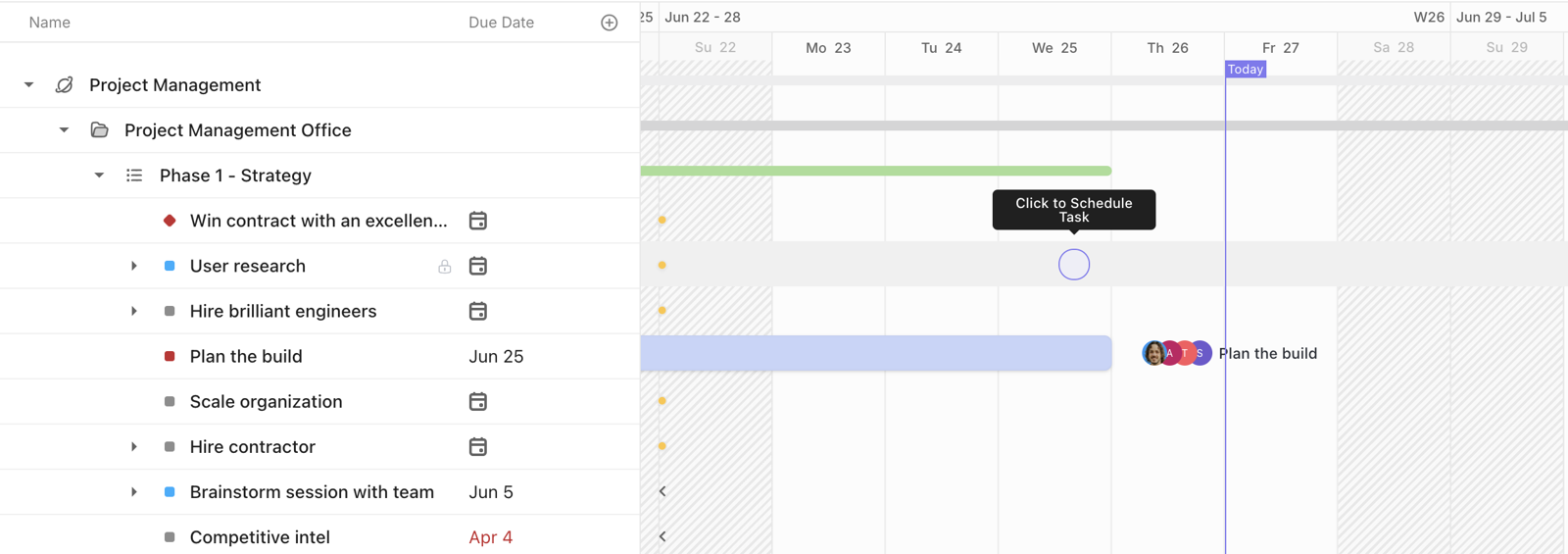
The team it fits. An operations or product team that wants one workspace for several kinds of work: a Space per department, a Folder per project and Lists per phase or sprint. The same tasks show as a List, Board, Calendar or Gantt. On the Gantt you draw a line between two tasks to create a dependency, and with Reschedule Dependencies on, dragging one task moves the tasks after it. ClickUp tracks time natively with a timer and manual entries, and Business adds timesheets with approvals. Sprint management is included from the Free plan.
What it will miss. Plan names and prices moved while we researched. The US pricing page listed Core at $9 and Business at $17 per user per month billed yearly, while another view of the same page showed an older Unlimited and Business lineup, so confirm the plan name before you buy. Timeline, Workload and Dashboards are trial-only below Business.
- you want tasks, docs and time tracking in one tool and don't mind setting it up
- you need date changes to cascade when a task slips
- you want a quick-to-learn board: the learning curve is a recurring G2 complaint
- you need Timeline, Workload or dashboards on a small budget: they're trial-only below Business
- Users like
- ease of use (4,221 mentions in G2's pros summary)
- Users dislike
- missing features (2,040 mentions), followed by the learning curve
- Source: G2, 14,956 reviews
How dependencies and guests work
ClickUp's dependency cascade has a ceiling: it moves at most 1,000 dependent tasks at once, and baselines, which store the original plan for comparison, start on Business. Automations are capped per month by plan, and when you hit the cap they pause until the next month. Clients can be invited as guests: view-only guests are free on paid plans, and guests who can comment or edit use limited guest seats.
- Starting price
- $9 per user per month (Core), dashboards and workload from $17 (Business)
- Program tier
- Business, $17 per user per month billed yearly
- Baselines
- 10 per location (Business), 20 (Enterprise)
- Dependency cascade
- Reschedules up to 1,000 dependent tasks at once
- Free plan
- Free Forever, unlimited members and tasks, 60 MB storage
- Core vs Business
- Gantt and time tracking on Core, Timeline and Workload on Business
Wrike
Wrike
Work management platform with project-to-project dependencies on the Gantt chart, workload charts from Business and a program timeline across projects on Pinnacle.
A team with structured requests and approvals gets Gantt with all four dependency types from Team at $10, and timesheets from Business at $25.
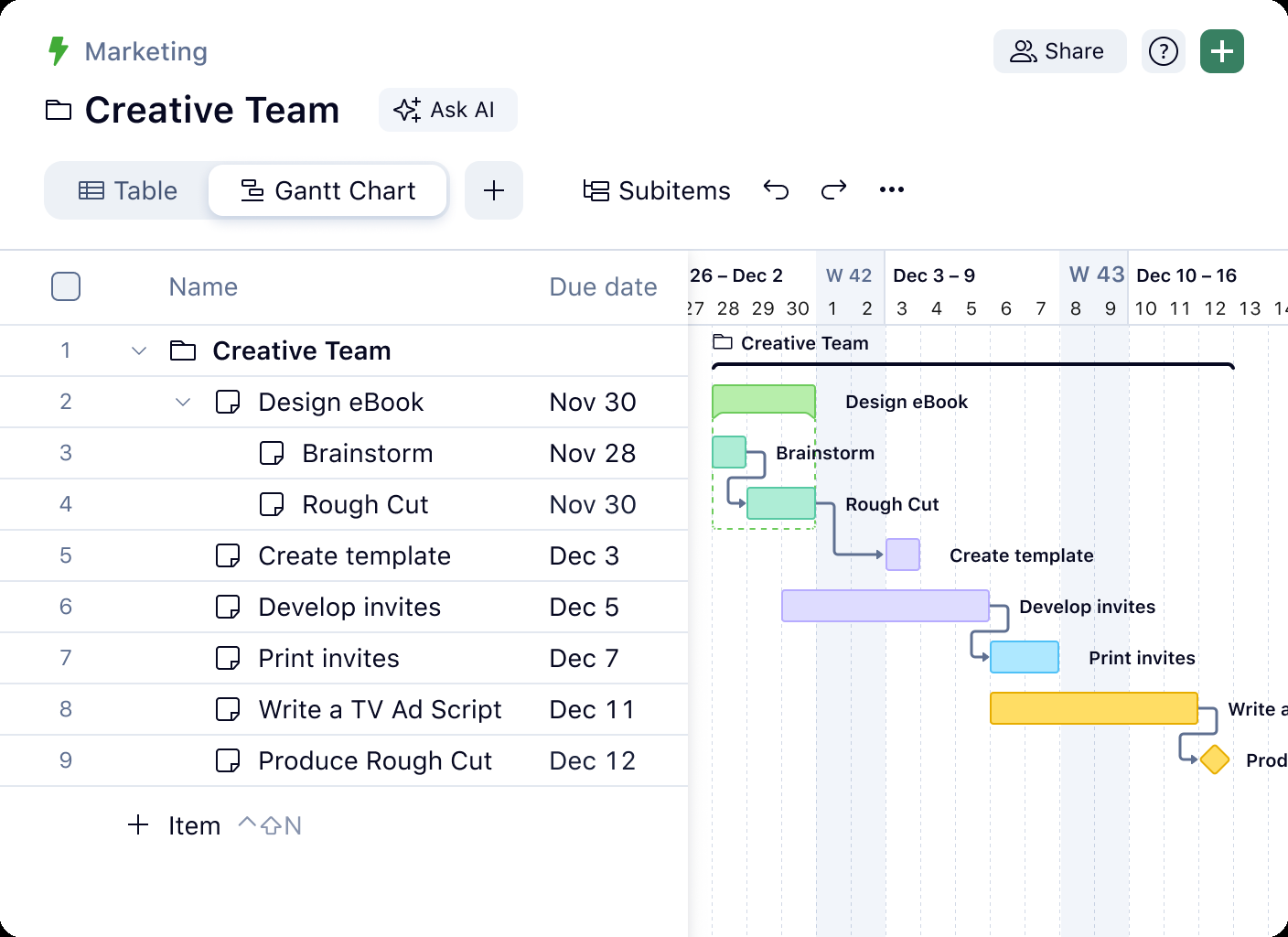
The team it fits. A services or operations team of five to 50 people that receives work as requests, plans it on a Gantt chart and needs people to approve results. On Team, the interactive Gantt supports dependencies with lead and lag, and linked tasks reschedule automatically; a conflict monitor flags clashes with milestones. Comments with @mentions sit on tasks, folders and projects, and the Inbox collects them. Slack alerts and actionable Microsoft Teams notifications bring those threads to where people already talk.
What it will miss. Time tracking, the part a services team bills from, isn't on Team. Timesheets start on Business at $25 per user per month with a five-user minimum, and timesheet approvals only come with the custom-priced Pinnacle plan. Wrike has no native sprints or backlog in the pages we read. Connecting it to Jira or GitHub goes through Wrike Sync, and the sources we found disagree on which plans include it.
- your team receives work as requests and needs a Gantt chart with dependencies from $10 per user
- you report time to clients or finance and can pay for Business
- you have more than 15 people and want the cheapest paid plan: Team stops at 15 users
- you want a tool people learn in an afternoon: G2 reviewers name the learning curve as their top complaint
- Users like
- team collaboration (528 mentions in G2's pros summary)
- Users dislike
- a steep learning curve (364 mentions) and not intuitive (261)
- Source: G2, 4,544 reviews
How dependencies and guests work
Wrike's dependencies come in all four types, with lead and lag. Completed or canceled tasks in a chain don't move when an earlier task shifts. The critical path, which highlights the tasks that set the finish date, sits above the Team plan according to the help center. Outside reviewers can approve files as guests without a Wrike account.
- Starting price
- $10 per user per month (Team), forms and proofing from $25 (Business)
- Program timeline
- Pinnacle and Apex (quote)
- Workload charts
- Business and up
- Dependency types
- FS, SS, FF, SF between projects
- Free plan
- Board and table views, no Gantt
- Seat range
- Team 2 to 15 users, Business 5 to 200
- Timesheets
- Business and up, approvals on Pinnacle and Apex only
Project management software for client work and small teams
Teamwork, Trello and Basecamp suit teams where the project is a client engagement or a handful of stages, not a program. They differ most in how they charge and how much planning they offer.
Teamwork.com
Teamwork.com
Client-work project management with list, board, table and Gantt views, dependencies, built-in time tracking and free client users on paid plans, plus workload and invoicing on higher tiers.
A team that bills clients for time gets Gantt, dependencies and time logging even on the Free plan for up to five users, and free client users from Basics at $9.99.
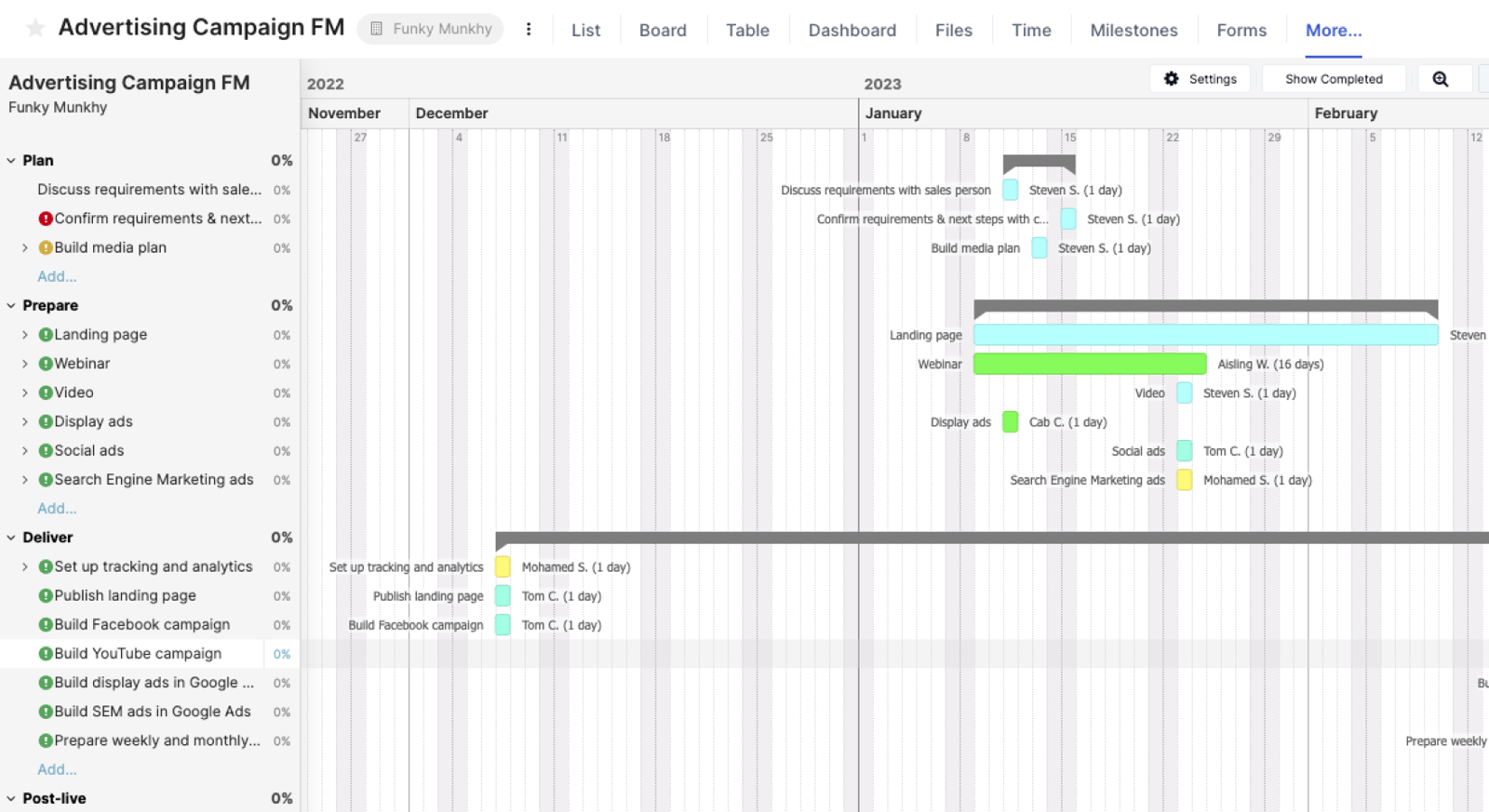
The team it fits. An agency or consultancy of five to 30 people running client projects from templates: task lists with milestones, subtasks and dependencies, shown as list, board, table or Gantt. Time is logged against tasks, marked billable or non-billable, and reviewed in reports such as planned versus actual and utilization. Clients join as client users on paid plans, comment, approve files with Proofs and see project status. Workload planning, critical path, timesheets and intake forms start on Accelerate at $24.99.
What it will miss. Teamwork positions itself at professional services firms and agencies, and the feature set reflects it. We found no native Git integration and no documented story points or velocity, so it's a poor fit for sprint-based software teams. The Timeline view and a new Board view are labeled early release. Capterra reviewers praise the clean interface and time tracking and mention complexity when the need is simple.
- you bill clients for time and want billable tracking, templates and free client users in one tool
- you're a team of up to five and need Gantt with dependencies for free
- you run software sprints: there's no native Git integration and sprint points aren't documented
- you need workload planning or critical path: they start on Accelerate at $24.99 with a five-user minimum
- Users like
- a clean interface plus templates, time tracking and billing
- Users dislike
- complexity for simple needs and the 100 MB free storage cap
- Source: Capterra, 942 reviews
How dependencies and client access work
Teamwork's automation allowance grows with the plan: 100 on Free, 5,000 on Basics and 20,000 on Accelerate. Dependencies exist on every plan and can cross projects. Only Accelerate identifies the critical path. Collaborators, a separate free role, can complete assigned tasks, comment and view files, but they can't log time or add tasks.
- Starting price
- $9.99 per user per month (Basics, billed yearly, min 3 users); Free for up to 5 users
- Free plan
- 5 users, 5 projects, 100 MB, Gantt, dependencies and time logging
- Dependencies
- All plans; critical path from Accelerate
- Client users
- Free, on Basics and up, limited to five active projects
- Automations
- Basics 5,000, Accelerate 20,000 per month
- Seat minimum
- Basics 3, Accelerate 5
Trello
Trello
Card-and-list Kanban boards that stay simple on the Free plan and add Timeline, Calendar, Table and Dashboard views on Premium, with no native task dependencies or time tracking.
A small team whose work moves through a few stages gets a free Kanban board for up to 10 collaborators, and pays $5 per user to lift the board cap and add custom fields.
The team it fits. Four to ten people who track work through stages such as To do, Doing and Done: a board per project, a list per stage, a card per task. Setup takes minutes. The Free plan covers up to 10 collaborators and 10 boards per Workspace, with 250 automation command runs a month. Standard, at $5 billed annually or $6 monthly, lifts the board cap and adds custom fields. Premium, at $10 billed annually, adds Timeline, Calendar, Table, Dashboard and Map views.
What it will miss. Trello's Timeline documentation describes cards with start and end dates but no dependencies, and we found no native time tracking, so both would need a third-party Power-Up. G2 reviewers' top complaints are limited board features (270 mentions) and no built-in documents or useful statistics (259). It's a board, not a scheduler. There are no native sprints or issue types either; the GitHub Power-Up attaches branches, commits and pull requests to cards.
- your process is a handful of stages and a visual board is the whole plan
- you want the lowest per-seat price on this list
- you need dependencies or time tracking: neither is native
- you need to report across many projects: the Dashboard and Table views start on Premium
- Users like
- ease of use (776 mentions in G2's pros summary)
- Users dislike
- limited board features (270 mentions) and no built-in documents or useful statistics (259)
- Source: G2, 14,063 reviews

How the Timeline and guests work
On the Timeline, you stretch a card's edge to set its date range, zoom from day to year and group by list, member or label. Single-board guests are free. A guest who needs access to several boards is billed as a member on Standard and Premium, and multi-board guests appear as a feature of Enterprise.
- Starting price
- $5 per user per month (Standard), billed annually; Free for up to 10 collaborators
- Free plan
- 10 collaborators and 10 boards per Workspace, Board view only
- Premium
- $10 billed annually or $12.50 monthly
- Automation
- 250, 1,000 and unlimited command runs per month on Free, Standard and Premium
Basecamp
Basecamp
A flat-priced project hub that bundles to-do lists, Kanban Card Tables, a message board, group chat and per-project client access, with no task dependencies or Gantt chart.
A team that works with many clients or outside people pays a flat monthly price instead of per seat, and gets message boards, chat and check-ins alongside the task lists.
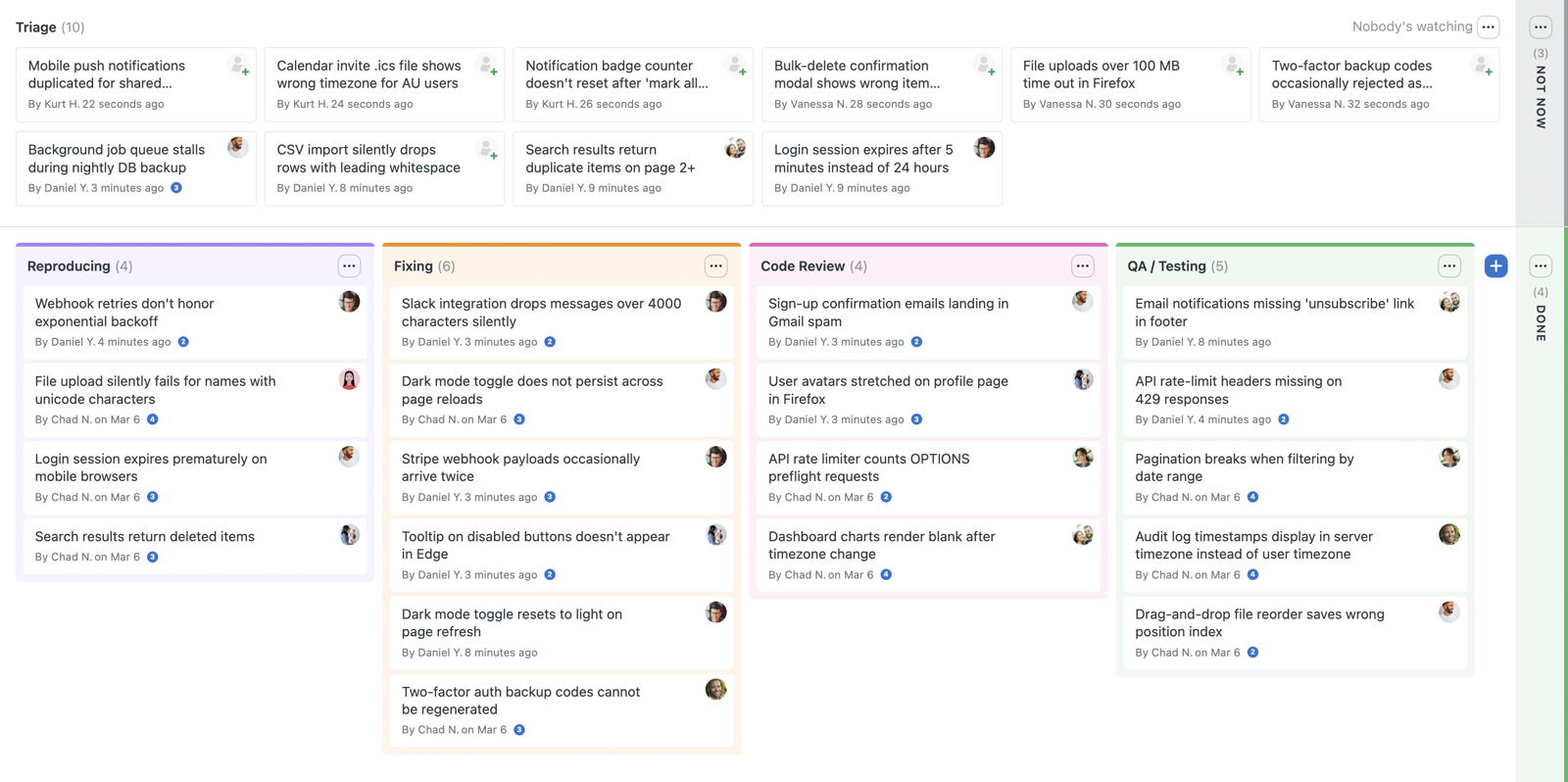
The team it fits. A consultancy or small agency with a dozen internal people and a rotating set of clients. Each project is its own container with a message board for announcements and decisions, to-do lists or a Card Table, a project calendar, docs and files, and Campfire group chat. Automatic check-ins ask the team recurring questions instead of calling a status meeting. Clients are invited per project and see only what you share. Pricing is flat: Freelancer is $25 per month for 3 active projects and 20 users, Studio is $59 for 10 projects and unlimited users, and Pro is $99 for 25 projects and adds time tracking.
What it will miss. The help pages for to-dos, Card Tables and Lineup describe no task dependencies, and we found no task-level Gantt chart. Lineup shows a rolling 13-week timeline of projects, not of tasks. G2 reviewers' top complaint is limited features for planning and reporting (36 mentions). Clients count as users, so they use up the 5-user Free cap and the 20-user Freelancer cap.
- you want one flat price with unlimited users (Studio, $59) and clients inside the project
- you'd rather use message boards, chat and check-ins than a Gantt chart
- you need dependencies, a Gantt chart or sprints
- you want time tracking on a small plan: timesheets start on Pro at $99 per month
- Users like
- ease of use (90 mentions in G2's pros summary)
- Users dislike
- limited features compared with other tools, especially planning and reporting (36 mentions)
- Source: G2, 5,486 reviews
What the reports and client access cover
Hill charts show whether a piece of work is still being figured out or already being executed. Reports list someone's tasks and overdue and upcoming tasks, and timesheets can be viewed across projects. Clients can't see hill charts, loose to-dos or timesheets. Basecamp has no native Git integration, so engineering teams rely on third-party sync.
- Starting price
- Free for 1 project; paid from $25 per month flat (Freelancer, 3 active projects), no per-user fees; Pro $99 per month adds time tracking
- Free plan
- 1 project, 5 users, 1 GB
- Paid tiers
- Freelancer $25, Studio $59, Pro $99 per month; Unlimited $299 per month billed annually
- Users
- No per-user fees; Freelancer up to 20 users, Studio and up unlimited (clients count as users)
- Active projects
- 3 / 10 / 25 / unlimited (Freelancer / Studio / Pro / Unlimited)
- Time tracking
- Per-project Timesheets on Pro and Unlimited
- Timeline
- Lineup: rolling 13-week timeline of projects, no task dependencies described
- Dev fit
- No native Git integration; third-party sync only
- Client access
- Per-project, item-by-item sharing; clients cannot see hill charts or timesheets
- Paid plans
- $25, $59 and $99 per month; Unlimited is $299 per month billed annually
Project management software for IT and software development teams
Software and IT projects differ from business projects in four ways. Work is broken into issues with types and statuses, it's planned in sprints against story points or time, it's tied to code through branches, commits and pull requests, and it ends in a release. A business tool such as Asana, monday.com or Wrike covers the project plan well, but none of the ones we read natively models that issue-and-sprint workflow.
That makes the choice for IT project management software and software development project management software narrow. Jira is the benchmark, ClickUp offers sprint management inside a general tool, Microsoft Planner Plan 1 adds a backlog and sprints, and the rest are weak on this point.
Jira
Jira
Issue tracking for software teams whose Premium plan adds Plans: one timeline across boards and projects, team capacity per sprint, a dependencies view and a program board.
An IT or software team that already runs work as issues gets a backlog, boards, sprints, story points and GitHub links, and the Free plan covers 10 users.
The team it fits. A software or IT team of eight to 80 that plans in sprints. Work breaks into epics, stories, tasks and subtasks on a backlog and a board. The team estimates in story points or time and reads velocity, burndown and burnup reports. GitHub for Atlassian shows branches, commits, pull requests and deployments on the work item. Business-style projects use the same tool through list, timeline and calendar views. Time tracking is native, with an original estimate, logged work and a remaining estimate, and guests are free, up to five per paid user, on Standard and up.
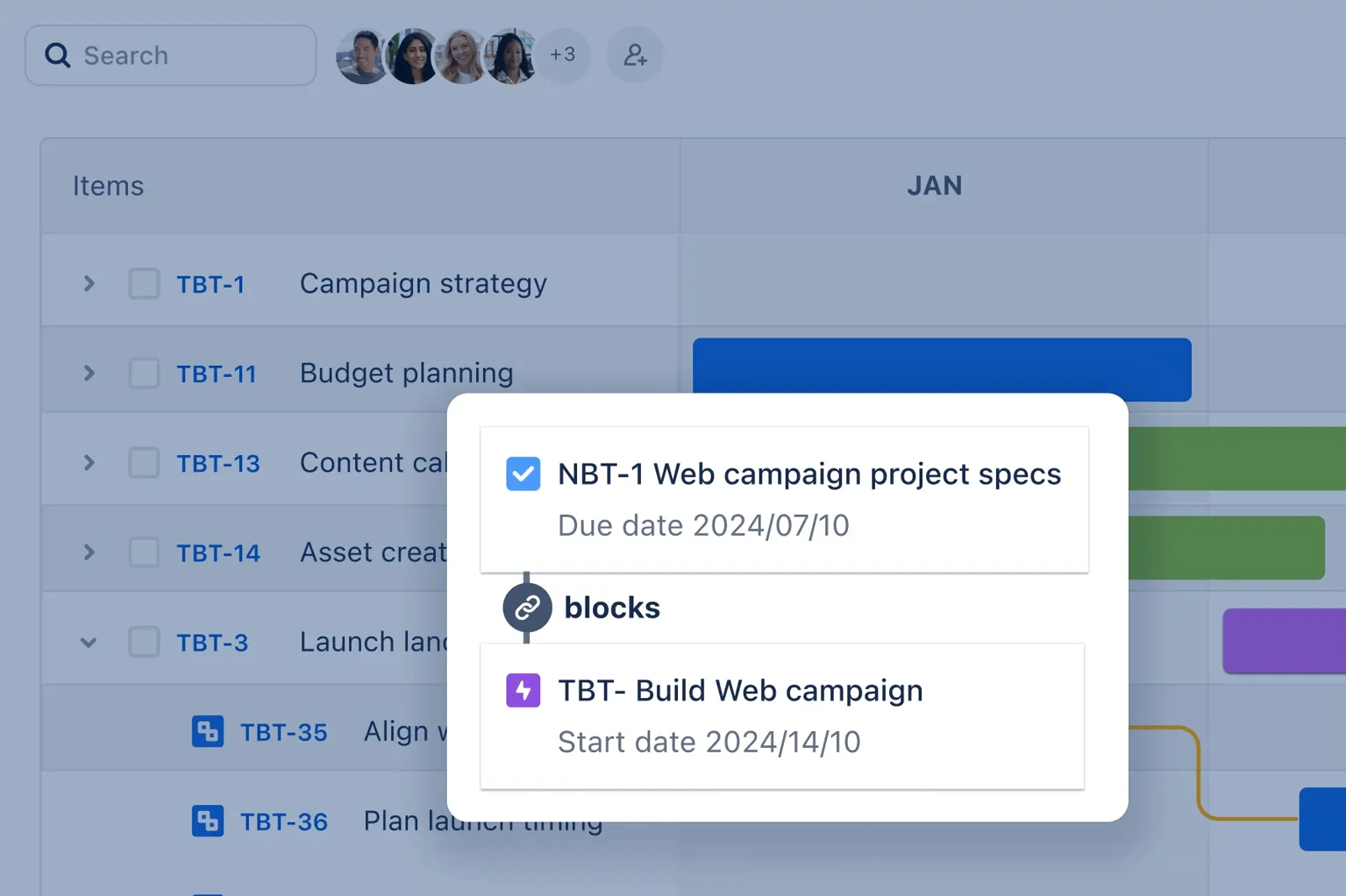
What it will miss. Business teams rarely want to live in it. G2 reviewers' top complaints are the learning curve (680 mentions) and interface complexity (503), and TrustRadius reviewers describe a clunky interface and complex configuration. Dependencies on the timeline are Blocks links between work items in a single space. Managing dependencies across projects, and team capacity per sprint, needs Premium at $19.60 per user per month.
- your engineers already work in Jira and project managers need to see the same issues on a timeline
- you plan in sprints and need Git activity on the work item
- most of your project work happens outside IT: business users rate the learning curve as the top complaint
- you need cross-project dependencies on Standard: they need Premium
- Users like
- ease of use (1,153 mentions in G2's pros summary) and flexible project tracking
- Users dislike
- the learning curve (680 mentions) and interface complexity (503)
- Source: G2, 8,007 reviews
How pricing and the timeline work
Jira's price is graduated. Standard on monthly billing costs $9.70 per user for users 1 to 100, $8.20 for 101 to 250 and less above that. Annual billing is a flat total per band instead, so a team of 11 to 15 pays $1,450 per year. The pricing page headline figure is an average at a 300-user team size, not the price a small team pays. The timeline shows a red line when two linked items have conflicting dates, and an admin must switch on work item linking first.
- Starting price
- $9.70 per user per month (Standard, monthly, first 100 users), Plans from $19.60 (Premium)
- Program tier
- Premium, $19.60 per user per month (first 100 users, monthly)
- Plan size
- Up to 50 teams per plan recommended
- Changes
- Plan is a sandbox until you review and save to Jira
- Free plan
- Up to 10 users, 150 automation steps a month, 2 GB storage
- Standard
- $9.70 per user monthly for users 1 to 100; $950 per year for up to 10 users
- Premium
- $19.60 per user monthly: cross-project Plans and capacity
Project management software for Microsoft 365 and spreadsheet-style planning
Two tools fit teams whose existing habits come from Microsoft 365 or spreadsheets. Microsoft Planner and Project is the natural step for Teams users, and Smartsheet suits people who think in rows.
Smartsheet
Smartsheet
Spreadsheet-style work management that adds a portfolio layer, with a project list, template-based project setup and rollup dashboards, on its custom-priced Enterprise plan.
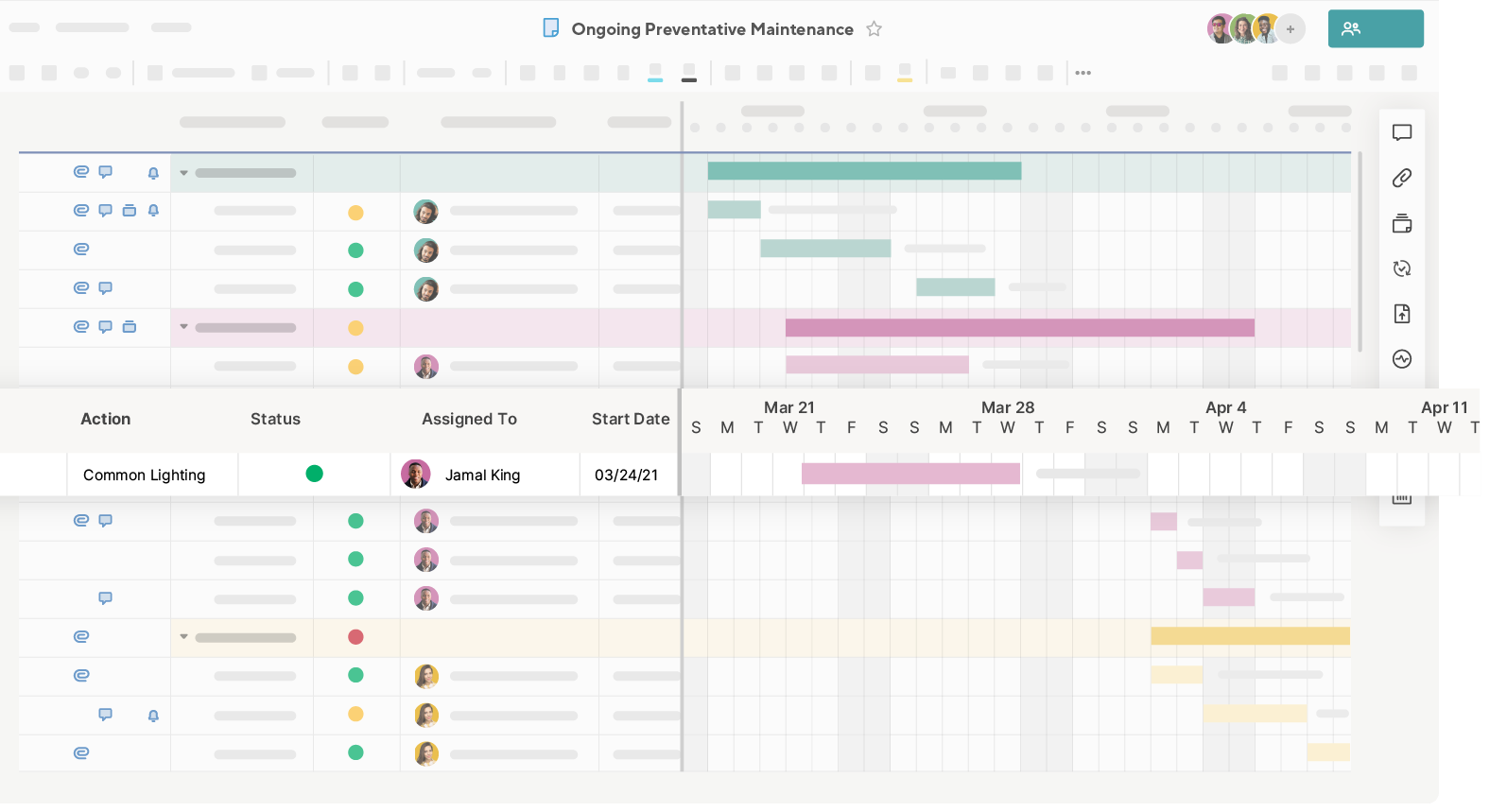
A team that plans in rows and columns gets Gantt and dependencies on every paid plan, but no free plan and no native time tracking.
The team it fits. A finance, operations or PMO team whose project plans already live in spreadsheets. A project is a sheet: rows are tasks, and start, end, duration and predecessor columns carry the schedule. Switch on dependencies in Project Settings and flip the same data to a Gantt, Card or Calendar view. Dependencies support finish-to-start, finish-to-finish, start-to-start and start-to-finish with lag. Forms and update requests collect input from people outside the sheet. Contributors are free on paid plans, and Business adds free Guests.
What it will miss. There's no free plan, only a 30-day trial. Pro, at $9 per member billed yearly, is available only to new customers and covers up to 10 members. Time tracking exists only in a Resource Management add-on without a published price. When dependencies are on, formulas aren't allowed in the date, duration, percent complete and predecessor columns, which breaks some spreadsheet habits.
- your team thinks in spreadsheets and wants a Gantt on top of the same rows
- stakeholders outside the team need to update or comment without paid seats
- you want a free plan
- you need time tracking without buying an add-on
- Users like
- ease of use (2,831 mentions in G2's pros summary)
- Users dislike
- the learning curve (1,453 mentions), tied to formulas and unintuitive features
- Source: G2, 22,770 reviews
What the plans add
Pro includes 250 automations a month, and Business and above are unlimited. Unlimited forms come with every plan, but conditional form logic starts on Business. Guests, who must be outside your email domain, aren't available on Pro. Smartsheet also has native Jira connectivity and an Agile Backlog and Sprint Planning template set, but no native Git integration.
- Starting price
- $9 per member per month (Pro, new customers only), Portfolios only on Enterprise (custom)
- Portfolios from
- Enterprise (custom pricing, 10+ members)
- Portfolio size
- Up to 100 projects and 5 templates recommended
- Capacity
- Resource Management add-on, price not published
- Free plan
- None, 30-day trial
- Pro and Business
- $9 (Pro, new customers only) and $19 per member, billed yearly
- Dependencies
- All four types with lag, on every paid plan
Microsoft Planner and Project
Microsoft Planner and Project
Planner premium plans in Microsoft 365 and Teams, where Plan 3 adds portfolios with a roadmap tab, baselines, critical path and lead/lag dependencies.
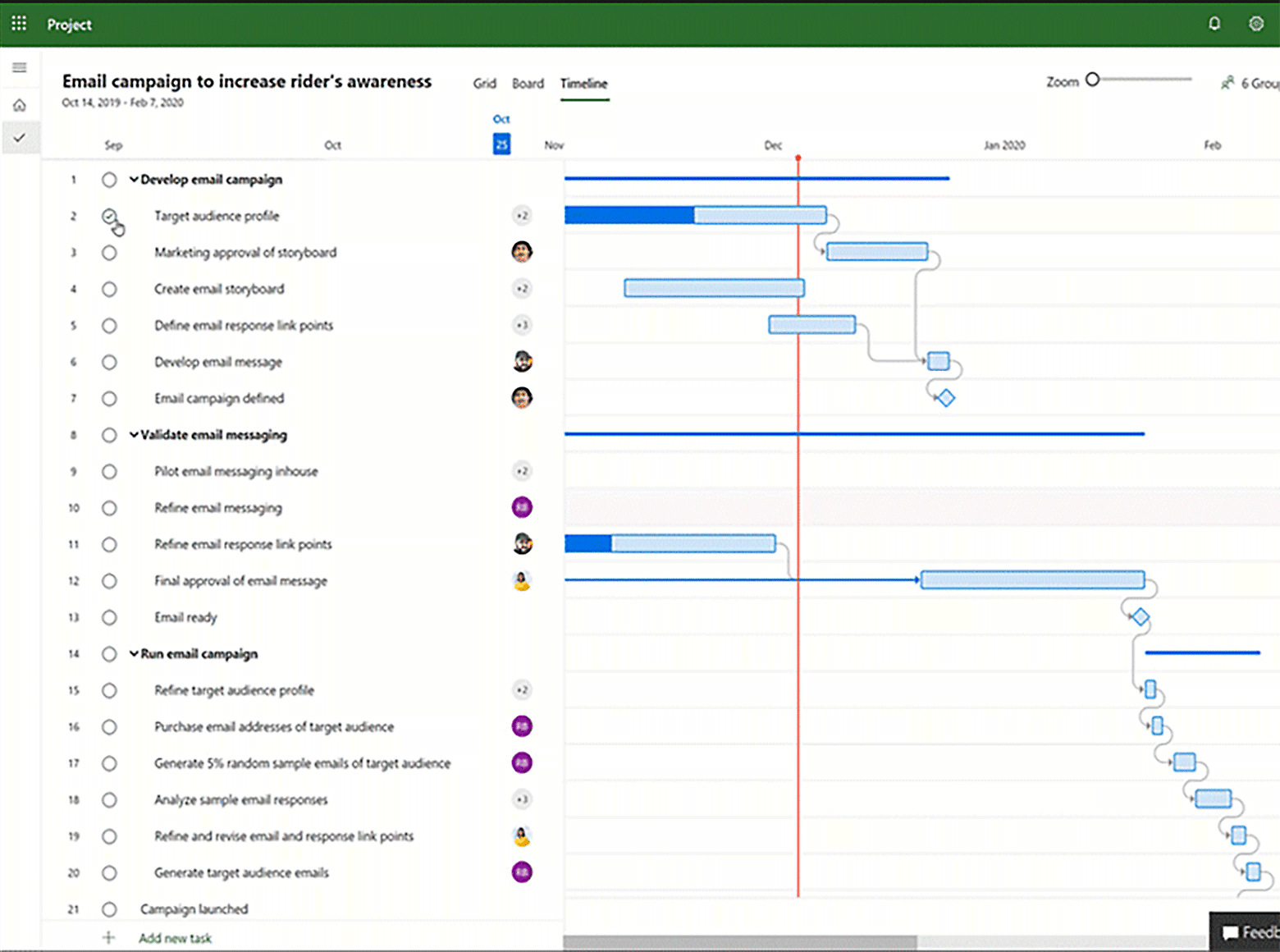
A team already on Microsoft 365 gets basic Planner at no extra cost, Timeline and dependencies on Plan 1 at $10, and baselines and critical path on Plan 3 at $30.
The team it fits. A team whose files, chat and calendar are already in Microsoft 365. Basic Planner is included in business plans with Grid, Board, Schedule and Chart views and task chat. Plan 1 adds a backlog and sprints, Calendar, Timeline (Gantt) and People views, subtasks and task dependencies, and the People view balances workload. Plans and conversations run inside Teams, and guests join through the Microsoft 365 Group. Plan 3 is Planner and Project: baselines, critical path, lead and lag, portfolios and the Project desktop app.
What it will miss. We found no native time tracking in the Planner plans we read, and no Git integration or issue types, so it's weaker than Jira for software teams. Reviewers on TrustRadius rate the Microsoft Project listing 7.7 out of 10 from 738 ratings and describe a steep learning curve and complicated configuration.
- your team lives in Teams and Outlook and you want plans without another login
- you need baselines and critical path and already license Microsoft
- you need time tracking or Git links in the tool
- you want a free standalone plan: there isn't one
- Users like
- resource management across projects and the Gantt and critical-path view
- Users dislike
- a steep learning curve and complicated configuration
- Source: TrustRadius, 738 ratings
How guests and automation work
Guest access depends on the Microsoft 365 Group behind the plan, and guests can create and delete buckets and tasks and comment, but they can't invite other guests or change plan settings. Power Automate in basic Planner covers cloud flows only. The pricing page describes finish-to-start dependencies on Plan 1, while a support article describes all four dependency types, so check what your license shows.
- Starting price
- $10 per user per month (Planner Plan 1), portfolios from $30 (Plan 3), paid yearly
- Program tier
- Planner and Project Plan 3, $30 per user per month
- Portfolio status
- Set by hand per plan; % complete and dates are read-only
- Not connectable
- Azure DevOps and Project Online projects
- Included
- Basic Planner in Microsoft 365 business plans
- Plan 1
- $10 per user per month, paid yearly: Timeline, People view, backlog, sprints, dependencies
- Plan 3
- $30 per user per month, paid yearly: baselines, critical path, lead and lag, Project desktop app
Free project management software
Eight of the ten tools have a free plan, and what they cap differs: seats (Asana and monday.com allow 2, Teamwork 5), projects (Basecamp allows 1), or views (Trello's Free plan has Board view only, and Wrike's has no Gantt). Smartsheet has no free plan, and Microsoft includes basic Planner in its business subscriptions but sells no standalone free tier.
| Tool | What the free plan includes | What it leaves out |
|---|---|---|
| Asana | Personal: 2 users, unlimited tasks and projects, list, board and calendar views | Timeline, Gantt and dependencies start on Starter |
| monday.com | 2 seats and 3 boards | Gantt, time tracking and guests |
| ClickUp | Free Forever: unlimited members and tasks, 60 MB storage | Gantt, Timeline and Workload only as limited trials |
| Wrike | Board and table views | Gantt, custom fields and time tracking |
| Teamwork | 5 users, 5 projects, 100 MB, Gantt, dependencies and time logging | Client users, project chat and critical path |
| Trello | 10 collaborators, 10 boards per Workspace, 250 command runs a month, Board view | Timeline, Calendar, Table and Dashboard |
| Basecamp | 1 project, 5 users, 1 GB | Templates, time tracking and multiple tools per project |
| Jira | 10 users, backlog, list, board, timeline and calendar views, 150 automation steps a month | Guest access, user roles and cross-project Plans |
| Smartsheet | None, a 30-day trial | Everything until you pay |
| Microsoft Planner | Basic Planner is included in Microsoft 365 business plans | Timeline, People view and sprints start on Plan 1 |
Project tracking software: what to track and where
Project tracking software shows where each project stands against its plan. Any of the tools above can do the basics: a task has an owner and a due date, and an overdue task turns red. The differences are in how much else you can see.
- Every task has one owner and a due date
- Milestones sit on a Gantt or timeline view, not only in a list
- Blocked tasks are linked to the task that blocks them
- Estimated time is compared with logged time for each project
- Overdue tasks are reviewed in one view
- A status update says on track, at risk or off track for each project
| Tool | Where progress shows | Time tracking | Dependencies start at |
|---|---|---|---|
| Asana | Reporting dashboards from Starter | Native from Advanced | Starter |
| monday.com | Dashboards combining 1, 5 or 20 boards by plan | Pro | Pro |
| ClickUp | Dashboards from Business | Native from Core | Core, on the Gantt |
| Wrike | Shareable dashboard from Team | Timesheets from Business | Team, on the Gantt |
| Teamwork | Project dashboards on all plans | All plans, including Free | All plans |
| Trello | Dashboard view on Premium | Not native | Not native |
| Basecamp | Reports and hill charts | Pro | None described |
| Jira | Summary view and dashboards on every plan | Native, with logged work | Blocks links in one space, cross-project on Premium |
| Smartsheet | Dashboards and reports | Resource Management add-on | All paid plans |
| Microsoft Planner | Charts view and dashboards | Not in Planner plans | Plan 1 |
Project communication software: where the conversation lives
Project communication software keeps the conversation next to the work. Every tool here supports comments on tasks, but they differ on chat, announcements and what an outside person can see.
- Step 1Talk about the task
- Trello
- Asana
- monday.com
- Wrike
- Jira
- Smartsheet
Breaks when the thread stays in a task nobody opens - Step 2Chat and announce
- Basecamp
- ClickUp
- Teamwork.com
- Microsoft Planner and Project
Breaks when a decision stays buried in a chat scroll - Step 3Include outside people
- Asana
- monday.com
- Teamwork.com
- Basecamp
- Jira
Breaks when a client sees too much, or can't see the one task that matters - Across allWatch the gaps between tools
- The Program Manager
Catches a dependency across Jira and Asana that nobody tracks
Basecamp is the only tool here built around communication first, with message boards, group chat, private pings and automatic check-ins on every plan. ClickUp has Chat, Teamwork adds real-time project chat from Basics, and Microsoft Planner has threaded chat inside each task plus Teams. Wrike sends Slack alerts per folder and actionable notifications to Teams. For outside people, Asana gives unlimited free guests on Starter, monday.com gives three on Standard, Jira gives up to five free guests per paid user, and Teamwork and Basecamp invite clients per project.
What the plan with Gantt, dependencies and time tracking costs
The right price comparison isn't the cheapest plan. It's the cheapest plan that has a schedule, dependencies and time tracking together. Trello, Basecamp, Smartsheet and Microsoft Planner don't have all three on one plan, so they're not in this calculator. The rest are priced per user per month on annual billing, except Jira, which is monthly.
Monthly cost. Jira is on monthly billing, the rest on annual billing. ClickUp prices vary by plan lineup, so confirm before buying.
At 10 people, ClickUp Core costs $90 per month, Jira $97, Teamwork Basics $99.90, monday.com Pro $190, Asana Advanced $249.90 and Wrike Business $250. The spread comes from plan design, not from the headline price: monday.com's $12 Standard seat and Asana's $10.99 Starter seat look cheap until you need time tracking.
How to choose project management software
Choosing project management software starts with the work, not the feature list. A team that plans in sprints should look at Jira first, and a team that bills clients for time should look at Teamwork. A team that only needs a visual board shouldn't pay for a scheduler.
- You want free and simpleTrello Free, up to 10 collaborators
- You need a schedule with dependencies for a mixed teamAsana Starter at $10.99 or ClickUp Core at $9
- You need time tracking on a small planTeamwork, which logs time on the Free plan, or Jira
- You want clients inside the project at a flat priceBasecamp Studio at $59 per month
- You plan in sprintsJira, or Planner Plan 1 inside Microsoft 365
- Your plans live in spreadsheetsSmartsheet
- You need baselines and critical pathPlanner and Project Plan 3 at $30 or Teamwork Accelerate at $24.99
If your projects are split across tools, for example engineering in Jira and business work in Asana, the gap is usually the dependency between them. That's the job The Program Manager was built for. It's not a project tool and it doesn't replace any tool above.
FAQ
What is the most used project management software?
The most used project management software can't be ranked exactly, because no source reports active users, so review volume is the best proxy. By number of G2 reviews, Smartsheet leads this list with 22,770, followed by monday.com with 17,262, ClickUp with 14,956, Trello with 14,063 and Asana with 14,029.
What is the best software for project management?
The best software for project management depends on the team. Asana suits cross-functional teams, Teamwork suits client work, Trello suits simple boards, Jira suits IT and software teams, and Microsoft Planner suits Microsoft 365 teams.
What are the big 3 in project management?
The big 3 in project management are scope, time and cost, often called the triple constraint. Changing one puts pressure on the other two. Project management software tracks scope as tasks, time as a schedule and cost through time tracking or budgets.
Does Microsoft 365 have project management?
Yes, Microsoft 365 includes project management. Basic Planner is included in Microsoft 365 business plans. Planner Plan 1 costs $10 per user per month, paid yearly, and adds Timeline, dependencies, a backlog and sprints. Planner and Project Plan 3 costs $30 and adds baselines and critical path.
Is there free project management software?
Yes, free project management software exists. Eight of the ten tools here have a free plan, including Trello (10 collaborators), Jira (10 users), Teamwork (5 users) and Asana (2 users). Each caps seats, projects or views.
How much does project management software cost?
Project management software costs from $5 per user per month: paid seats on this list start at $5 per user per month for Trello Standard, billed annually. The plans that combine a schedule, dependencies and time tracking run from about $9 to $25 per user per month. Basecamp charges a flat $25 to $99 per month instead.
Leave a Reply