If you've been asked to build a RACI chart, or you've inherited a program where nobody's sure who owns what, this guide is for you. It explains the four roles, shows a RACI chart for a program with several workstreams, gives you a template to copy and lists the checks that catch a broken chart before anyone relies on it.
- RACI stands for responsible, accountable, consulted and informed. The chart assigns one of the four to each person for each task or decision.
- Responsible does the work. Accountable owns the outcome and signs it off, and every task has exactly one accountable person.
- Check every row for one A and at least one R, then check every column for people carrying too many Rs or As.
- At program level, add the sponsor, the PMO and the steering committee as columns and put decisions in the rows, not just tasks.
What Is a RACI Chart?
A RACI chart is a grid that assigns each task or decision a role for every person involved: responsible, accountable, consulted or informed. RACI is the first letter of each of those four words. The PMI Lexicon of Project Management Terms treats the RACI chart as a common type of responsibility assignment matrix, which is why you'll also see it called a RACI matrix, a RACI model or a responsibility assignment matrix.
The layout is simple. Tasks and decisions run down the left side and people or roles run across the top. Each cell holds one letter or stays blank. Asana describes the chart as a way to see who completes the work, who approves it, who gives input and who needs updates. Atlassian adds that it helps teams find bottlenecks and overlapping duties during planning.
What it's for is removing the quiet assumption that somebody else has a task covered. MindTools frames it as the answer to gaps, duplication and confusion when several people work on one project. For a program manager the same problem is bigger, because the "somebody else" is often on another team, in another tool and under another manager.
What Is the Difference Between Responsible and Accountable?
Responsible means you do the work. Accountable means you own the result and sign it off, and that ownership isn't shared. The PMI Lexicon defines accountability as the condition of being answerable for the outcome of a task or project and describes it as an individual responsibility.
| Letter | Role | What the person does | How many per task |
|---|---|---|---|
| R | Responsible | Does the work or makes the decision | One or more, depending on the source |
| A | Accountable | Owns the outcome, approves it, answers for it | Exactly one |
| C | Consulted | Gives input before the work is finished, in both directions | Zero or more |
| I | Informed | Gets updates on progress or the result, without contributing | Zero or more |
On the Consulted role, MindTools calls these people active participants who are "in the loop", while Informed people only need to be kept in the picture. The practical test is simple: a Consulted person can change the result, but an Informed person can't.
The same person can hold both letters. Asana's own example lists the web developer as both responsible and accountable for improving loading speed. That's fine when one person does the work and owns the result, but it becomes a problem when the A doesn't have authority over the people doing the R, which is covered in the mistakes section below.
RACI Chart Example for a Program
A program RACI has decisions and deliverables as rows and the sponsor, program manager, PMO, workstream leads, finance and steering committee as columns. The example below is illustrative: a hypothetical program replacing a customer portal, run as three workstreams. It's written at program level, so the rows are things only a program has to decide, such as cross-workstream dependencies and scope changes above tolerance.
| Task or decision | Sponsor | Program manager | PMO | Workstream leads | Finance | Steering committee |
|---|---|---|---|---|---|---|
| Approve the business case and budget | A | R | C | I | C | C |
| Set the program roadmap and milestones | C | A/R | C | C | I | I |
| Deliver each workstream's scope on time | I | A | I | R | I | I |
| Manage dependencies between workstreams | I | A | R | R | I | I |
| Approve a scope change above tolerance | C | R | C | C | C | A |
| Report status to the steering committee | I | A | R | C | C | I |
| Track spend against forecast | I | A | C | C | R | I |
| Confirm benefits at program close | A | R | C | C | C | I |
Here's what to notice when you read it.
- The A moves. The sponsor owns the business case and the benefits, the program manager owns delivery, and the steering committee owns scope changes above tolerance. A program has several owners at different levels, but each row still has one.
- The program manager is rarely only R or only A. They are accountable for delivery and reporting and responsible for preparing the business case and the change request. Both are normal, though that's exactly why the program manager's column needs the column check described below.
- Workstream leads are mostly R. Their accountability sits with the program manager for the program as a whole. Inside a workstream, each lead would keep a more detailed project-level chart like the one Asana and Atlassian describe.
If you're still sorting out where the program manager's role ends and a project manager's begins, our guide on program manager vs project manager walks through the split.
How to Create a RACI Chart in Six Steps
To create a RACI chart, list the tasks, list the people or roles, assign one letter per cell, check every row and column, agree the result with the people named and publish it. Asana and Atlassian both teach a four or five step version; the version below adds the agreement and review steps because a chart nobody's agreed to is really just a guess. Don't skip step five; it's the one teams drop.
List the tasks and decisions
Write down the deliverables, milestones and decisions in the scope. Include decisions, because that's where ownership usually goes missing. Keep the level consistent, since Interfacing warns that going too high lets things slip and going too detailed turns the chart into micromanagement.
List the roles
List functions rather than individuals when several people do the same job. Put them across the top. For a program, include the sponsor, PMO, finance and any governance body.
Assign one letter per cell
Start with the A on every row, then add the Rs, then only the Cs and Is that are needed. Leave a cell blank when someone doesn't have a role in the task.
Check each row and each column
Run the checks in the next section, which aren't hard. Fix rows with no A or no R first, then columns with too many letters.
Agree it with the people named
Walk through the chart with the people in it, in particular anyone who's an A. Atlassian suggests a session to find gaps and overlaps before the chart is final.
Publish it and set a review date
Store the chart where the team already works, note the date and put a review in the calendar. Atlassian recommends documenting changes with the date, the person and the reason.
Free RACI Chart Template
Asana publishes its own RACI chart template, and Smartsheet offers six downloadable Excel versions, including ones for change management and ITIL. If you'd rather not register or download anything, copy the table below into a spreadsheet, a document or a wiki page, replace the placeholder tasks and roles, and fill each cell with R, A, C or I or leave it blank. It works for a project or a program, and you'll have a working draft in minutes. The six role columns match the program example above; delete the ones you don't need.
| Task or decision | Role 1 | Role 2 | Role 3 | Role 4 | Role 5 | Role 6 |
|---|---|---|---|---|---|---|
| Task or decision 1 | R / A / C / I | R / A / C / I | R / A / C / I | R / A / C / I | R / A / C / I | R / A / C / I |
| Task or decision 2 | R / A / C / I | R / A / C / I | R / A / C / I | R / A / C / I | R / A / C / I | R / A / C / I |
| Task or decision 3 | R / A / C / I | R / A / C / I | R / A / C / I | R / A / C / I | R / A / C / I | R / A / C / I |
| Task or decision 4 | R / A / C / I | R / A / C / I | R / A / C / I | R / A / C / I | R / A / C / I | R / A / C / I |
To make the chart harder to break in Excel, limit each cell to the four letters with a drop-down list. Microsoft's support page on drop-down lists describes the steps: select the cells, open Data Validation from the Data tab, set Allow to List and type the source values separated by commas, here R,A,C,I. Microsoft also notes that data validation can't be changed on a protected or shared sheet, so set it up before you share the file.
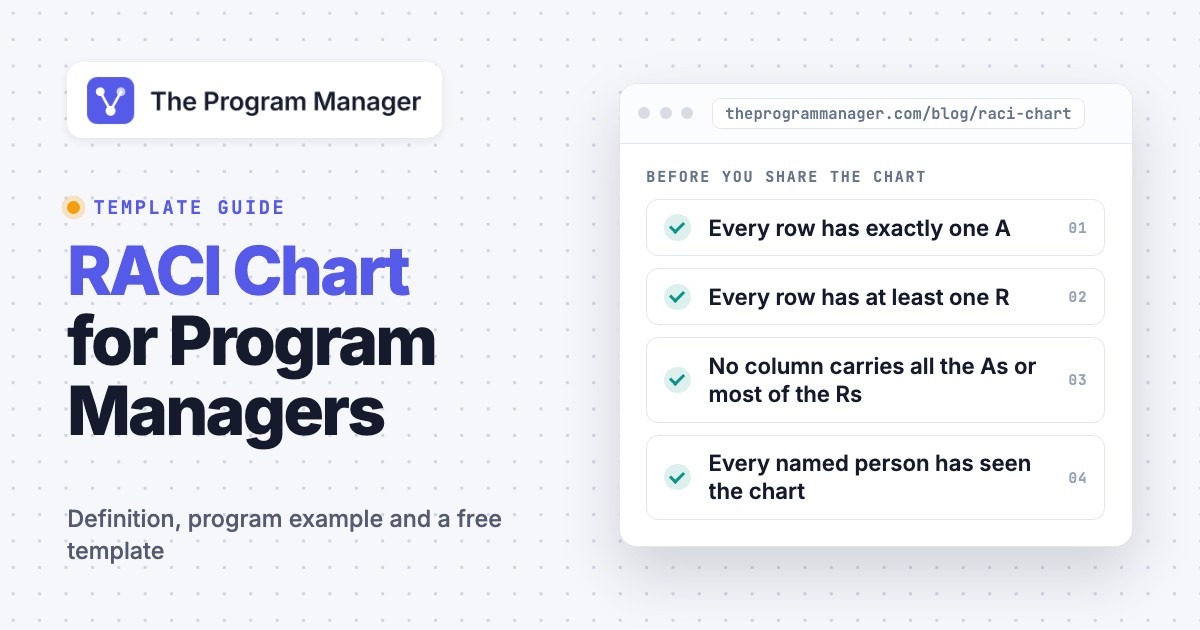
- Every row has exactly one A
- Every row has at least one R
- No column carries all the As or most of the Rs
- Every named person has seen the chart
- Decisions are on the chart, not only tasks
- A review date is set
Rules Every RACI Chart Must Pass
A RACI chart passes when each row has one A and at least one R and no column is overloaded. MindTools describes this as two passes: first read across each row, then read down each column. Interfacing calls the same idea horizontal and vertical analysis. Here's the short version: one A per row, at least one R and no overloaded columns.
Row checks (does everything get done?)
- One and only one A per row. No A means nobody can sign off the task, and two As means two people can disagree about whether it's done.
- At least one R per row. Without an R, nobody's doing the work, however clear the A is.
- C and I are optional. MindTools adds a warning that too many people involved, even only as C or I, makes work less efficient.
Column checks (does it get done well?)
- A person with a very long list of Rs probably can't finish all of it. MindTools asks whether one person or function has too many responsibilities.
- A person with all the As can't realistically oversee that much work.
- Atlassian points to the opposite problem too: too few Is can mean leadership and stakeholders aren't kept informed.
How Do You Use a RACI Chart in Jira and Confluence?
Atlassian's guide builds the RACI chart as a table in Confluence, but the chart doesn't live inside Jira itself. In Confluence you insert a table, use Task, Responsible, Accountable, Consulted and Informed as the headers, and fill in the people. Atlassian says you can use that table on pages such as project charters and kickoff agendas, or attach the page to a Trello card or a Jira work item.
- For a program: keep one RACI page per program and one per large workstream, and link both from the program's main Jira epic or page so people can find them.
- For ownership of tickets: the chart tells you who is accountable for a type of work. It doesn't replace the Jira assignee field, which names whoever is doing a given ticket.
- For upkeep: Atlassian suggests tagging the people involved when you change the chart and recording each change with its date and reason.
RACI vs RASCI, RACI-V, CAIRO, DACI and RAPID
RASCI adds a Supportive role, RACI-V adds a Verifies role and CAIRO adds an Omitted role. DACI and RAPID are different: they assign decisions rather than tasks. Interfacing treats RASCI and RACI as nearly the same thing, with the extra S making visible who supplies resources and effort to the person responsible.
| Model | Letters | What it adds or changes | Use it when |
|---|---|---|---|
| RACI | Responsible, Accountable, Consulted, Informed | The base model for tasks | You need clear ownership of tasks and deliverables |
| RASCI | RACI plus Supportive | People who help the responsible person with resources | Supporting effort has to be visible, for example across shared teams |
| RACI-V | RACI plus Verifies | A role that checks the work against agreed criteria | Quality sign-off is separate from ownership |
| CAIRO | RACI plus Omitted | People you consciously keep out of the loop | Communication is too broad and you need to cut it |
| DACI | Driver, Approver, Contributor, Informed | One driver runs a decision | You're making a decision, not delivering tasks |
| RAPID | Recommend, Agree, Perform, Input, Decide | Assigns who decides among several leaders | Decisions involve several levels of management |
Atlassian suggests starting with a DACI playbook to settle who's making the key decisions on a project, then moving to RACI to map who handles the tasks. For a program that's a good order: the decision framework for the big calls, then the chart for the work they set in motion.
Common RACI Chart Mistakes
Most broken RACI charts fail in one of five ways, and you'll recognize them once you've seen them. Atlassian, Interfacing and MindTools describe all of them.
- Too many Rs. Atlassian says too many Rs create confusion and neglected tasks. Name a lead and make the rest C. That's non-negotiable if the task is going to finish.
- Too many Cs. Atlassian notes that too many Cs can result in conflicting opinions. Consult the people whose input changes the result.
- An A without authority. If the accountable person can't direct the work or approve it, the chart gives a name but, of course, no real ownership. Move the A to someone who can.
- A chart at the wrong level. Interfacing's advice is to think about the process, not individual one-off tasks. A button color doesn't belong on a program chart.
- A chart nobody updates. Atlassian lists limits worth knowing: teams may rely on it too much, it doesn't say how to do the task, and it doesn't account for how fast projects change. Schedule a review.
It isn't a schedule, and it won't tell anyone how to do the work. It also doesn't show whether two teams are blocking each other. That's what a dependency map is for, and it's a very different artifact. Risks, assumptions and open issues go in a RAID log. The Program Manager maps dependencies across Jira and Asana, which is a different job from assigning roles; the chart tells you who owns a cross-team item and the map tells you when it's at risk.
For tools that can hold a RACI chart and the rest of the program, see our roundups of the best program management software and the best project management software.
FAQ
What is the full meaning of RACI?
RACI stands for responsible, accountable, consulted and informed. Each person on a task gets one of those four roles, or no role at all.
What is a RACI chart used for?
It's used to show who does the work, who owns the result, who gives input and who needs updates for each task or decision, with exactly one accountable person per task. It doesn't show schedules or dependencies. Teams use it at the start of a project or program, when roles aren't clear, and when work stalls because nobody owns it.
What is the difference between R and A in RACI?
The R in RACI is the person who does the work, and the A is the person who owns the outcome and signs it off. Some versions allow several Rs on a task, but there's only ever one A.
Can one person be both responsible and accountable?
Yes, one person can be both responsible and accountable. When one person does the work and owns the result, write A/R in the cell. Asana's own example does this for a loading speed task. Avoid it when the same person is also overloaded in other rows.
What are best practices for a RACI chart?
First, keep the chart short and give every row one A and at least one R. Second, limit the number of Rs and Cs. Third, agree the chart with the people named. Finally, review it on a schedule. Atlassian also recommends documenting changes with the date and the reason.
What is the difference between RACI and RASCI?
RASCI adds a Supportive role for people who give the responsible person resources or help. RACI leaves that out, and many teams treat support as part of the R or the C, which keeps the grid smaller.
Leave a Reply