A client portal is the place where a client logs in to see what you owe them: status, files, approvals and sometimes invoices. For a program team three questions matter more than the feature list: whether every client contact costs a paid seat, what the client actually sees, and which plan adds your logo and your own domain. Most pricing pages don't answer these clearly, and the answers differ a lot between tools.
We compared nine tools on those questions. For each one we read the pricing page, a help-center page on client or guest access, a feature page and a review site, and we wrote down what a client sees after logging in. Where a rule couldn't be confirmed, the entry says so. If you only need to track client work internally, start with our guides to project management software and task management software.
- client portal and client-access tools compared
- 9
- let clients in without a paid seat on the plan most teams would buy (SuiteDash, Rocketlane, Dock, Teamwork.com, Smartsheet)
- 5 of 9
- per month for the cheapest paid plan we found with a white-labeled portal and unlimited clients (SuiteDash Start)
- $19
- per month for Smartsheet's Dynamic View add-on, the filtered client view
- $125
Which client portal software is best?
No tool wins every case, because "client portal" covers two different products. A dedicated portal such as SuiteDash, Clinked or Moxo is built around the client's login: files, forms, approvals and branding. A project tool such as Teamwork.com, Smartsheet or monday.com lets a client into the working project, which shows more of the real plan and less polish. Our picks name the client seat rule in each tag, because that rule decides the bill once you have fifty client contacts. Pick the type first, then the tool.
 Best for many small clients on one flat priceSuiteDashUnlimited clients and staff on every plan, with a white-labeled portal, invoicing, forms and e-signature in one tool. Plans start at $19 a month.
 Best for file exchange and approvals with an audit trailClinkedA branded client workspace with file approval, file requests and an audit trail. Flat tiers start at $239 a month; Start Up is $11 per user.
 Best for services-led implementations with customer-owned tasksRocketlaneCustomer members are unlimited on every plan, and customers work phases, tasks and approvals in the portal. $49 per team member, five-member minimum.
 Best free start for a branded plan per clientDockExternal collaborators are free and the Free plan includes branding. Custom domains are Enterprise only.
 Best for paperwork-heavy client flowsMoxoForms, file requests, approvals and e-signatures run as a flow, and clients act from a magic link. No public price.
 Best for client projects in a project tool with free client usersTeamwork.comClient users are free on Basics and up, limited to five active projects each. Basics is $9.99 per user.
 Best if your plans already live in SmartsheetSmartsheetFree Contributors on Pro and free Guests on Business and up; a filtered client view costs extra.
 Best if your PMO already runs on monday.commonday.comGuests start on Standard (three free, then roughly one seat per four) and are unlimited on Pro. No branded portal.
 Best for a few clients and one flat monthly priceBasecampClients see only what you mark visible, but they count toward the user cap on every plan except Pro Unlimited.
What is client portal software?
Client portal software is a secure, branded login where clients see the state of the work you do for them, exchange files and messages with your team, and approve or pay, without joining your internal tools. It differs from the nearest alternatives in three ways.
- A shared folder holds files but has no status, approvals or per-client permissions.
- A project tool with guest access shows the real plan to an outsider, but the client sees your tool's interface and its rules about who counts as a user.
- A client portal puts the client's needs first: a branded address, a limited view, requests and approvals, and in most cases an audit trail.
For program work there is a fourth need that portal pages rarely mention. A client who pays for a program wants status across several workstreams, not one project at a time. We found no dedicated portal in this list that rolls several projects into one client view out of the box. Smartsheet's shared dashboards and reports come closest, and in the other tools you build that view by hand from separate workspaces. That gap is real, and it's why we judge each tool on what the client sees, not on its feature list.
How we evaluated the tools
We used six checks, in the order they change the bill or the client's experience.
- Client seat. Does a client count as a paid seat, count toward a user cap, or sit in a free license type? Is there a cap on guests or on projects per client?
- What the client sees. Is internal work hidden by default, and can the client see status, tasks, files, invoices or only files?
- Branding. Logo and colors, your own domain, branded email and which plan unlocks each.
- Approvals, forms, e-signature and invoicing. Native or through an integration, and on which plan.
- Permissions and audit. Role levels, single sign-on, two-factor authentication and an audit trail.
- Fit with a PMO stack. Jira, Asana, Slack, Salesforce, HubSpot, QuickBooks and Zapier, as far as the vendor's own pages list them.
Two limits apply to every entry. We didn't run a hands-on trial of any tool, and for Moxo, Rocketlane and Dock the G2 ratings are the publicly listed figures, and the entries mark them. Moxo publishes no price, so we give none.
Client portal software compared
| Tool | Type | What the client gets | Starting price (USD) | Rating |
|---|---|---|---|---|
| SuiteDash | All-in-one client portal with CRM, projects, invoicing and e-signature | A white-labeled portal on the same database as the CRM, projects, forms and billing. | Start $19/month or $180/year (100 GB); Thrive $49/month or $480/year (500 GB); Pinnacle $99/month or $960/year (2 TB); unlimited clients and staff on all plans | 4.8 (620) |
| Clinked | White-label client portal and secure file collaboration | A branded portal per client group with files, tasks, discussions, approvals and an audit trail. | Start Up $11 per user/month (1 to 25 users, 2 GB, no custom URL); Standard $239/month and Premium $479/month at the yearly rate shown (100 and 250 members); Enterprise quote | 4.8 (143) |
| Rocketlane | Customer onboarding and implementation platform | Project templates, a customer portal and CRM-created projects | $49 per team member per month (Standard) or $69 (Premium), billed annually, 5-member minimum; Enterprise custom | 4.7 (859) |
| Dock | Client workspaces and mutual action plans | A shared workspace per customer with a plan, files, order forms and engagement tracking | Free plan; Standard $350 per month with 5 seats; Premium $1,000 per month with 10 seats, billed annually | 4.6 (476) |
| Moxo | Client portals and workflow orchestration | Flow templates with forms, approvals and e-signatures for external parties | No published price list; pricing links lead to a demo or trial request | 4.5 (194) |
| Teamwork.com | Project management for client work | Free for up to 5 users; Basics from $9.99 per user per month billed yearly; client users free | Free up to 5 users; Basics $9.99 per user/month billed yearly (min 3 users); Accelerate $24.99 (min 5); Optimize and Enterprise contact sales | 4.4 (1,218) |
| Smartsheet | Work management + portfolio layer | Pro from $9 per member; free Contributors and Guests; Dynamic View add-on for filtered client views | Pro $9 per member/month billed yearly ($12 monthly, 1 to 10 members); Business $19 yearly ($24 monthly, 3+ members); Enterprise and Advanced Work Management custom; Dynamic View add-on from $125/month | 4.4 (23,101) |
| monday.com | Work management + portfolio layer | Clients join as guests on shareable boards, or submit requests through public WorkForms. | Free (2 seats); Basic $9, Standard $12, Pro $19 per seat/month billed annually; Enterprise quote; paid plans start at 3 users | 4.7 (17,940) |
| Basecamp | Simple all-in-one project collaboration | Free (1 project, 3 users); flat-rate paid plans from $29 per month | Free (1 project, 3 users); Freelancer $29, Pro $79, Pro Plus $99 per month flat; Pro Unlimited $199 per month billed annually ($329 monthly) | 4.1 (5,489) |
Prices as shown on vendor pages on November 5, 2026. Annual billing where the vendor shows both.
The table above shows price and rating. The next table shows the two things that decide the real cost and the client's experience: the seat rule and what each plan adds in branding and approvals.
| Tool | Client seat rule | Branding | Approvals, forms, e-signature |
|---|---|---|---|
| SuiteDash | Unlimited clients on every plan | White label listed from Start; one custom URL per account | Native contracts and e-signature, forms and invoicing; no approval workflow described |
| Clinked | Plans are sized by members included (100 on Standard); Guest Share links for outsiders, seat rule not stated | Custom domain from Standard; white-label email on Premium; white-label mobile app on Enterprise | File approval and file request built in; e-signature through DocuSign or Adobe Acrobat Sign |
| Rocketlane | Customer members unlimited on all plans | Branded portal on all plans; custom domain on Standard; custom email domain on Premium | Native approvals on tasks and documents; invoicing from Premium (client view not confirmed) |
| Dock | External collaborators free, no cap stated | Branding on all plans; logo removal on Premium; custom domain on Enterprise only | E-signature for proposals and order forms; general approvals not confirmed |
| Moxo | Not confirmed on Moxo's pages | Logo and colors; plan and custom domain not confirmed | Native forms, approvals, e-signature and payments |
| Teamwork.com | Free client users on Basics and up, five active projects each | Not confirmed | Proofs approved by email invite with no account; client invoicing and intake forms from Accelerate |
| Smartsheet | Free Contributors on Pro; free Guests on Business and up | Custom colors and logos on Business and up; Dynamic View add-on from $125 a month | Approval requests on all plans; DocuSign e-signature on Enterprise only |
| monday.com | No guests on Basic; three free on Standard, then about one seat per four; unlimited on Pro | Not confirmed | No native approval flow confirmed; public WorkForms for intake |
| Basecamp | Clients count toward the user cap on every plan except Pro Unlimited | Not confirmed | Not confirmed |
The 9 best client portal software tools
The first five tools are built around the client's login. The last four are project tools that let clients into the work, so the client sees more of the plan and less of a branded wrapper. Each entry starts with what the client sees, then answers the seat question, then lists what the plan unlocks.
SuiteDash
SuiteDash
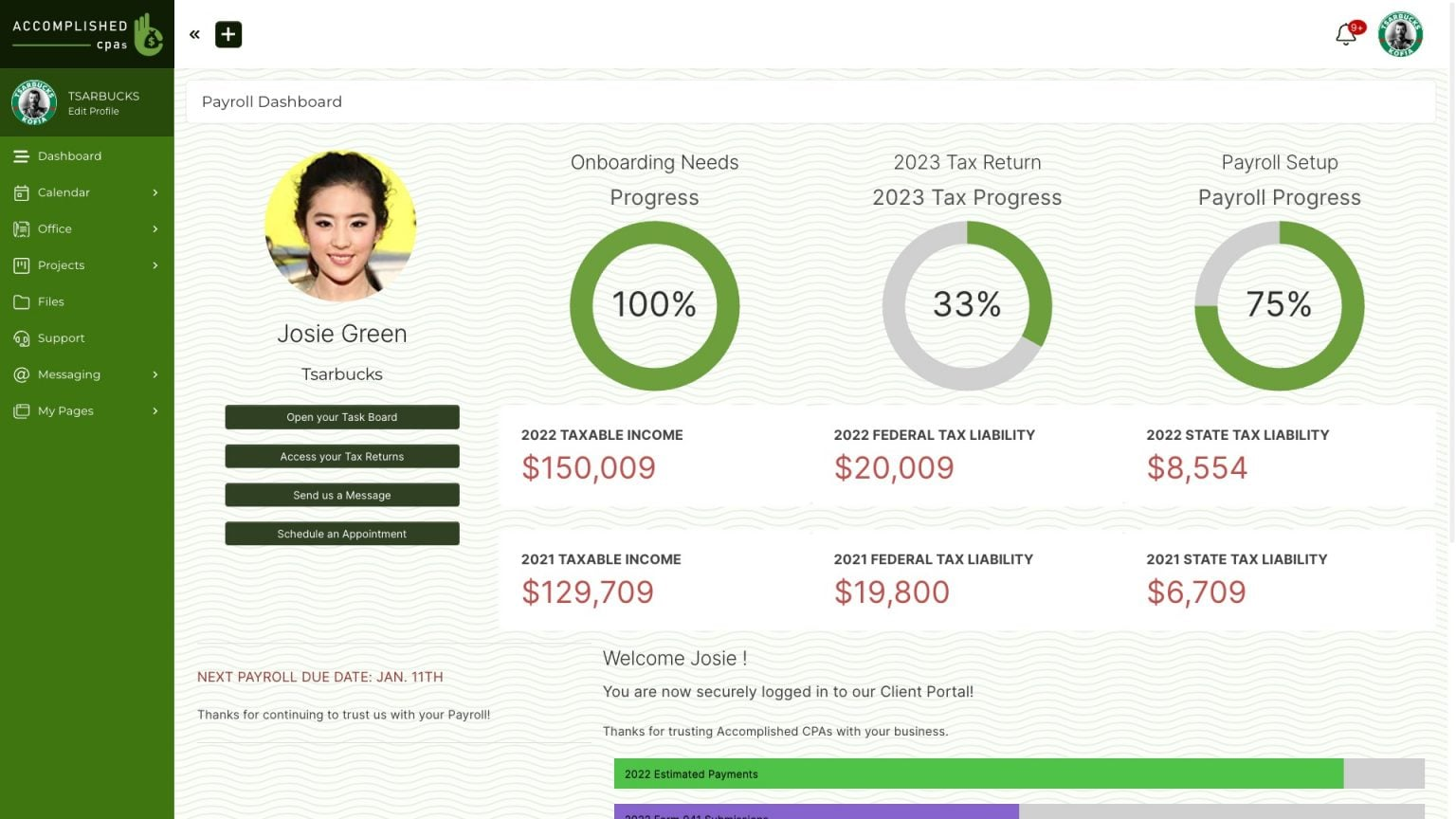
Clients log into a white-labeled portal showing projects, tasks, files, messages, invoices, forms and documents to sign. Circles control exactly what each client group sees, and clients are unlimited on every plan.
SuiteDash fits a small services business or agency that wants one flat price, unlimited clients and a white-labeled portal that also holds invoicing, forms and e-signature.
What the client sees: a branded dashboard at your own URL. Depending on the access you grant, the client follows projects and tasks, uploads and downloads files, messages your team, reviews and pays invoices, completes forms, signs documents, books time and opens support tickets. Internal notes and files aren't exposed by default.
Client seat: none. SuiteDash states unlimited clients and staff on every plan and says pricing isn't per user. What you pay for is storage: 100 GB on Start, 500 GB on Thrive and 2 TB on Pinnacle, plus $5 a month for each extra 250 GB.
Access control: Circles are client groups. A Circle decides which dashboards, portal pages and files its members get, and content blocks on a page can be shown or hidden per Circle. Clients in one Circle can't see each other. Login can be a passwordless Magic Link, which the SuiteDash docs say not to use where HIPAA protection must be guaranteed.
- you serve many small clients and want one low flat price with portal, invoicing, forms, e-signature and projects in one system
- different clients must see different pages and files, and you want that set by group instead of per person
- you want a light portal on top of the CRM, project and billing tools you already run: SuiteDash replaces those systems instead of layering on them
- you need single sign-on, a store-listed mobile app or a stated security certification: we found none on the published vendor pages
- Users like
- responsive customer support (20 mentions) and extensive features (20)
- Users dislike
- steep learning curve (24 mentions, plus 18 and 9 in similar phrasings)
- Source: G2, 620 reviews
Limits and what we couldn't confirm
We couldn't confirm which plan includes Circles, or any integration with Jira, Asana, Salesforce or QuickBooks; the portal page names only a payment gateway you connect. The docs describe the mobile experience as a progressive web app installed from your custom URL, while marketing pages also mention a branded app, so check that before you promise clients an app-store listing. Expect setup time: the most repeated complaint on G2 is a steep learning curve.
- Starting price
- Start $19/month or $180/year (100 GB); Thrive $49/month or $480/year (500 GB); Pinnacle $99/month or $960/year (2 TB); unlimited clients and staff on all plans
- Clients and staff
- Unlimited on every plan
- White label
- Listed from Start
- Custom URL
- One per account, needs a DNS record
- Mobile
- Progressive web app per the docs
- Native billing
- Invoices, payments, contracts, e-signature
Clinked
Clinked
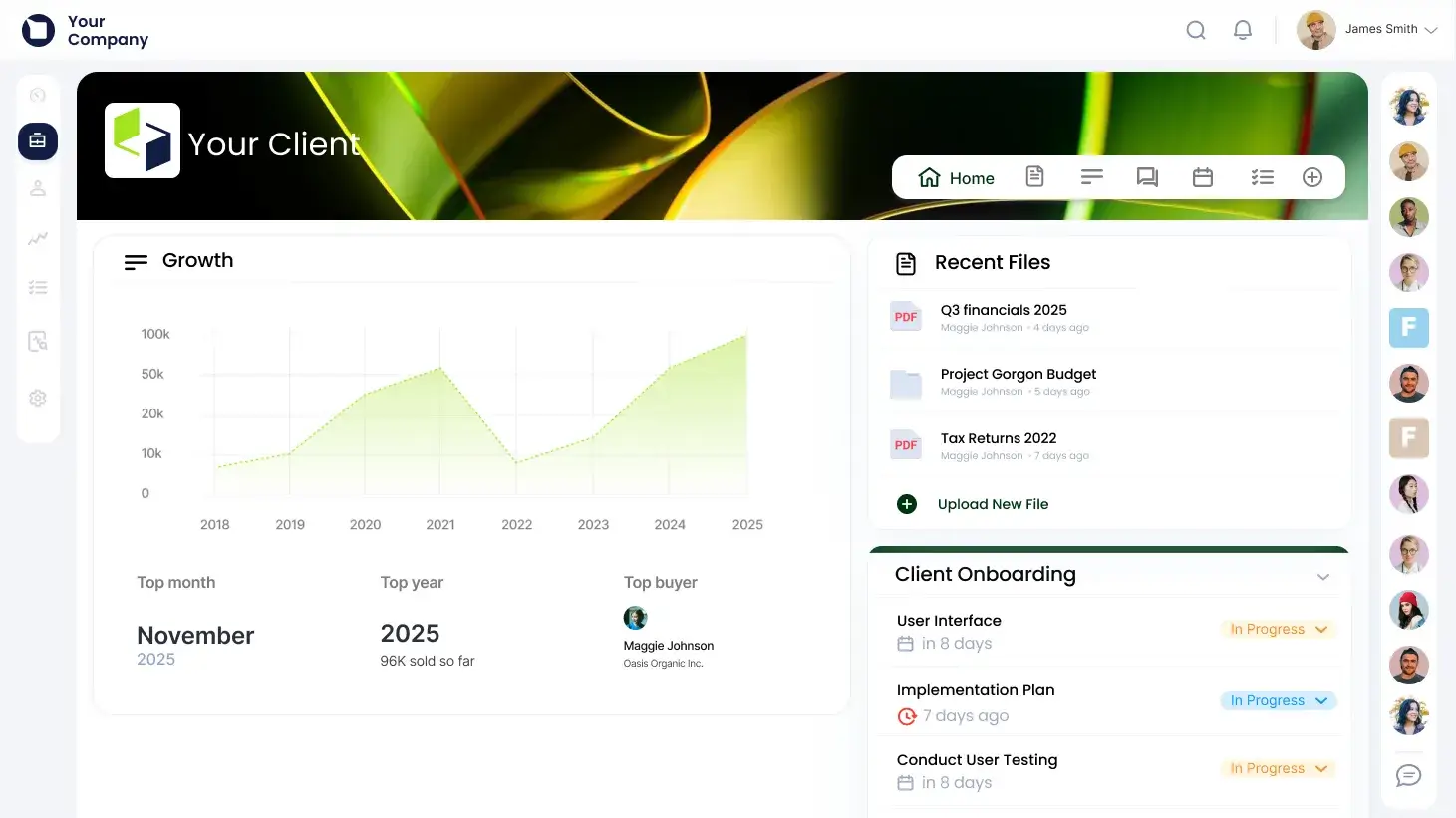
Clients log into a branded workspace organized in groups, with files, discussions, tasks, file approval and an audit trail. Occasional outsiders can get link-based Guest Share access without a login.
Clinked fits teams whose client work is mostly files, comments and approvals, and who want a branded space with an audit trail on a flat plan.
What the client sees: a branded workspace organized in groups, with the folders and files they were given, discussions, tasks and a shared calendar. Access is set at group, folder or file level, from view-only up to edit and administer. Read-only members can still comment, annotate and chat. File approval and file request are built in, so a client can approve a deliverable or be asked for a document inside the portal. People without a login can get a single file or folder through Guest Share, with optional download, expiry, password and upload settings, and views and downloads appear in the audit trail.
Client seat: probably yes. Plans are sized by members included, 100 on Standard and 250 on Premium, so a logged-in client most likely counts as a member. Clinked's docs don't say whether Guest Share recipients count. Start Up is per user, from 1 to 25 users, and has no custom URL.
What the plan unlocks: a custom domain from Standard, white-label email notifications on Premium, enforced two-factor authentication on Premium, and single sign-on, Active Directory and a white-label mobile app on Enterprise.
- your client work is file exchange, comments and approvals in a secure branded space, and you want an audit trail
- you want flat tiers with a custom domain from Standard instead of paying for each client
- you need native invoicing, forms or e-signature: those come through DocuSign, Adobe Acrobat Sign, Jotform or Typeform, or aren't listed
- you are a small team: the flat tiers start at $239 a month, and the per-user Start Up plan has no custom URL
- Users like
- ease of use for sharing documents with clients (178 mentions)
- Users dislike
- limited customization options (31 mentions)
- Source: G2, 143 reviews
Limits and what we couldn't confirm
Clinked lists Power BI, Google Workspace, OneDrive, Zoom and a Zapier-style connector for thousands of apps, but no native Jira, Asana, Salesforce or HubSpot link. The $239 and $479 figures are the yearly-billed rates shown on the pricing page when the yearly discount is selected, so confirm the monthly list price before you budget.
- Starting price
- Start Up $11 per user/month (1 to 25 users, 2 GB, no custom URL); Standard $239/month and Premium $479/month at the yearly rate shown (100 and 250 members); Enterprise quote
- Custom domain
- Standard and up
- White-label email
- Premium
- Audit trail
- Listed from Standard
- Enforced 2FA
- Premium
- SSO and Active Directory
- Enterprise
Rocketlane
Rocketlane
Rocketlane gives each customer project a branded portal with phases, tasks, approvals, files and chat. Customer members are unlimited on every plan.
Rocketlane fits services teams that deliver customer implementations in phases and want the customer to own tasks, upload files and approve work in the same portal.
What the client sees: a portal that shows only the projects they were added to, with phases, tasks, approval requests, shared files, documents and project chat. The project owner picks which tabs customers can see. By default a customer can view, create, edit and delete tasks, request approvals, upload files, edit form responses and post in chat. An admin narrows that under Settings, Permissions, Customer level, so set it before the first invite. Customers can invite colleagues from their own company.
Client seat: none. Rocketlane lists unlimited customer members on every plan, and only team members count toward the five-member minimum.
What the plan unlocks: the branded portal is on every plan, a custom domain starts on Standard, and a custom email domain is on Premium and Enterprise. Approvals on tasks and documents are native. Jira, HubSpot and Slack connect from Standard, Salesforce and Workato from Premium, and SAML single sign-on is Enterprise only.
- you run services-led implementations with phases, owners and dependencies and want customers working tasks, files and approvals in one portal
- you need many customer contacts per project without paying extra for them
- you have fewer than five internal users: both paid plans carry a five-member minimum
- you want customers to be view-only by default: the default customer role can edit and delete tasks until you restrict it
- Users like
- ease of use, timesheets and the interface
- Users dislike
- missing features and slow performance
- Source: G2, 859 reviews
Limits and what we couldn't confirm
Rocketlane's help docs list an Essential plan that the pricing page doesn't show, so confirm the current plan names when you ask for a quote. Invoicing sits on Premium and up, but we couldn't confirm that clients see invoices in the portal. Implementation packages are billed extra.
- Starting price
- $49 per team member per month (Standard) or $69 (Premium), billed annually, 5-member minimum; Enterprise custom
- Customer members
- Unlimited on all plans
- Branded portal
- All plans
- Jira, HubSpot, Slack
- Standard and up
- Custom domain
- Standard
- Approvals
- Native, tasks and documents
Dock
Dock
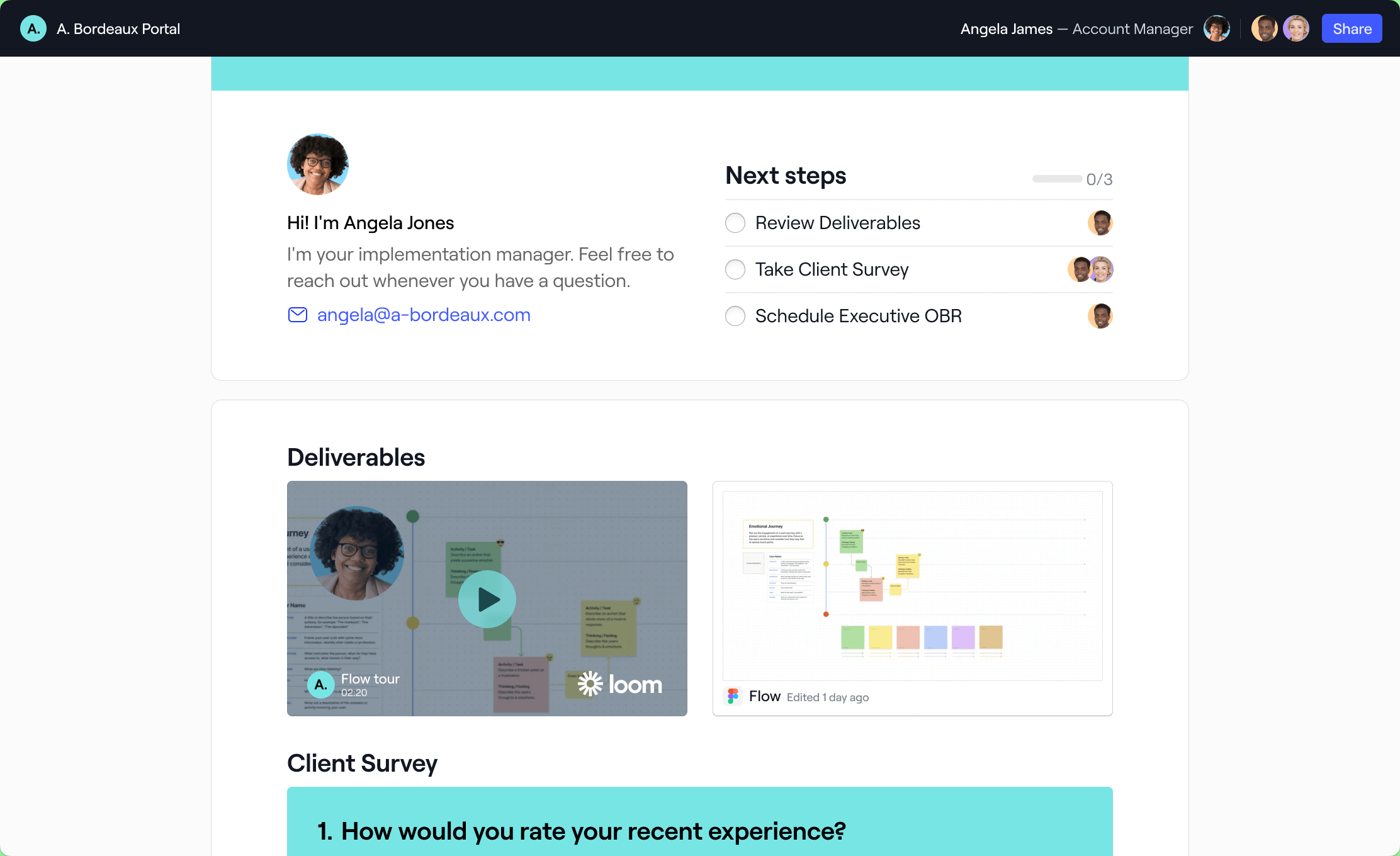
Dock builds a branded workspace per client with a phased plan, resources and uploads. External collaborators are free, and the owner sees who opened what.
Dock fits a small team that wants a branded plan per client with free client access, uploads and comments, and a view of what each client opened.
What the client sees: a workspace opened from a link, with no account required. The owner chooses the access mode: named people or email domains only, a link that asks for an email, or a landing page that asks for nothing. Inside, the client sees the phased plan, task instructions, files, guides and videos. They can upload files, complete tasks, mark milestones, comment, and sign proposals or order forms. Linked workspaces can be shown or hidden from the client. The owner sees views, visitors and time spent; the client doesn't see that analytics view.
Client seat: none. Dock charges internal team members only and says external collaborators have free access, with no cap stated. Standard includes 5 seats and Premium 10, and extra seats are $50 a month.
What the plan unlocks: custom branding is on every plan, including Free, the Dock logo comes off on Premium, and a custom domain and email are Enterprise only. Salesforce and HubSpot connect from Standard, webhooks start on Premium, and the API is Enterprise only.
- a small team wants a branded per-client plan with free client access, uploads and comments, and a quick setup
- you want to see which clients opened the workspace and what they did there
- you need a custom domain: it is Enterprise only
- you need client-side approvals, invoices or a Gantt view: none is confirmed on Dock's pages
- Users like
- ease of use and ease of setup
- Users dislike
- limited customization and missing features
- Source: G2, 476 reviews
Limits and what we couldn't confirm
This entry rests on Dock's pricing, portal and roles pages. The G2 rating shown is the publicly listed figure. We couldn't re-check whether Dock connects to Jira, Gmail or Outlook, so verify the integrations page if your stack depends on them.
- Starting price
- Free plan; Standard $350 per month with 5 seats; Premium $1,000 per month with 10 seats, billed annually
- Free plan
- 10 workspaces, 1 playbook, limited AI
- External collaborators
- Free, no cap stated
- Webhooks
- Premium and up
- E-signature
- Proposals and order forms
- Branding
- All plans; logo removal on Premium
Moxo
Moxo
Moxo runs client work as flows of forms, file requests, approvals and e-signatures. Clients act through a branded portal or magic link with no account.
Moxo fits teams whose client work is paperwork: forms to fill in, documents to request, approvals to collect and agreements to sign.
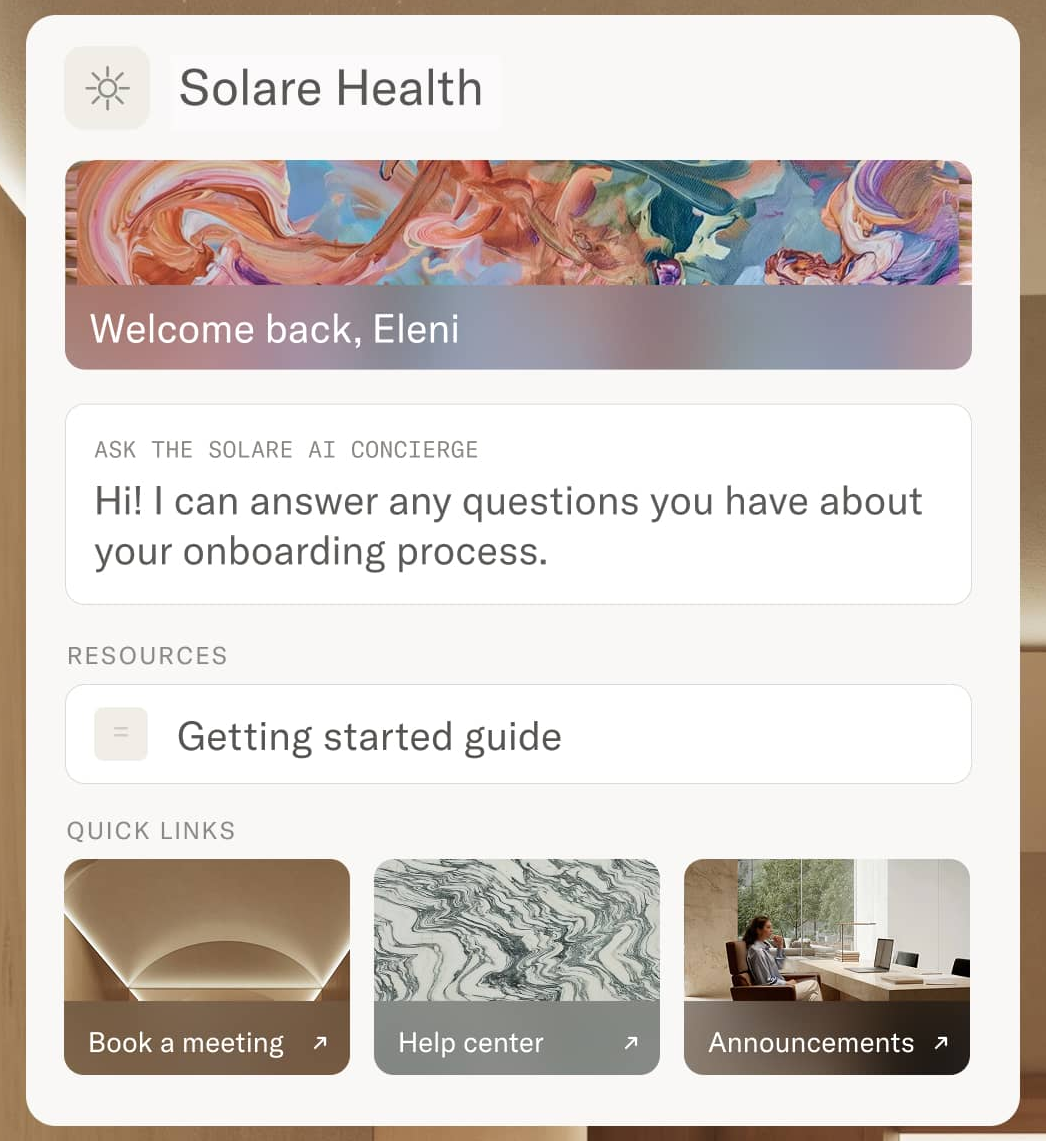
What the client sees: an email with a magic link that opens a portal styled with your logo and colors. Moxo says clients need no account, password or download, and that they see only the workspaces they were invited into. From there a client uploads requested documents, completes forms, signs, approves items and pays invoices. Moxo also describes an AI concierge that answers status questions. We found no client-facing Gantt view or status dashboard on its pages.
Client seat: not confirmed. Moxo's pages don't say, and third-party claims about billing by active user disagree with each other. Ask in the demo and get the answer in writing.
What the plan unlocks: Moxo lists SOC 2 Type II, SAML single sign-on, an audit trail and role-based access on its portal page, but doesn't say which package includes them. The help center says client passwords and two-factor authentication depend on the package. DocuSign is a named integration, and G2 lists Jira, Microsoft Teams, Box and monday.com among connectors.
- your client work is mostly paperwork, such as forms, document requests, sign-offs and payments, and you want an audit trail
- you want clients to act from one secure link with no password
- you want a published price to budget against: Moxo shows none and sends you to a demo or trial request
- you need a plain shared plan with task detail and a Gantt view: reviewers cite missing features and limited customization
- Users like
- customer support and ease of task creation and communication
- Users dislike
- limited features and customization, some integration problems
- Source: G2, 194 reviews
Limits and what we couldn't confirm
Moxo's pricing page showed no plans or prices. Third-party sites quote figures that disagree, so we use none. The G2 rating shown is the publicly listed figure. The help-center article on the client experience is not available, so the client description rests on Moxo's portal page and a search excerpt.
- Starting price
- No published price list; pricing links lead to a demo or trial request
- Client login
- Magic link, no account needed
- Client actions
- Forms, uploads, approvals, e-signature, payments
- Custom domain
- Not confirmed
- Security
- SOC 2 Type II, SAML SSO, audit trail
- Price
- Not published
Teamwork.com
Teamwork.com
Client users are a free license type on Basics and up, so clients can work in your projects without a paid seat. They are capped at 5 projects and cannot see reports, resourcing or profitability.
Teamwork.com fits agencies and delivery teams that run client projects in the same tool as the client and want client users that don't cost a paid seat.
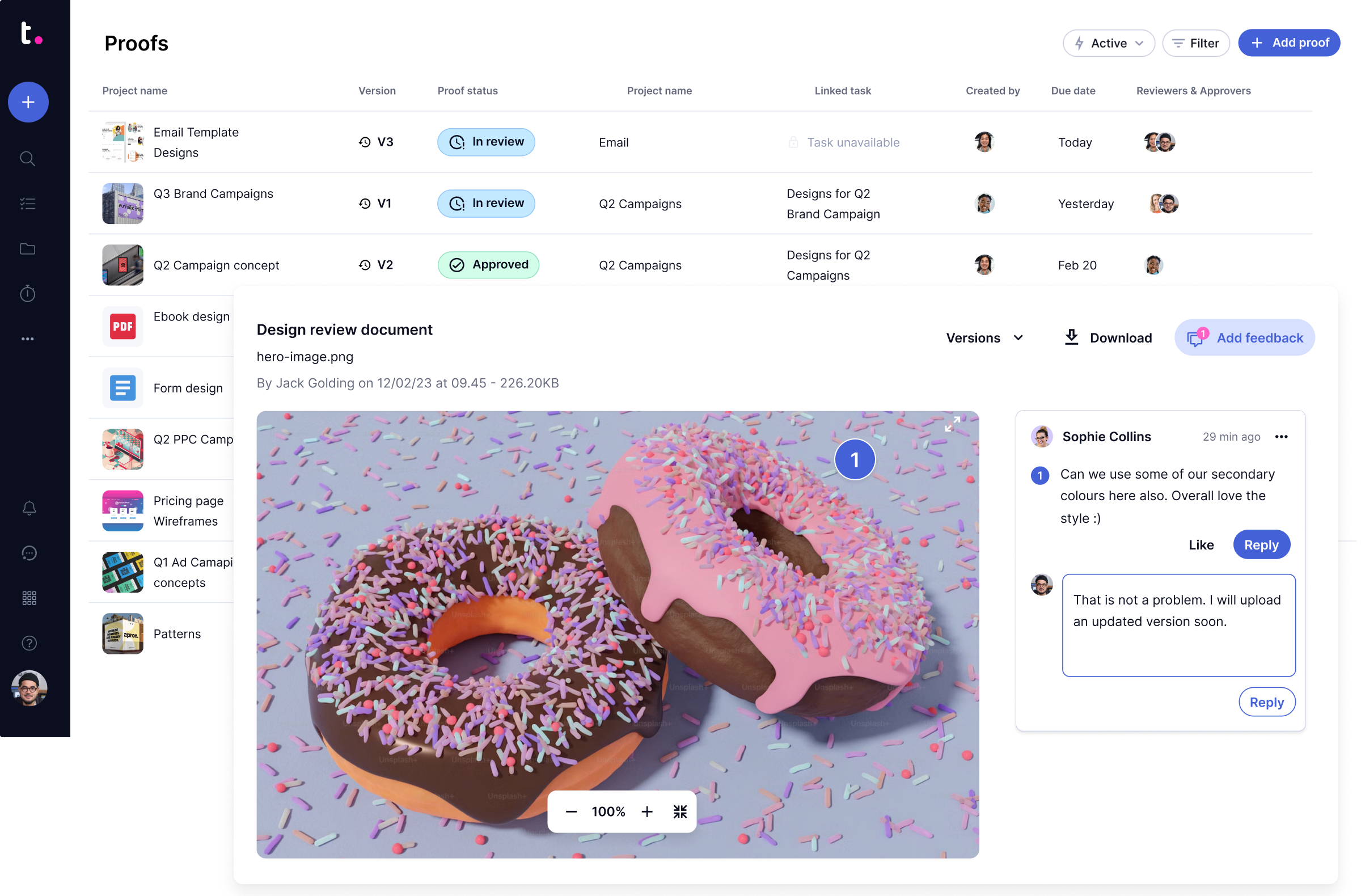
What the client sees: the same Teamwork site your team uses, limited to the projects in their client company. A client user can create and edit tasks, milestones and messages, complete tasks, upload files, comment and log time. They can't see reports, the calendar, templates, resourcing, people or project profitability, and they can't create forms or manage members. Proof reviewers are different: they get an email invite, then approve a file or ask for changes without a license or account.
Client seat: none. Client users are a free license type on Basics and up, and only standard users count toward the subscription. The limit is five active projects per client user, so a client contact who works across a whole program will hit it. Teamwork also lists free collaborators who can complete assigned tasks, comment and view files.
What the plan unlocks: client invoicing from logged time and smart intake forms start at Accelerate at $24.99 per user, HubSpot and QuickBooks connect on Accelerate, and single sign-on is Enterprise only. Two-factor authentication is on all plans.
- you run client projects and want clients to create tasks, comment and upload files without paying for their seats
- you want clients to approve files through proofs by email invite, with no login or license
- you need a branded or white-label portal: no published official page confirms white label or a custom domain
- each client contact works in more than five projects, because client users are limited to five
- Users like
- project management capabilities (52 mentions)
- Users dislike
- steep learning curve (22 mentions) and missing invoicing features (19 mentions)
- Source: G2, 1,218 reviews
Limits and what we couldn't confirm
We couldn't confirm an audit log, a custom domain or a native approval flow beyond proofs. The rating comes from G2, where the most repeated complaints are a steep learning curve and missing invoicing features. Slack is a native integration; we couldn't confirm Jira or Microsoft Project from Teamwork's own integrations page.
- Starting price
- Free up to 5 users; Basics $9.99 per user/month billed yearly (min 3 users); Accelerate $24.99 (min 5); Optimize and Enterprise contact sales
- Client users
- Free on Basics and up
- Client project cap
- Five active projects each
- SSO
- Enterprise only
- Proof reviewers
- No license or account needed
- Invoicing and intake forms
- Accelerate and up
Smartsheet
Smartsheet
External people get free Contributor access on Pro and free Guest access on Business and up. Dynamic View is a paid add-on and WorkApps start at Enterprise, so a polished client view costs extra.
Smartsheet fits a PMO that already runs plans in sheets and needs outside stakeholders to see, comment on or update parts of them.
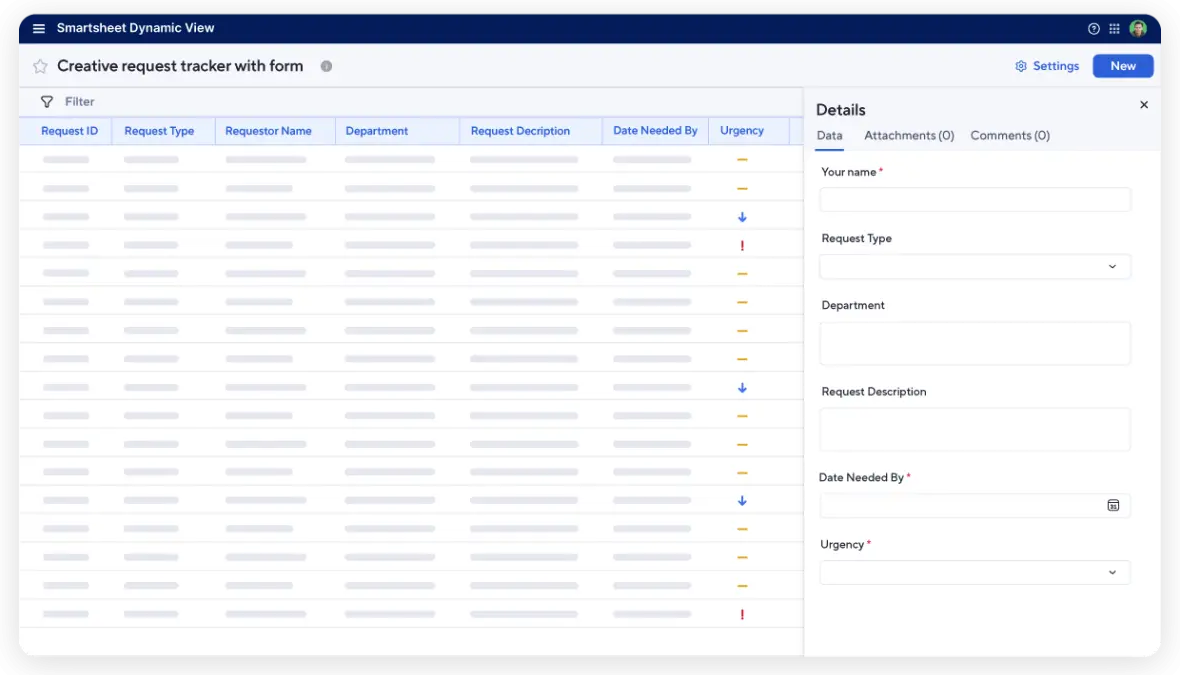
What the client sees: the sheets, reports and dashboards you share with them. A Contributor can view shared items, comment and attach files. A Guest can view, comment or edit only where you grant it, and must come from outside your domains. Neither can create their own sheets, reports or dashboards. Dynamic View shows a filtered set of rows and fields and lets the recipient update the fields you allow, but the recipient needs a Smartsheet account; people without one can sign up for a free trial at login. It isn't shown in the mobile app.
Client seat: none for Contributors on Pro and Guests on Business and up, which are unlimited and free. Workspace access is the exception: WorkApps, Smartsheet's custom app layer, start at Enterprise, and sharing a WorkApp with unpaid users needs a paid Collaborator pack sold through sales.
What the plan unlocks: custom colors and logos and an activity log start on Business, approval requests are on every plan, DocuSign e-signature is Enterprise only, and SAML single sign-on is Enterprise. Smartsheet lists Jira, Slack, Microsoft Teams, Salesforce, HubSpot and Zapier on its integrations page.
- you already run work in Smartsheet and need external stakeholders to view, comment on or update shared sheets for free
- you need a filtered client view of project data and can pay for Dynamic View or WorkApps
- you want a branded, always-on client portal on a small budget: Dynamic View is a paid add-on and WorkApps start at Enterprise
- your clients can't or won't create a Smartsheet account, because Dynamic View needs one
- Users like
- ease of use (2,360 mentions)
- Users dislike
- steep learning curve from limited formulas (1,183 mentions)
- Source: G2, 23,101 reviews
Limits and what we couldn't confirm
We couldn't confirm two-factor authentication on the published vendor pages, or the price of the WorkApps Collaborator pack. Smartsheet's own pricing page lists no permanent free plan.
- Starting price
- Pro $9 per member/month billed yearly ($12 monthly, 1 to 10 members); Business $19 yearly ($24 monthly, 3+ members); Enterprise and Advanced Work Management custom; Dynamic View add-on from $125/month
- SAML SSO
- Enterprise
- Free external seats
- Contributors on Pro, Guests on Business and up
- Dynamic View
- Business and up, add-on from $125 a month
- WorkApps
- Enterprise and Advanced Work Management
- Branding and activity log
- Business and up
Smartsheet- ProUnlimited free Contributors: view, comment and attach files on shared items. No custom branding.
- BusinessUnlimited free Guests, custom colors and logos, an activity log, and the option to add Dynamic View from $125 a month.
- EnterpriseWorkApps for a custom client app, SAML single sign-on and DocuSign e-signature. Unpaid viewers of a WorkApp need the Collaborator pack.
- Advanced Work ManagementDynamic View is included in the plan; pricing is by quote.
monday.com
monday.com
Clients get access only through guests on shareable boards (Standard and up) or by submitting a link-based WorkForm with no login. There is no branded portal; the client sees a regular monday board.
monday.com fits a PMO that already runs on monday.com and wants clients to work on a few shared boards or send requests through a form.
What the client sees: a regular monday.com board. A guest signs in with a guest profile and sees only the shareable boards they were invited to, with the same columns and items your team uses. They can add items and columns and comment in updates unless the board owner restricts them. They can't see Main or Private boards, the board activity log or who last viewed. For intake, a public WorkForm lets anyone submit a request with no account, and each submission creates an item on a board.
Client seat: it depends on the plan. Basic has no guests. Standard gives three guests free, then bills one seat for each group of four. Pro and Enterprise have unlimited guests. Read-only viewers are free and unlimited, but they can see every Main board, so they aren't a safe client role.
What the plan unlocks: dashboards follow board access, so a guest also needs access to the source boards. Standard allows up to 5 boards per dashboard and Pro up to 20. Automations are capped at 250 actions a month on Standard and 25,000 on Pro. We found no native approval flow, e-signature or invoicing.
- your PMO already runs on monday.com and clients need to see and edit a few specific boards
- you want clients to submit requests through a public form and see them land as items on a board
- you need a white-label portal with its own domain, invoicing or e-signature: none is confirmed as native
- you have many clients on Standard, where every group of four uses a billed seat, or on Basic, which has no guests at all
- Users like
- intuitive everyday use (1,695 mentions) and customizable boards and workflows (1,069)
- Users dislike
- steep learning curve (278 mentions) and glitchy or limited integrations (221)
- Source: G2, 17,940 reviews
Limits and what we couldn't confirm
The USD annual prices come from the vendor-provided pricing block on G2; monday.com's own pricing page lists euro prices. We couldn't confirm white label, a custom domain, single sign-on or an audit log by plan.
- Starting price
- Free (2 seats); Basic $9, Standard $12, Pro $19 per seat/month billed annually; Enterprise quote; paid plans start at 3 users
- Guests on Basic
- Not available
- Guests on Standard
- Three free, then one seat per four
- Viewers
- Free, read-only, see all Main boards
- WorkForms
- Public link, no account needed
- Guests on Pro and Enterprise
- Unlimited
Basecamp
Basecamp
Clients are added per project and only see items your team marks visible, so internal work stays private by default. Clients still count toward the user limit on every plan except Pro Unlimited.
Basecamp fits a small team with a handful of clients that wants one flat monthly price and a simple message board and to-do list the client can use.
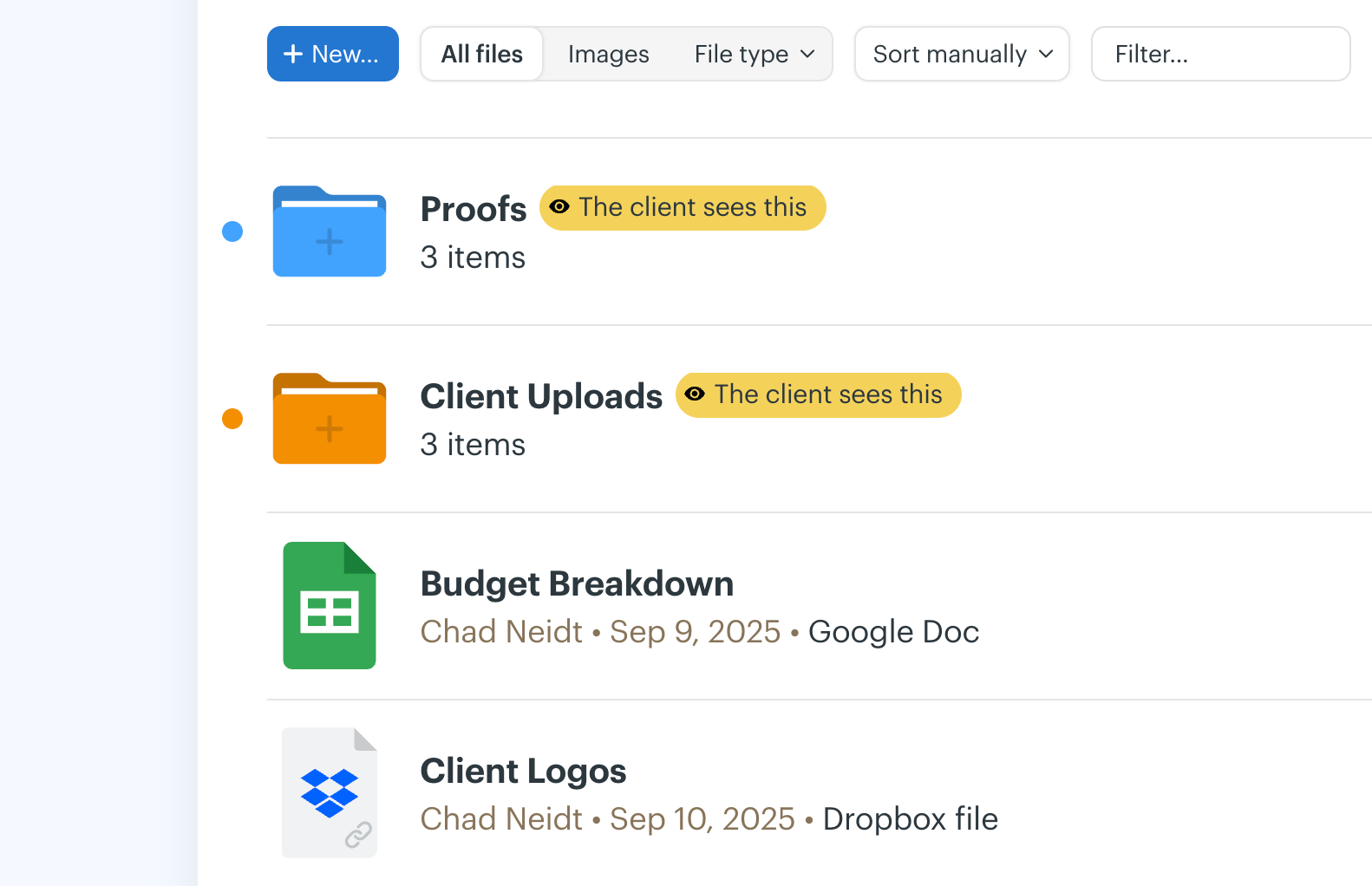
What the client sees: a Basecamp login and only the messages, to-dos, files and chat your team marks as visible to clients. Everything is private to your team until you make it visible. A client can post messages, upload files and complete to-dos, and can reply to messages by email. They can't see Hill Charts or Templates, and they can't create projects, change members or archive a project.
Client seat: not a fee, but a slot. Basecamp's pricing FAQ says every person you add is counted, and clients count toward the user limit on every plan except Pro Unlimited. The caps are 3 users on Free, 5 on Freelancer, 10 on Pro and 15 on Pro Plus. A team of four with six clients doesn't fit on Freelancer.
What the plan unlocks: the pricing is a flat monthly fee, not per seat. We couldn't confirm approvals, forms, invoicing, white label, single sign-on or an audit log on any official page. A 2018 launch post says approvals existed only in the older Clientside product, which new customers can't get.
- you want per-item control over what each client sees, with everything private by default
- you serve a few clients and prefer a flat monthly price over per-seat billing
- you need client approvals, forms, invoicing or a branded portal: none is confirmed on Basecamp's pages
- you have many clients on a lower plan, because every client counts toward the 3 to 15 user cap
- Users like
- ease of use (163 mentions)
- Users dislike
- lacks advanced features such as reporting and planning (65 mentions)
- Source: G2, 5,489 reviews
Limits and what we couldn't confirm
Basecamp's pricing page shows dollar amounts without naming the currency, and its own copy about time tracking on the Freelancer plan contradicts itself. The most repeated complaint on G2 is a lack of advanced features such as reporting and planning.
- Starting price
- Free (1 project, 3 users); Freelancer $29, Pro $79, Pro Plus $99 per month flat; Pro Unlimited $199 per month billed annually ($329 monthly)
- Client seat rule
- Counts toward the user cap except on Pro Unlimited
- User caps
- Free 3, Freelancer 5, Pro 10, Pro Plus 15
- Default visibility
- Private until marked client-visible
- Client actions
- Post messages, upload files, complete to-dos
Free client portal software
Only one tool in this list gives clients free access on a free plan with branding: Dock. Every other free plan blocks guests, caps users so low that clients use up the slots, or limits you to one project. That's especially true for a program with many client contacts.
| Free plan | What it caps | Do clients get in? |
|---|---|---|
| Dock Free | 10 workspaces, 1 playbook, limited AI | Yes. External collaborators are free, and custom branding is on every plan |
| Basecamp Free | 1 project, 3 users, 1 GB | Yes, but clients count toward the 3 users |
| Teamwork.com Free | 5 users, 5 projects, 100 MB | No client users: they start on Basics at $9.99 per user |
| monday.com Free | 2 seats | No guests: shareable boards for guests start on Standard |
| Smartsheet | No permanent free plan | Not applicable: Contributors are free on Pro, a paid plan |
A shared folder plus a status email is the zero-cost fallback. It has no per-client permissions, no approvals and no audit trail, which is fine for two clients and a poor fit once a program has several workstreams.
Client portal or project tool?
Guest access in a project tool is enough when the client mainly needs to see tasks and comment. A dedicated portal pays for itself, particularly when the client needs a branded address, requests and approvals, or invoices. The table shows what we found for each type.
| Need | Guest access in a project tool | Dedicated portal |
|---|---|---|
| Show the client the working plan | Yes. Teamwork.com, Smartsheet, monday.com and Basecamp show real tasks or sheets | Limited. Rocketlane shows phases and tasks; SuiteDash shows assigned projects and tasks; Clinked and Moxo center on files and workflows |
| Branded address and logo | Smartsheet from Business; others not confirmed | SuiteDash from Start, Clinked custom domain from Standard, Rocketlane custom domain from Standard |
| Approvals and sign-off | Smartsheet approval requests; Teamwork.com proofs | Native in Clinked, Rocketlane and Moxo; e-signature in SuiteDash, Dock and Moxo |
| Invoices the client can pay | Teamwork.com from Accelerate; not confirmed for the other three | Native in SuiteDash and Moxo |
| Hide internal work | Depends on setup; Basecamp is private by default, monday.com guests see only shared boards | Built in: clients see only their workspace |
| Cost of an extra client | Seat or user-cap math in Basecamp and monday.com | Unlimited in SuiteDash and Rocketlane; free in Dock |
How to choose client portal software
Start with the number of client contacts and the one thing they must do in the portal, then check the seat rule for the plan that supports that. A portal that's cheap for five clients can be expensive for fifty, yet a portal that's generous with seats can still lack the approval step you need.
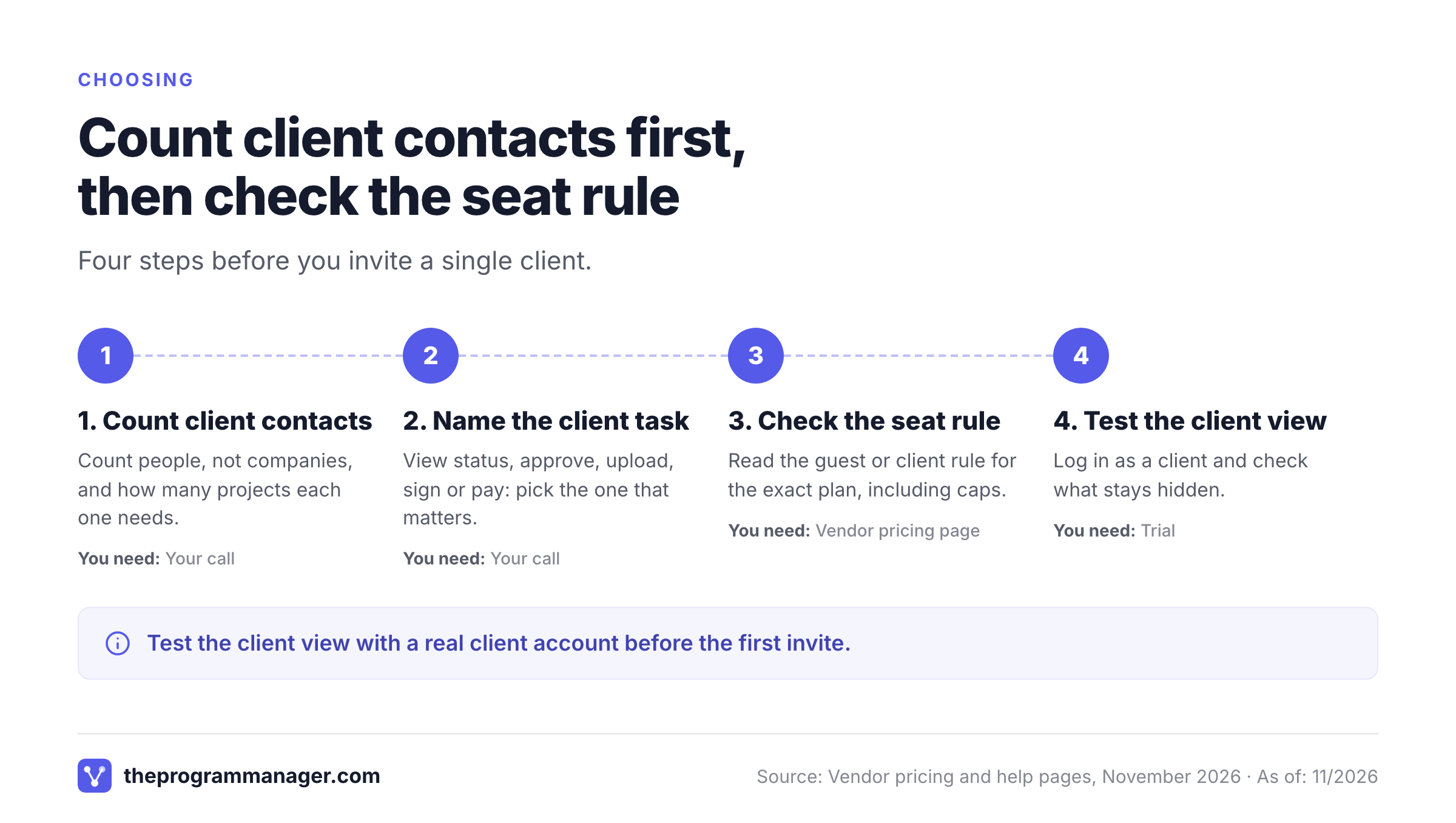
- Count client contacts, not client companies, and note how many projects each one needs
- Write down the one thing a client must do in the portal: view status, approve, upload, sign or pay
- Check the seat rule for the exact plan, including any guest or project cap
- Find the plan that adds your logo and your own domain, and the plan that adds approvals
- Test the client view with a real client account before you invite anyone, and check what stays hidden
- Ask where the audit trail lives and whether two-factor authentication is enforced for clients
- Check how the portal connects to Jira, Asana, Slack or your CRM, or plan to copy status by hand
- Many small clients, one low flat price, invoices and e-signature in the same toolSuiteDash
- Clients mostly exchange files and approve documents, and an audit trail mattersClinked
- Implementation projects with phases and customer-owned tasksRocketlane
- A branded plan per client on a free planDock
- Clients complete forms, sign and approve from an email linkMoxo
- Client projects run in a project tool and clients create their own tasksTeamwork.com
- Client sheets and dashboards already live in SmartsheetSmartsheet
- A PMO on monday.com with a few shared client boards and a request formmonday.com
- Two or three clients and a simple message board on a flat priceBasecamp
Where a client portal stops and program risk starts
A portal shows clients what you decide to show them. It doesn't tell you which dependency inside your own tools will move the date you promised. That check happens before the status update reaches the portal, and it is where The Program Manager sits. It isn't a client portal, and its site describes no client login. It maps dependencies across Jira and Asana, watches milestones for risk and keeps blockers and decisions in one place, so the status you publish to clients is one you have checked.
FAQ
What is client portal software?
Client portal software is a secure, branded login where clients see the state of your work, exchange files and messages, and approve or pay without joining your internal tools. Dedicated portals such as SuiteDash, Clinked and Moxo are built around that login, while project tools such as Teamwork.com and monday.com let clients into the working project.
Is there free client portal software?
Dock is the only tool in this list that gives clients free access on a free plan with custom branding. Basecamp Free allows three users in total, clients included, and Teamwork.com and monday.com start client access on paid plans.
Do clients count as paid users?
Seat rules depend on the tool and the plan. SuiteDash, Rocketlane and Dock don't charge for clients, Teamwork.com offers free client users on Basics and up, and Smartsheet offers free Contributors and Guests. monday.com and Basecamp count clients toward seats or a user cap, and Moxo doesn't say.
What is a white label client portal?
A white label client portal shows your logo and colors, and often your own web address, instead of the vendor's. SuiteDash lists white labeling from its Start plan, Clinked and Rocketlane offer a custom domain from Standard, and Dock reserves a custom domain for Enterprise.
Can I use my project management tool as a client portal?
Yes, if the client mainly needs to see tasks and comment. Teamwork.com, Smartsheet, monday.com and Basecamp all let outsiders in, with rules on seats and visibility. You lose a branded address, native invoicing and, in most cases, approvals.
Which client portal is best for a PMO?
The best client portal for a PMO depends on its stack. A PMO that already runs on Smartsheet or monday.com can start with guest access. For client-facing delivery with phases and approvals, Rocketlane and Teamwork.com are the closest fits in this list. For file exchange with an audit trail, choose Clinked.
Leave a Reply