Enterprise project management software has to do three jobs that a team tool doesn't. It rolls many projects up into one view a sponsor can read, it plans people and money across those projects, and it doesn't fail the security review. Most tools can show a Gantt chart, but what separates them is which plan gives you portfolios, resource capacity, single sign-on and audit logs, and what the vendor charges for that plan.
We compared eight tools on those points. For each one we read the pricing or plan page, a product or docs page that shows how portfolio work behaves, the trust or security page where one was available, and a review site. Where we couldn't confirm a detail on a vendor page, the entry says so, so you'll know what to ask in the demo. If you're picking for a single team instead, our guide to project management software is the better place to start, since it won't cover portfolio work.
A PMO that reports to clients also needs a way to share status. Our guide to client portal software compares nine tools for that job.
If resource planning is the main gap, our guide to resource management software goes deeper on scheduling, capacity and utilization by plan.
- enterprise tools compared
- 8
- sell their top tier by quote only
- 7
- keep SAML or SCIM on their top plan (Smartsheet, Wrike, Asana, monday.com)
- 4
- publishes a list price for its portfolio plan (Microsoft, $30)
- 1
Which enterprise project management software is best?
The best enterprise project management software depends on what your organization has to roll up. A PMO that funds hundreds of initiatives needs a different tool from a company that mostly needs executive dashboards on top of existing teams. Here are our picks by situation, and you'll find the full entry for each below. The tag on each one names the plan or price model, because that decides the real cost.
 Best for a PMO that funds and prioritizes hundreds of initiativesPlanviewPortfolio, program and capacity planning in every package, with ERP, Jira and ServiceNow integrations. Sold by quote.
 Best for spreadsheet-style work with a portfolio layerSmartsheetPortfolios, SAML and event reporting sit on Enterprise. Business is $19 per member per month billed yearly.
 Best for a PMO that wants intake, workload and audit reports in one toolWrikePortfolios from $10 per user per month, SAML, SCIM and audit reports on the quote-based Pinnacle plan.
 Best for business teams that already work in boardsmonday.comPortfolio and resource management are Enterprise only, so budget for the quote, not the $19 Pro price.
 Best for cross-functional programs with many stakeholdersAsanaPortfolios, universal resource management, SAML and SCIM on Enterprise, with Advanced at $24.99 as the step before.
 Best for engineering-led programsJiraPremium adds cross-project dependencies and capacity planning, and Enterprise includes SSO and provisioning.
 Best for Microsoft 365 shops that want a published priceMicrosoft Planner and ProjectPlanner and Project Plan 3 at $30 per user per month edits portfolios, with a roadmap across plans.
 Best for large engineering and construction programsOracle Primavera P6Critical-path scheduling and resource utilization across programs. Price by quote through Oracle.
 Our product · for the gaps between toolsThe Program ManagerIt maps dependencies across Jira and Asana and watches milestones for risk. It isn't a portfolio suite.
What makes project management software enterprise-grade?
Enterprise project management software connects work across many projects and many teams, then adds the controls a large organization needs to run it safely, which a team tool doesn't. A team tool answers "what's on my board?". An enterprise tool answers "which of our 80 projects will miss its date, who is overbooked next quarter, and who approved that change?".
A project counts as an enterprise project when it spans several teams or departments, depends on other projects, draws on shared people or budget, and reports to someone outside the project. Software is enterprise-grade when it covers seven capabilities, and a tool that lacks portfolios, resource planning or single sign-on isn't, however many features it has.
- Portfolio and program rollups. Many projects roll up into one view with status, budget and dates that a sponsor can read without opening each project.
- Cross-project dependencies. A slip in one project shows up in the projects that rely on it, not only inside a single plan.
- Resource and capacity planning. You see who is booked across projects and what happens to capacity if you add a project.
- Single sign-on and provisioning. SAML sign-in through your identity provider, and SCIM so that accounts are created and removed automatically.
- Audit logs and admin control. Logins, role changes, exports and sharing are recorded, and admin rights can be split.
- Compliance and data residency. Independent attestations such as SOC 2 and ISO 27001, and a choice of where data is stored.
- Scale and integrations. Documented limits, and connectors to the systems that hold budgets, tickets and people data.
How we chose these enterprise tools
A tool made this list if it handles portfolios or programs and not just tasks, and if large organizations actually run it. We left out small-team tools, even when they've got an enterprise plan, because the portfolio layer is what this guide is about. For each tool we recorded the plan that unlocks the enterprise capabilities, the price model, the single sign-on and provisioning tier, the compliance attestations on its trust page, and a rating from G2, Capterra or TrustRadius with the review count.
Prices are USD from vendor pages checked in October 2026, and ratings carry the review site's name. Most vendors in this category sell the enterprise tier by quote, so we don't invent numbers: where there's no price, the table says so instead of guessing. We didn't test ClickUp, Zoho Projects, Airtable or Trello against the seven capabilities, so they're not ranked here. The Program Manager is our own product, so it appears as a marked row and not as a pick.
Enterprise project management software compared
| Tool | What the enterprise tier adds | SAML single sign-on | Starting price (USD) | Rating |
|---|---|---|---|---|
| Planview | Portfolio, program and capacity planning in every package; reporting is an add-on | Yes, through Planview Admin; plan not stated | Quote only (Portfolios Planning Package sold by user band: up to 50, up to 100, custom) | 4.1 (Capterra, 19) |
| Smartsheet | Portfolios, SAML, event reporting and data egress controls on Enterprise | Enterprise | Pro $9 per member/month billed yearly ($12 monthly, 1 to 10 members, new customers only); Business $19 yearly ($24 monthly, 3+ members); Enterprise and Advanced Work Management custom. No permanent free plan, 30-day trial | 4.4 (22,872) |
| Wrike | SAML, SCIM, audit reports and advanced resource planning on Pinnacle and Apex | Pinnacle and Apex | $10 per user per month (Team, 2 to 15 users), Business $25 (5 to 200 users), billed yearly; Pinnacle and Apex by quote | 4.2 (4,553) |
| monday.com | Portfolio board, resource management and SCIM on Enterprise | Not confirmed; SCIM is Enterprise | Free (2 seats); Basic $9, Standard $12, Pro $19 per seat/month billed annually ($12, $14, $24 billed monthly); Enterprise quote; paid plans start at 3 seats | 4.7 (17,292) |
| Asana | Portfolios, universal resource management, SAML, SCIM and Audit Log API on Enterprise | Enterprise | Personal free (2 users); Starter $10.99 and Advanced $24.99 per user/month billed annually ($13.49 and $30.49 billed monthly); Enterprise via sales. AI requests $0.50 prepaid or $0.60 pay as you go | 4.4 (14,052) |
| Jira | Premium: cross-project plans and capacity. Enterprise: Atlassian Guard included | Atlassian Guard, included in Enterprise | Free up to 10 users; US calculator at 300 users billed monthly: Standard $8.48, Premium $15.56 per user per month (up to 100 users, 2026-10-26: $9.70 and $19.60) | 4.3 (7,964) |
| Microsoft Planner and Project | Plan 3 edits portfolios with a roadmap; Plan 1 views only | Not confirmed on a Microsoft page | $10 per user per month (Planner Plan 1), $30 (Planner and Project Plan 3), paid yearly | 7.7/10 (TrustRadius, 738) |
| Oracle Primavera P6 | Critical-path scheduling and resource utilization across programs | P6 EPPM supports SAML 2.0 | USD price not published (quote from Oracle or a reseller) | 4.4 (Capterra, 182) |
| The Program Manager Our product | Maps dependencies across Jira and Asana and watches milestones for risk | The Program Manager maps dependencies across Jira and Asana, watches every milestone for risk, and keeps blockers, decisions and approvals in one graph. | Invite-only | No reviews yet |
Starting prices are USD per user per month where a unit is given. Smartsheet is Business at $19, monday.com is Pro at $19, Asana is Advanced at $24.99, Wrike is Business at $25 and Jira is Premium at $19.60 for 10 to 100 users billed monthly. Planview, Smartsheet Enterprise, Wrike Pinnacle, monday.com Enterprise, Asana Enterprise, Jira Enterprise and Primavera are quote only. Planview and Primavera ratings are from Capterra, Microsoft's is from TrustRadius on a 10-point scale.
Which plan unlocks which enterprise capability?
The plan names differ, yet the pattern is the same. The capabilities that define enterprise software sit one or two tiers above the plan most buyers start on, and that's where the real cost is. This table lists what we confirmed on vendor pages. Where we couldn't confirm a detail, the cell says so, and that's your question for the vendor.
| Tool | Portfolio rollups | Resource planning | SAML SSO | SCIM |
|---|---|---|---|---|
| Smartsheet | Enterprise | Paid add-on from Business | Enterprise | Through Okta or Entra ID, activated by support |
| Wrike | Team and up | Workload from Business; bookings and utilization on Pinnacle | Pinnacle and Apex | Pinnacle and Apex |
| monday.com | Enterprise | Enterprise | Not confirmed | Enterprise |
| Asana | Advanced and up | Enterprise (universal resource management) | Enterprise | Enterprise |
| Jira | Premium (Plans) | Premium (capacity per team) | Atlassian Guard, included in Enterprise | Atlassian Guard, included in Enterprise |
| Microsoft Planner and Project | Plan 3 edits, Plan 1 views | Not confirmed for portfolios | Not confirmed | Not confirmed |
| Planview | Every package | Every package | Through Planview Admin | Not confirmed |
Wrike shows the staircase most clearly, because its ladder maps almost one to one to the seven requirements.
Wrike- Team ($10)Gantt dependencies, portfolios and board view for 2 to 15 users
- Business ($25)Workload charts, request forms and basic resource management for 5 to 200 users
- Pinnacle (quote)SAML SSO, SCIM, audit reports, advanced resource and capacity planning
- Apex (quote)Top tier, same enterprise controls, sold by quote
The 8 best enterprise project management tools
Each entry says what the tool does for portfolio work, which plan gives you the enterprise controls, what users report, and who should skip it. You'll see the price once in the entry and again in the table.
Planview
Planview
Enterprise portfolio management (Planview Portfolios, formerly Enterprise One) where programs are a portfolio type with funding, scenario planning, capacity and dependency management.
Planview Portfolios, formerly Enterprise One, fits a PMO that funds and prioritizes hundreds of initiatives and plans capacity against that demand.
Planview treats programs as a portfolio type with funding, scenario planning and dependency management. Its product page lists more than 200 out-of-the-box reports across portfolio, program, product and project level, with Power BI embedded, and capacity planning that balances people and money against demand. Integrations named by Planview include SAP, NetSuite, Oracle ERP, Salesforce, Workday, ServiceNow and Atlassian, and Jira connects through Planview Hub, which lists 60 or more tools.
The portfolio layer isn't something you upgrade into. Every package includes portfolio, program and capacity planning, and the packages are sold by user band: up to 50 users, up to 100, and custom above that. Reporting is an add-on. That structure suits a central PMO, but it doesn't suit a team of ten.
- a large PMO funds and prioritizes hundreds of initiatives and needs scenario planning against capacity
- agile teams should stay in Jira while leadership plans in a portfolio tool, synced both ways
- you need a published price or a quick rollout: it's sold by quote with a fixed-price implementation package
- you have fewer than a few dozen planners: the packages start at a 50-user band
- Users like
- financial views at enterprise, program and project level, and portfolio prioritization
- Users dislike
- an unintuitive interface that needs heavy training and admin support (small sample, many reviews from 2017 to 2021)
- Source: Capterra, 19 reviews
How it works in practice
We couldn't confirm SCIM provisioning, audit-log detail or documented scale limits on a public Planview page, so put those on your security questionnaire. Planview also sells AdaptiveWork, formerly Clarizen, which covers portfolio roadmaps, capacity against demand and what-if scenarios for organizations that want a lighter product than Portfolios.
The Capterra rating rests on only 19 reviews, many from 2017 to 2021, so it's a small sample. Reviewers praise the financial views at enterprise, program and project level and the prioritization. The recurring complaint is an interface that needs heavy training and admin support.
- Starting price
- Quote only (Portfolios Planning Package sold by user band: up to 50, up to 100, custom)
- Packages
- Base up to 50 users, Standard up to 100, Custom above
- Reporting
- Embedded Power BI; Reporting add-on
- Lighter option
- Planview AdaptiveWork, formerly Clarizen
- SAML SSO
- Via Planview Admin, IdP and SP initiated (Entra ID, ADFS, Okta, OneLogin); plan tier not stated in docs
- Trust Center (Oct 2026)
- ISO/IEC 27001, ISO/IEC 27701, SOC 2, CSA STAR, GDPR
- Integrations (product page)
- SAP, NetSuite, Oracle ERP, Salesforce, Workday, ServiceNow, Atlassian, Microsoft; Jira through Planview Hub
- Pricing model
- Quote only, sold by user band
- SSO
- SAML through Planview Admin (Entra ID, ADFS, Okta, OneLogin)
- Trust Center
- ISO/IEC 27001, ISO/IEC 27701, SOC 2, CSA STAR, GDPR
Smartsheet
Smartsheet
Smartsheet keeps your Trello cards by importing a board directly into a sheet, then adds what Trello lacks: predecessor dependencies and critical path from Pro, baselines and timeline view on Business, dashboards, and free external Contributors or Guests. Board view stays simple, and Portfolios need Enterprise.
Smartsheet fits organizations whose work already lives in sheets and who want a portfolio layer, SAML and detailed event reporting without moving to a project-controls suite.
Portfolios in Smartsheet require the Enterprise plan. They give portfolio dashboards for budget and projects by initiative or priority, and Smartsheet's own guidance recommends staying within about 100 projects and 5 templates per portfolio. Resource Management is not supported inside portfolios, and it's a paid add-on on Business and above whose price isn't listed. Scenario planning and Work Insights are Enterprise and above.
Predecessors work per sheet, and we found no official documentation of native cross-sheet dependencies, so ask how a program with linked sheets handles a slipping predecessor. The admin side is where Enterprise earns its price: SAML sign-in, SCIM through Okta or Entra ID (support has to activate it), event reporting that keeps six months of organization-wide action logs, data egress controls and customer-managed encryption keys on Enterprise or Advanced Work Management.
- your work already runs in sheets and you want portfolio dashboards, SAML and event reporting on top
- you need data stored in a chosen region: US, EU and Australia are listed, plus a government environment
- you need resource management inside the portfolio view: it isn't supported there
- you want a published enterprise price: Enterprise is quote only and it's sold for 10 or more members
- Users like
- ease of use (2,831 mentions) and collaboration plus automation (2,212)
- Users dislike
- the learning curve (1,183 mentions, tied to limited formulas), an unintuitive interface (954) and limited features that raise cost (929)
- Source: G2, 22,872 reviews
How it works in practice
The sheet limits are the scale question to test, because they decide how a big program has to be split. A grid sheet holds up to 20,000 rows, 400 columns and 500,000 cells, so a program with a very large plan has to split across sheets, which is exactly where cross-sheet rollups get complicated.
On G2 the praise is ease of use and collaboration. The recurring complaints are the learning curve tied to limited formulas, an unintuitive interface, and limited features that raise cost.
- Starting price
- Pro $9 per member/month billed yearly ($12 monthly, 1 to 10 members, new customers only); Business $19 yearly ($24 monthly, 3+ members); Enterprise and Advanced Work Management custom. No permanent free plan, 30-day trial
- Free tier
- None permanent, 30 days free trial without credit card
- Trello import
- Direct importer from File > Import on Pro, Business, Enterprise; 5,000 cards or 50 lists, archived cards skipped
- Board view
- Pro, Business, Enterprise; groups by one dropdown, contact or symbol column; legacy Card View replaced by board view in September 2026
- Dependencies and critical path
- Pro and up; critical path shows in red in Gantt view, baselines and timeline view need Business
- Guests
- Pro: unlimited free Contributors; Business and up: unlimited free Guests
- SAML SSO
- Enterprise (directory integrations too); SCIM through Okta or Entra ID, activated by support
- Portfolios
- Enterprise; Smartsheet recommends up to 100 projects and 5 templates per portfolio; resource management is not supported inside portfolios
- Event reporting, data egress controls, customer-managed keys
- Enterprise or Advanced Work Management
- Regions
- US, EU, Australia; Gov in AWS GovCloud
- Sheet limits
- 20,000 rows, 400 columns, 500,000 cells
- Trust page
- SOC 2, ISO 27001, ISO 27701, FedRAMP; HIPAA through a BAA on Enterprise
- Pricing model
- Pro $9 and Business $19 per member per month billed yearly; Enterprise quote
- SSO
- SAML on Enterprise; SCIM through Okta or Entra ID
Wrike
Wrike
Work management platform where Board view runs on every plan, task dependencies and Gantt start at Team, workload charts and request forms at Business, and the multi-project programme timeline at Pinnacle.
Wrike fits a PMO that wants intake forms, workload views and audit reports in one tool, and is ready to move to a quote-based plan for the controls.
Wrike's Gantt charts reschedule dependent tasks when you move a predecessor, and Portfolios are available from the Team plan. Workload charts and request forms arrive on Business, and the advanced resource and capacity features (job roles, bookings, budgeting and a utilization dashboard) sit on Pinnacle and Apex. The Business plan covers 5 to 200 users, so a larger organization lands on a quote.
The security controls are tied to the same top plans. SAML SSO is Pinnacle and Apex only, SCIM is on Pinnacle and Apex as well, and audit reports record logins, role changes, SSO and two-factor changes, exports and sharing. A single audit export is capped at 65,000 events in XLS, and the documentation doesn't state a retention period, so ask for it.
- a PMO wants workload charts, request forms and blueprints at $25 per user and a quote-based tier above that for SAML, SCIM and audit reports
- you need integrations with Jira, Salesforce, Microsoft 365 or Dynamics 365, NetSuite and Tableau, which Wrike lists for enterprise
- you have more than 200 users and need a published price: everything above Business is quote only
- you want one plan to cover portfolios, SAML and resource planning: those sit on three different tiers
- Users like
- project tracking (477 mentions in G2's pros summary)
- Users dislike
- a steep learning curve (305 mentions), not intuitive (239) and a lack of built-in templates (203)
- Source: G2, 4,553 reviews
How it works in practice
Wrike's trust page lists data centers in the US and the EU, but the documentation we read doesn't say which plan lets you choose. Add that to the questionnaire, since it's easy to miss.
G2 reviewers praise project tracking. The most common complaints are a steep learning curve, a UI that isn't intuitive and a lack of built-in templates.
- Starting price
- $10 per user per month (Team, 2 to 15 users), Business $25 (5 to 200 users), billed yearly; Pinnacle and Apex by quote
- Free plan limit
- 200 active tasks and one shared space, no Gantt
- Board view
- All plans including Free
- Task dependencies
- Team and up, FS, SS, FF, SF
- Workload charts and request forms
- Business and up
- Programme timeline
- Pinnacle and Apex (quote)
- Automation actions per month
- 50 per seat Team, 200 Business
- SAML SSO
- Pinnacle and Apex only; SCIM also Pinnacle and Apex
- Audit reports
- Pinnacle and Apex: logins, role changes, SSO and 2FA changes, exports, sharing; export cap 65,000 events as XLS
- Portfolios
- Team and up
- Resource management
- Workload and time tracking from Business; job roles, bookings, budgeting and utilization dashboard on Pinnacle and Apex
- Trust Center
- SOC 2 Type II, ISO 27001, ISO 27018, HIPAA, GDPR
- Regions
- US and EU data centers; plan not stated
- Pricing model
- Team $10, Business $25 per user per month billed yearly; Pinnacle and Apex quote
- SSO
- SAML and SCIM on Pinnacle and Apex
monday.com
monday.com
Board-based work management that keeps the Kanban view you know from Trello (on every plan, including Free) and adds Gantt from Standard, a Dependency column from Pro and a portfolio board only on Enterprise. Built-in Trello import moves card names, labels and dates, but not descriptions, checklists or files. The PMO layer sits on higher tiers, and paid plans need at least 3 seats.
monday.com fits business teams that already plan in boards and want an executive layer, as long as you budget for the Enterprise quote and not the Pro price.
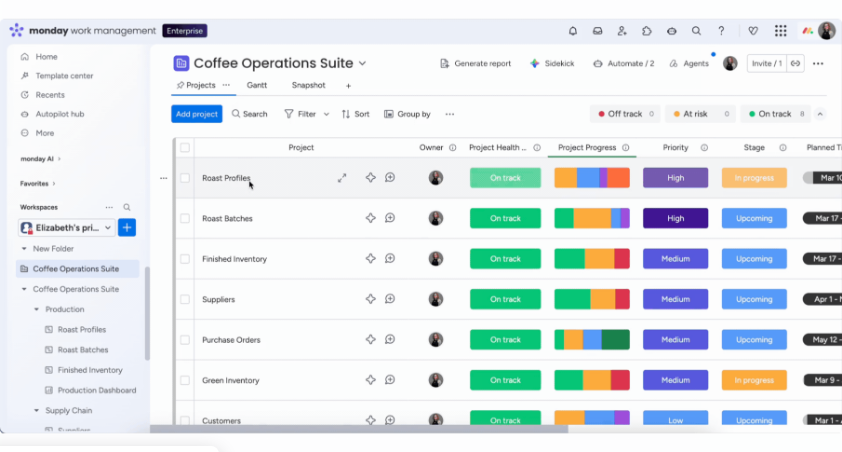
The Pro plan gives you a Dependency column, Gantt with critical path and dashboards that combine up to 20 boards. The portfolio board, the All Projects dashboard and resource management are Enterprise only, and projects built on Pro can't be added to a portfolio. A portfolio can connect up to 200 project boards, and boards can be connected to it only on Enterprise. SCIM provisioning is Enterprise only too.
Enterprise also raises the limits that matter at scale: 250 workflows (Pro has 20), 250,000 automation and integration actions per month (Pro has 25,000) and 25,000 API calls per day (Pro has 10,000), with a 99.9% uptime SLA. monday.com's trust center lists SOC 2 Type II, ISO 27001:2022, ISO 27017, 27018 and 27701, and a HIPAA BAA. FedRAMP isn't listed.
- your organization already uses boards and wants a portfolio and resource layer, with SCIM and a documented uptime SLA
- your automation load is high and the Enterprise limits (250,000 actions a month, 250 workflows) are the reason you are moving up
- you need portfolio rollups or resource management without a sales process: both are Enterprise only
- you want to start on Pro and grow into a portfolio: Pro projects can't join one
- Users like
- ease of use and team collaboration; TrustRadius reviewers also praise automation and customization
- Users dislike
- missing features and seat requirements, learning curve, limited features that raise cost; TrustRadius reviewers cite complex automation setup
- Source: G2, 17,292 reviews
How it works in practice
We couldn't confirm which plan includes SAML single sign-on, because monday.com's support pages are not cited and the sources conflict. That's a one-line email to your account contact before you sign, and it's worth sending.
G2 reviewers praise ease of use and collaboration. They also report missing features, seat requirements and a learning curve, and TrustRadius reviewers cite complex automation setup.
- Starting price
- Free (2 seats); Basic $9, Standard $12, Pro $19 per seat/month billed annually ($12, $14, $24 billed monthly); Enterprise quote; paid plans start at 3 seats
- Kanban
- Available on every plan including Free; cards come from Status labels, per-column task limit via Set column limit, lanes via Divide by
- Trello import
- Built-in importer carries task name, label and dates; descriptions, checklists, activities and files are not supported; 10K rows at a time
- Dependencies
- Dependency column on Pro and Enterprise; Gantt from Standard, critical path and milestones from Pro; cross-project dependencies Enterprise
- Automation actions per month
- Standard 250, Pro 25,000, Enterprise 250,000; multi-recipient notifications use one action each
- Guests
- None on Basic; Standard 3 free then 4 guests per billed seat; unlimited on Pro and Enterprise
- Portfolio
- Portfolio board and All Projects Dashboard are Enterprise only; Pro standalone projects cannot be added
- SCIM
- Enterprise only
- Trust center
- SOC 2 Type II, ISO 27001:2022, ISO 27017, 27018, 27701; HIPAA BAA
- Enterprise limits
- 250 workflows, 250,000 actions a month, 25,000 API calls a day
- Pricing model
- Pro $19 per seat per month billed annually; Enterprise quote
- SSO
- SCIM on Enterprise; SAML plan not confirmed
Asana
Asana
Asana keeps the board view Trello users know (free on Personal) and adds the program layer around it: Timeline, Gantt and four dependency types from Starter, reporting dashboards from Starter, and portfolios, goals and in-portfolio resource management on Advanced. Moving from Trello means gaining dependencies and rollups but not WIP limits, and the migration is a CSV import or a third-party app rather than a first-party Trello importer.
Asana fits cross-functional programs where many stakeholders need to see progress, because portfolios, goals and resource management all sit on one Enterprise tier.
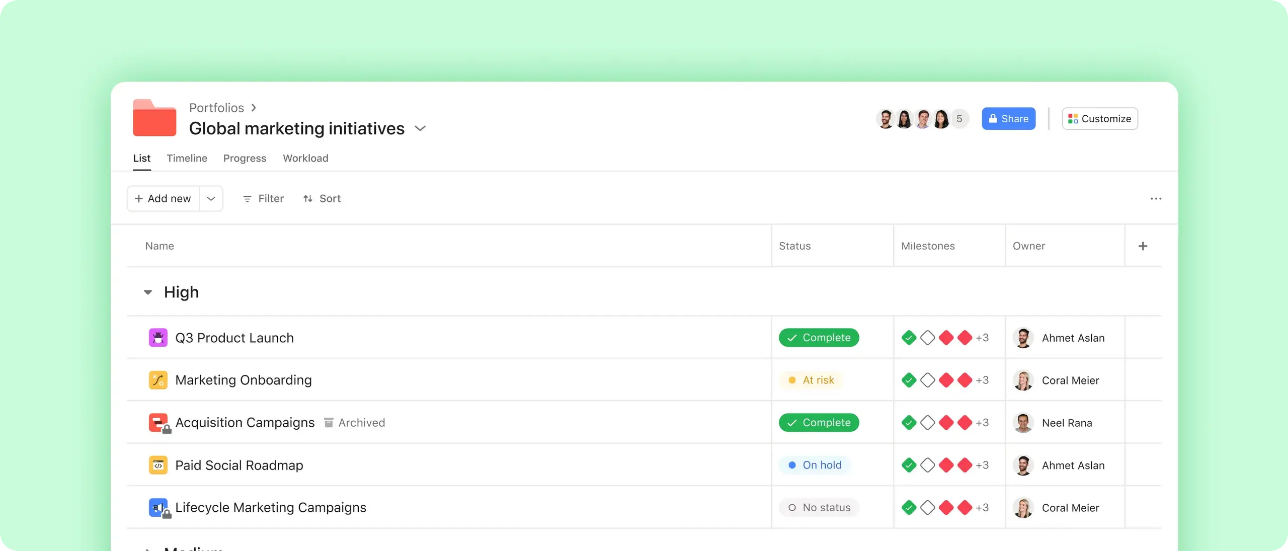
Asana's Advanced plan at $24.99 per user per month adds portfolios and goals, and the Enterprise tier includes portfolios and dashboards, universal resource management (an organization-wide workload view), goals with automatic progress tracking, SAML SSO and SCIM provisioning. The pricing page lists an Audit Log API built for SIEM tools under Enterprise. Enterprise and Enterprise+ are quote only.
Asana's trust page lists SOC 2 Type 2, ISO/IEC 27001:2022, HIPAA and GDPR, and data centers in Europe, Australia and Japan. Data residency is an opt-in feature for Enterprise. Jira Cloud sync, Slack, Microsoft Teams and GitHub integrations are listed on Asana's apps page.
- marketing, operations, product and engineering share programs and you want one portfolio, goals and workload view across them
- you need SAML, SCIM, an audit log API and regional data storage under one Enterprise contract
- your strongest need is cross-project dependency scheduling: we couldn't confirm that detail on an Asana page
- you want a flat price: Enterprise is quote only, and AI requests are billed separately
- Users like
- ease of use (1,525 mentions) and task management (1,464)
- Users dislike
- a steep learning curve (605 mentions), missing features such as time tracking (597) and power tools locked behind higher tiers (531)
- Source: G2, 14,052 reviews
How it works in practice
The AI cost is worth modeling. Asana's pricing lists AI requests at $0.50 prepaid or $0.60 pay as you go, so a heavy-use team should ask for an estimate. The Audit Log API's plan varies between Asana's pricing page and its developer documentation, so confirm the tier in writing.
G2 reviewers praise ease of use and task management. The recurring complaints are a steep learning curve, missing features such as time tracking and power tools locked behind higher tiers, which is the pattern this guide is about.
- Starting price
- Personal free (2 users); Starter $10.99 and Advanced $24.99 per user/month billed annually ($13.49 and $30.49 billed monthly); Enterprise via sales. AI requests $0.50 prepaid or $0.60 pay as you go
- Board view
- Included on the free Personal plan with list and calendar views; no native WIP limits per Asana forum answers
- Dependencies
- Starter and up; four types (FS, FF, SS, SF) with auto-shifting dates per the Asana help center
- Automations
- Custom builder from Starter, no monthly cap shown on the pricing page; 50 automations per project, 20 triggers and 20 actions each
- Portfolios
- Advanced and up; Enterprise adds universal resource management and capacity planning
- Import from Trello
- No first party Trello importer found; CSV importer lists Trello, about 2,000 rows, no comments or attachments per partner guide; Migrator.xyz listed as app
- Integrations
- Jira Cloud two way sync, Slack, Microsoft Teams and GitHub pull request sync listed on asana.com/apps
- Enterprise tier
- SAML SSO, SCIM provisioning, portfolios and dashboards, universal resource management, goals, Audit Log API (pricing page); quote only
- Trust page
- SOC 2 Type 2, ISO/IEC 27001:2022, HIPAA, GDPR
- Data residency
- Data centers in Europe, Australia and Japan; opt-in for Enterprise
- Pricing model
- Advanced $24.99 per user per month billed annually; Enterprise quote
- SSO
- SAML and SCIM on Enterprise
- Regions
- Europe, Australia, Japan; opt-in on Enterprise
Jira
Jira
Issue tracker whose Kanban boards, timeline and column limits come on every plan including Free, while Premium adds Plans: one timeline across projects, capacity per team, cross-project dependencies and a Program Board. Trello boards import through an official importer, minus checklists and custom fields.
Jira fits programs led by engineering, because Premium adds cross-project planning on top of the issue tracker your teams already use.
Jira's boards, timeline and column limits come on every plan. Premium adds Plans: one timeline across projects, capacity per team, cross-project dependencies and a Program Board. Plans offers Summary, Timeline, List, Program Board, Calendar, Teams and Dependencies views, with capacity shown on the timeline. Dependencies stay single-project on Free and Standard. Atlassian's Strategy Collection, which includes Focus and Jira Align for enterprise strategy and funding, requires Jira Cloud Premium or higher.
For security, Atlassian Guard adds SAML SSO and SCIM. It's included with the Enterprise plan, while Standard and Premium need a separate Guard subscription. Data residency is available on Standard, Premium and Enterprise, with regions including the US, EU, UK, Canada, Australia, India, Japan, Singapore, Germany, Switzerland and South Korea. Enterprise is sold through sales and Atlassian cites a 99.95% uptime guarantee for it.
- your engineering teams already run in Jira and the program needs cross-project dependencies and one plan across their boards
- you need the choice of many data residency regions and SSO inside one Enterprise contract
- most program work happens outside engineering: reviewers cite a steep learning curve and a clunky interface
- you're on Standard: dependencies stay single project and Plans need Premium at roughly double the price
- Users like
- ease of use (1,157 mentions in G2's pros summary) and flexibility (857)
- Users dislike
- the learning curve (682 mentions), interface complexity (504) and slow performance on large projects (327)
- Source: G2, 7,964 reviews
How it works in practice
We couldn't confirm Atlassian's SOC 2, ISO 27001 or HIPAA listings on the published trust pages, so request the current compliance pack. The same applies to documented scale limits.
G2 reviewers praise ease of use and flexibility. The recurring complaints are the learning curve, interface complexity and slow performance on large projects, which matters most when a program has thousands of issues.
- Starting price
- Free up to 10 users; US calculator at 300 users billed monthly: Standard $8.48, Premium $15.56 per user per month (up to 100 users, 2026-10-26: $9.70 and $19.60)
- Program tier
- Premium (Plans); Focus and Jira Align need Premium or higher
- Dependencies
- Single project on Free and Standard, cross-project on Premium and Enterprise
- Automation
- Free 150 steps per subscription, Standard 400, Premium 750, Enterprise 1,000 steps per user per month
- WIP limits
- Min and max per column; header turns red or yellow, moves are not blocked
- Trello import
- Official importer; archived cards, checklists and custom fields not imported in software spaces
- Other reviews
- TrustRadius 8.4 of 10 (4,390 ratings), Software Advice 4.4 of 5, checked 2026-10-26
- SSO and SCIM
- Atlassian Guard Standard; included with Enterprise, a separate subscription on Standard and Premium
- Data residency
- Standard, Premium and Enterprise; regions include US, EU, UK, Canada, Australia, India, Japan, Singapore, Germany, Switzerland, South Korea
- Strategy Collection
- Focus and Jira Align; needs Jira Cloud Premium or higher
- Enterprise
- Contact sales; 99.95% uptime guarantee
- Pricing model
- Free to 10 users; Premium $19.60 per user per month (10 to 100 users, monthly); Enterprise by sales
- SSO
- Atlassian Guard: included in Enterprise, separate on Standard and Premium
- Regions
- Standard, Premium and Enterprise
Microsoft Planner and Project
Microsoft Planner and Project
Planner premium plans in Microsoft 365 and Teams, where Plan 3 adds portfolios with a roadmap tab, baselines, critical path and lead/lag dependencies.
Microsoft Planner and Project fits Microsoft 365 organizations where project leads plan in Planner premium plans and sponsors need a roadmap of key dates across them.
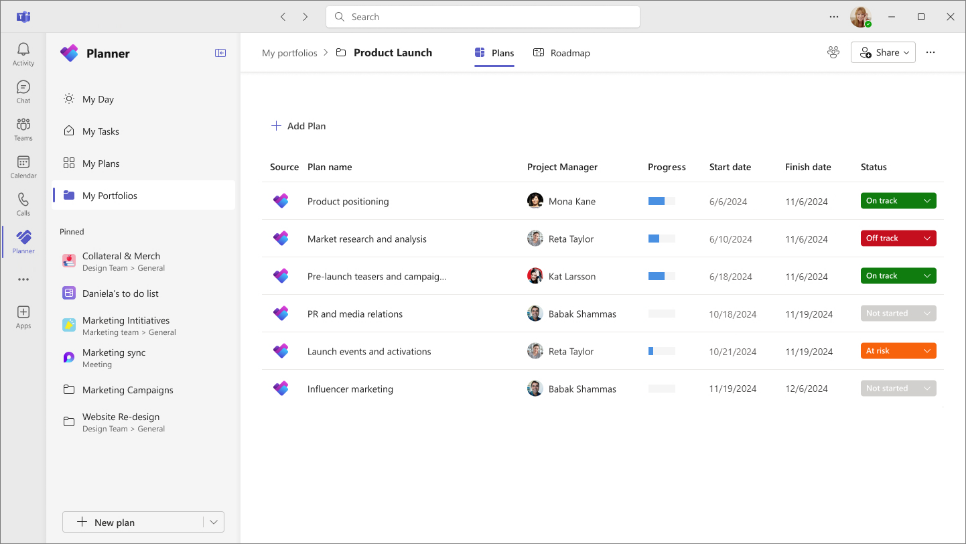
Portfolios in Planner give one view across premium plans, with progress, dates, a manual status per plan and a roadmap tab. To edit or create a portfolio you need Planner and Project Plan 3 or Plan 5. Plan 1 users and basic Planner users can only view it. Plan 3 is $30 per user per month paid yearly and adds baselines, critical path and lead and lag on dependencies.
There are limits you'll want to know about before you buy. A portfolio can't include basic plans, Project Online projects or Azure DevOps projects. Status is set by hand per plan, and percent complete and dates are read-only in the portfolio, so you can't fix them there. Project Online itself is gone: Microsoft Learn says it was retired on September 30, 2026, and Planner premium plans are the replacement.
- your organization already runs on Microsoft 365 and Teams and project leads plan in Planner premium plans
- sponsors need a roadmap of key dates across plans rather than a resource model
- you need cross-project resource management or demand intake: that lives in Project desktop or the on-premises Project Server, not in Planner portfolios
- work also runs in Azure DevOps: those projects can't be connected to a portfolio
- Users like
- resource management across projects and the Gantt and critical-path view
- Users dislike
- a steep learning curve and complicated configuration
- Source: TrustRadius, 738 ratings
How it works in practice
We couldn't confirm single sign-on, audit and compliance details for Planner on a Microsoft page in this check. Microsoft 365 tenants already carry their own identity and compliance setup, so the question for your security team is what Planner inherits from it, and that's worth checking early.
TrustRadius reviewers praise resource management across projects and the Gantt and critical-path view. The recurring complaints are a steep learning curve and complicated configuration.
- Starting price
- $10 per user per month (Planner Plan 1), $30 (Planner and Project Plan 3), paid yearly
- Program tier
- Planner and Project Plan 3, $30 per user per month
- Portfolio status
- Set by hand per plan; % complete and dates are read-only
- Not connectable
- Basic plans, Project Online, Azure DevOps
- Portfolios
- Editing needs Planner and Project Plan 3 or Plan 5; Plan 1 users get read-only
- Project Online
- Retired September 30, 2026 (Microsoft Learn)
- Not connectable to portfolios
- Basic plans, Project Online, Azure DevOps
- Pricing model
- Plan 1 $10, Plan 3 $30 per user per month paid yearly
- Portfolio editing
- Plan 3 or Plan 5; Plan 1 views only
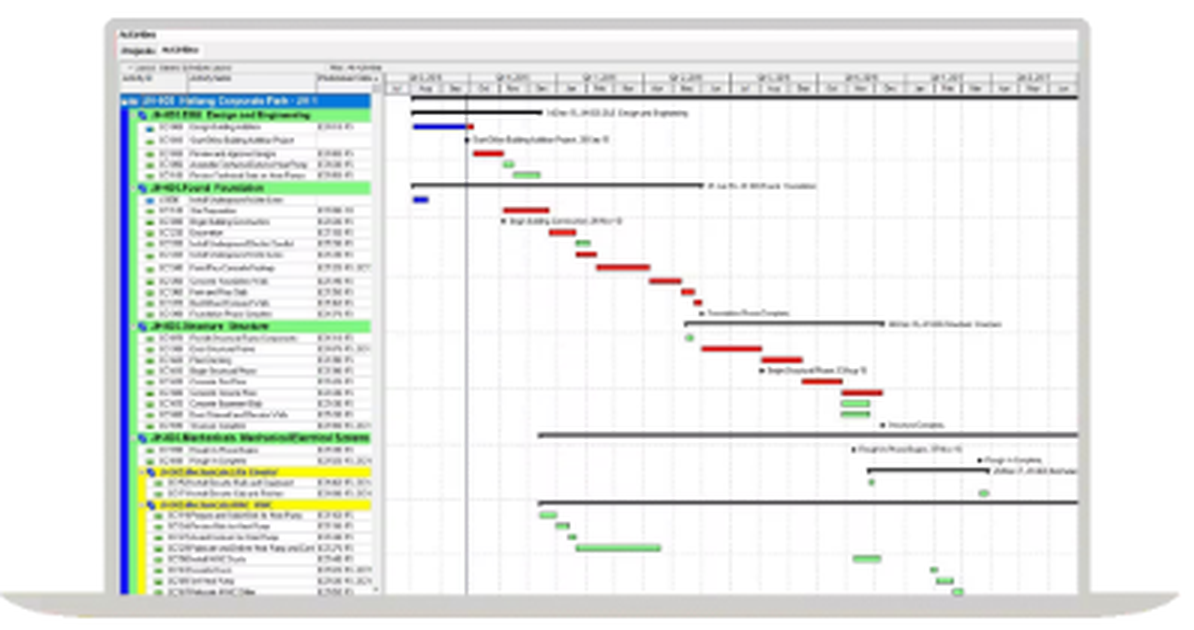
Oracle Primavera P6
Oracle Primavera P6
Oracle's critical-path scheduling suite for large construction and engineering programs, sold as P6 EPPM or the newer Primavera Cloud, with pricing through Oracle sales only.
Oracle Primavera P6 fits large engineering, construction and infrastructure programs where contracts require critical-path schedules and the schedule is the main deliverable.
P6 is Oracle's critical-path scheduling suite, sold as P6 EPPM or the newer Primavera Cloud. They are separate products, and Primavera Cloud is licensed per hosted named user by module. Oracle's documentation says P6 EPPM supports SAML 2.0 single sign-on, and its datasheet describes graphical resource and role utilization analysis across all programs and projects, with forecasted use.
Its strength is depth: critical-path scheduling, multiple baselines, resource planning and schedule risk analysis from one vendor. The cost is learning time and a quote-led purchase, so it won't suit a team that wants to start this week.
- you run large construction, engineering or infrastructure programs, or your contracts require P6 schedule files
- you need critical-path scheduling, baselines, resource planning and schedule risk analysis from one vendor
- you want a published per-user price or a self-serve start
- your team is small or new to scheduling tools: reviewers call it hard to learn
- Users like
- scheduling depth for very large projects
- Users dislike
- hard to learn and a dated interface
- Source: Capterra, 182 reviews
How it works in practice
Oracle's compliance, audit and data residency pages are not cited here, so request them for whichever product you evaluate. On Capterra the praise is scheduling depth for very large projects, and the recurring complaints are that it's hard to learn and has a dated interface.
- Starting price
- USD price not published (quote from Oracle or a reseller)
- Products
- P6 EPPM and Primavera Cloud are separate
- Licensing
- Primavera Cloud per hosted named user, by module
- SAML
- P6 EPPM supports SAML 2.0 SSO
- Resource analysis
- Utilization analysis across all programs and projects, forecasted
- Pricing model
- USD price not published; quote through Oracle or a reseller
- SSO
- SAML 2.0 for P6 EPPM
Which enterprise tool fits which organization?
Match the tool to the job you're hiring it for. This is a shortlist, but it doesn't replace a pilot.
- A central PMO funds and prioritizes hundreds of initiatives against capacityPlanview
- Teams already work in sheets and need a portfolio dashboard with SAMLSmartsheet
- A PMO wants intake, workload and audit reports and accepts a quoteWrike
- Business teams plan in boards and want portfolio and resource management on Enterprisemonday.com
- Marketing, operations and product share programs and goalsAsana
- Engineering teams in Jira need a cross-project planJira
- A Microsoft 365 organization wants a roadmap across Planner plans at a published priceMicrosoft Planner and Project
- A contractor runs a program with a contractual critical-path scheduleOracle Primavera P6
How to run an enterprise software evaluation
Enterprise tools are rarely bought from a pricing page, so don't treat the evaluation like a quick trial. Run it like a small project with owners and dates, so the decision doesn't stall at the security review.
Write the requirements list
Turn the seven capabilities above into pass or fail lines for your organization. Add your identity provider, your budget system and the reports your sponsor needs.
Ask for the plan, not the brand
Send each shortlisted vendor the list and ask which plan covers each line and what it costs for your user count. Ask for written answers on SAML, SCIM, audit-log retention and data residency.
Run the security review in parallel
Request the current SOC 2 report, ISO certificate and subprocessor list under NDA and give your security team the vendor's answers on the plan tier.
Pilot with one real program
Load one live program with its dependencies, owners and budget. Test the rollup a sponsor will actually read and the case where one project slips.
Negotiate the tier, not only the price
Get the capabilities you need written into the contract, so a later packaging change doesn't push them to a higher tier.
- Which plan includes portfolios, resource planning, SAML and SCIM?
- What is the price for our user count on that plan, and for how many years is it fixed?
- How long are audit logs kept and can we export them?
- Which regions can we store data in, and on which plan?
- What are the documented limits for projects, items and API calls?
- Which integrations are native for our budget, ticketing and identity systems?
Where The Program Manager fits
The Program Manager isn't a portfolio suite, and it doesn't replace any tool above. It sits next to them and covers the gap between tools, because when a program spans Jira and Asana, nobody sees the dependencies between the two until a milestone slips. It maps those dependencies, watches milestones for risk and lists blockers, decisions and approvals in one place.
FAQ
What is the best enterprise project management software?
The best enterprise project management software depends on what you need to roll up, and there isn't one winner. Planview fits a central PMO that funds many initiatives, Smartsheet and Wrike fit organizations that want sheets or intake with a portfolio layer, Asana and monday.com fit business-led programs, Jira fits engineering-led programs, and Microsoft Planner and Project Plan 3 fits Microsoft 365 organizations that want a published price. Compare the plan that unlocks portfolios, resources and SAML, not the starting price.
What is considered an enterprise project?
An enterprise project usually spans several teams or departments, depends on other projects, draws on shared people or budget, and reports to stakeholders outside the project. Software for it needs portfolio rollups, cross-project dependencies, resource planning and admin controls, not only task lists.
How much does enterprise project management software cost?
Most vendors sell the enterprise tier by quote. In this comparison, Planview, Smartsheet Enterprise, Wrike Pinnacle, monday.com Enterprise, Asana Enterprise, Jira Enterprise and Oracle Primavera all require a conversation with sales. Published steps before that include Smartsheet Business at $19, monday.com Pro at $19, Asana Advanced at $24.99, Wrike Business at $25 and Microsoft Planner and Project Plan 3 at $30 per user per month.
Is there free enterprise project management software?
Free enterprise project management software doesn't exist in the sense this guide uses. Some vendors have free plans for small teams, such as Jira for up to 10 users, Asana Personal for 2 users and monday.com Free for 2 seats, but the portfolio, resource, single sign-on and audit features sit on paid or quote-based plans, so a free plan won't pass an enterprise review.
What is the difference between project management software and enterprise project management software?
Project management software organizes the tasks, dates and people on one project or team. Enterprise project management software adds the layer above it: rollups across many projects, shared resource planning, dependencies between projects and the security and admin controls a large organization requires.
Leave a Reply