A task that has an owner, a due date and a place to see it is a managed task. Task management software gives every task those three things and adds the pieces that keep a list from rotting: recurring tasks, subtasks, reminders and a view for each way people work.
We compared nine tools. For each one we read the pricing page, a task feature page and the help-center articles on recurring tasks and subtasks, and we looked for a review-site rating. Where a review site wasn't available or a plan detail wasn't stated, the entry says so, because a gap is more useful to you than a guess. If you plan work with dependencies and dates, start with our guides to project management software or project scheduling software instead.
Tasks that clients must see or approve need a client-facing layer. See our guide to client portal software for nine options and their seat rules.
- task management tools compared
- 9
- have a free plan (Smartsheet offers a 30-day trial only)
- 8 of 9
- cheapest paid seat price in this list (Todoist Pro and Trello Standard, billed annually)
- $5
- tools with recurring tasks as a built-in setting on every plan: Asana, ClickUp and Todoist
- 3
Which task management software is best?
The best task management software depends on who the tasks belong to and what happens when they repeat or grow. A personal list needs fast capture, but a team list needs owners, subtasks and views, and a PMO needs tasks that roll up into something above them. Our picks name the plan or price model, because that's what decides what you actually get.
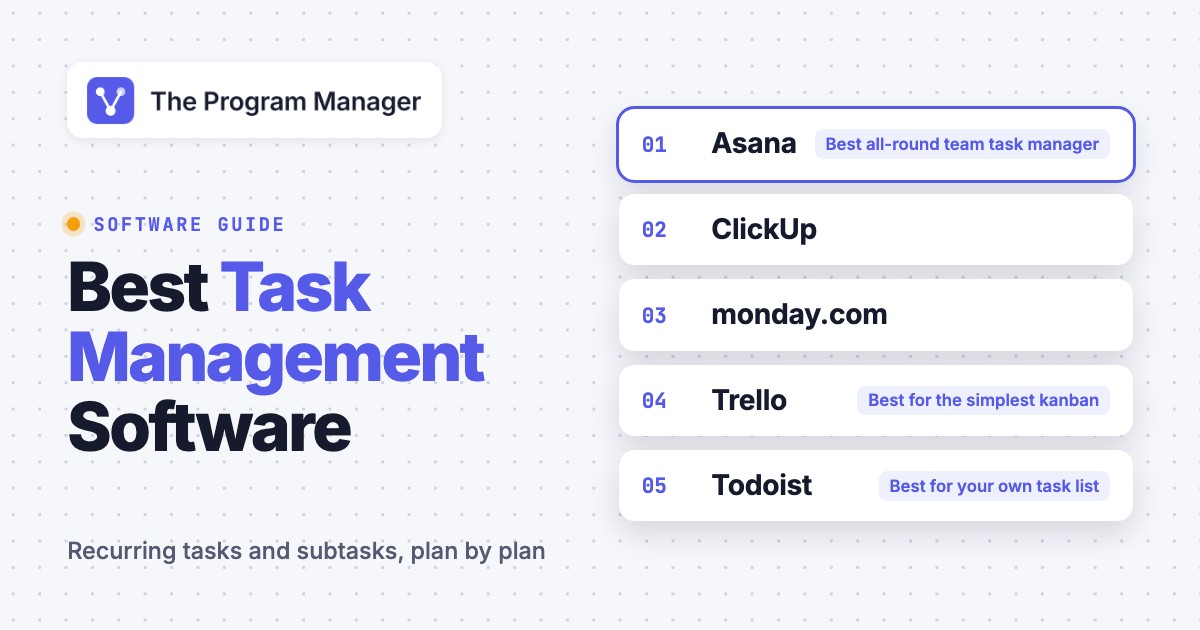
 Best all-round team task managerAsanaRecurring tasks, subtasks and a My tasks list sit on every plan, including the free Personal plan for two users. Dependencies start on Starter at $10.99 per user per month.
 Best for the most task features on a free planClickUpRecurring tasks, subtasks and dependencies come on every plan, and Free has unlimited members. Core is $9 per user per month and adds custom fields, time tracking and Gantt.
 Best for visual boards and automationsmonday.comKanban is on every plan. Recurring tasks are built as automations, which count against a monthly action cap: 250 on Standard, 25,000 on Pro.
 Best for the simplest kanbanTrelloFree for up to 10 collaborators per Workspace. Recurring cards need the Card Repeater Power-Up, and there's no built-in dependency support.
 Best for your own task listTodoistNatural-language recurring dates and four-level sub-tasks on every plan. Pro is $60 a year, but a project won't hold more than 300 active tasks.
 Best when tasks live next to docsNotionSub-items and dependencies are part of the database on the free plan. The catch is that repeating work runs through templates, not a per-task setting.
 Best for deep subtask hierarchies and a growing PMOWrikeSubitems nest without a stated limit. Gantt dependencies start on Team at $10, critical path and workload charts on Business at $25.
 Best if your tasks already live in sheetsSmartsheetParent and child rows roll up dates and percent complete. Pro is $9 and Business $19 per member per month billed yearly, with no free plan.
 Best flat price for small teams and client workBasecampTo-dos, messages and files at a flat price per plan instead of per seat. Freelancer is $29 a month and none of the plans has dependencies.
What is task management software?
Task management software is a tool that records each task with an owner, a due date and a status, and shows the open ones in a list, a board or a calendar. The features that separate tools are recurring tasks, subtasks, reminders, a personal "my tasks" view and the limits on the free plan, and they're usually tied to the plan you pick.
Task, work and project management software
These three labels overlap and vendors use them loosely, so here's how we use them in this guide.
- Task management software tracks individual tasks and who owns them. Todoist and Trello sit here.
- Work management software wraps tasks in structure: custom fields, forms for intake, automations, dashboards and workload views. Asana, monday.com, ClickUp, Wrike and Smartsheet fall in this group, and so does Notion when you build the database yourself.
- Project management software adds the schedule: dependencies, Gantt charts, baselines and budgets. Most work management tools reach into it on higher plans. Our guide to project planning software covers that side.
A tool can start as a task manager and grow into work management on a higher plan. That's why the plan matters more than the product name.
The checks we used
- Recurring tasks: a setting on the task, an automation, a template or an add-on?
- Subtasks: how deep they nest, and whether a subtask has its own owner and due date.
- Personal task view: one list of everything that's assigned to you across projects.
- Dependencies: whether a task can wait on another, and from which plan.
- Free plan caps: users, projects, tasks and storage.
- Integrations: Jira, Slack, Microsoft Teams, Google and Outlook, as the vendor lists them.
Task management software compared
| Tool | Type | Key task features by plan | Starting price (USD) | Rating |
|---|---|---|---|---|
| Asana | Work management | Recurring tasks and My tasks: every plan. Dependencies: Starter | Free; $10.99, $24.99 per user per month billed annually | 4.4 (14,089) |
| ClickUp | Work management | Recurring tasks, subtasks and dependencies: every plan | Free; $9, $17 per user per month billed yearly | 4.6 (15,312) |
| monday.com | Work management | Recurring tasks through automations. Dependencies: Pro | Free; $9, $12, $19 per seat per month billed annually | 4.7 (17,903) |
| Trello | Kanban boards | Recurring cards through a Power-Up. No built-in dependencies | Free; $5, $10 per user per month billed annually | 4.4 (14,068) |
| Todoist | Personal and small-team tasks | Recurring dates and sub-tasks: every plan. No dependencies listed | Free; $5, $8 per member per month billed yearly | No reviews yet |
| Notion | Docs and databases | Recurring through repeating templates. Dependencies: Free plan | Free; $10, $20 per member per month billed annually | 4.6 (13,885) |
| Wrike | Work management | Recurring tasks and subitems. Dependencies: Team | Free; $10, $25 per user per month billed annually | 4.2 (4,553) |
| Smartsheet | Spreadsheet-style work management | Recurrence through automation. Dependencies: every plan | Pro $9, Business $19 per member per month billed yearly; no free plan | 4.4 (22,872) |
| Basecamp | Team collaboration | Repeating to-dos. No dependencies listed | Free; $29, $79, $99 per month flat; $199 per month billed annually | 4.1 (5,486) |
 The Program Manager Our product | Cross-tool dependencies and milestone risk | Maps dependencies across Jira and Asana and watches milestones for risk | Team from $59 per workspace per month; card required at checkout | No reviews yet |
Prices checked on vendor pages between October 26 and November 2, 2026. Where a plan detail couldn't be confirmed, the entry says so.
The 9 best task management software tools
Each entry opens with who the tool fits, then shows how it handles a recurring task and a subtask, then which plan unlocks what. Each entry closes with the rating, what reviewers say and who should skip it.
Asana
Asana
Work management tool where recurring tasks and subtasks come with the free plan.
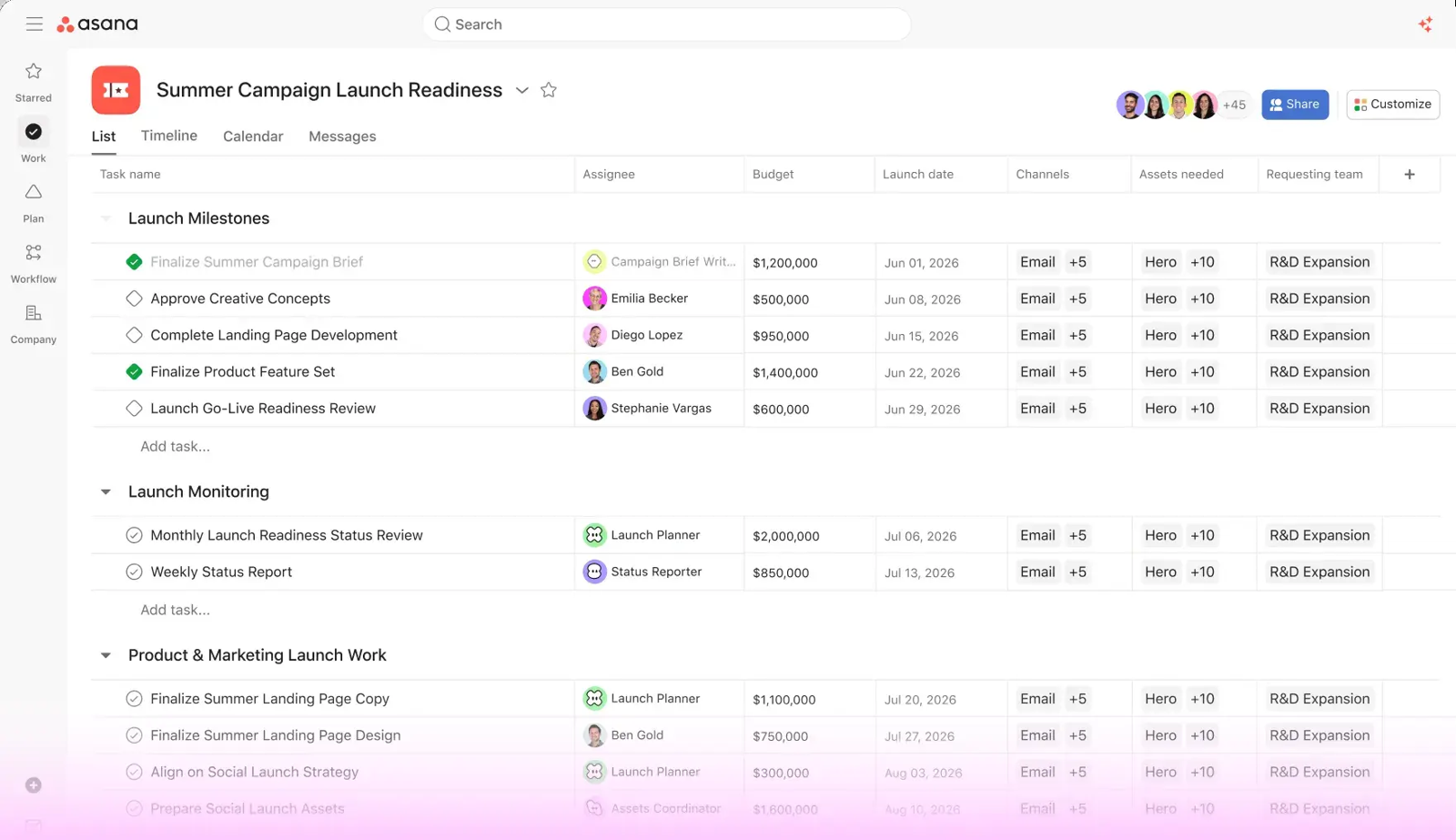
Asana fits teams that want a task list with owners and due dates that can grow into dependencies, timelines and portfolios without a tool change, and who'd rather not pay for the basics.
Recurring tasks: you set the repeat from the due date field: weekly, monthly, yearly, periodically or custom. When you mark the task complete, Asana creates the next one and copies every field except comments, subtasks included. "Periodically" counts from the day you finished the last one, not from the original due date. Asana warns against setting a parent and its subtasks to repeat at once, because the subtask duplicates exponentially. Recurring tasks work on every plan, including the free Personal plan, so you don't pay for the basics.
Subtasks: a subtask works like an independent task with the same fields. It has its own assignee and due date, and the assignee isn't inherited from the parent. Subtasks nest up to five levels, although Asana's own tips article advises one layer. Completing a parent doesn't complete its subtasks, and a custom field on a subtask needs the subtask added to a project first.
Unlocked on: My tasks, which shows everything assigned to you across projects, is on every plan. Dependencies, forms, custom fields and the Timeline come with Starter at $10.99, while critical path, approvals, native time tracking and portfolios need Advanced at $24.99.
Our take: that's why it's our default pick for a team. You don't pay to get recurring tasks and a personal list, and you won't have to switch tools when dependencies become necessary. The catch is the two-user cap on the free plan, so a three-person team starts on Starter.
- you want recurring tasks, subtasks and a My tasks list on a free plan for up to two people
- you expect to add dependencies, a timeline and portfolios later without changing tools
- your team has three or more people and no budget: Personal caps at two users
- you need native time tracking on a low plan: it doesn't arrive until Advanced, and timesheets are a paid add-on
- Users like
- ease of use (1,525 mentions) and task management (1,464)
- Users dislike
- a steep learning curve (605 mentions), missing features such as time tracking (597) and power tools locked behind higher tiers (531)
- Source: G2, 14,089 reviews
How it works in practice
G2 shows Asana at 4.4 out of 5 from 14,089 reviews, read on November 2. Reviewers praise ease of use and task management, but the most common complaints are a steep learning curve and missing features such as time tracking.
Asana lists more than 100 free integrations on every plan, including Microsoft 365, Google Workspace and Slack. The Outlook add-in turns an email into a task, and the two-way Jira Cloud integration is on Advanced and above. For a deeper look, see our Asana review and Asana pricing breakdown.
- Starting price
- Personal free for 2 users; Starter $10.99 and Advanced $24.99 per user per month billed annually
- Board view
- Included on the free Personal plan with list and calendar views; no native WIP limits per Asana forum answers
- Dependencies
- Starter and up
- Automations
- Custom builder from Starter, no monthly cap shown on the pricing page; 50 automations per project, 20 triggers and 20 actions each
- Portfolios
- Advanced and up; Enterprise adds universal resource management and capacity planning
- Import from Trello
- No first party Trello importer found; CSV importer lists Trello, about 2,000 rows, no comments or attachments per partner guide; Migrator.xyz listed as app
- Integrations
- Jira Cloud two way sync, Slack, Microsoft Teams and GitHub pull request sync listed on asana.com/apps
- Enterprise tier
- SAML SSO, SCIM provisioning, portfolios and dashboards, universal resource management, goals, Audit Log API (pricing page); quote only
- Trust page
- SOC 2 Type 2, ISO/IEC 27001:2022, HIPAA, GDPR
- Data residency
- Data centers in Europe, Australia and Japan; opt-in for Enterprise
- Free plan
- 2 users, unlimited tasks and projects, List, Board and Calendar views
- Subtask depth
- Up to 5 levels
- Critical path and portfolios
- Advanced and up
monday.com
monday.com
Board-based work management where recurring tasks run through automations.
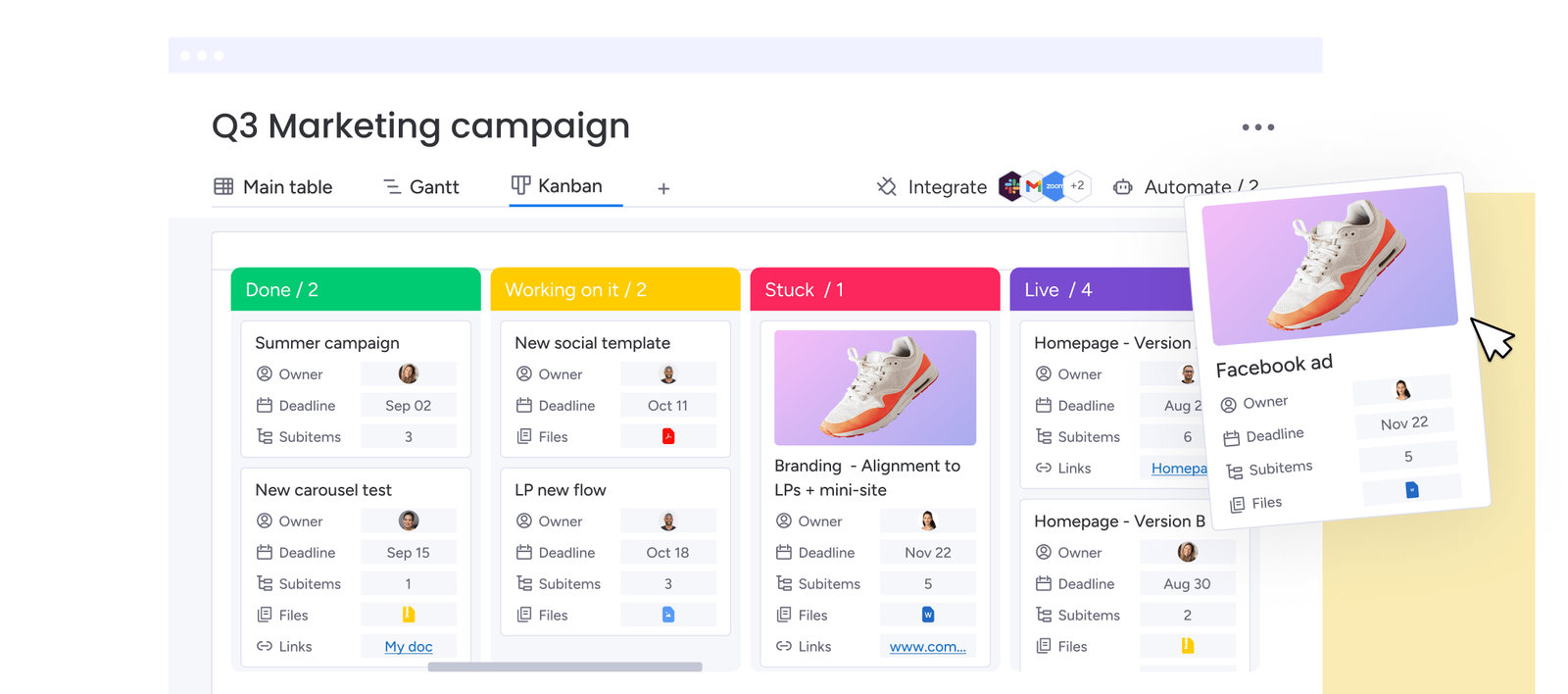
monday.com's boards fit teams that want visual boards people pick up quickly and are ready to build recurring work and reminders as automations.
Recurring tasks: there's no repeat setting on a task, but you'll build one with the automation recipe "Every time period, then create an item", choose the frequency, and each run creates a new item instead of updating the old one. Time-based automations run in the time zone of the person who set them up. Every created item counts against your monthly automation actions: 250 on Standard and 25,000 on Pro.
Subtasks: monday.com calls them subitems. They sit under an item and have their own column structure, shared by every subitem on the board, so an assignee or date column is added at the subitem level. Parent values are copied to subitems only when they're created by an automation. Multi-level subitems, up to four levels, exist only on newly created multi-level boards, and a parent can hold 750 subitems across its levels. The My work page lists the items assigned to you across up to 50 boards or 1,000 items.
Unlocked on: Kanban is on every plan, including Free. Gantt starts on Standard at $12, and the Dependency column on Pro at $19. Paid plans start at three seats.
Our take: it's a good fit when you'll build automations anyway, but it's a poor one when all you need is a task that repeats every Monday. Count the actions before you commit.
- you want visual boards that non-project people adopt quickly, with Kanban on every plan including Free
- you're willing to build recurring work and reminders as automations and want the action budget for it: 25,000 a month on Pro
- you want recurring tasks as a simple setting: every repeat is an automation run counted against a 250-action monthly cap on Standard
- you're a team of one or two: paid plans start at three seats
- Users like
- ease of use and team collaboration; TrustRadius reviewers also praise automation and customization
- Users dislike
- missing features and seat requirements, learning curve, limited features that raise cost; TrustRadius reviewers cite complex automation setup
- Source: G2, 17,903 reviews
How it works in practice
G2 shows monday.com at 4.7 out of 5 from 17,903 reviews, read on November 2. Capterra shows 4.6 from 6,114 reviews. Reviewers praise ease of use, customizable boards and team collaboration, but the recurring complaints are seat minimums, missing features that raise the cost, and a learning curve when you first tweak columns.
monday.com lists more than 850 integrations, including Slack, Jira, Microsoft Teams and Google Calendar. The Outlook integration needs Microsoft 365 Business Premium for the connecting user and works with online Exchange only. Our monday.com review and Asana vs monday.com comparison go deeper.
- Starting price
- Free (2 seats); Basic $9, Standard $12, Pro $19 per seat per month billed annually; paid plans start at 3 seats
- Kanban
- Available on every plan including Free; cards come from Status labels, per-column task limit via Set column limit, lanes via Divide by
- Trello import
- Built-in importer carries task name, label and dates; descriptions, checklists, activities and files are not supported; 10K rows at a time
- Dependencies
- Pro and Enterprise
- Automation actions per month
- Standard 250, Pro 25,000, Enterprise 250,000; multi-recipient notifications use one action each
- Guests
- None on Basic; Standard 3 free then 4 guests per billed seat; unlimited on Pro and Enterprise
- Portfolio
- Portfolio board and All Projects Dashboard are Enterprise only; Pro standalone projects cannot be added
- SCIM
- Enterprise only
- Trust center
- SOC 2 Type II, ISO 27001:2022, ISO 27017, 27018, 27701, HIPAA through a BAA; FedRAMP not listed
- Enterprise limits
- 250 workflows, 250,000 automation and integration actions per month, 25,000 API calls per day (Pro: 20, 25,000, 10,000); 99.9% uptime SLA
- Free plan
- 2 seats, up to 3 boards and 3 Docs
- Recurring tasks
- Automation recipe, one new item per run
- Automation actions
- 250 on Standard, 25,000 on Pro
ClickUp
ClickUp
All-in-one work management tool with recurring tasks, subtasks and dependencies on every plan.
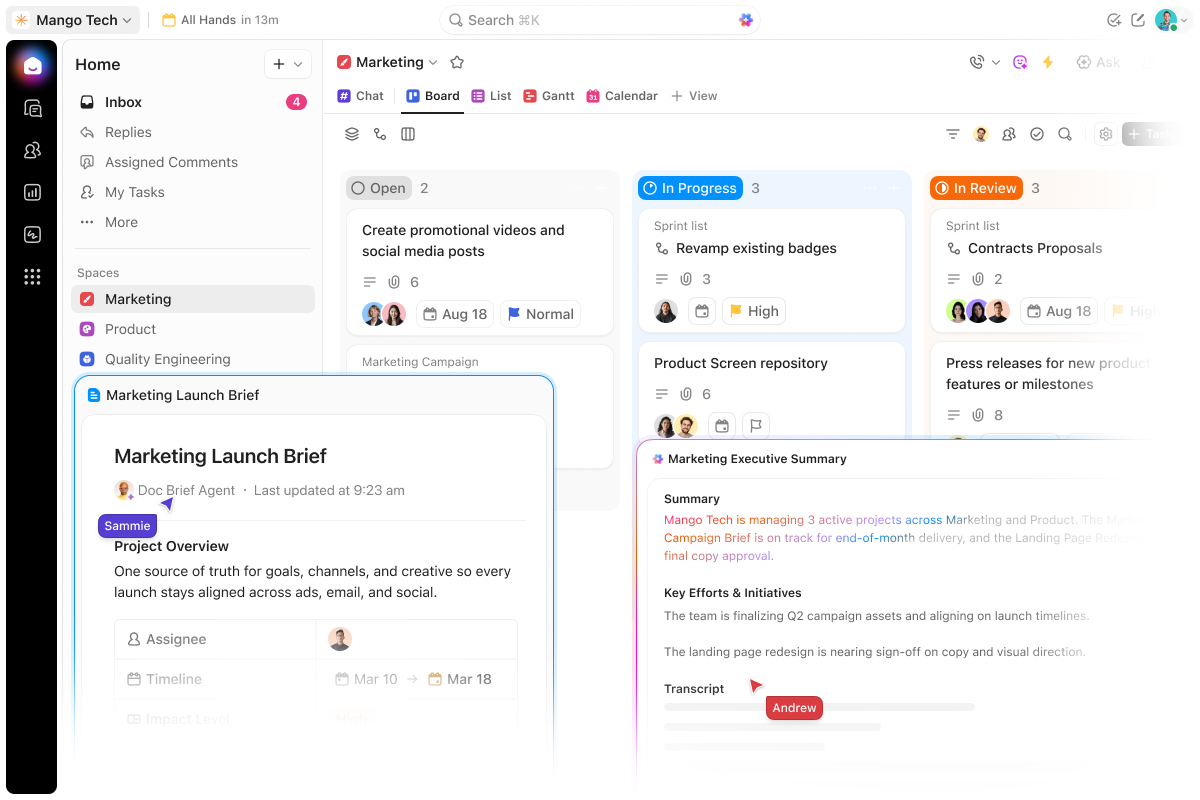
ClickUp's free plan fits teams that want recurring tasks, subtasks and dependencies on a free plan, and a tool that can later add Gantt, time tracking and workload.
Recurring tasks: on every plan. You pick daily (with a skip-weekends option), weekly, monthly (same day, or the first or last weekday), yearly, "days after" completion or a custom schedule. You also pick the trigger: when the task is complete, when it's done, or on schedule, which creates the next task at 11 pm in the time zone of whoever set it. "Create new task" decides whether the repeat is a copy or the same task reopened with its history, and you choose which fields carry over. A task with more than 500 subtasks won't recur.
Subtasks: on every plan, up to 1,000 per task including nested ones. A subtask carries assignees, due dates and priorities like a task. Nested subtasks come from the Nested Subtasks ClickApp, which an owner or admin turns on: up to seven levels, three by default.
Unlocked on: dependencies (Blocks and Blocked by) work on every plan, including Free. Custom fields, time tracking and Gantt are trial-only on Free, but they come with Core at $9. The Workload view needs Business at $17.
Our take: you'll get the most features for free here, but you'll pay for it in setup time, because there's a lot to configure before the workspace feels simple.
- you want recurring tasks, subtasks and dependencies on the free plan, with unlimited members
- you want one tool that grows from a to-do list to Gantt and workload views, and you'll accept some setup to get it
- your team wants a simple tool: reviewers cite a steep learning curve and a cluttered interface, so it isn't the quickest to roll out
- you plan to stay on Free and attach files: storage is 60 MB and automations are capped at 100 actions a month
- Users like
- ease of use (4,220 mentions), flexibility (3,219)
- Users dislike
- missing features such as sub-folders (2,039 mentions), then the learning curve (1,751)
- Source: G2, 15,312 reviews
How it works in practice
G2 shows ClickUp at 4.6 out of 5 from 15,312 reviews, read on November 2, and Capterra shows 4.6 from 4,634. Reviewers praise ease of use and flexibility, but the most common complaints are missing features such as sub-folders and the learning curve. Capterra reviewers also mention lag when creating tasks quickly and notification overload.
Jira, Microsoft Teams and Google Calendar integrations are on every plan, and Slack tasks come from the /clickup new command. The Outlook integration converts emails to tasks. We couldn't confirm a Google Workspace integration page. Slack and Jira are both listed, so you won't need a workaround for the basics. If you're a Microsoft shop, check the Outlook requirement first, because it isn't available on every Microsoft 365 plan. If you'll rely on Google Workspace, ask first: we couldn't confirm an integration page, so don't assume it's there.
- Starting price
- Free; Core $9, Business $17 per user per month billed yearly
- Board view
- Kanban Boards on Free Forever, subgroups (swimlanes) on every plan, WIP limits on Business and above
- Dependencies
- Every plan
- Trello import
- Official importer, unlimited on all plans, imports assignees, comments, checklists, attachments up to 1GB, custom fields; cover images not supported
- Free limits
- 60 MB storage, Gantt, Dashboards and Custom Fields trial only
- Automations
- 1K actions per month on Core, 10K on Business, 1M on Enterprise and Max
- Free plan
- Unlimited members and tasks, 60 MB storage, 100 automation actions a month
- Subtask limit
- 1,000 per task, nested up to 7 levels with the ClickApp
- Workload view
- Business and up
Trello
Trello
Card and board kanban that starts free and stays simple.
Trello's board fits teams that want the simplest possible board, with cards, due dates and checklists, and don't need tasks to depend on each other.
Recurring tasks: Trello doesn't have a repeat setting on a card. The Card Repeater Power-Up copies a card on a schedule, weekly, monthly or yearly, and you set daily by selecting every day of the week. You choose the destination list. The copies are exact, so a due date isn't updated automatically, and Atlassian suggests an automation rule that runs when a card is copied. Archiving the original doesn't stop the repeats: you delete the card, move it to another board or cancel the repeat.
Subtasks: subtasks are checklist items on a card. With advanced checklists you can assign a person and a due date to an item, and you can convert an item to a card, which keeps the name, due date and assignee. The pricing page lists advanced checklists from Standard, while Atlassian's help article names Premium Workspaces, so confirm the plan before you rely on it.
Unlocked on: the free plan covers up to 10 collaborators and 10 boards per Workspace. Calendar, Timeline, Table, Dashboard and Map views need Premium at $10. Trello doesn't have built-in task dependencies.
Our take: it's quick to learn, and that's the point, but it's also where it stops. Once a task has to wait for another, you'll be working around the tool.
- you want the simplest board to assign cards and due dates, free for up to 10 collaborators per Workspace
- your tasks are independent of each other and don't need dependencies
- you need dependencies: Trello has no built-in dependency management, only checklist and card-link conventions
- you want recurring tasks as a native setting: it isn't built in, so it takes the Card Repeater Power-Up or an automation
- Users like
- ease of use (776 mentions in G2's pros summary), then task management (456)
- Users dislike
- limited features, especially on boards (270 mentions), missing built-in documents and useful statistics (259) and limited budgeting functions (198)
- Source: G2, 14,068 reviews

How it works in practice
G2 shows Trello at 4.4 out of 5 from 14,068 reviews (checked October 26). Reviewers praise ease of use and task management, but the most common complaints are limited features, especially on boards, no built-in documents and useful statistics, and limited budgeting functions.
Automation runs are metered: 250 a month on Free, 1,000 on Standard and unlimited on Premium. Jira, Slack, Microsoft Teams and Gmail appear on the integrations page. We couldn't confirm Google Drive, Google Calendar or Outlook there. Trello's own feature page wasn't available, so we don't state anything about reminders. If you're leaving Trello, see our Trello alternatives guide.
- Starting price
- Free; Standard $5 and Premium $10 per user per month billed annually
- Free limits
- 10 collaborators and 10 boards per Workspace, 250 command runs per month, 10MB per file, unlimited Power-Ups per board
- Views
- Calendar, Timeline, Table, Dashboard, Map on Premium and Enterprise; Workspace Table and Calendar on Premium
- Dependencies
- None built in
- Automation
- Free 250 runs, Standard 1,000, Premium and Enterprise unlimited runs; 20 operations per run on all plans
- Export
- Board JSON for any member, CSV only on Premium, Trello cannot re-import JSON or CSV
- Card limits
- 5,000 open cards and 475 open lists per board (API example values, limits may vary)
- Free plan
- 10 collaborators and 10 boards per Workspace, 250 command runs a month
- Subtasks
- Checklist items, assignable with advanced checklists
- Extra views
- Premium and Enterprise
Todoist
Todoist
Low-cost task manager with natural-language recurring dates and four-level sub-tasks.
Todoist fits a program manager who needs a fast personal task list, or a small team that wants recurring work typed in plain words, and it's cheap enough to try.
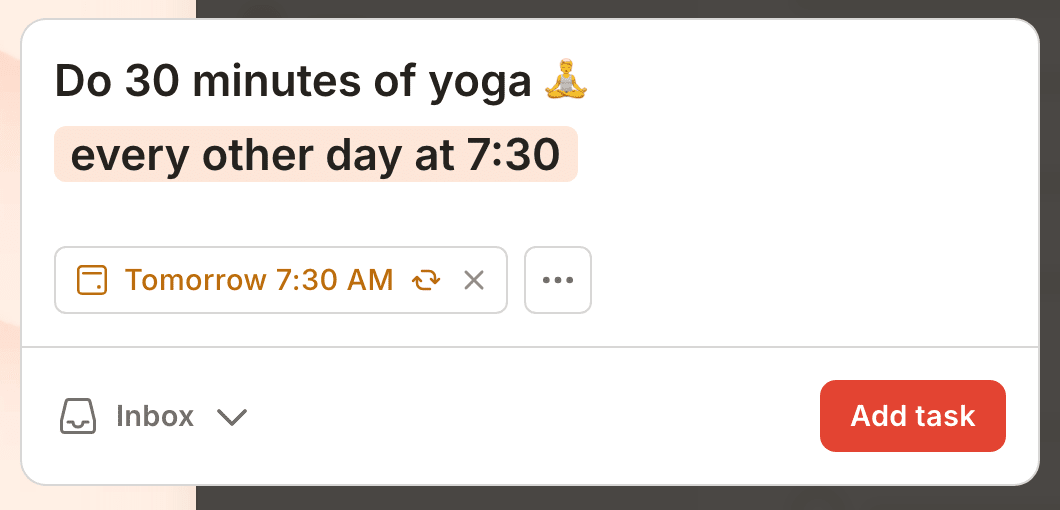
Recurring tasks: you type the schedule into the task name or pick it in the scheduler. The help center gives examples such as "every weekday", "every other Friday" and "every 2, 15, 27". "Every" counts from the scheduled date and "every!" from the completion date, so "every! 3 months" completed on January 20 comes back on April 20. You can add start and end dates, or "for 3 weeks". The limits are that you can't use two patterns on one date or give each day its own time. Recurring dates work on every plan.
Subtasks: sub-tasks nest four levels deep on every plan. Each can have its own date and an assignee, and custom reminders on a sub-task need Pro. They count toward the cap of 300 active tasks per project, which applies on every plan.
Unlocked on: the free Beginner plan has 5 personal projects with up to 5 people each, 3 filters, 5 MB uploads and one week of activity history. Pro adds 300 personal projects, 150 filters, the calendar layout, task duration and custom reminders. Business adds a shared workspace, roles and permissions, and up to 1,000 members and guests.
Our take: it's built for one person's list first, so don't expect team planning features. For a program manager it works well as a private layer next to the team's tool, though not as the team's tool.
- you want a fast personal task layer with Today and Upcoming views and recurring dates typed in plain words
- your budget is tight: Pro is $60 a year and Business $96 a year per member
- you need task dependencies, custom fields, forms or workload views: the pricing page lists none of them
- a single project will pass 300 active tasks: that cap applies on every plan, and you can't raise it by upgrading
How it works in practice
No G2, Capterra or TrustRadius rating is cited for Todoist, so no rating or user themes are shown rather than quoting an unverified summary.
The integrations page names Jira. It shows logos for Slack, Microsoft Teams, Outlook and Google Calendar without detail, and we couldn't confirm a Google Workspace integration. A lot of Trello's features arrive as Power-Ups, so you'll want to list the ones you need before you pick a plan. That's a thin integration story for a program, so if you're running Jira, test the connection before you roll it out to a team.
- Starting price
- Free; Pro $60 a year ($7 monthly) and Business $96 a year ($10 monthly) per member
- Free plan
- 5 personal projects, 5 people per project, 1 week of history
- Task cap
- 300 active tasks per project on every plan
- Sub-tasks
- Four indent levels on every plan
- Business
- Shared workspace, roles and permissions, up to 1,000 members and guests
- Sub-task depth
- 4 levels
- Dependencies
- Not listed on the pricing page
Notion
Notion
Docs and databases where a task list is one view of a database you build.
Notion's flexibility fits teams whose tasks live next to docs and wikis and who are happy to build the task system as a database.
Recurring tasks: the native route is a repeating database template. In the template you choose every day, week, month or year, or a custom interval such as every three days or Tuesday and Thursday, and Notion creates a new item from the template when the time comes. The items show as created by a Notion automation. We didn't find a per-task "repeat after completion" setting in the help center.
Subtasks: sub-items are turned on in the database settings. Parent and sub-item are relation properties, and deleting the parent deletes its sub-items. Dependencies link tasks in a linear chain, with three date options: shift only when dates overlap, shift and keep the gap between items, or don't shift. The help page doesn't state nesting depth or whether a sub-item has its own assignee, so test both.
Unlocked on: the pricing page lists subtasks, dependencies and custom properties inside databases on the Free plan. Free has a 5 MB file upload limit and 7 days of page history. Plus adds custom forms, charts, 5 GB uploads and 30 days of history.
Our take: you'll build the task system yourself, which is the appeal and the cost. It's flexible, but it won't come with the conventions a task tool ships with.
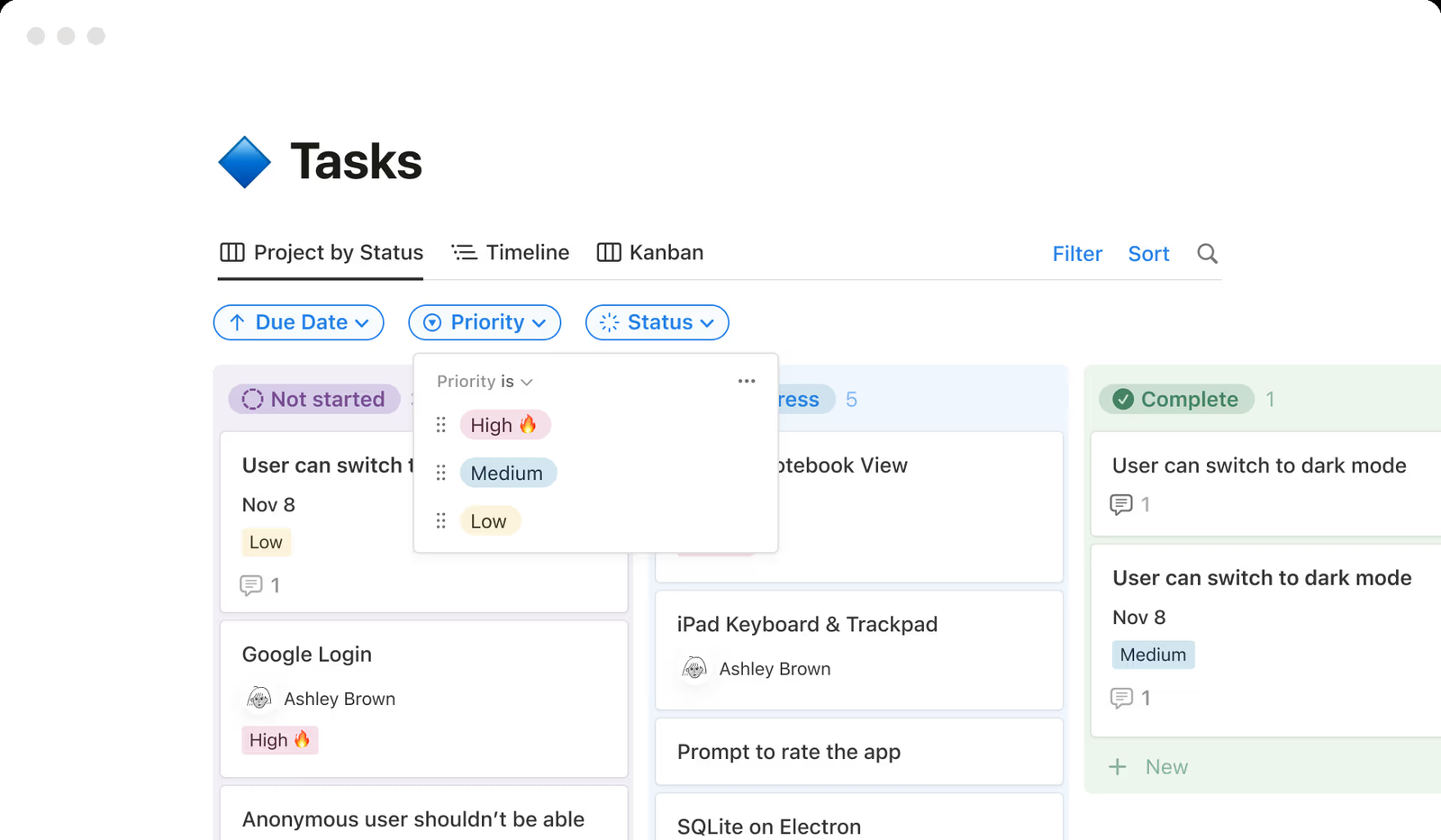
- your tasks live next to docs and wikis, and you want board, calendar and timeline views over one database
- you want sub-items and dependencies without leaving the free plan
- you want a repeat-after-completion setting: we didn't find one, and recurrence runs through repeating templates
- you need critical path, baselines or cross-project rollups: dependencies are a linear chain and rollups need hand-built databases
- Users like
- ease of use (4,751 mentions in G2's pros summary), flexible organization (2,739) and built-in AI (2,436)
- Users dislike
- a steep learning curve (1,895 mentions), limited features (1,027) and navigation difficulty (941)
- Source: G2, 13,885 reviews
How it works in practice
G2 shows Notion at 4.6 out of 5 from 13,885 reviews (checked October 25). Reviewers praise ease of use, flexible organization and built-in AI, but the most common complaints are a steep learning curve, limited features and navigation difficulty.
The offline mode works in the app only and covers the first 50 rows of a database view. Notion lists AI connectors for Jira, Microsoft Teams and Outlook, and Slack and Google Drive integrations. The Jira and GitHub sync is one-way and read-only, on Business. Notion's pricing page lists euros (as of November 2), so the dollar prices come from a review-site summary: confirm them in your region. For a wider look, see our Notion alternatives guide.
- Starting price
- Free; Plus $10 and Business $20 per member per month billed annually
- Row cap
- 250,000 rows per database, 500 properties
- Dependencies
- Linear chain with date shifting
- Jira and GitHub sync
- Business plan, one-way, read-only in Notion
- Offline
- App only, first 50 rows of a view
- Credits
- Business and Enterprise only, $10 per 1,000
- Board view
- Groups database pages by a property, sub-groups act as swimlanes; WIP limits not documented
- Trello import
- Official importer, up to 10 boards, about 5,000 cards and comments per board; Power-Ups, automations, permissions do not carry over
- Free plan
- 10 guests, 5 MB uploads, 7 days of page history
- Recurring tasks
- Repeating database templates
Wrike
Wrike
Work management tool with unlimited subitem hierarchy and Gantt dependencies from the Team plan.
Wrike's depth fits teams whose task list is heading toward a managed program, with deep subtask hierarchies today and intake forms and workload charts on higher plans.
Recurring tasks: open the task, choose "Make recurrent" from the three-dot menu, and set the frequency: daily, weekly, monthly, yearly or custom. You set a start date and either an end date or a limit of 1 to 999 occurrences. Wrike creates 1 to 60 tasks up front and the rest one at a time. Each occurrence is an independent task, and custom field values aren't copied automatically. The task must sit in a folder or project, and collaborators can't make tasks recurrent.
Subtasks: the help center says there's no limit to the hierarchy levels, and the item view expands up to six nested levels. A subitem can be assigned, scheduled and completed independently, and aligning its dates with the parent is optional. A project can't be a subitem of a task.
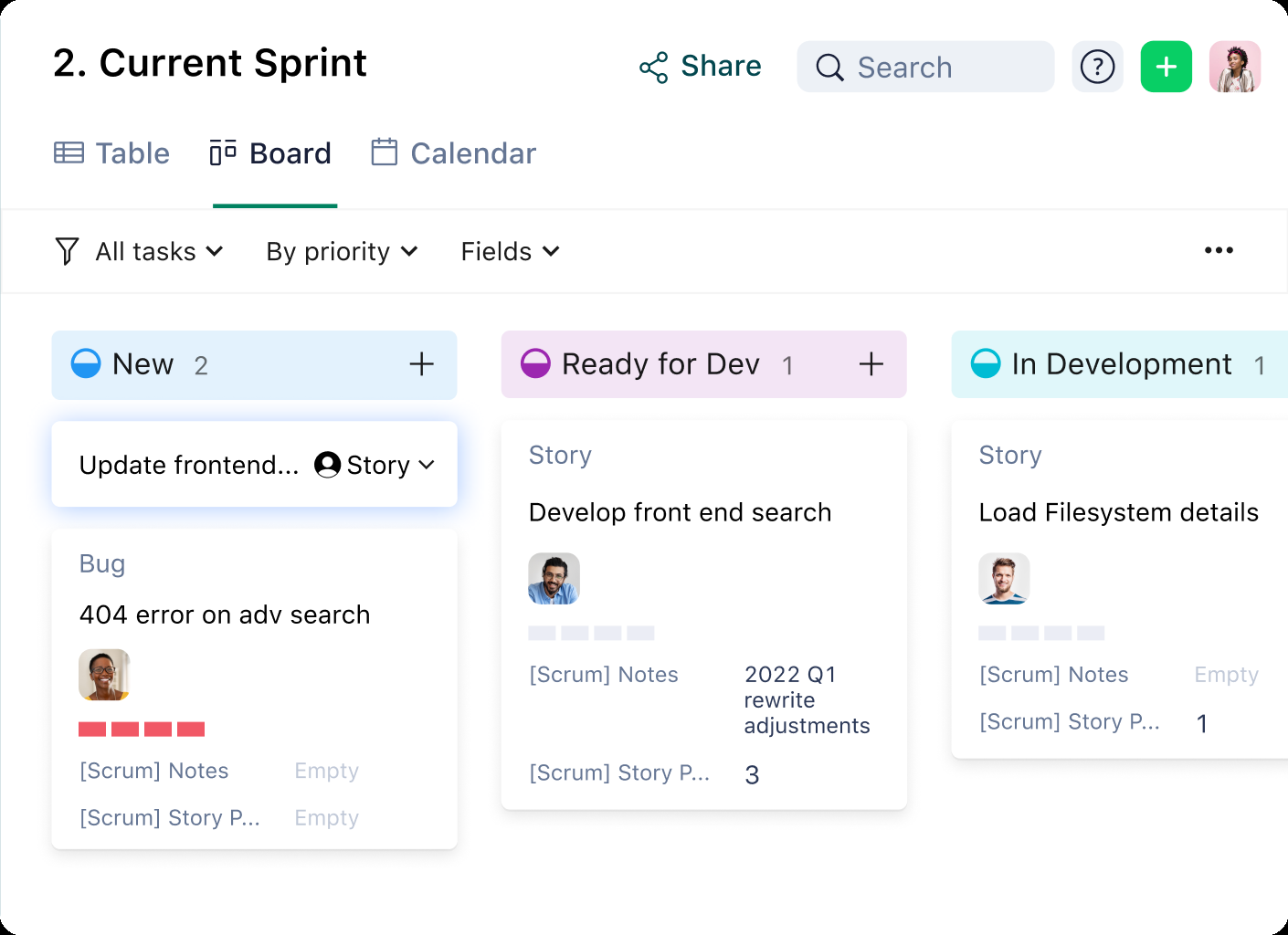
Unlocked on: Free covers task management with board and table views. Team at $10 for 2 to 15 users adds the Gantt with dependencies. Business at $25 for 5 to 200 users adds critical path, workload charts and request forms, and is sold annually only.
Our take: it isn't light, but it's the one here that doesn't run out of room for subtasks, and that matters once a program's tasks nest several levels deep.
- you expect your task list to grow into a managed program: subitems nest as deep as you need and Gantt dependencies start at $10
- a PMO is taking over intake and wants request forms and workload charts at $25 per user
- you want monthly billing on Business: it's annual only
- you want something light: reviewers say it isn't intuitive and cite a steep learning curve
- Users like
- project tracking (477 mentions in G2's pros summary)
- Users dislike
- a steep learning curve (305 mentions), not intuitive (239) and a lack of built-in templates (203)
- Source: G2, 4,553 reviews
How it works in practice
G2 shows Wrike at 4.2 out of 5 from 4,553 reviews (checked October 26). Reviewers praise project tracking, but the most common complaints are a steep learning curve, a product that isn't intuitive and a lack of built-in templates.
Wrike lists integrations with Jira, Slack, Microsoft Teams, Google Calendar, Gmail and Outlook. In October we read the free plan as 200 active tasks and one shared space. The pricing page doesn't state free-plan limits today, so check them. We also couldn't confirm a personal "My Work" list on the feature pages. If you're coming from a task tool, you'll find Notion's setup takes longer, because there's no ready-made task workflow. On Team, you'll meet the 2 to 15 user range quickly, and that's the plan where Gantt dependencies start.
- Starting price
- Free; Team $10, Business $25 per user per month billed annually; Pinnacle and Apex by quote
- Free plan limit
- 200 active tasks and one shared space, no Gantt
- Board view
- All plans including Free
- Task dependencies
- Team and up, FS, SS, FF, SF
- Workload charts and request forms
- Business and up
- Programme timeline
- Pinnacle and Apex (quote)
- Automation actions per month
- 50 per seat Team, 200 Business
- SAML SSO
- Pinnacle and Apex only; SCIM also Pinnacle and Apex
- Audit reports
- Pinnacle and Apex: logins, role changes, SSO and 2FA changes, exports, sharing; export cap 65,000 events as XLS
- Portfolios
- Team and up
- Resource management
- Workload and time tracking from Business; job roles, bookings, budgeting and utilization dashboard on Pinnacle and Apex
- Trust Center
- SOC 2 Type II, ISO 27001, ISO 27018, HIPAA, GDPR
- Regions
- US and EU data centers; plan tier not stated
- Critical path
- Business, Pinnacle and Apex; not Free or Team (Wrike help)
- Gantt dependencies
- Team and up
- Subitems
- No stated hierarchy limit, 6 levels expand in the item view
- Recurring tasks
- Make recurrent, up to 999 occurrences
Smartsheet
Smartsheet
Sheet-based work management where parent rows roll up their children.
Smartsheet's row-based model fits teams whose task list already lives in a spreadsheet and who want automation, forms and a workload view around it.
Recurring tasks: we didn't find a native recurring-task setting. Recurrence goes through automation: Smartsheet's help center describes a template named "Request an update every week" and workflows that run on a schedule or when a task is assigned. We couldn't confirm that an automation can create new rows on a schedule.
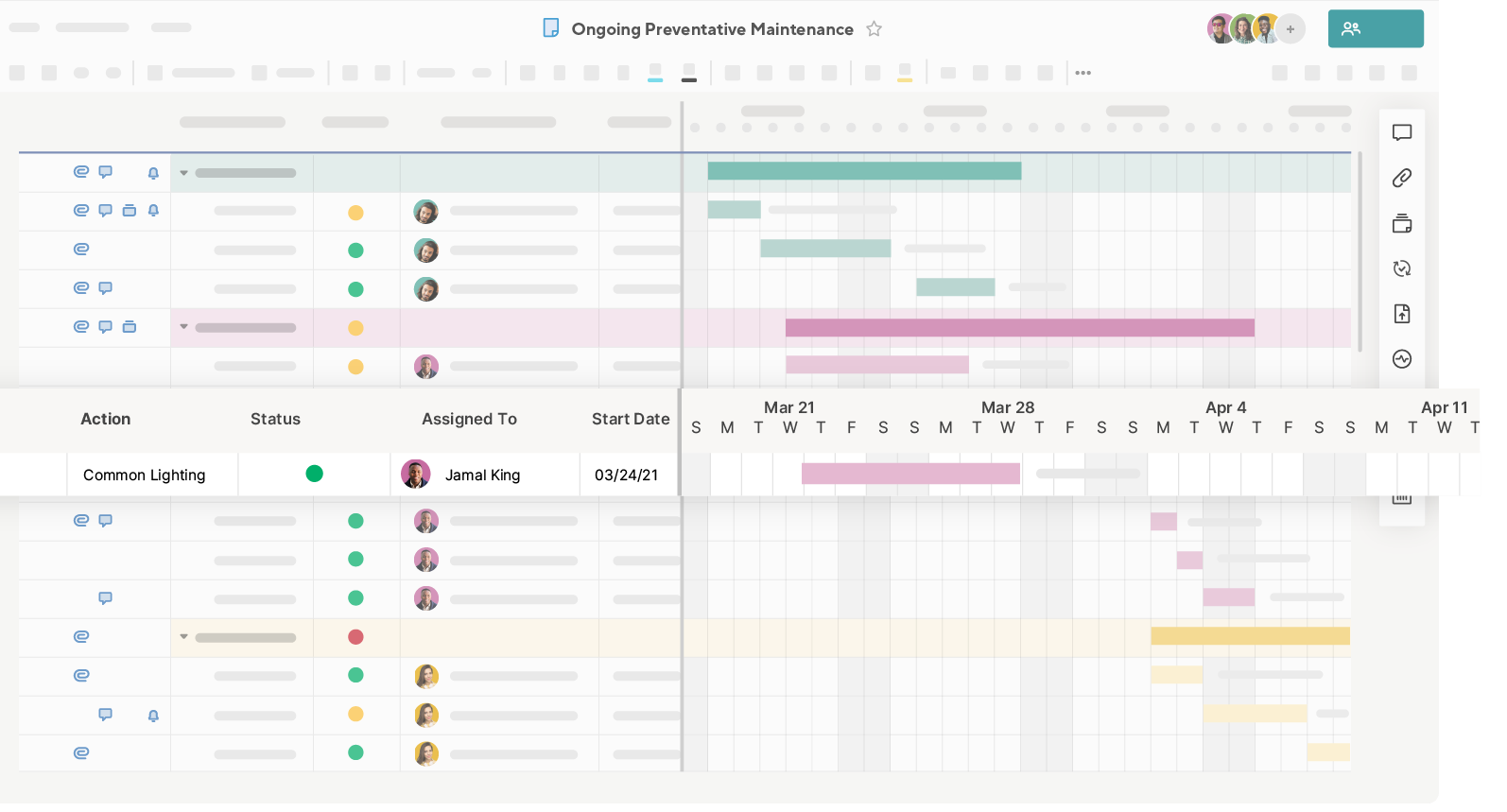
Subtasks: a task is a row, and a subtask is a child row. You indent a row under another, and the parent then rolls up start date, end date, duration and percent complete from its children, which makes those fields read-only. A predecessor set on a parent applies to all its children. Views include Grid, Card, Gantt, Calendar and Timeline, and reminders are on every plan.
Unlocked on: dependencies, including critical path, work on every paid plan. Forms are unlimited on every plan, with conditional logic on Business. Automations are capped at 250 a month on Pro and unlimited from Business. Workload tracking starts on Business at $19. Pro is for 1 to 10 members and for new customers only.
Our take: if your team lives in Excel, you'll feel at home, though it's less friendly for a plain to-do list than a board is.
- your team thinks in sheets and wants parent and child rows that roll up dates and percent complete
- you want automation, forms and update requests that can go to anyone with an email address
- you want a free plan: there's only a 30-day trial
- you want recurring tasks as a setting or a personal task list: we found no recurring-task setting and couldn't confirm a personal list
- Users like
- ease of use (2,831 mentions) and collaboration plus automation (2,212)
- Users dislike
- the learning curve (1,183 mentions, tied to limited formulas), an unintuitive interface (954) and limited features that raise cost (929)
- Source: G2, 22,872 reviews
How it works in practice
G2 shows Smartsheet at 4.4 out of 5 from 22,872 reviews (checked October 25). Reviewers praise ease of use, and collaboration plus automation, but the most common complaints are the learning curve, an unintuitive interface and limited features that raise cost.
Smartsheet lists Jira Software, Slack and Microsoft Teams integrations, and a Smartsheet for Outlook add-in. The FAQ names Google Drive, Google Calendar and Gmail. We couldn't confirm that a child row has its own assignee field in the help text, although rows have columns like any other. If you're already paying for Smartsheet elsewhere in the company, ask whether your team can share that license before you buy a second one.
- Starting price
- Pro $9, Business $19 per member per month billed yearly ($12 and $24 monthly)
- Free tier
- None, 30-day trial without a credit card
- Trello import
- Direct importer from File > Import on Pro, Business, Enterprise; 5,000 cards or 50 lists, archived cards skipped
- Board view
- Pro, Business, Enterprise; groups by one dropdown, contact or symbol column; legacy Card View replaced by board view in September 2026
- Dependencies and critical path
- Pro and up; critical path shows in red in Gantt view, baselines and timeline view need Business
- Guests
- Pro: unlimited free Contributors; Business and up: unlimited free Guests
- SAML SSO
- Enterprise (directory integrations too); SCIM through Okta or Entra ID, activated by support
- Portfolios
- Enterprise; Smartsheet recommends up to 100 projects and 5 templates per portfolio; resource management is not supported inside portfolios
- Event reporting, data egress controls, customer-managed keys
- Enterprise or Advanced Work Management
- Regions
- US, EU, Australia; Gov in AWS GovCloud
- Sheet limits
- 20,000 rows, 400 columns, 500,000 cells
- Trust page
- SOC 2, ISO 27001, ISO 27701, FedRAMP; HIPAA through a BAA on Enterprise
- Baselines
- One baseline per sheet; baseline bars don't show in reports, dashboards or printed Gantt
- Dependency types
- FS, SS, FF, SF with lag and lead; an owner or admin enables dependencies per sheet
- Baselines plan
- Smartsheet help lists Pro, Business and Enterprise; the pricing page summary read in October lists Business and up
- Recurring tasks
- Through automation only
- Automations
- 250 a month on Pro, unlimited on Business
- Workload tracking
- Business and up
Basecamp
Basecamp
Team collaboration tool with to-dos, messages and files at a flat price per plan.
Basecamp fits small teams and client work that want to-dos, messages and files at one flat price and don't need dependencies or workload views.
Recurring tasks: per Basecamp's help center, a dated to-do can repeat daily, weekly, monthly or on a custom interval. The first to-do controls the schedule, and later instances are created automatically. An instance you didn't finish becomes overdue when the next one is created. Editing the original changes all future instances, and editing one instance changes only that one. The features and integrations pages don't mention repeating to-dos, and we couldn't confirm which plan includes them.
Subtasks: you add them when you create a to-do. Each can have its own assignee and due date, and completing one doesn't complete the parent. The help article describes one level. A "My Tasks" list sits in the My Bar, and a Card Table gives you a kanban view.
Unlocked on: pricing is flat per plan, not per seat. Free is 1 project, 1 GB and 3 users. Freelancer is $29 a month for 3 projects and 5 users, Pro $79 for 8 projects and 10 users, and Pro Plus $99 for 12 projects and 15 users. Pro Unlimited is $199 a month billed annually, or $329 monthly.
Our take: it's not trying to be a task-first tool, and that's by design. It works for client projects where you don't need dependencies, but it won't carry a program.
- you run client or small-team work and want one flat monthly price instead of paying per seat
- you want to-dos, messages, chat and files in one place rather than a task-first board
- you need task dependencies, custom fields, forms, automations or workload views: the pricing page lists none of them
- you need native Jira or Microsoft Teams integrations: the integrations page lists only third-party bridges
- Users like
- ease of use (90 mentions in G2's pros summary)
- Users dislike
- limited features compared with other tools, especially planning and reporting (36 mentions)
- Source: G2, 5,486 reviews
How it works in practice
G2 shows Basecamp at 4.1 out of 5 from 5,486 reviews (checked October 15). Reviewers praise ease of use, but the most common complaint is limited features compared with other tools, especially planning and reporting.
The integrations page lists third-party bridges such as Unito and Zoho Flow for Jira and Slack, and Microsoft Teams only through a chat bridge. We couldn't confirm which plan includes Hill Charts, which people update by hand to show whether a piece of work is still being figured out or is being executed. You'll hit the project limit first if you're juggling many clients, because that's the number each plan sets.
- Starting price
- Free; Freelancer $29, Pro $79, Pro Plus $99 per month flat; Pro Unlimited $199 per month billed annually
- Free plan
- 1 project, 1 GB, 3 users
- Paid tiers
- Freelancer $29 (3 projects, 5 users), Pro $79 (8 projects, 10 users), Pro Plus $99 (12 projects, 15 users), Pro Unlimited $199 annual or $329 monthly (unlimited), flat per plan
- Pricing model
- Flat per plan, not per seat
- Task features
- To-do lists with assignees, due dates, files and subtasks; Card Table kanban; calendars
- Integrations
- Only third-party bridges listed (Unito, Zoho Flow and others)
- Recurring tasks
- Repeating to-dos, plan not confirmed
- Dependencies
- None listed
The task test side by side
Recurring tasks and subtasks are where task tools differ most, so here's every tool in one table. The differences are bigger than the feature names suggest.
| Tool | Recurring tasks | Subtasks | Own owner on a subtask |
|---|---|---|---|
| Asana | A setting on the task, every plan | Up to 5 levels | Yes |
| ClickUp | A setting on the task, every plan | Up to 1,000 per task, nested up to 7 levels with a ClickApp | Yes, with assignees and due dates |
| monday.com | Automation only, and it counts against the plan's monthly action cap | Subitems, up to 4 levels on new multi-level boards | Through columns shared by all subitems on the board |
| Trello | Card Repeater Power-Up | Checklist items | Yes, with advanced checklists |
| Todoist | Typed into the date, every plan | 4 levels | Yes, date and assignee |
| Notion | Repeating database templates | Sub-items, turned on per database | The help page doesn't say |
| Wrike | Make recurrent, up to 999 occurrences | No stated limit, 6 levels expand | Yes, independently |
| Smartsheet | Through automation | Child rows | Rows have their own columns, but the help text doesn't say for child rows |
| Basecamp | Repeating to-dos, though we couldn't confirm the plan | One level | Yes |
Two things stand out. Recurring tasks are a built-in setting on only three of the nine tools, and dependencies, which most program work needs, don't arrive until a paid plan on Asana, monday.com and Wrike. That's the gap between a task list and a plan, and it's why the plan you pick matters more than the tool.
What the free plans cap
Eight of the nine tools have a free plan, but each one caps something that matters for task management. Here's what each vendor states, with the date we read it. Free plans also hide limits that aren't on the pricing table, such as file size and history, so we've listed those where the vendor states them.
| Tool | What the free plan caps | Read on |
|---|---|---|
| Asana Personal | 2 users; unlimited tasks and projects; List, Board and Calendar views; 100 MB per file | November 2 |
| ClickUp Free Forever | Unlimited members and tasks; 60 MB storage; 100 automation actions a month; Gantt and custom fields are trial-only | November 2 |
| monday.com Free | 2 seats; up to 3 boards and 3 Docs | November 2 |
| Trello Free | 10 collaborators and 10 boards per Workspace; 250 command runs a month; 10 MB per file | October 26 |
| Todoist Beginner | 5 personal projects with 5 people each; 3 filters; 5 MB uploads; 300 active tasks per project | November 2 |
| Notion Free | 10 guests; 5 MB uploads; 7 days of page history | November 2 |
| Wrike Free | 200 active tasks and one shared space in our October read; no Gantt | October 26 |
| Basecamp Free | 1 project, 1 GB and 3 users | November 2 |
| Smartsheet | There's no free plan, only a 30-day trial | November 2 |
For a team of three or more with no budget, ClickUp and Trello are the free plans that won't stop you at two people: ClickUp has unlimited members, and Trello allows 10 collaborators per Workspace. Asana's free plan stops at two users and monday.com's at two seats.
Where a task tool stops and a program layer starts
A task tool answers "who does this by when". A program asks a different question, which is which tasks in different projects depend on each other and which milestone moves if one slips. Most tools here answer that second question only on higher plans, and some don't answer it at all. Asana's plan ladder shows the pattern clearly.
Asana- Personal, freeUnlimited tasks and projects, recurring tasks, My tasks, List, Board and Calendar views, for 2 users
- Starter, $10.99Dependencies, forms, custom fields, Timeline and Gantt, rules and dashboards
- Advanced, $24.99Critical path, approvals, native time tracking, portfolios, goals and resource management inside a portfolio
- Enterprise, quoteUniversal resource management and capacity planning
The pattern repeats elsewhere. monday.com puts dependencies on Pro and the portfolio board on Enterprise. ClickUp puts Workload on Business. Wrike puts critical path and workload charts on Business. If you're at the stage where tasks across several projects must roll up, see our guides to enterprise project management software and resource management software.
How to choose task management software
Choosing task management software starts with who owns the tasks and what repeats, then the plan that supports it. These situations cover most buyers.
| If you | Start with | Why |
|---|---|---|
| Want recurring tasks and subtasks free for a small team | ClickUp or Asana Personal | Both have the setting on every plan; Asana stops at 2 users |
| Want the simplest board | Trello | Free for 10 collaborators per Workspace, no learning curve to speak of |
| Want your own fast task list | Todoist | Typed recurring dates and four-level sub-tasks |
| Keep tasks next to docs | Notion | Task database with sub-items and dependencies on Free |
| Expect to grow into a PMO | Wrike or Asana | Subitem hierarchy, then dependencies and workload on higher plans |
| Already work in spreadsheets | Smartsheet | Parent rows roll up dates and percent complete |
| Run client work and want a flat price | Basecamp | Per-plan pricing instead of per seat |
- Create one weekly recurring task with two subtasks and check what comes back when you complete it
- Check which plan includes dependencies, and whether you need them yet
- Count editors and viewers, and check the seat minimum (monday.com paid plans start at three seats)
- Read the free plan caps on users, projects, tasks and storage against your team's size
- Check the integrations you use: Jira, Slack, Microsoft Teams, Google and Outlook
- Ask where tasks go when a project ends, and whether you'll be able to export them
If you're comparing tools more broadly, see our guides to project management software and project planning software.
Where The Program Manager fits
The Program Manager isn't a task manager. It doesn't hold your task list, and it doesn't replace any tool above. It covers a different gap: when a program runs on Jira and Asana, nobody sees the dependencies between the two until a milestone slips. It maps those dependencies and watches each milestone for risk. Keep your task tool for the daily list and use The Program Manager for the view across tools.
FAQ
What is the best task management software?
The best task management software depends on your team. ClickUp and Asana give the most task features on a free plan, Trello is the simplest board, Todoist is the fastest personal list, and Basecamp charges a flat price per plan instead of per seat. Compare the plan that includes recurring tasks, subtasks and dependencies, because the starting price won't tell you what you get.
Is there free task management software?
Yes. Asana, ClickUp, monday.com, Trello, Todoist, Notion, Wrike and Basecamp all have free plans, but each has a cap. Asana and monday.com stop at two users or seats, Todoist caps a project at 300 active tasks, and Basecamp's free plan covers one project. Smartsheet offers only a 30-day trial.
What is the difference between task management and project management software?
Task management software tracks individual tasks and their owners. Project management software adds dependencies, a schedule, baselines and budgets. Many tools sit in between and unlock the project features on higher plans, so don't assume a feature is included until you've checked the plan.
Which task management software has recurring tasks built in?
Asana, ClickUp and Todoist offer recurring tasks as a setting on every plan, according to their help centers. monday.com and Smartsheet use automations, Trello uses the Card Repeater Power-Up, and Notion uses repeating database templates. Basecamp lists repeating to-dos in its help center, and we couldn't confirm the plan.
What is the 1-3-5 rule for tasks?
The 1-3-5 rule is a daily planning habit: plan one big task, three medium tasks and five small ones. It's a prioritization rule of thumb and not a feature of any tool. Any tool with priorities and due dates supports it.
When do I outgrow a task management tool?
You outgrow a task tool when tasks in different projects depend on each other, when you need to see who is overbooked, or when leaders want one rollup across projects. Those needs usually sit on higher plans or in a project or program tool, which our guides to project management software and resource management software cover.
Leave a Reply