Most teams don't leave monday.com because boards stopped working. They leave because the bill grew in steps (paid seats are sold in bundles), because the feature they need sits one tier up, or because the people who just want a task list are paying for a platform. The right monday.com alternative depends on which of those hit you, so this page starts with the reason, then names the tool, the plan that unlocks the feature, and what an import from monday.com brings across.
We looked at seven tools: ClickUp, Asana, Smartsheet, Wrike, Teamwork, OpenProject and Basecamp. Each tool is judged on its vendor pricing page, a feature page, its import documentation and review-site summaries. We read vendor material and didn't run these products. If you're still weighing monday.com itself, which is of course a fair option, our monday.com review and monday.com pricing breakdown cover it, and if you're choosing between monday.com and Asana, read Asana vs monday.com.
Which monday.com alternative fits your reason for leaving?
The best monday.com alternative depends on the problem that made you look, not on the longest feature list. Each pick names the plan that unlocks the feature, because every tool here keeps some PMO features behind a higher tier.
 Best if you want dependencies and time tracking at a lower per-seat priceClickUpDependencies on every plan and time tracking on every plan, with Core at $9 per user billed yearly. It has an official monday.com importer. Dashboards and resource management need Business.
 Best if you need portfolios and cross-team rollupsAsanaDependencies from Starter, portfolios and in-portfolio workload on Advanced. The route in is monday.com's Excel export plus Asana's CSV importer, and comments don't come across.
 Best if your team thinks in spreadsheets and schedulesSmartsheetDependencies and critical path from Pro, baselines on Business. There's no permanent free plan.
 Best if you need proofing, approvals and request formsWrikeDependencies and portfolios from Team, workload, request forms and guest approvals from Business. Excel import is capped at 5,000 tasks per file.
 Best for client work billed by the hourTeamwork.comBillable time and dependencies on every plan, free client users on paid plans, and a built-in monday.com importer that brings tasks, assignees and updates.
 Best if you want free and self-hostedOpenProjectCommunity edition with boards, Gantt dependencies and baselines. Portfolios are Premium, with a 100-user minimum. No monday.com importer found.
 Best if you want one flat price and no seat countingBasecampFlat monthly price per plan, to-do lists, Card Table boards and a message board. No task dependencies, no Gantt chart.
Why teams leave monday.com
Teams leave monday.com for three main reasons, and none of them is that boards stop working: the price steps, the tier a feature sits on, and the learning curve. G2 shows the same pattern from the user side.
The price steps. monday.com work management lists Basic at $9, Standard at $12 and Pro at $19 per seat per month billed yearly. Paid plans start at three seats, and monday's support guide says seats then increase in multiples of five, so a four-person team buys five seats and a six-person team buys ten. A six-person program team on Standard budgets 10 seats x $12 x 12 months = $1,440 a year before any add-on.
The tier a feature sits on. Gantt starts at Standard. The Dependency column, the workload view and time tracking start at Pro. The portfolio board and the All Projects Dashboard are Enterprise only. Automation is metered too: Standard includes 250 actions a month, Pro 25,000 and Enterprise 250,000. Guests aren't available on Basic, Standard includes three free guests and then bills one seat per four guests, and Pro and Enterprise allow unlimited guests.
The learning curve. monday.com's boards are really easy to start, but hard to govern. Once a PMO runs many boards, automations and dashboards that each need an owner, the setup needs an admin.
monday.com alternatives compared
| Tool | Where it differs from monday.com | Starting price (USD) | G2 rating |
|---|---|---|---|
 monday.com | Gantt from Standard, dependencies and workload from Pro, portfolio board on Enterprise | Free (2 seats); Basic $9, Standard $12, Pro $19 per seat, billed yearly | 4.7 (17,940) |
| ClickUp | Dependencies and time tracking on every plan, dashboards and resource management on Business | Free; Core $9, Business $17 per user, billed yearly | 4.6 (15,312) |
| Asana | Dependencies from Starter, portfolios and workload within a portfolio on Advanced | Free for 2 users; Starter $10.99, Advanced $24.99 per user, billed yearly | 4.4 (14,107) |
| Smartsheet | Dependencies and critical path from Pro, baselines on Business, portfolios on Enterprise | No free plan; Pro $9, Business $19 per member, billed yearly | 4.4 (23,139) |
| Wrike | Dependencies and portfolios from Team, workload and request forms on Business | Free; Team $10, Business $25 per user, billed yearly | 4.2 (4,553) |
| Teamwork.com | Dependencies and billable time on every plan, client users free on paid plans | Free to 5 users; Basics $9.99, Accelerate $24.99 per user, billed yearly | 4.4 (1,218) |
| OpenProject | Gantt dependencies and boards in Community, portfolios and programs in Premium | Free (self-hosted); Basic $7.25, Premium $19.50 per user, one-year term | 4.6 (Capterra, 189) |
| Basecamp | To-do lists, Card Table boards and messages; no dependencies or Gantt | Free (3 users); flat $29, $79, $99 or $199 per month by plan | 4.1 (5,489) |
 The Program Manager Our product | Maps dependencies across Jira and Asana and watches milestones for risk | Team from $59 per workspace per month; card required at checkout | No reviews yet |
Two names come up often that aren't in the ranked list. Trello is a board tool, not a program tool: its Free plan covers 10 collaborators and 10 boards per Workspace, Standard is $5 and Premium $10 per user per month billed yearly, and our Trello alternatives page covers what to use when you outgrow it. Airtable is a database with a grid and Gantt view: Free is capped at 5 editors and 1,000 records per base, and Team ($20) and Business ($45) are priced per editor per month billed yearly, but that gets costly for large teams that mostly need a task list. If Airtable is the tool you're leaving, our Airtable alternatives guide compares eight tools by record limits, seat cost and what an import keeps. If Asana is the tool you're leaving instead, see our Asana alternatives guide. For Wrike, see our Wrike alternatives guide.
What a 10-person team pays
Per-seat prices hide the real comparison, because each tool definitely puts dependencies on a different plan. This table takes the cheapest paid plan that includes task dependencies for a 10-person team and multiplies the listed per-user price by 10 seats and 12 months. It's arithmetic on list prices billed yearly, so it's before add-ons, AI credits and taxes.
| Tool | Cheapest paid plan with dependencies | List price | 10 people, one year |
|---|---|---|---|
| OpenProject | Basic (Gantt dependencies are also in the free Community edition) | $7.25 per user per month | $870 |
| Basecamp | Pro, flat price, 10-user cap (no task dependencies on any plan) | $79 per month | $948 |
| ClickUp | Core (dependencies are also on Free) | $9 per user per month | $1,080 |
| Smartsheet | Pro (closed to existing customers) | $9 per member per month | $1,080 |
| Teamwork | Basics (dependencies are also on Free, 3-seat minimum) | $9.99 per user per month | $1,199 |
| Wrike | Team | $10 per user per month | $1,200 |
| Asana | Starter | $10.99 per user per month | $1,319 |
| monday.com | Pro | $19 per seat per month | $2,280 |
The gap is mostly about where dependencies live, and it's not small. On monday.com the Dependency column starts at Pro, so a team that needs it pays $19, where ClickUp, Teamwork and OpenProject include it lower down. Basecamp's figure is shown for scale only, since it has no dependencies at all. If Basecamp is the tool you're leaving, our Basecamp alternatives guide compares eight tools and what each Basecamp import brings across.
Which plan unlocks what
Before you compare prices, check where the two features program offices ask for first, dependencies and a view across projects, start in each tool. "Not confirmed" means the vendor documentation doesn't state it.
| Tool | Dependencies start at | Cross-project view starts at | Free plan |
|---|---|---|---|
| monday.com | Pro (Dependency column) | Enterprise (portfolio board) | 2 seats |
| ClickUp | Every plan | Dashboards on Business; portfolio object not confirmed | Free Forever |
| Asana | Starter | Advanced (portfolios) | Personal, 2 users |
| Smartsheet | Pro | Enterprise (portfolios) | None, 30-day trial |
| Wrike | Team | Team (portfolios); programme timeline on Pinnacle | Free, 200 active tasks |
| Teamwork | Every plan | Not confirmed | Up to 5 users |
| OpenProject | Community (free) | Premium (portfolios and programs) | Self-hosted Community |
| Basecamp | None | None; The Lineup shows projects on a timeline | 1 project, 3 users |
The 7 best monday.com alternatives
ClickUp
ClickUp
Work management with dependencies on every plan
ClickUp is the closest swap if you'd like monday.com-style flexibility at a lower per-seat price and don't want to pay for a top tier just to get dependencies.
What carries over from monday.com: ClickUp has an official importer described in its help article "Import from Monday.com". Admins connect directly, and non-admins can use a monday.com API token to import only the data they can access. Assignees, checkboxes, color picker columns (as text) and comments import automatically, and mapping monday.com users to ClickUp users keeps assignees. ClickUp throttles the import to stay inside monday.com's rate limits, so a large workspace takes time, and unsupported columns show up in the summary before you confirm. Create the Spaces first, then import each board into a new or existing Space. Before you migrate, the monday.com vs ClickUp comparison shows which plan holds the dependencies and dashboards you rely on.
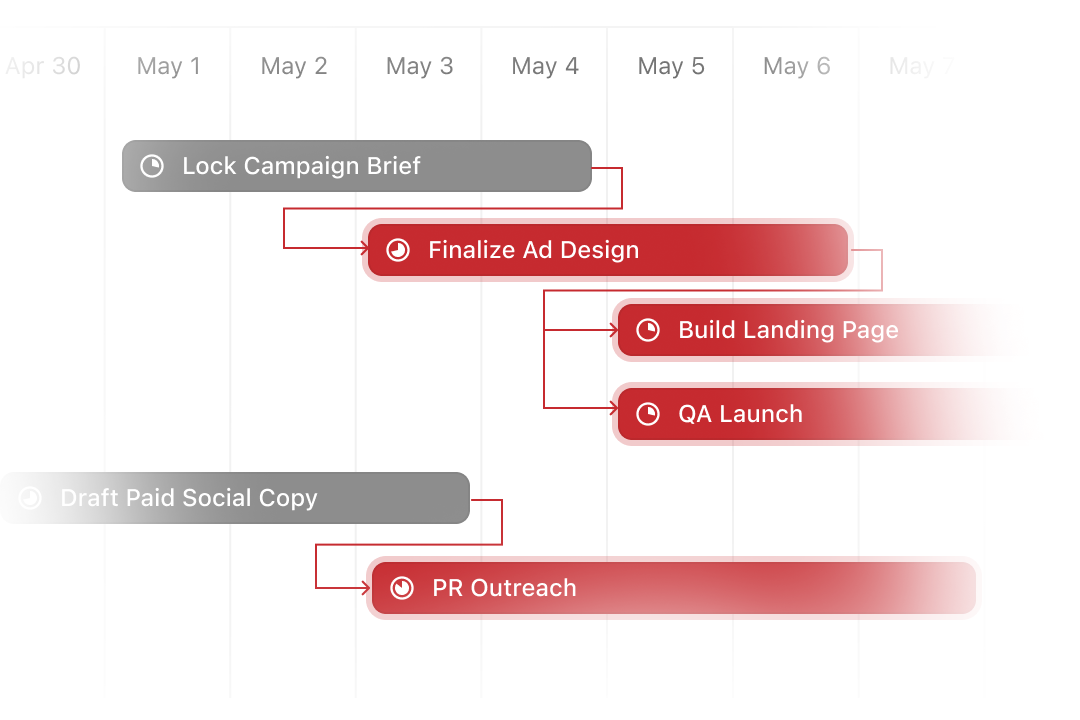
Which monday.com jobs it covers: Blocks and Blocked by dependencies are on every plan, and time tracking is on every plan including Free. Core adds unlimited forms and a pool of guest seats, while dashboards, resource management and work-in-progress limits need Business at $17. Automation allowances are 1,000 actions a month on Core and 10,000 on Business, compared with 250 on monday.com Standard.
What you give up: the portfolio layer is thinner than monday.com Enterprise, and a portfolio object isn't listed on the plan pages. G2 reviewers' top complaint is that features are missing such as sub-folders (2,039 mentions), followed by the learning curve (1,751). The Free plan includes 60 MB of storage.
- you want dependencies and time tracking without paying monday.com's Pro price
- you want an official importer that keeps comments and assignees
- you need a native portfolio rollup across projects: dashboards sit on Business, and a portfolio object isn't documented
- you have users who dislike a dense interface: G2 reviewers name the learning curve
- Users like
- ease of use (4,220 mentions), flexibility (3,219)
- Users dislike
- missing features such as sub-folders (2,039 mentions), then the learning curve (1,751)
- Source: G2, 15,312 reviews
- Starting price
- Free; Core $9 and Business $17 per user per month billed yearly; Max $100
- Dependencies
- Blocks and Blocked by on all plans
- Automations
- 1K actions per month on Core, 10K on Business
- Proofing
- Unlimited on Business and up
- Time tracking
- All plans including Free
- Intake forms
- Unlimited on Core and up
Asana
Asana
Cross-team work management with portfolios
Asana's a good fit for teams that coordinate across departments and want portfolios, goals and approvals in the same place. Its reporting layer is the most mature of the group, although the best parts sit on Advanced.
What carries over from monday.com: Asana has no first-party monday.com importer. The route is monday.com's Export to Excel from the board menu, then Asana's CSV importer, which maps data by column name. Asana users report two gaps: monday.com's Excel export puts updates on a separate worksheet that detaches when you save as CSV, so tasks arrive without their updates, and columns that hold only email addresses don't map to assignees. Third-party migration services say they move comments and files, which we haven't verified.
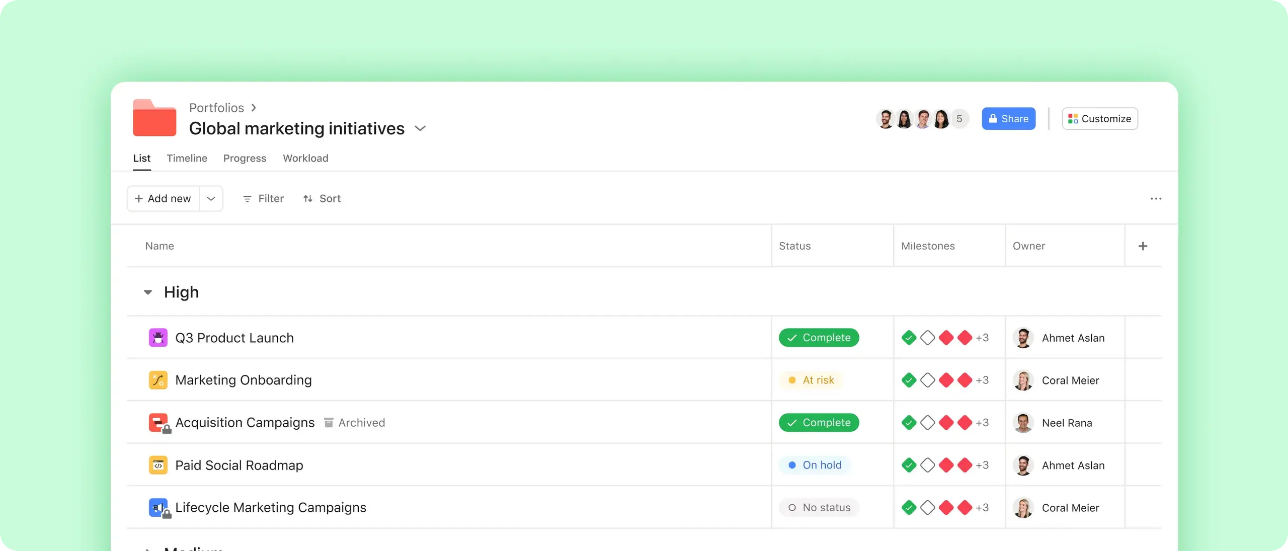
Which monday.com jobs it covers: dependencies come from Starter and support four types with automatic date shifting. Portfolios and workload within a portfolio need Advanced at $24.99, while universal resource management and capacity planning are Enterprise. Forms are on Starter, and approvals and proofing start on Advanced. Guests are free on Starter and up if they use a different email domain.
What you give up: billable rates and budgets live in a Timesheets and Budgets add-on with no published price. G2 reviewers name the learning curve (605 mentions), missing features such as time tracking (597) and power tools locked behind higher tiers (531). We compare the two directly in Asana vs monday.com, and the plan costs are in Asana pricing.
- you need portfolios, goals and workload in one tool and can pay for Advanced
- your clients and contractors are guests from other email domains and you want them free
- you need comments and updates to migrate automatically, which the CSV route doesn't do
- you need billable rates or budgets: they come from an add-on with no published price
- Users like
- ease of use (1,525 mentions) and task management (1,464)
- Users dislike
- a steep learning curve (605 mentions), missing features such as time tracking (597) and power tools locked behind higher tiers (531)
- Source: G2, 14,107 reviews
- Starting price
- Personal free (2 users); Starter $10.99 and Advanced $24.99 per user per month billed annually; Enterprise via sales
- Dependencies
- Starter and up; four types with auto-shifting dates
- Portfolios
- Advanced and up
- Approvals
- Approval tasks on Advanced and up
- Time and budgets
- Timesheets and Budgets add-on, no published price
- Intake forms
- Forms on Starter; branching and customization on Advanced
- Portfolio and workload
- Portfolios and workload within one portfolio on Advanced; universal resource management on Enterprise
Smartsheet
Smartsheet
Spreadsheet-style schedules with dependencies
Smartsheet suits a team that plans in rows, columns and Gantt bars and wants to keep that feel while gaining schedules, baselines and dashboards.
What carries over from monday.com: we found no monday.com importer in Smartsheet's help center. The route is monday.com's Export to Excel (boards export up to 10,000 items at a time) and Smartsheet's file import for .xls, .xlsx and .csv. Each import creates a new sheet and reads only the first, left-most tab. A sheet holds up to 20,000 rows, 400 columns and 500,000 cells, so a very large board needs splitting.
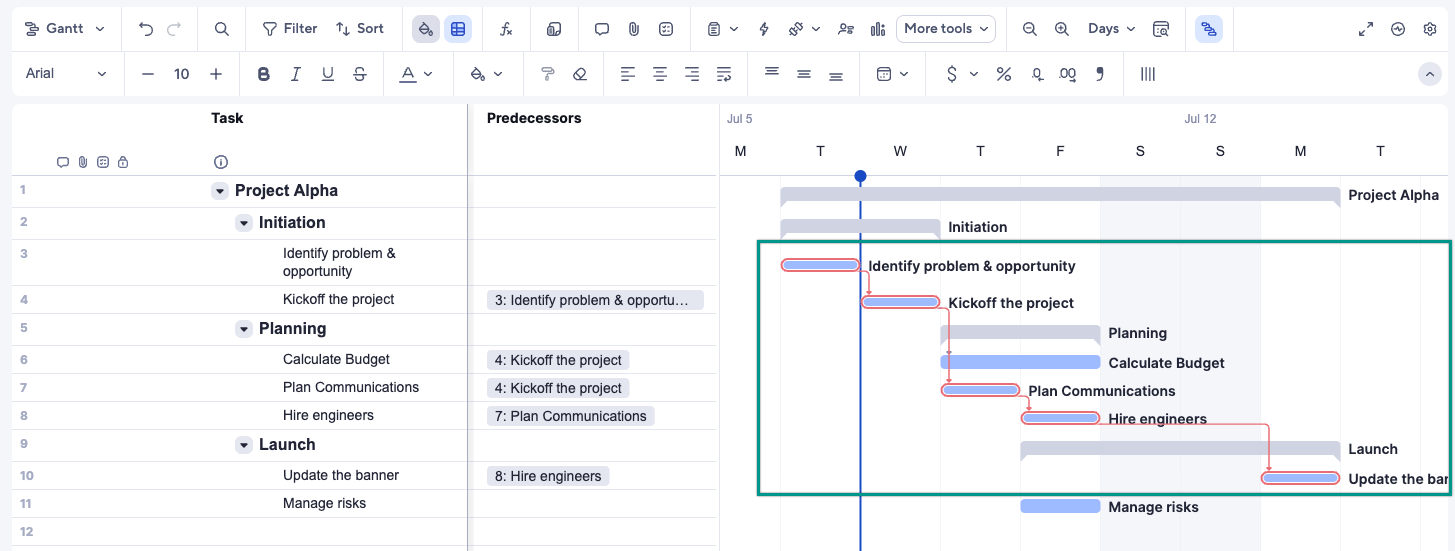
Which monday.com jobs it covers: predecessor dependencies, four dependency types with lead and lag, and critical path start at Pro. Baselines and timeline view need Business. Board view is available on Pro, Business and Enterprise and groups by one column. Pro includes unlimited free Contributors, and Business and above include unlimited free Guests. Portfolios start at Enterprise, with a recommended maximum of 100 projects per portfolio.
What you give up: there's no permanent free plan, only a 30-day trial. Pro is closed to existing customers, and board view groups by one level without work-in-progress limits. G2 shows 4.4 from 23,139 reviews, with ease of use (2,360 mentions) as the top strength and a steep learning curve from limited formulas (1,183) as the top complaint. Plan details are in Smartsheet pricing, and a head-to-head is in Asana vs Smartsheet.
- your team plans in spreadsheets and needs schedules with dependencies, critical path and baselines
- you need free external Contributors or Guests who can edit and comment
- you want a free plan or a one-click monday.com import: there is neither
- you run strict Kanban: board view has no work-in-progress limits
- Users like
- ease of use (2,360 mentions)
- Users dislike
- steep learning curve from limited formulas (1,183 mentions)
- Source: G2, 23,139 reviews
- Starting price
- No permanent free plan; Pro $9 and Business $19 per member per month billed yearly; Enterprise custom
- Free tier
- None permanent, 30 days free trial without credit card
- Dependencies and critical path
- Pro and up; critical path shows in red in Gantt view, baselines and timeline view need Business
- Guests
- Pro: unlimited free Contributors; Business and up: unlimited free Guests
- Portfolios
- Enterprise; Smartsheet recommends up to 100 projects and 5 templates per portfolio; resource management isn't supported inside portfolios
- Sheet limits
- 20,000 rows, 400 columns, 500,000 cells
- Baselines
- One baseline per sheet; baseline bars don't show in reports, dashboards or printed Gantt
Wrike
Wrike
Proofing, approvals and request forms
Wrike suits a PMO that runs intake and review as formal steps: request forms with a public link, guest reviewers who approve files, and portfolios from the second paid tier.
What carries over from monday.com: we found no monday.com importer in Wrike. The route is an Excel file (XLS or XLSX) imported into Wrike, capped at 5,000 tasks per import. Imports only create new items, formulas must be removed first, and text formatting in description cells isn't kept. Imports count toward weekly mass-creation caps of 3,000 items on Free, Professional and Team and 12,000 on Business and above. Collaborators, contributors and viewers can't import.
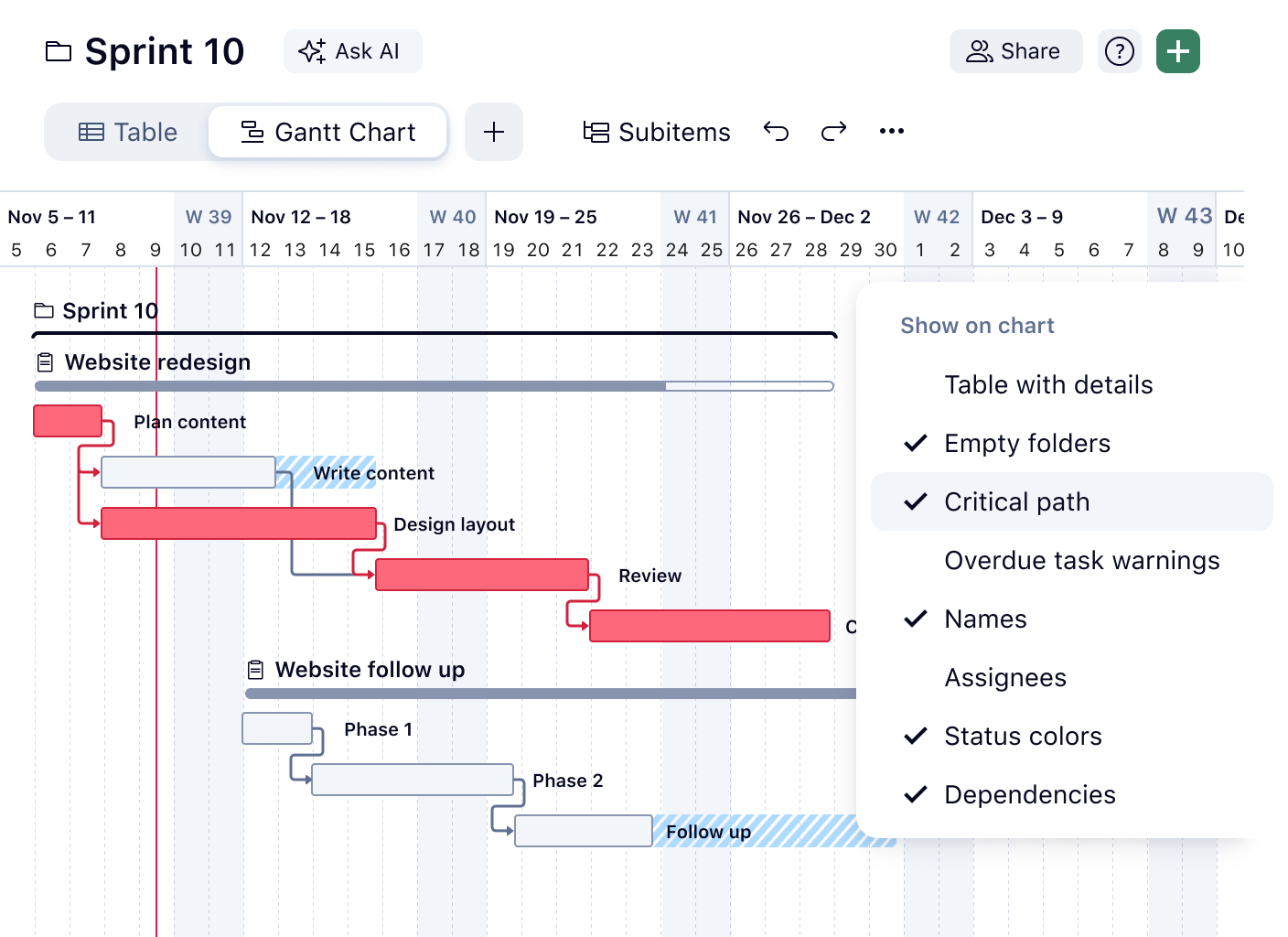
Which monday.com jobs it covers: Board view is on every plan including Free. Dependencies (four types with lead and lag) and portfolios start at Team. Workload charts, request forms, time tracking and critical path need Business, and guest approvals and file proofing start there too. A programme timeline across projects is a Pinnacle feature.
What you give up: billable time, budgets and resource bookings start on Pinnacle, which has no public price. G2 shows 4.2 from 4,553 reviews, with a steep learning curve (305 mentions), an interface that isn't intuitive (239) and a lack of built-in templates (203) as top complaints. Seat limits apply: Team covers 2 to 15 users and Business 5 to 200. The plan costs are in Wrike pricing.
- you run client reviews on files and want guest approvals and proofing on Business
- you need request forms with a public link so requesters don't need a seat
- you need billable time or budgets without a quote: they start on Pinnacle
- you want an importer: Wrike has an Excel route only, capped at 5,000 tasks
- Users like
- project tracking (477 mentions in G2's pros summary)
- Users dislike
- a steep learning curve (305 mentions), not intuitive (239) and a lack of built-in templates (203)
- Source: G2, 4,553 reviews
- Starting price
- Free; Team $10 and Business $25 per user per month billed yearly; Pinnacle and Apex by quote
- Free plan limit
- 200 active tasks and one shared space, no Gantt
- Task dependencies
- Team and up, FS, SS, FF, SF
- Workload charts and request forms
- Business and up
- Portfolios
- Team and up
- Client proofing
- File proofing, guest approvals and custom approval flows on Business and up
- Time tracking
- Business and up (timer, manual entries, timesheets)
Teamwork.com
Teamwork.com
Client work with billable time built in
Teamwork is built for teams that bill time to clients, so it tracks hours, budgets and client logins that monday.com treats as add-ons or higher tiers.
What carries over from monday.com: Teamwork has a built-in monday.com importer, run by a site admin with a monday.com personal API token (v2). It imports tasks and subtasks, tasklists named after monday.com groups, assignees from the item owner field, due dates, descriptions, item updates as sequential comments and linked files. It shows up to 1,000 projects. It doesn't map workflow stages or custom fields, drops dependencies other than subtasks, flattens nested update threads and doesn't invite users automatically.
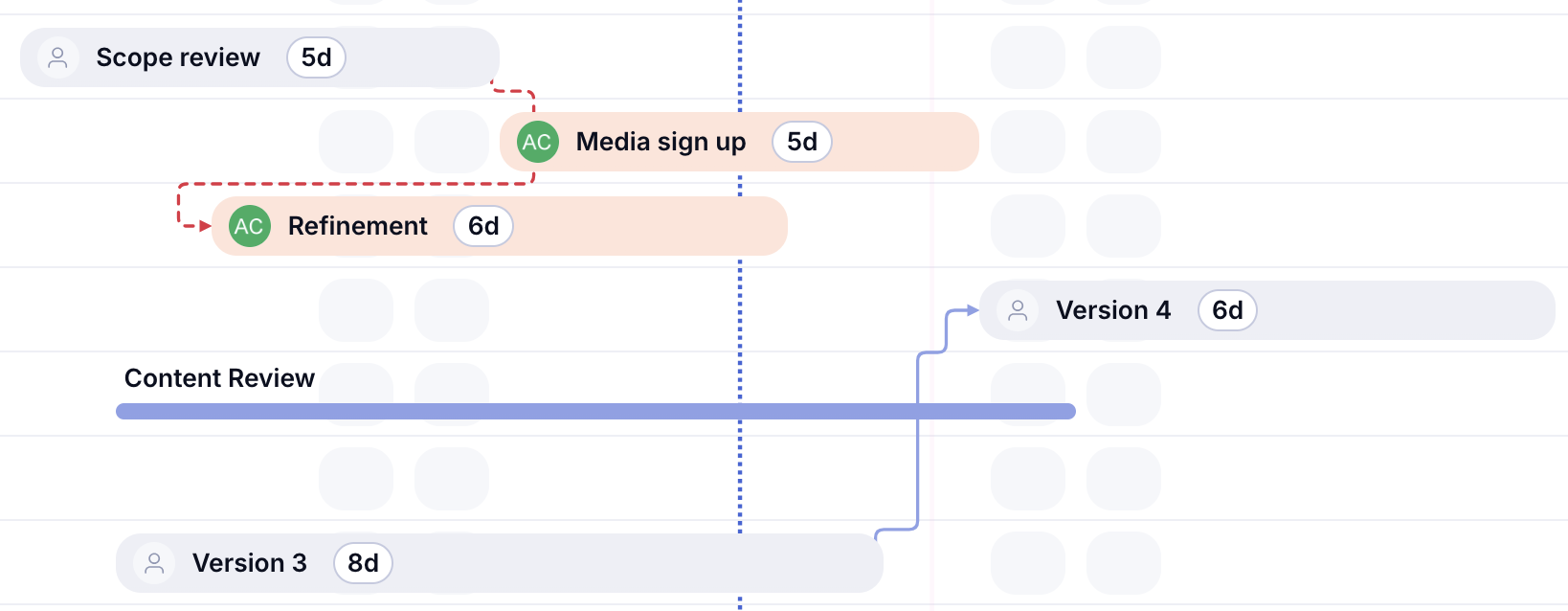
Which monday.com jobs it covers: dependencies are on every plan including Free, and critical path starts at Accelerate ($24.99). Billable time is on every plan, user rates and company timesheets start at Accelerate, and time budgets and retainers also start there. Client users are free on Basics and up, intake forms start on Basics, and the workload planner starts on Accelerate.
What you give up: financial budgets and profitability start on Optimize, which has no public price. G2 shows 4.4 from 1,218 reviews, with a steep learning curve (22 mentions) and missing invoicing features (19) as the top complaints. Basics needs at least 3 seats and Accelerate 5.
- you bill clients by the hour and want billable time, proofs, intake forms and free client logins together
- you want an importer that brings update history over as comments
- you need workload planning, retainers or accounting sync without Accelerate: they start at $24.99
- you need dependencies and custom fields to migrate: the importer drops both
- Users like
- project management capabilities (52 mentions)
- Users dislike
- steep learning curve (22 mentions) and missing invoicing features (19 mentions)
- Source: G2, 1,218 reviews
- Starting price
- Free up to 5 users; Basics $9.99 per user per month billed yearly (min 3 users); Accelerate $24.99 (min 5); Optimize and Enterprise by quote
- Free plan
- 5 users, 5 projects, 100 MB, 100 automations
- Dependencies
- All plans, including Free; critical path from Accelerate
- Client users
- Free, Basics and up, only in client companies
- Seat minimum
- Basics 3, Accelerate 5
- Billable time
- All plans including Free; user rates and company timesheets from Accelerate
- Intake forms
- Basics and up; conditional logic from Accelerate
- Workload planner
- Accelerate and up; resource scheduling, placeholders and tentative projects from Optimize
OpenProject
OpenProject
Open-source projects, Gantt and portfolios
OpenProject suits a team that wants to host its own data, needs Gantt dependencies and baselines, and doesn't want per-seat pricing on the free edition.
What carries over from monday.com: we found no monday.com importer in OpenProject's documentation. Plan on re-creating the structure, or on a script that reads monday.com's API and writes work packages through OpenProject's API, which we haven't verified.
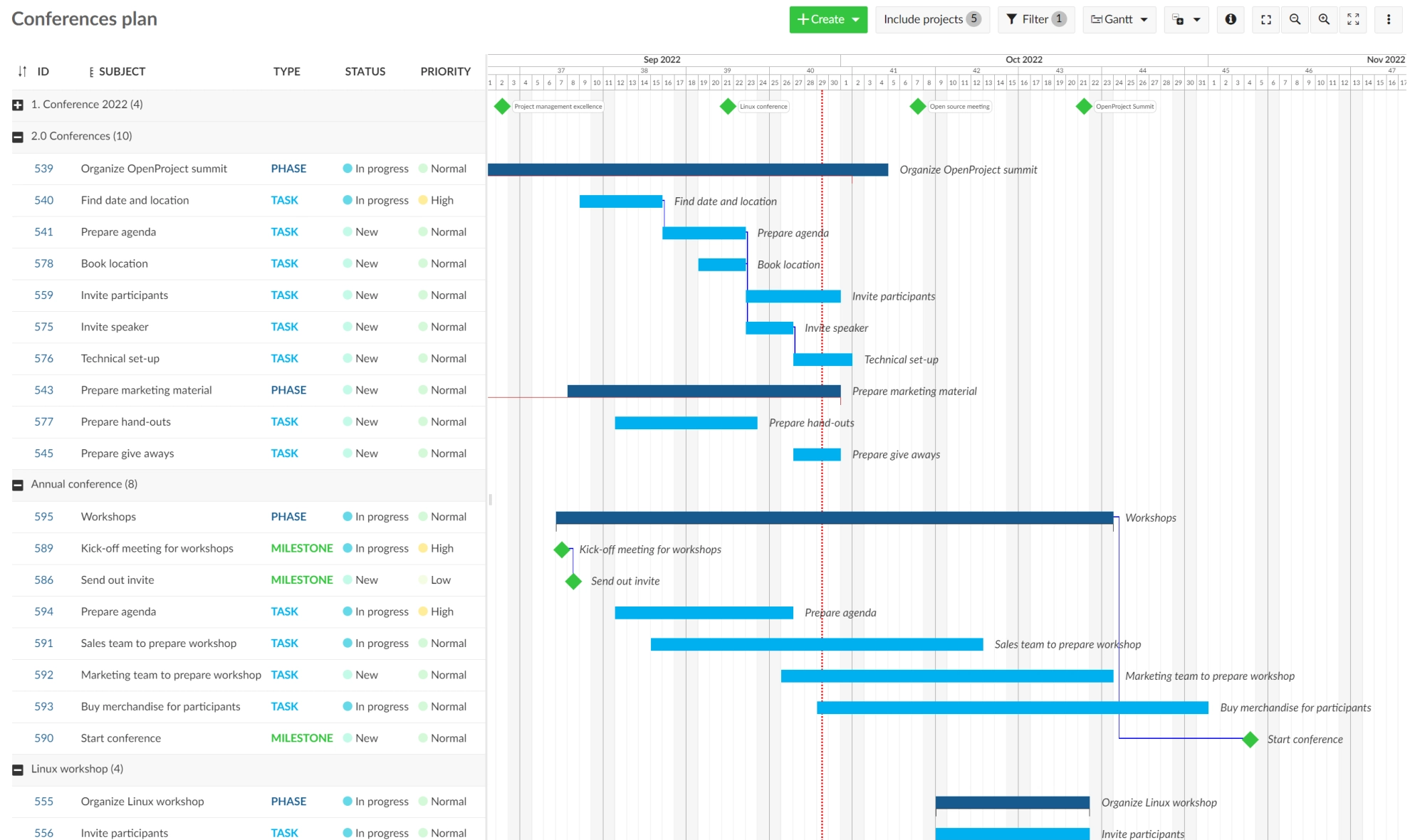
Which monday.com jobs it covers: boards come in several types (basic, status, assignee, version, subproject and parent-child), and moving a card on a status board changes the work package status. Gantt dependencies stop a follower from starting before its predecessor finishes, and automatic scheduling pushes the follower when the predecessor moves. Full baseline comparison starts on Basic, while Community compares to yesterday only. Portfolios and programs sit in Premium, with a 100-user minimum, and resource management is an add-on on Premium.
What you give up: Paid editions carry user minimums and Premium starts at 100 users, so a small team that wants portfolios doesn't fit. Capterra shows 4.6 from 189 reviews: reviewers praise the Gantt and planning tools, the free core and configurability, and older reviews mention no offline access or mobile app and some features behind paid editions.
- you want a free, self-hostable tool with Gantt dependencies and status boards that change the real work item
- a 100+ person organization wants portfolios and programs at a published per-user price
- you want a migration path from monday.com: none is documented
- your team is under 25 people and wants portfolios: Premium starts at 100 users
- Users like
- Gantt and planning tools, a free core and self-hosting, configurability
- Users dislike
- no offline access or mobile app in older reviews, and some features behind paid editions
- Source: Capterra, 189 reviews
- Starting price
- Free (Community, self-hosted); Basic $7.25, Professional $13.50, Premium $19.50 per user per month on a one-year term
- Editions
- Community free; Basic EUR 5.95, Professional EUR 10.95, Premium EUR 15.95 per user per month; Corporate on request
- User minimums
- 25 for Basic and Professional, 100 for Premium, 250 for Corporate; none for Community
- Portfolios
- Portfolios and programs sit in Premium
- Baselines
- Full baseline comparison from Basic; Community compares to yesterday only
- Gantt dependencies
- A follower can't start earlier than its predecessor finishes; moving the predecessor pushes the follower later
Basecamp
Basecamp
Flat-price project hub without dependencies
Basecamp fits a team that wants one place for to-do lists, messages and files at a flat price. It's a simple tool, but that's the point, as long as you don't need dependencies, Gantt or workload planning.
What carries over from monday.com: monday.com offers an import from Basecamp, but we found no published import in the other direction, so plan on re-creating to-do lists by hand. That works for a handful of active projects, though it won't scale to a PMO with dozens of boards.
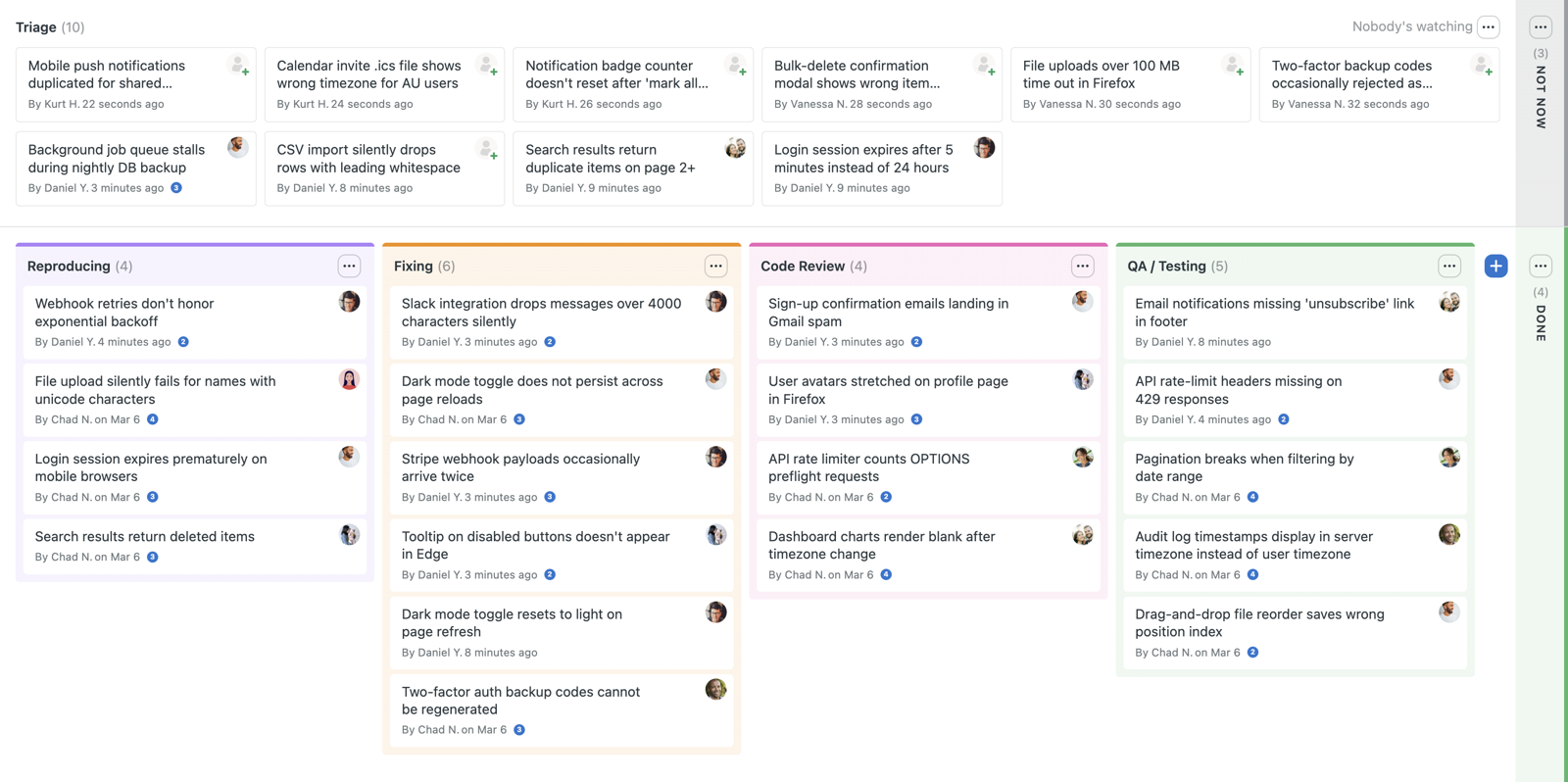
Which monday.com jobs it covers: to-do lists with assignees, due dates, files and subtasks, a Card Table board, calendars, a message board and group chat. Pricing is flat per plan, not per seat: Freelancer allows 3 projects and 5 users, Pro 8 projects and 10 users, Pro Plus 12 projects and 15 users, and Pro Unlimited has no caps. Clients count toward the user cap on all but Pro Unlimited. Time tracking starts on Pro Plus.
What you give up: there's no task dependency, no Gantt chart, no workload view and no portfolio rollup, and The Lineup shows projects on a timeline only. G2 shows 4.1 from 5,489 reviews, with ease of use (163 mentions) as the top strength and a lack of advanced features such as reporting and planning (65) as the top complaint.
- you want one flat price that doesn't move with headcount
- your team reviews work through comments and files, not formal approvals
- you need dependencies, Gantt or workload views: none exist
- you have many clients or contractors: each counts toward the user cap on all but Pro Unlimited
- Users like
- ease of use (163 mentions)
- Users dislike
- lacks advanced features such as reporting and planning (65 mentions)
- Source: G2, 5,489 reviews
- Starting price
- Free (1 project, 3 users); Freelancer $29, Pro $79, Pro Plus $99 per month flat; Pro Unlimited $199 per month billed annually
- Free plan
- 1 project, 1 GB, 3 users
- Pricing model
- Flat per plan, not per seat
- Task features
- To-do lists with assignees, due dates, files and subtasks; Card Table kanban; calendars
- User caps
- Free 3, Freelancer 5, Pro 10, Pro Plus 15
- Time tracking
- Pro Plus and up; no native billable rates, budgets or invoicing found
- Workload and dependencies
- No workload view, portfolio rollup or task dependencies; The Lineup shows projects on a timeline
How to move boards out of monday.com
Every route out starts with the same step: decide which boards are still active, because you won't want to carry dead ones over, however tempting a full export looks. Exporting a board to Excel from monday.com covers up to 10,000 items at a time, so keep the original workspace until the pilot is done.
This table summarizes what each route brings across, from each vendor's help documentation.
| Tool | Route from monday.com | What comes across | What doesn't |
|---|---|---|---|
| Teamwork | Built-in importer (API token, site admin) | Tasks, subtasks, tasklists from groups, assignees, due dates, descriptions, updates as comments, files | Workflow stages, custom fields, dependencies, threading, activity history |
| ClickUp | Built-in importer (admin or API token) | Assignees, checkboxes, color pickers as text, comments | Unsupported or app-specific columns, shown in the wizard summary |
| Asana | Excel export, then CSV importer | Task rows, mapped by column name | Updates detach in CSV; email-only assignee columns don't map |
| Smartsheet | Excel export, then file import | Rows from the first tab, as a new sheet | Other tabs; sheet limit of 20,000 rows and 400 columns |
| Wrike | Excel export, then XLS/XLSX import | New tasks, up to 5,000 per import | Formulas, description formatting, updates to existing items |
| OpenProject | No importer found | None documented | Everything |
| Basecamp | No importer found | None documented | Everything |
Are there free alternatives to monday.com?
Yes, several tools here have a free tier, but the limits differ, and some are outright trials. monday.com's own Free plan covers 2 seats and up to 3 boards. ClickUp's Free Forever plan includes Kanban boards and time tracking, with 60 MB of storage. Teamwork's free plan covers up to 5 users and 5 projects and includes dependencies. Asana's Personal plan covers 2 users, Wrike's Free plan allows 200 active tasks, and Basecamp's free plan allows 1 project and 3 users. OpenProject's Community edition is free to self-host with no user limit. Smartsheet has no permanent free plan, only a 30-day trial.
If you need a free tool for a real program rather than a trial of a few boards, ClickUp Free, Teamwork Free and OpenProject Community are the three that include dependencies.
How to choose: a two-week pilot
Pick two finalists from the picks table, not four, though a third is fine if it's a free plan. Run one live project in each for two weeks and score the same items, so you'll compare like with like.
- Import or re-create one active board and note what was lost
- Confirm that dependencies move dates the way your schedule expects
- Build the one cross-project view your sponsor asks for, and note which plan it needs
- Invite one external guest or client and check what they can see and edit
- Re-create your two most important automations and count the actions they use
- Price the plan for your real headcount, including seat minimums and add-ons
- Ask one non-expert on the team to complete a task without help
Where The Program Manager fits
The tools above replace monday.com as a place to run work. They don't watch the dependencies that cross tool boundaries. The Program Manager maps dependencies across Jira and Asana, so it's relevant if you move to Asana while engineering stays on Jira. It reads dependencies and milestones from those tools and doesn't replace a scheduler, and a monday.com connector isn't live.
Frequently asked questions
What is the best alternative to monday.com?
It depends on why you're leaving. ClickUp is the closest swap at a lower per-seat price, with dependencies and time tracking on every plan. Asana fits teams that need portfolios, Smartsheet fits spreadsheet-style planning, and Teamwork fits client work billed by the hour. Check the plan that unlocks dependencies and cross-project views before you compare prices.
Is there a free alternative to monday.com?
Yes. ClickUp has a Free Forever plan, Teamwork is free up to 5 users, Asana's Personal plan covers 2 users, Wrike's Free plan allows 200 active tasks, and OpenProject's Community edition is free to self-host. monday.com's own Free plan covers 2 seats and up to 3 boards.
Can I import monday.com boards into another tool?
Teamwork and ClickUp have built-in monday.com importers. Asana, Smartsheet and Wrike take an Excel or CSV export from monday.com, which loses updates and attachments in some cases. We found no monday.com import for OpenProject or Basecamp.
How much does monday.com cost for 10 people?
On Standard at $12 per seat per month billed yearly, 10 seats cost $1,440 a year. On Pro at $19, which adds the Dependency column, workload view and time tracking, 10 seats cost $2,280 a year. Paid plans start at three seats and then grow in multiples of five.
Is ClickUp or Asana better than monday.com?
ClickUp costs less per seat and puts dependencies and time tracking on every plan. Asana has the stronger portfolio and reporting layer from Advanced. monday.com leads on board customization. Our head-to-head comparisons cover Asana vs ClickUp and Asana vs monday.com.
One response to “Best monday.com Alternatives for PMOs and Program Teams”
[…] that our Notion alternatives guide covers. If you're coming from a different tool, see our monday.com alternatives and Trello alternatives […]