Teams rarely leave Wrike because tasks stopped working. They leave because the schedule layer is split across three tiers: dependencies start on Team at $10, critical path, workload, request forms and guest approvals on Business at $25, and billable time, budgets, single sign-on and the programme timeline on Pinnacle, which has no public price. Team also stops at 15 users, so a growing program office is pushed to the $25 tier whether or not it needs what sits there.
We looked at eight tools: Smartsheet, monday.com, ClickUp, Asana, Teamwork.com, Adobe Workfront, Celoxis and ProofHub. Each is judged on its vendor pricing page, a feature page, its help center and review-site summaries, with a focus on what a PMO uses Wrike for: dependencies and critical path, workload, rollups across projects, proofing and outside reviewers, request forms and billable time. We read vendor material and didn't run these products.
Which Wrike alternative fits your reason for leaving?
The best Wrike alternative depends on which Wrike gate hurt first. ClickUp and monday.com put critical path and workload on a cheaper tier than Wrike Business, Smartsheet suits a PMO that thinks in sheets, Asana is the closest match on price and tier structure, Teamwork.com fits billed client work, Workfront and Celoxis cover the enterprise and portfolio end, and ProofHub replaces seat pricing with a flat fee. Each pick names the plan that holds the deciding feature, because every tool here keeps part of the planning layer on a paid tier.
 Best for critical path and workload at a lower priceClickUpDependencies are on every plan, and Business at $17 includes dashboards, workload and critical path. Wrike puts critical path and workload on Business at $25.
 Best if boards should be easy for non-project teamsmonday.comDependencies, critical path and workload sit on Pro at $19, but portfolios are Enterprise only, where Wrike has portfolios from Team.
 Best if the PMO thinks in sheets and schedulesSmartsheetPro at $9 lists dependencies and critical path, and free outside Contributors come with Pro. Portfolios start on Enterprise.
 Best like-for-like swap on price and tiersAsanaStarter at $10.99 adds timeline and dependencies, and Advanced at $24.99 adds portfolios, approvals, proofing and workload, at about the price of Wrike Business.
 Best for billable client workTeamwork.comBillable time and dependencies are on every plan, client users are free, and proof reviewers need no account. Retainers and critical path start on Accelerate at $24.99.
 Best for creative teams on Adobe Creative CloudAdobe WorkfrontIntake, proofing with guest reviewers, resource management and Creative Cloud add-ins in all three plans, sold by quote only.
 Best for a PMO that wants portfolio prices publishedCeloxisPortfolio dashboards from Core at $10, executive reporting and resource conflicts on Essentials at $25, and billing on Business at $45.
 Best if seat pricing is the problemProofHubA flat $45 a month for unlimited users with Gantt dependencies, time tracking and native proofing. There's no free plan.
Why teams leave Wrike
Teams leave Wrike for five reasons, and none of them is that the basics stopped working: a steep learning curve, a navigation reviewers call not intuitive, missing visualizations and reporting, limited advanced calculations, and a feature set that overwhelms simple work. The plan structure adds three more: feature gates between tiers, seat bands and a quote-only top end. G2 shows the same pattern from the user side.
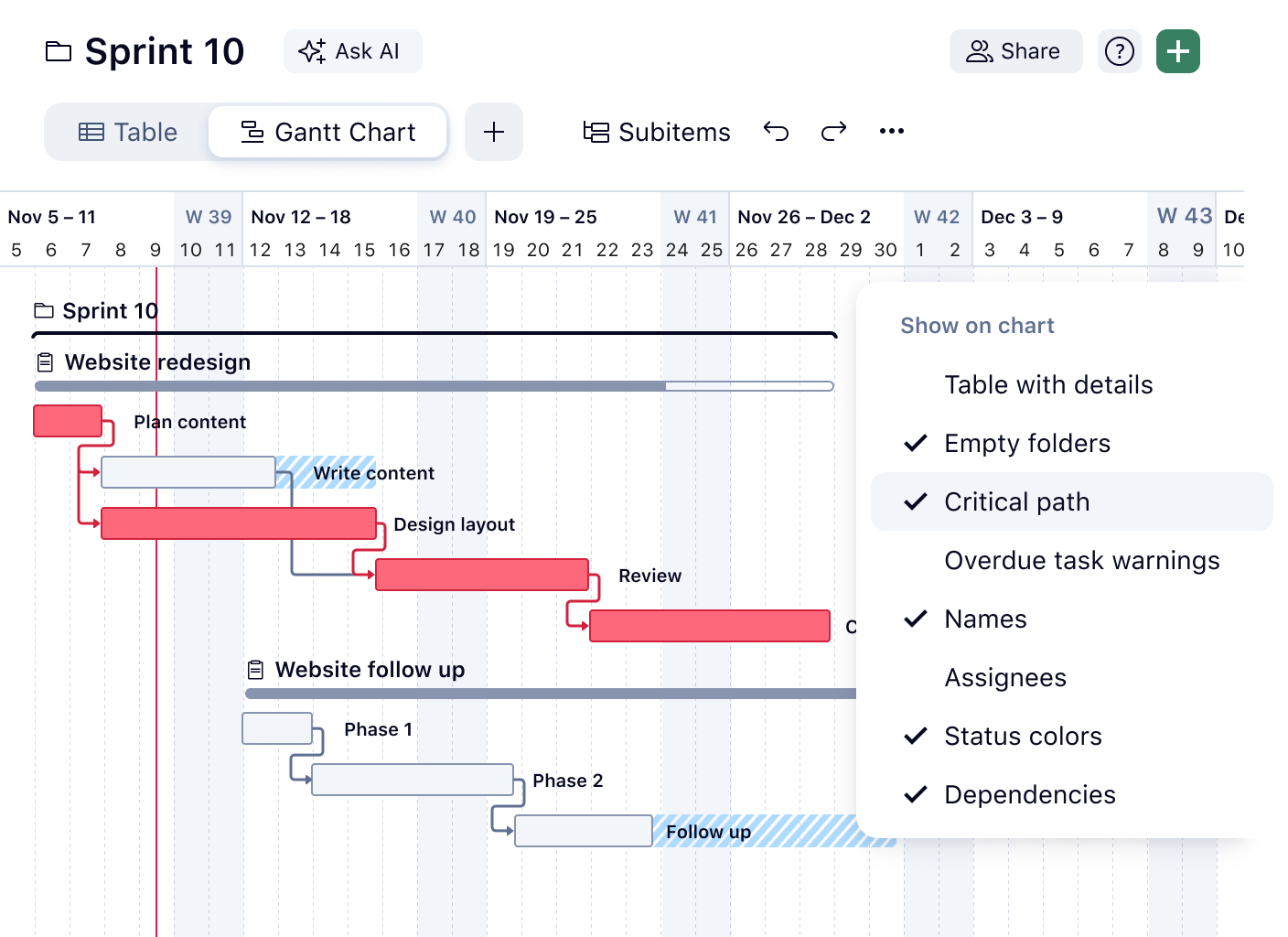
Critical path costs 2.5 times the entry price. Team at $10 per user per month billed yearly adds Gantt dependencies and portfolios, but critical path, workload charts, time tracking, request forms and proofing with guest approvals are Business at $25. A 10-person team pays $100 a month on Team and $250 on Business.
Team has a 15-user ceiling. Team is sold for 2 to 15 users and Business for 5 to 200. A program office that grows past 15 editors moves to Business whatever it needs, and an organization above 200 users is in quote territory.
The enterprise features have no public price. Billable and non-billable time, budgets with bill and cost rates, job roles, bookings and the utilization dashboard, the multi-project programme timeline, SAML single sign-on, SCIM and audit reports are Pinnacle and Apex features. Both are by quote.
Free is small. The Free plan holds 200 active tasks and one shared space, with no Gantt, and Excel import isn't available on it.
Wrike alternatives compared
| Tool | Where it differs from Wrike | Starting price | G2 rating |
|---|---|---|---|
 Wrike | Gantt dependencies and portfolios from Team; critical path, workload and proofing on Business; billable time and programme timeline on Pinnacle | Free; Team $10 (2 to 15 users), Business $25 (5 to 200 users) per user per month billed yearly; Pinnacle and Apex by quote | 4.2 (4,645) |
| ClickUp | Dependencies on every plan; Gantt from Core; critical path, workload and dashboards on Business | Free Forever; Core $9, Business $17 per user per month billed yearly | 4.6 (15,779) |
| monday.com | Customizable boards; dependencies, critical path and workload from Pro; portfolio board on Enterprise | Free (2 seats); Basic $9, Standard $12, Pro $19 per seat per month billed yearly | 4.7 (17,969) |
| Smartsheet | Sheets with Gantt, dependencies and critical path from Pro; baselines on Business; portfolios on Enterprise | Pro $9, Business $19 per member per month billed yearly; no free plan | 4.4 (23,256) |
| Asana | Timeline and dependencies from Starter; portfolios, workload in a portfolio, approvals and proofing on Advanced | Personal free (2 users); Starter $10.99, Advanced $24.99 per user per month billed yearly | 4.4 (14,132) |
| Teamwork.com | Client work with dependencies and billable time on every plan, free client users; critical path on Accelerate | Free (5 users); Basics $9.99, Accelerate $24.99 per user per month billed yearly | 4.4 (1,223) |
| Adobe Workfront | Enterprise work management with intake, guest proofing, resource management and Adobe Creative Cloud add-ins | Select, Prime and Ultimate by quote only | 4.1 (1,234) |
| Celoxis | Portfolio management with a published price ladder: dashboards on Core, executive reporting on Essentials, intake on Professional | Core $10, Essentials $25, Professional $35, Business $45 per user per month billed yearly; 5 users minimum | 4.6 (759) |
| ProofHub | Flat-price tool with unlimited users, Gantt dependencies, time tracking and native proofing | Essential $45 a month, Ultimate Control $89 for three months then $135, billed yearly; no free plan | 4.6 (121) |
 The Program Manager Our product | Maps dependencies across Jira and Asana and watches milestones for risk | Team from $59 per workspace per month; card required at checkout | No reviews yet |
Against Wrike, ClickUp, monday.com and Asana keep a task-and-project model at a lower or equal tier price, Smartsheet leans toward sheets and schedules, and Teamwork.com leans toward billable client work. Workfront and Celoxis play in the portfolio and enterprise range, and ProofHub changes the price model. Our guides to monday.com alternatives, Smartsheet alternatives and Asana alternatives cover the same tools from the other side, and project portfolio management software covers the portfolio layer in depth.
Where the features Wrike gates sit on each plan
The same four features decide most migrations away from Wrike: dependencies, critical path, workload and a rollup across projects. This table shows the cheapest plan that holds each one, so you can compare tiers instead of tool names.
| Tool | Dependencies | Critical path | Workload | Rollup across projects |
|---|---|---|---|---|
| Wrike | Team, all four types with lead and lag | Business | Business | Portfolios on Team; programme timeline on Pinnacle |
| ClickUp | Every plan, including Free | Business (trial on Core) | Business (trial on Free and Core) | Dashboards on Business |
| monday.com | Pro | Pro | Pro; resource planner on Enterprise | Portfolio board on Enterprise |
| Smartsheet | Pro on the pricing page; one help article says Business | Pro, shown in red on the Gantt view | Business; Resource Management is an add-on | Portfolios on Enterprise |
| Asana | Starter, four types | Not documented | Advanced, within one portfolio; Enterprise across the organization | Portfolios on Advanced |
| Teamwork.com | Every plan, including Free | Accelerate | Accelerate | Not documented |
| Workfront | Predecessors with lag, including across projects | Not documented | Resource Planner in all three plans | Portfolio management on Prime and Ultimate |
| Celoxis | All four types, with lead and lag | Not documented | Workload tracking from Core; conflicts on Essentials | Portfolio dashboards on Core; executive reporting on Essentials |
| ProofHub | Gantt with dependencies on both plans | Not documented | Workload reports | Project and resource reports; no portfolio object documented |
Two patterns stand out. ClickUp and Teamwork.com put dependencies on every plan, including the free one, while Wrike gates them at Team. Critical path and workload sit one tier above the entry paid tier almost everywhere, so the real comparison is Wrike Business at $25 against ClickUp Business at $17, monday.com Pro at $19, Smartsheet Business at $19, Teamwork.com Accelerate at $24.99 and Asana Advanced at $24.99. The exception is the portfolio rollup: Wrike gives portfolios from Team at $10, while monday.com and Smartsheet keep theirs on Enterprise, so a PMO that leaves Wrike for those two usually loses a rollup it had at the cheap tier.
Cost for 10 people on the plan that holds the planning features
A 10-person team on the plans below pays between $45 and $250 a month. Wrike Team costs $100 for 10 users and Wrike Business costs $250. Use the slider to price your own headcount at each tool's planning tier in USD.
Annual list prices in USD from the vendor pricing pages, checked November 2026. monday.com prices are the USD list prices as of November 15, 2026. Excludes add-ons and taxes. Workfront has no public price and isn't included.
The cheapest paid tier doesn't always hold what you're leaving for. This table prices 10 people at two tiers per tool and says what changes between them. Prices are billed yearly, per person who edits.
| Tool | Entry paid plan, 10 people per month | Next tier, 10 people per month | What the next tier adds |
|---|---|---|---|
| Wrike | Team $100 | Business $250 | Critical path, workload, time tracking, request forms, file proofing and guest approvals |
| ClickUp | Core $90 | Business $170 | Dashboards, workload, critical path, WIP limits, 10,000 automation actions a month |
| monday.com | Standard $120 | Pro $190 | Dependencies, critical path, workload, time tracking column, 25,000 automation actions a month |
| Smartsheet | Pro $90 (1 to 10 members) | Business $190 | Timeline view, baselines, workload tracking, proofing, unlimited automations and free Guests |
| Asana | Starter $109.90 | Advanced $249.90 | Portfolios, goals, workload in a portfolio, approvals and proofing, time tracking |
| Teamwork.com | Basics $99.90 | Accelerate $249.90 | Critical path, workload planner, time-based retainers, intake forms with conditional logic |
| Celoxis | Core $100 (5 users minimum) | Essentials $250 | Executive portfolio reporting, job roles, work calendars, timesheets, resource conflicts |
| ProofHub | Essential $45 flat | Ultimate Control $135 flat after the first three months | Unlimited projects and 100 GB instead of 40 projects and 15 GB |
Per-seat pricing rewards lopsided teams, and ProofHub is the extreme case: it charges the same $45 for 5 users or 50. Teamwork.com's client users are free and unlimited on Basics and up, Asana makes guests from other domains free, Smartsheet Pro includes unlimited free Contributors and Business adds free Guests, and monday.com viewers are free from Basic. At 5 users Wrike Business costs $125 a month, against $85 on ClickUp Business and $95 on monday.com Pro or Smartsheet Business. At 25 users it costs $625, against $425 on ClickUp and $475 on monday.com or Smartsheet. For plan-level detail behind these numbers, see Wrike pricing, ClickUp pricing, monday.com pricing, Smartsheet pricing and Asana pricing.
Who can review and approve without a paid seat?
Outside reviewers are where Wrike's tiers bite agencies and PMOs with external partners. Wrike viewers are free with view and comment rights, but contributors and external users who edit are paid limited seats, and guest reviewers who approve files without a seat start on Business. This table shows what the alternatives do for the same people, plus where billable time and request forms start.
| Tool | Outside reviewers | Billable time | Request forms |
|---|---|---|---|
| Wrike | Viewers free; guest reviewers need no seat from Business; editing externals are paid | Billable and non-billable time with rates on Pinnacle, no public price | Business and up, public link for non-seat users |
| ClickUp | Unlimited read-only guests; guest seats on a ratio on paid plans; proofing unlimited on Business | Time tracking on every plan, billable flag per Workspace or Space | 1 form on Free, unlimited from Core |
| monday.com | Viewers free; 3 free guests on Standard, then 1 billed seat per 4; unlimited on Pro | Time tracking column on Pro; no native billable rates or invoicing | Forms view on every plan |
| Smartsheet | Unlimited free Contributors on Pro; unlimited free Guests on Business | Not documented | Conditional logic on Business and up |
| Asana | Guests free on other email domains; proofing and approvals on Advanced | Timesheets and Budgets add-on, no published price | Forms on Starter; branching on Advanced |
| Teamwork.com | Client users free on Basics and up; proof reviewers need no account | Billable time on every plan; user rates from Accelerate | Basics and up; conditional logic on Accelerate |
| Workfront | Advanced proofs allow guest reviewers without a login | Billing records track billable hours and expenses; no invoices issued | Request queues in all three plans |
| Celoxis | Read-only users free | Billing on Business at $45 | Intake queue; scored intake on Professional |
| ProofHub | Reviewers use a link without an account; unlimited users | Time tracking with estimates built in | Native |
The sharpest contrast is Teamwork.com: free client users and proof reviewers on paid plans, plus billable time on every plan including Free, where Wrike moves billable time and budgets to a quote-only tier. If your outside reviewers are the problem, our guides to client portal software and agency project management software go deeper on guest rules.
Is there a free Wrike alternative?
Yes, but the limits differ more than the word "free" suggests. Wrike's own Free plan holds 200 active tasks and one shared space, with no Gantt. Here's what each alternative gives away.
| Tool | Free plan or trial | What the limit is |
|---|---|---|
| Wrike | Free | 200 active tasks, one shared space, no Gantt |
| ClickUp | Free Forever | 60 MB of storage; Gantt and dashboards are trials; dependencies included |
| monday.com | Free | 2 seats |
| Asana | Personal | 2 users; no timeline, dependencies or dashboards |
| Teamwork.com | Free | 5 users, 5 projects, 100 MB, 100 automations |
| Smartsheet | None | 30-day trial without a credit card |
| Celoxis | None | 14-day trial, no credit card |
| ProofHub | None | The first paid step is $45 a month for the whole team |
| Workfront | None published | Plans by quote |
ClickUp and Teamwork.com are the two free plans that include dependencies, the feature Wrike holds back until Team, and Teamwork.com's free plan also allows billable time. Neither free plan gives a PMO a full Gantt, though: ClickUp's Gantt is a trial there, and Wrike's Free has none.
Eight Wrike alternatives, by which Wrike gate they remove
Each entry below starts from the Wrike gate the tool removes or moves, then names where its own gates sit, the seat and guest rule, and what a move from Wrike involves. Prices are USD list prices from the vendor's pricing page unless a euro price is stated.
ClickUp
Critical path and workload at $17
ClickUp fits a PMO that wants dependencies, critical path and workload below Wrike Business pricing, and is happy to configure a workspace.
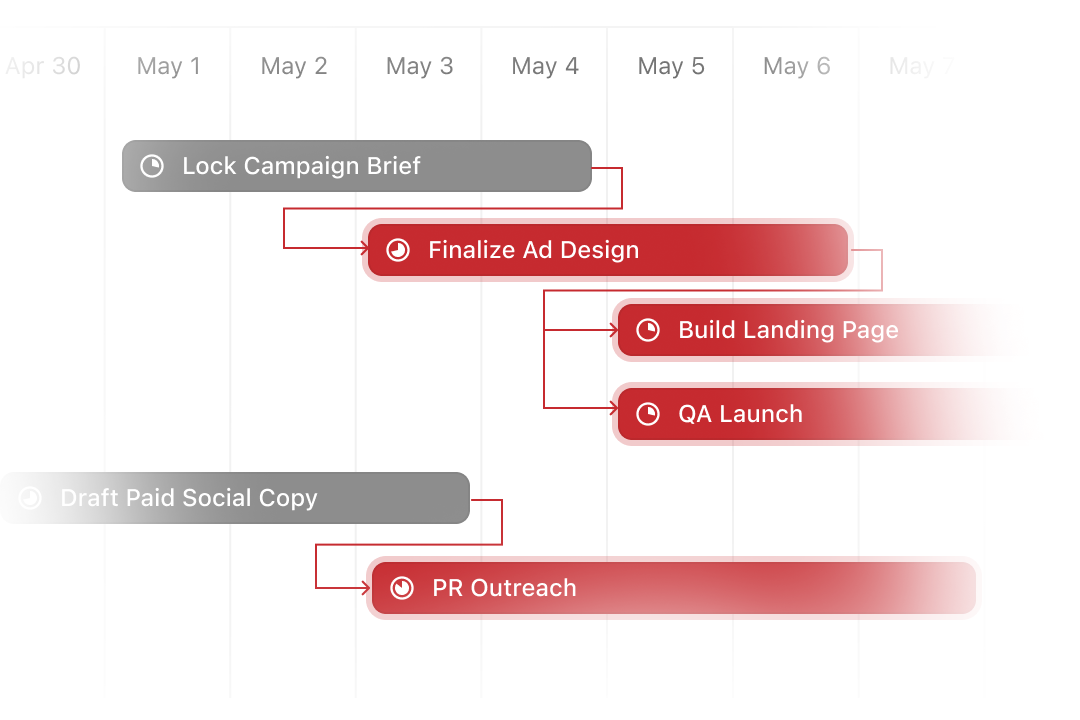
The Wrike gate it removes: Wrike holds dependencies for Team at $10 and critical path and workload for Business at $25. ClickUp includes Relationships and Dependencies (Blocks and Blocked by) on every plan, including Free Forever, and puts Gantt on Core at $9. Critical Path and Slack Time, Dashboards, Workload and Resource Management are included on Business at $17, and each is a trial on Core.
Where its own gates sit: WIP limits are on Business and above. Time tracking is on every plan, and the Timesheets Hub is Business. Unlimited forms start on Core, with one form on Free, and every submission creates a task. Proofing lets reviewers comment on the spot of an image, video or PDF, and it is unlimited on Business and above. There's no formal approval object, so teams use statuses. Adobe Creative Cloud isn't on the integrations page, where Wrike has an extension on Business.
Seats and limits: upgrades apply to the whole Workspace. Paid plans include guest seats on a ratio (Core 5 for a 1-user workspace plus 2 per additional paid user, Business and up 10 plus 5) with unlimited read-only guests. Automation actions per workspace are 100 on Free, 1,000 on Core and 10,000 on Business, and AI credits are pooled per user.
Coming from Wrike: ClickUp documents an official Wrike importer (workspace avatar, Settings, Import Items, Wrike, then a Wrike sign-in). Wrike spaces map to ClickUp Spaces, projects become Lists, workflows become statuses and tasks stay tasks. Assignees who aren't mapped to a ClickUp user are dropped, Wrike collaborators can't export, and Wrike rate limits slow big imports. The page doesn't say which plans can run it or what happens to dependencies.
- you want critical path, workload and dashboards on one tier at $17 instead of Wrike Business at $25
- you want time tracking on every plan, including Free, with a billable flag per Workspace or Space
- you need formal approval flows: ClickUp uses custom statuses and proofing comments, not an approval object
- you need an Adobe Creative Cloud extension: the integrations page doesn't list one
- Users like
- flexible customization of workflows and views (1,601 mentions), centralized work in one workspace (1,415) and intuitive daily use (1,352)
- Users dislike
- a steep learning curve (778 mentions), a slow or laggy interface (764) and an overwhelming number of features (597)
- Source: G2, 15,779 reviews
- Starting price
- Free Forever; Core $9 and Business $17 per user per month billed yearly (regular $12 and $25); Enterprise by quote
- Board view
- Kanban Boards on Free Forever, subgroups (swimlanes) on every plan, WIP limits on Business and above
- Dependencies
- Every plan, including Free Forever
- Trello import
- Official importer, unlimited on all plans, imports assignees, comments, checklists, attachments up to 1GB, custom fields; cover images not supported
- Free limits
- 60 MB storage, Gantt, Dashboards and Custom Fields trial only
- Automations
- Actions per workspace per month: Free 100, Core 1,000, Business 10,000, Enterprise and Max 1M; webhooks, email, SMS and integration actions from Business
- Client seat rule
- Paid plans: Core 5 guest seats for a 1-user workspace plus 2 per additional paid user; Business and up 10 plus 5; unlimited read-only guests; Free Forever guests have full edit
- Proofing
- Comment on the spot of an image, video or PDF; unlimited on Business and up, 100 uses on Free; no formal approval object, so teams use statuses
- Time tracking
- All plans including Free; billable flag per Workspace or Space; Timesheets Hub from Business
- Intake forms
- Free 1 form; unlimited on Core and up; each submission creates a task
- Workload
- Business
- Adobe Creative Cloud
- Not found on the integrations page; Figma, Slack, Google Drive, Harvest and Toggl listed
- Retainers and invoicing
- Not documented
- Critical path
- Business (trial on Core)
- Gantt
- Included from Core; trial on Free; Gantt PDFs from Business
- Dashboards
- Trial on Free and Core, included on Business and above; Advanced Dashboards named on Business
- AI credits
- Pooled per user per month: Core 1K (trial models), Business 1.5K, Enterprise 3K, Max 10K; top-up $10 per 10K credits
- Governance
- Business: Google SSO + SMS 2FA, private views and docs; Enterprise: SAML/SCIM, audit logs, custom roles, data residency, HIPAA with BAA, restrict guest invites
- Upgrades
- Upgrade applies to the whole Workspace
- Basecamp import
- Official importer for Basecamp 3: lists, to-dos, comments and assignees come across, to-do groups can become statuses; message boards, Campfires, project docs and files don't
- Integrations
- 1,000+ integrations stated by the vendor
- Chat
- ClickUp Chat replaces Chat views; task comments carry per-task discussion
- Relationships
- Task-to-task relationships on every plan; relationship columns show related task fields and can sum or average them
- Free plan
- Free Forever
monday.com
Customizable boards with Gantt on Pro
monday.com fits a PMO that wants Wrike's schedule features in boards that people outside the project team will actually update.
The Wrike gate it removes: monday.com puts the Dependency column, milestones and critical path on Pro at $19, and workload view on Pro too, so it undercuts Wrike Business at $25 for the same planning features. Gantt starts on Standard at $12. Time tracking is a column on Pro.
Where its own gates sit: the portfolio solution, cross-project dependencies and the resource planner are Enterprise only, which is the gap against Wrike's portfolios on Team. A dashboard can pull from 1 board on Free and Basic, 5 on Standard, 20 on Pro and 50 on Enterprise. There are no native billable rates or invoicing, and file annotations on images, PDFs and video are described as a trial feature, so proofing isn't a plan feature to buy. Forms are on every plan.
Seats and limits: viewers are free and read-only. Standard includes 3 free guests, then every group of 4 guests counts as 1 billed seat, and Pro and Enterprise have unlimited guests. Seats are sold from 3, then in multiples of 5, with a quote above 40 users. Automation and integration actions are 250 a month on Standard and 25,000 on Pro.
Coming from Wrike: No Wrike importer is documented. The Excel and CSV import creates a new board of up to 8,000 rows and 100 columns, imports only the first 50 columns and takes files up to 10 MB, and comments and attachments aren't in Wrike's Excel export, so they don't travel. Which monday.com plans can import isn't stated.
- your PMO wants critical path and workload at $19 on Pro instead of $25 on Wrike Business
- your teams outside the PMO want customizable boards and a form on every plan, including Free
- you want a portfolio rollup below Enterprise: portfolios and cross-project dependencies are Enterprise only
- you need billable rates, retainers or invoicing: none is native in work management
- Users like
- intuitive daily use (1,312 mentions), flexible customization of boards and workflows (797) and easy setup and adoption (630)
- Users dislike
- a steep learning curve (216 mentions), slow performance on large boards (172) and high pricing (170)
- Source: G2, 17,969 reviews

- Starting price
- Free (2 seats); Basic $9, Standard $12, Pro $19 per seat per month billed annually; Enterprise by quote
- Kanban
- Available on every plan including Free; cards come from Status labels, per-column task limit via Set column limit, lanes via Divide by
- Trello import
- Built-in importer carries task name, label and dates; descriptions, checklists, activities and files are not supported; 10K rows at a time
- Dependencies
- Pro
- Automation actions per month
- Standard 250, Pro 25,000, Enterprise 250,000; multi-recipient notifications use one action each
- Guests
- None on Basic; Standard 3 free then every group of 4 guests counts as 1 billed seat; unlimited on Pro and Enterprise
- Portfolio
- Enterprise
- SCIM
- Enterprise only
- Trust center
- SOC 2 Type II, ISO 27001:2022, ISO 27017, 27018, 27701, HIPAA through a BAA; FedRAMP not listed
- Enterprise limits
- 250 workflows, 250,000 automation and integration actions per month, 25,000 API calls per day (Pro: 20, 25,000, 10,000); 99.9% uptime SLA
- Guests on Basic
- Not available; shareable boards start at Standard
- Guests on Standard
- 3 free, then every 4 guests use 1 billed seat
- Guests on Pro/Enterprise
- Unlimited guests
- Viewers
- Unlimited, free, read-only; see all Main boards
- Guest scope
- Only shareable boards they are invited to
- Guest edits
- Can add items, columns, comments; cannot own boards
- WorkForms
- Public link, no account needed; creates board items
- Guest email rule
- Must use a different email domain than your account
- Client seat rule
- Partly: Standard includes 3 free guests, then every group of 4 guests counts as one billed seat; Pro and Enterprise have unlimited guests. Basic has none. Viewers are free.
- Time tracking
- Time Tracking column on Pro and Enterprise only; no native billable rates or invoicing (billable cost is a formula column)
- Proofing
- No plan-tiered proofing product documented; file annotations (pin comments on images, PDFs and video) are described as a trial feature
- Intake forms
- Forms view on Free and all paid plans
- Workload
- Workload view on Pro and Enterprise; resource planner and capacity manager on Enterprise
- Adobe Creative Cloud
- Plugin exists per the vendor's Adobe integration page
- Retainers and invoicing
- Not documented in work management (invoices exist in monday CRM, a separate product)
- Dashboards
- Connected boards per dashboard: Free 1, Standard 5, Pro 20, Enterprise 50; total items under 20,000
- AI credits
- Basic 1,000, Standard 2,000, Pro 3,000 a month; Enterprise custom
- Seat rules
- Seats sold in buckets: minimum 3, then multiples of 5 (support article 4405633151634); quote above 40 users; Enterprise minimum term 12 months
- Resource management
- Enterprise (Resource planner, Capacity manager)
- Basecamp import
- Built-in importer (profile menu, Import data, Basecamp): brings to-dos only into a board with a link column back to Basecamp; works with Basecamp version 4 only; messages, files and chat aren't mentioned
- Updates and files
- Discussion lives in each item's Updates section, there's no board-level message board; file annotations on images, PDFs and videos are labeled a trial feature
- Integrations
- 850+ integrations and apps stated by the vendor
- Currency note
- USD list prices as of 2026-11-15; the vendor lists the same numbers in euros by billing country (9, 12 and 19 per seat per month billed yearly)
- Connect Boards and Mirror
- Linked items use the Connect Boards column and the Mirror column; up to 60 Connect Boards columns per board
- Dashboard sources
- One board per dashboard on Free and Basic, 5 on Standard, 20 on Pro, 50 on Enterprise
- Critical path
- Pro
- Free plan
- Free, 2 seats
Smartsheet
Schedules and dashboards on a spreadsheet model
Smartsheet fits a PMO that already thinks in sheets and wants schedules, baselines and free outside collaborators more than Wrike's folder and task model.
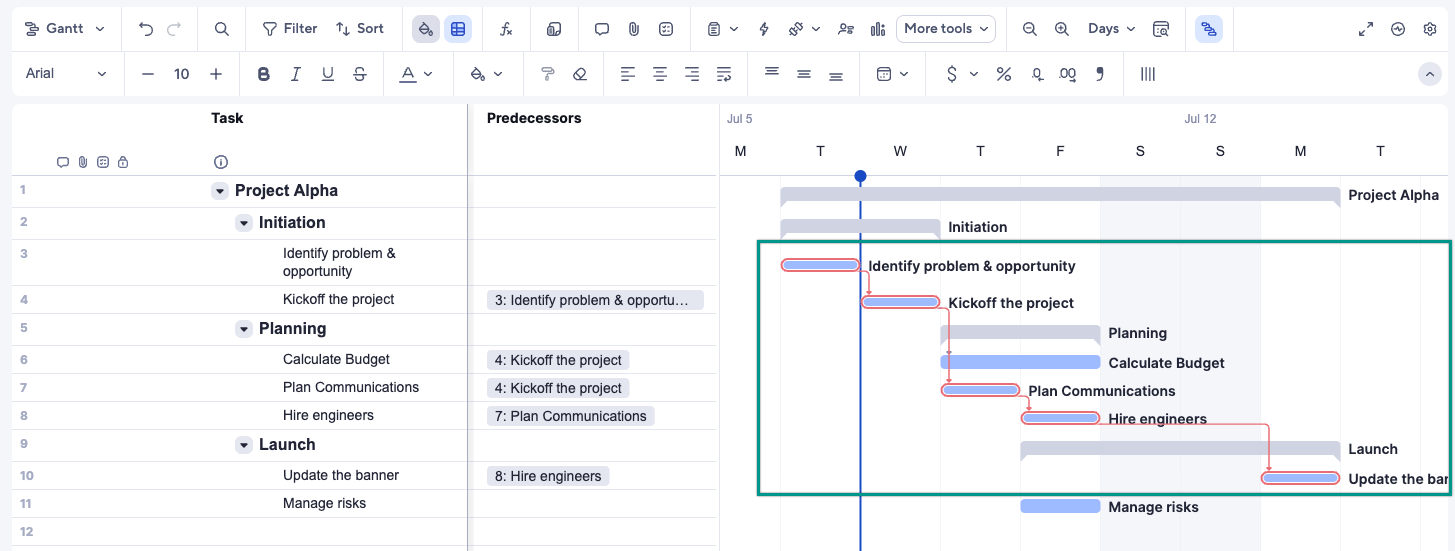
The Wrike gate it removes: Smartsheet lists predecessor dependencies and critical path from Pro at $9, in four types (FS, SS, FF, SF, with lag and lead), with the critical path shown in red on the Gantt view. The pricing page lists dependencies from Pro, while one help article names Business and Enterprise, so confirm the plan before you buy. Wrike's critical path starts on Business at $25. Pro is only available to new customers, and it covers 1 to 10 members.
Where its own gates sit: baselines (one per sheet), timeline view, workload tracking, proofing and conditional form logic are Business. Portfolios, Collections and Scenario Planning are Enterprise, so Wrike's portfolios on Team have no equivalent below that. Resource Management is an add-on on Business and up with no listed price. SAML SSO is Enterprise, where Wrike's is Pinnacle.
Seats and limits: Pro includes unlimited free Contributors and Business adds unlimited free Guests, who can view, comment or edit only where granted. Business sheets hold 20,000 rows, 400 columns and 500,000 cells. Pro reports pull from 1 sheet and allow 250 automation runs a month, and Business and up are unlimited.
Coming from Wrike: No Wrike route is documented. The file importer takes Excel and CSV files up to 50 MB on Pro and above, plus Microsoft Project files, so the route is an Excel export from each Wrike folder or project. Formulas aren't preserved, and dependencies should be planned as predecessors to rebuild.
- your PMO wants dependencies, critical path and baselines on data it already keeps in rows
- you have many outside reviewers: Pro includes unlimited free Contributors and Business adds unlimited free Guests
- you want a portfolio rollup on a mid-tier budget: Portfolios start on Enterprise
- you want a permanent free tier: there's none, only a 30-day trial
- Users like
- ease of use (2,360 mentions), organization and automation (1,666) and team collaboration and integrations (1,516)
- Users dislike
- a steep learning curve (1,183 mentions), missing features such as limited support and printout branding (899) and unintuitive filters, pivot tables and form options (842)
- Source: G2, 23,256 reviews
- Starting price
- Pro $9 and Business $19 per member per month billed yearly ($12 and $24 monthly); Enterprise and Advanced Work Management by quote; no permanent free plan
- Free tier
- None permanent, 30 days free trial without credit card
- Trello import
- Direct importer from File > Import on Pro, Business, Enterprise; 5,000 cards or 50 lists, archived cards skipped
- Board view
- Pro, Business, Enterprise; groups by one dropdown, contact or symbol column; legacy Card View replaced by board view in September 2026
- Dependencies and critical path
- Pro and up; critical path shows in red in Gantt view, baselines and timeline view need Business
- Guests
- Pro: unlimited free Contributors; Business and up: unlimited free Guests
- SAML SSO
- Enterprise and AWM only
- Portfolios
- Enterprise
- Event reporting, data egress controls, customer-managed keys
- Enterprise or Advanced Work Management
- Regions
- US, EU, Australia; Gov in AWS GovCloud
- Sheet limits
- 20,000 rows, 400 columns, 500,000 cells
- Trust page
- SOC 2, ISO 27001, ISO 27701, FedRAMP; HIPAA through a BAA on Enterprise
- Baselines
- Business and up
- Dependency types
- FS, SS, FF, SF with lag and lead; an owner or admin enables dependencies per sheet
- Baselines plan
- Smartsheet help lists Pro, Business and Enterprise; the pricing page summary from October lists Business and up
- Free external seats
- Pro: unlimited Contributors; Business+: unlimited Guests
- Guest rights
- View, comment or edit only where granted; cannot create sheets
- Dynamic View
- Business and up; add-on from $125/month
- WorkApps
- Enterprise and AWM; unpaid viewers need Collaborator pack
- Branding and activity log
- Custom colors and logos, activity log: Business+
- Approvals and DocuSign
- Approval requests all plans; DocuSign Enterprise only
- Client seat rule
- No for Contributors on Pro and Guests on Business and up (unlimited and free); WorkApps sharing with unpaid users needs the paid Collaborator pack.
- Plan gates (pricing page, 2026-11-13)
- Timeline view, workload tracking, baselines, proofing, conditional form logic: Business and up; Portfolios, Collections, Scenario Planning: Enterprise and up; Resource Management: add-on on Business and up with no listed price
- Pro limits
- Reports pull from 1 sheet, 10 widgets per dashboard, 250 automation runs per month, 20 GB storage; Business and up unlimited
- Large sheets
- Business plans stay at 20,000 rows, 400 columns and 500,000 cells; large-scale sheets (100,000 rows, 1,000,000 cells) are Enterprise and up and don't support automated workflows, connectors or the mobile app
- Export
- File > Export: Excel, Google Sheets, PDF, PNG (Gantt only) and Microsoft Project XML (Gantt only); Excel export drops formulas, attachments, groupings and summary rows
- Dependencies plan
- Pricing page lists dependencies from Pro; one help article says Business and Enterprise (conflict, checked 2026-11-18)
- Rows per sheet
- Business: 20,000 rows, 400 columns, 500,000 cells; Enterprise and Advanced Work Management: 100,000 rows
- Cross-sheet references
- Up to 100 unique cross-sheet references per sheet; formula based, no relational link field
- Dependencies
- Pro per pricing page; Business per one help article
- Free plan
- None, 30-day trial
Asana
A like-for-like swap on price and tiers
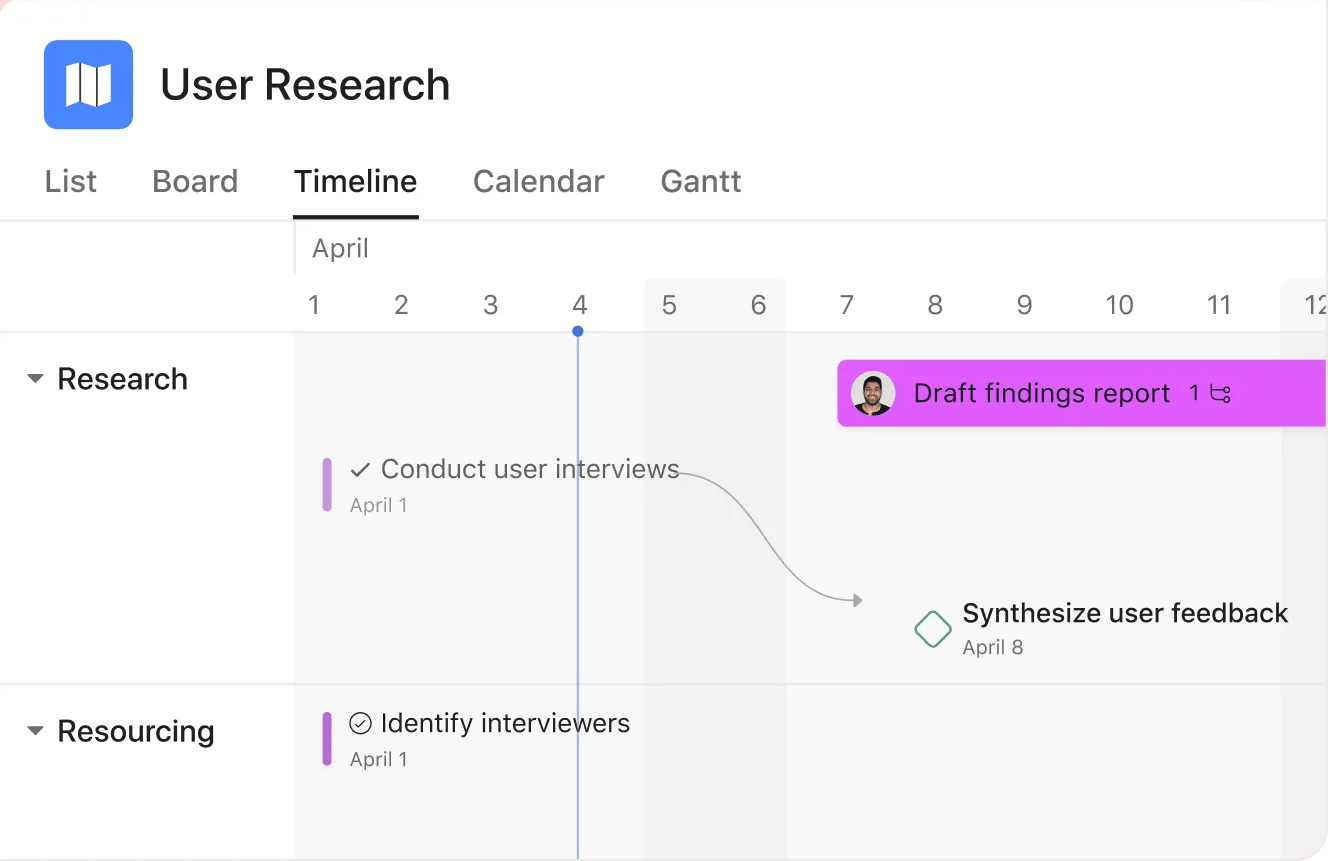
Asana fits a PMO that wants a like-for-like swap: a similar tier structure at a similar price, with an interface reviewers find easier on day one.
The Wrike gate it removes: Asana puts Timeline, Gantt, four dependency types with auto-shifting dates and reporting dashboards on Starter at $10.99, close to Wrike Team at $10. Advanced at $24.99 adds portfolios, goals, resource management within one portfolio, approvals and proofing, tables and time tracking, which lines up with Wrike Business at $25. Guests are free on Starter and up, where Wrike's editing externals are paid seats.
Where its own gates sit: the free guests must use a different email domain than your organization, so a colleague on your own domain who only comments is a paid seat. Billable rates and cost budgets sit in the Timesheets and Budgets add-on, which has no published price, and Wrike's sit on Pinnacle. Universal resource management and capacity planning across the organization are Enterprise. The Client Management portal add-on, per Asana's own agency page, requires joining a waitlist. A critical path feature isn't documented in the vendor material.
Seats and limits: the free Personal plan covers 2 users. AI Teammates and Dash include 5 requests per user per month, up to 50 per account on Starter and Advanced.
Coming from Wrike: Asana has no native Wrike importer, and its import help describes a route through a Wrike Excel export and the CSV importer, which maps columns by name. A partner guide in Asana's forum lists a limit of 2,000 rows per CSV, no comments or attachments, and no due dates with times. Paid migration apps exist, and which plans can use the CSV importer isn't stated.
- you want approvals and proofing on Advanced at about the price of Wrike Business
- your outside partners use other email domains and you want them free as guests
- you need critical path or billable rates: critical path isn't documented and billable rates sit in an add-on with no published price
- your own-domain colleagues only comment: same-domain users are paid seats
- Users like
- easy daily use (762 mentions), organized tasks and projects (462) and easy setup (453)
- Users dislike
- confusing at first and a steep learning curve (247 mentions), reporting and automation locked to higher-priced plans (163), overwhelming notifications (160), an overwhelming feature set (153) and a high price for small teams (130)
- Source: G2, 14,132 reviews
- Starting price
- Personal free (2 users); Starter $10.99 and Advanced $24.99 per user per month billed annually ($13.49 and $30.49 billed monthly); Enterprise via sales
- Board view
- Included on the free Personal plan with list and calendar views; no native WIP limits per Asana forum answers
- Dependencies
- Starter, four types
- Automations
- Custom builder from Starter, no monthly cap shown on the pricing page; 50 automations per project, 20 triggers and 20 actions each
- Portfolios
- Advanced
- Import from Trello
- No first party Trello importer found; CSV importer lists Trello, about 2,000 rows, no comments or attachments per partner guide; Migrator.xyz listed as app
- Integrations
- Jira Cloud two way sync, Slack, Microsoft Teams and GitHub pull request sync listed on asana.com/apps
- Enterprise tier
- SAML SSO, SCIM provisioning, portfolios and dashboards, universal resource management, goals, Audit Log API (pricing page); quote only
- Trust page
- SOC 2 Type 2, ISO/IEC 27001:2022, HIPAA, GDPR
- Data residency
- Data centers in Europe, Australia and Japan; opt-in for Enterprise
- Client seat rule
- Guests are free on Starter and up but must use a different email domain. The Client Management add-on gives clients a private portal on top of a Starter or Advanced base plan.
- Client Management
- Add-on with a client portal (progress updates, shared tasks, New request); Asana's agency page says agencies must join a waitlist
- Proofing
- Advanced
- Approvals
- Approval tasks on Advanced and up (Approved, Changes requested, Rejected)
- Time and budgets
- Timesheets and Budgets add-on (Starter and up), no published price; billable rates and cost budgets sit there; no retainer feature found
- Intake forms
- Forms on Starter; branching and customization on Advanced
- Portfolio and workload
- Portfolios and workload within one portfolio on Advanced; universal resource management on Enterprise
- Integrations for agencies
- Adobe Creative Cloud, Figma, Slack, Google Drive, Xero and Harvest listed
- Basecamp import
- No Basecamp importer documented; the CSV importer is the route
- Guest rule
- Guests are free only when their email domain differs from the organization's; same-domain users are paid seats
- Personal plan
- Free for 2 users: unlimited tasks and projects, list, board and calendar views, 100 MB per file, 100+ integrations; no timeline, dependencies or dashboards (as of November 2026)
- Starter plan
- Timeline and Gantt, reporting dashboards, unlimited automations, forms, custom templates, custom fields, unlimited free guests (pricing page, as of November 2026)
- Advanced plan
- Unlimited portfolios, goals, resource management within one portfolio, approvals and proofing, tables, time tracking, forms branching (pricing page, as of November 2026)
- Enterprise plan
- SAML, SCIM, universal resource management, capacity planning, service accounts, view-only licenses (pricing page, as of November 2026)
- Free plan
- Personal, 2 users
Teamwork.com
Billable client work with free client users
Teamwork.com fits a PMO or agency that bills clients and wants dependencies, billable time, client users and proof reviewers without a quote-only tier.
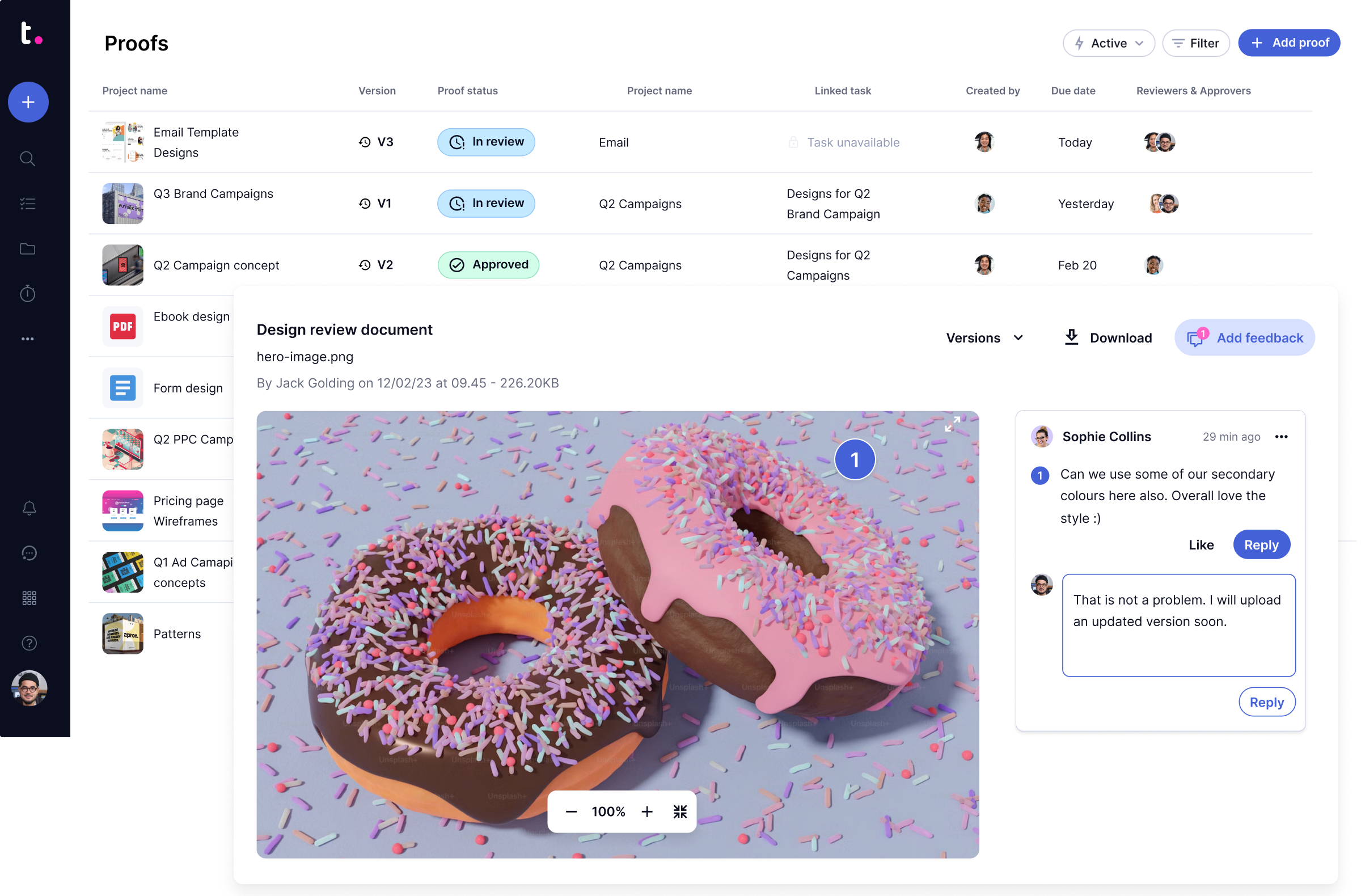
The Wrike gate it removes: dependencies are on every Teamwork.com plan, including Free, and so is billable time. Wrike moves billable and non-billable time with rates and budgets to Pinnacle, which has no public price. Proofs let reviewers approve a file or link with no Teamwork.com account, with 5 proofs on Free, 20 on Basics and unlimited from Accelerate.
Where its own gates sit: critical path, the workload planner, user rates on company timesheets, time-based retainers, accounting integrations (Xero, QuickBooks, FreshBooks) and intake forms with conditional logic start on Accelerate at $24.99, almost the price of Wrike Business. Resource scheduling and tentative projects need Optimize, and financial budgets and profitability are Optimize and Enterprise, which have no public price. Dependent tasks move only if you pick the including-dependents option in the date picker.
Seats and limits: client users are free on Basics and up, up to 5 active projects each, and only standard users count toward the subscription. Collaborators are free on every plan, but they can't log time. Basics has a 3-user minimum and Accelerate a 5-user minimum. The Free plan allows 5 users, 5 projects and 100 automations.
Coming from Wrike: Teamwork.com documents an official Wrike importer (Settings, Import tab, Wrike) that only site admins in the owner company can run. It brings people and all or selected projects with their tasks, files and comments. Tasks aren't mapped to Board stages, Wrike's activity history doesn't appear in activity streams, and imported users don't get invitation emails. Reimport overwrites the earlier import, and Update adds only new Wrike items. Dependencies and custom fields aren't listed.
- you bill clients by the hour and want billable time on every plan, including Free, instead of Wrike's Pinnacle tier
- you want client users and proof reviewers who cost no seat on a paid plan
- you need workload planning, retainers or accounting sync: those start on Accelerate at $24.99 with a 5-user minimum
- you want profitability or financial budgets: those sit on Optimize, which has no public price
- Users like
- project management capabilities (52 mentions)
- Users dislike
- steep learning curve (22 mentions) and missing features (19 mentions)
- Source: G2, 1,223 reviews
- Starting price
- Free (5 users); Basics $9.99 and Accelerate $24.99 per user per month billed yearly; Optimize and Enterprise by quote
- Free plan
- 5 users
- Dependencies
- Every plan, including Free
- Client users
- Free, Basics and up, only in client companies
- Automations
- Basics 5,000, Accelerate 20,000 per month
- Seat minimum
- Basics 3, Accelerate 5
- Critical path
- Accelerate
- Date changes
- Dependents move only if you pick 'including dependents' in the date picker
- Dependency types
- Finish-to-start and finish-to-finish shown in help; others not documented
- Microsoft Project
- Accelerate and up
- Client project cap
- Up to 5 active projects each
- Free proof reviewers
- No license or account needed to approve
- Collaborators
- Free, limited to completing tasks, comments, viewing files
- Client invoicing and intake forms
- Accelerate and up ($24.99)
- SSO
- Enterprise only; 2FA on all plans
- White label or custom domain
- Not documented
- Audit log
- Not documented
- Client seat rule
- No: client users are free and unlimited on Basics and up; only standard users count toward the subscription. Collaborators are free on every plan but can't log time.
- Active project cap
- Free 5, Basics 300, Accelerate 600, Optimize and Enterprise unlimited
- Client proofing
- Proofs area: one file up to 105 MB or a link, reviewers invited by email with no Teamwork account; 'Can approve' lets them request changes or approve. Free 5 proofs, Basics 20, Accelerate and up unlimited
- Billable time
- Every plan
- Retainers and budgets
- Time budgets and time-based retainers from Accelerate; financial budgets, fixed-fee budgets and profitability from Optimize
- Intake forms
- Basics and up; conditional logic from Accelerate
- Workload planner
- Accelerate and up; resource scheduling, placeholders and tentative projects from Optimize
- Accounting integrations
- Xero, QuickBooks and FreshBooks from Accelerate; Salesforce and NetSuite from Optimize
- Basecamp import
- Documented for Basecamp Classic, 2 and 3: people, projects, tasks, files and comments; tasks aren't mapped to Board stages and history isn't carried over; needs an active Basecamp subscription
- Integrations
- 150+ integrations stated by the vendor, including Slack and a Microsoft Office add-in
- Message board
- Project-scoped Messages, enabled in project settings
Adobe Workfront
Enterprise work management for creative teams
Workfront fits a large agency or in-house creative team that wants intake, proofing, resource planning and Adobe Creative Cloud in one governed system and already buys through sales.
The Wrike gate it moves: Workfront is the like-for-like choice for the Pinnacle end of Wrike, because both are by quote. Intake request queues with custom forms and auto-routing, review and approval, and resource management are listed in all three plans (Select, Prime and Ultimate), where Wrike holds request forms and guest approvals for Business. Comments and approvals run inside InDesign, Illustrator, Photoshop, XD, Premiere Pro and After Effects through an Adobe Exchange add-in.
Where its own gates sit: portfolio management with business cases and scorecards starts on Prime, and Select doesn't include it. A project request carries a Business Case, and the Portfolio Optimizer ranks projects by value, alignment, financials, scorecard and ROI. Scenario Planner is a separate license, and Adobe's access page says it's Ultimate only and no longer sold to new customers. Connectors to Slack, Microsoft Teams and Figma run through Workfront Fusion, a separate license.
Seats and limits: advanced proofs allow guest reviewers without a Workfront login, with optional login, e-signature and locking. Billing records track billable hours and expenses, but Workfront doesn't issue invoices. No retainer feature turned up. Whether the core app has a free-client seat rule isn't documented. G2 reviewers give an average implementation time of 4 months and 14 months to return on investment.
Coming from Wrike: No Wrike route is documented. Adobe's documentation offers Kick-Start Excel templates and Microsoft Project import, and a community answer suggests Workfront Fusion or the API for large migrations. Plan an Excel export from Wrike and a mapping pass by an administrator.
- you are a large agency or in-house creative team that needs intake, proofing, resource planning and Adobe Creative Cloud in one governed system
- you need portfolio management with business cases and scorecards (Prime and up)
- you want to see a price before a sales call: Adobe publishes none
- you want to run what-if scenarios on a new license: Scenario Planner is Ultimate only and closed to new customers
- Users like
- project management and ease of use
- Users dislike
- learning curve and not intuitive
- Source: G2, 1,234 reviews

- Starting price
- No public price: Select, Prime and Ultimate are quote only
- Plans
- Select, Prime, Ultimate by quote
- Portfolio management
- Prime and Ultimate
- Review and approval
- Listed in all three plans; advanced proofs allow guest reviewers without a Workfront login, optional login, e-signature and locking
- Creative Cloud
- Comments and approvals inside InDesign, Illustrator, Photoshop, XD, Premiere Pro and After Effects via an Adobe Exchange add-in
- Intake
- Request queues with custom forms and auto-routing, listed in all three plans
- Resource management
- Project-level and global allocation, listed in all three plans; depth per tier not documented
- Dependencies
- Task predecessors with lag, cross-project predecessors and a Gantt view
- Client seat rule
- Not documented for the core app; proof guest reviewers need no login
- Billing
- Billing records track billable hours and expenses; Workfront doesn't issue invoices
- Retainers
- No retainer feature found
- Connectors
- Slack, Microsoft Teams and Figma through Workfront Fusion, a separate licence
- Portfolio Optimizer
- A project request carries a Business Case; the portfolio manager reviews it, then ranks projects in the Portfolio Optimizer by value, alignment, financials, scorecard and ROI, checks resources, and approves with a baseline
- Portfolios and programs
- A portfolio is a collection of projects with common goals; a program belongs to exactly one portfolio and a project links to one program at a time; the Optimizer can't compare projects inside a single program
- Scenario Planner
- Adobe's access page says Ultimate package only and no longer available for purchase to new customers; the feature page says a separate license
- Portfolio budget
- Entered manually at portfolio level
- G2 implementation time
- 4 months on average, 14 months to ROI
- Integrations (docs)
- Adobe Experience Manager Assets, Jira, Salesforce, Slack, Google Workspace, Creative Cloud; Fusion is a separate low-code connector
- Resource Planner
- Available, planned, budgeted and net hours, FTE or cost by user, role or project; weekly granularity; red marks overallocation
- Proofing
- Guest reviewers without a login
- Free plan
- None published
Celoxis
Portfolio management with a published price ladder
Celoxis fits a mid-size PMO that wants intake, capacity, dependencies and portfolio reports in one tool with prices it can budget before a demo.
The Wrike gate it moves: Celoxis publishes the whole ladder that Wrike hides behind a quote. Portfolio dashboards start on Core at $10, executive portfolio reporting, job roles, work calendars, timesheets and resource conflicts on Essentials at $25, intake and risk with expenses and costing on Professional at $35, and billing on Business at $45. Workload tracking and capacity planning are listed on every plan from Core, and baselines are on every plan.
Where its own gates sit: dependencies come in all four types with lead and lag, and each task is either auto-scheduled, following predecessors and the assignee's work calendar, or manually scheduled. An admin sets an optimal load range, for example 80 to 90 percent, and resource load turns blue under, green optimal and red over-allocated. There are 8 built-in portfolio reports. Intake ranks requests against your own KPIs, with scored intake on Professional. Jira, Azure DevOps, QuickBooks Online and Zapier are add-ons below Enterprise.
Seats and limits: a minimum of 5 full-access users applies, read-only users are free, and there's a 14-day trial with no credit card. The what-if project state is created in Admin, and the knowledge base notes there's no undo.
Coming from Wrike: No Wrike importer is documented. The CSV task import takes Name, Description, planned start and finish, Predecessors as semicolon-separated WBS codes, Resources, Effort and custom fields, and custom fields must exist before you import. The knowledge base doesn't state a row limit or plan.
- a mid-size PMO wants intake, capacity, dependencies and portfolio reports with prices it can budget before a demo
- you test new projects against current resource load before you approve them
- you want a light board tool your teams adopt in a week: reviewers mention a steep learning curve and heavy setup
- your people update plans mostly on phones: the mobile app is a recurring complaint
- Users like
- project management, tracking, ease of use, time tracking and dashboards
- Users dislike
- a learning curve and a complex interface
- Source: G2, 759 reviews

- Starting price
- Core $10, Essentials $25, Professional $35 and Business $45 per user per month billed annually; 5 full-access users minimum
- Program tier
- Essentials, $25 per user per month (executive portfolio reporting)
- Dependencies
- All four types across projects, with lead and lag
- Portfolio reports
- 8 built in
- Resource workload and capacity
- Workload tracking and capacity planning listed on every plan from Core; job roles, work calendars, timesheets and instant conflicts from Essentials
- Optimal load
- Admin sets a range (for example 80 to 90 percent); blue under, green optimal, red over-allocated
- Auto vs manual scheduling
- Each task is auto-scheduled or manually scheduled; auto tasks follow predecessors and the assignee's work calendar
- Baselines
- Every plan per the pricing table
- Work calendars
- Essentials and up
- Intake
- Requests from email, web forms and spreadsheets go into one queue and are ranked against your own KPIs; project intake management starts on Professional
- Capacity
- Workload is read across every project a person is booked on; capacity planning is listed on every plan from Core; job roles, work calendars, timesheets and resource-conflict visibility from Essentials
- Financials
- Budgets at project and task level, job-role rates, planned versus actual by project and portfolio; expenses and costing from Professional, billing from Business
- Seats
- Minimum 5 full-access users; read-only users free; 14-day free trial, no credit card
- Integrations
- Jira, Azure DevOps, QuickBooks Online and Zapier are add-ons below Enterprise
- Scenario planning
- The features page names what-if analysis under request tracking and gives no detail
- What-if
- A What-if project state you create in Admin, then filter Resource Load by it; the knowledge base notes there is no undo
- Minimum
- 5 full-access users; 14-day trial, no credit card
- Portfolio dashboards
- Core
- Executive reporting
- Essentials
- Billing
- Business
- Free plan
- 14-day trial
ProofHub
Flat price, unlimited users and native proofing
ProofHub fits a team that wants to stop paying per seat, review PDFs and images with outside clients, and keep Gantt dependencies and time tracking in the same tool.
The Wrike gate it removes: ProofHub has no per-user fee at all. Essential is $45 a month billed yearly for unlimited users and 40 projects with 15 GB, and Ultimate Control is $89 a month billed yearly for the first three months, then $135, with unlimited projects and 100 GB. Wrike Team stops at 15 users and Business at 200, and charges $10 or $25 for each of them.
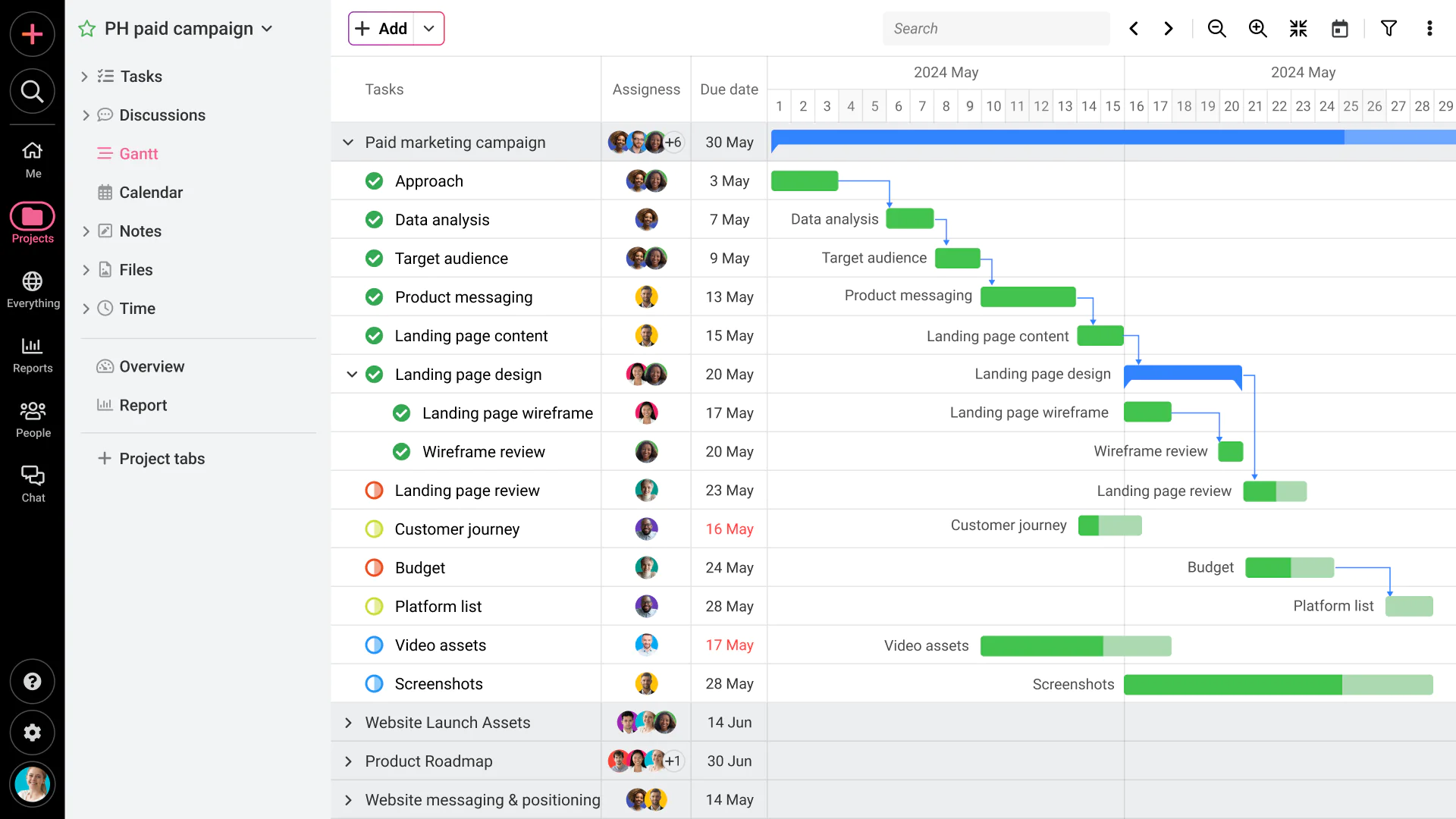
Where its own gates sit: a Gantt chart with dependencies, built-in time tracking with estimates and utilization reports, native request forms and project, resource, workload and custom reports are on the plan page. Which features separate Essential from Ultimate Control beyond project count and storage isn't documented. Native proofing covers PDF, JPG, PNG, GIF and BMP files, and outside reviewers use a link without an account. Critical path and baselines aren't documented, and the vendor names seven integrations: Slack, Box, Dropbox, Google Calendar, OneDrive, FreshBooks and QuickBooks.
Seats and limits: access is by custom roles with view, add or manage rights per section, with no dedicated client role. There's no free plan. The first paid step is $45 a month for the whole team.
Coming from Wrike: No Wrike importer is documented. The CSV task import maps users into a task list and is capped at 100 tasks per import, so a large Wrike project needs several passes.
- you want to stop paying per seat: both plans are flat with unlimited users
- you review PDFs and images with clients and want outside reviewers to approve through a link without an account
- you need a free plan: there isn't one, and the first paid step is $45 a month
- you need a deep third-party integration list: the vendor names seven integrations
- Users like
- organization and task management (6 mentions each)
- Users dislike
- a less intuitive mobile interface (2 mentions); the sample is small
- Source: G2, 121 reviews
- Starting price
- Essential $45 a month billed yearly ($50 monthly, 40 projects); Ultimate Control $89 a month billed yearly for the first three months, then $135 ($99 and $150 monthly); no free plan
- Pricing model
- Flat per plan, unlimited users, no per-user fee
- Essential
- $45 a month, 40 projects
- Ultimate Control
- $89 per month billed yearly for the first three months, then $135; unlimited projects, 100 GB
- Free plan
- None
- Gantt and dependencies
- Gantt chart with dependencies
- Time tracking
- Built in, with estimates and utilization reports
- Proofing
- Native, link review
- Request forms
- Native
- Reports
- Project, resource, workload and custom reports
- Client access
- Custom roles with view, add or manage rights per section; no dedicated client role
- Basecamp import
- Built-in importer for Basecamp Classic, Next and 3; brings people (clients excluded on Basecamp 3), discussions, to-dos, documents and files; Basecamp 4 and 5 not mentioned
- Integrations
- Slack, Box, Dropbox, Google Calendar, OneDrive, FreshBooks, QuickBooks
- Ultimate-only features
- Not documented
- Price model
- Flat, unlimited users
How to move out of Wrike
Moving out starts with the export, because only two of the eight tools document a Wrike importer: ClickUp and Teamwork.com. The rest take an Excel or CSV export. Wrike's Excel export is available on all plans except for Collaborators, Contributors and Viewers, runs from a folder, project or space menu under Export, and includes tasks and subtasks with statuses, dependencies, assignees, dates, durations, time log entries and custom fields. Attachments and comments aren't in it, formula custom fields are left out, and a task tagged to several folders appears once per folder. The export is capped at 65,000 rows and 256 columns. A full account backup as zipped JSON, with attachments stored in Wrike, is a Business and up feature, runs once per 24 hours and can't be re-imported into Wrike.
| Tool | Wrike importer | What arrives | What doesn't, or the limit |
|---|---|---|---|
| ClickUp | Yes, official | Spaces, projects as Lists, workflows as statuses, tasks | Unmapped assignees are dropped; dependencies and plan limits aren't stated |
| Teamwork.com | Yes, official, site admins only | People, projects, tasks, files, comments | Board stages, activity history; dependencies and custom fields aren't listed |
| Asana | None; Excel export, then CSV import | Rows mapped by column name | Comments and attachments; about 2,000 rows per CSV |
| monday.com | None; Excel or CSV import | A new board of up to 8,000 rows, first 50 columns | Comments, attachments, formulas; 10 MB per file |
| Smartsheet | None; Excel and CSV up to 50 MB | Rows from a file | Formulas |
| Workfront | None; Kick-Start Excel templates and Microsoft Project files | Rows from a template | Administrator mapping; Fusion or the API for large migrations |
| Celoxis | None; CSV task import | Tasks, predecessors as WBS codes, resources, effort, custom fields | Custom fields must exist first |
| ProofHub | None; CSV task import | Tasks into a task list with user mapping | 100 tasks per import |
Whichever route you take, run one live project through it first. Comments, attachments, custom fields and dependencies are the four things that most often arrive as plain text or not at all.
- Pick one live project that uses folders, a dependency chain and one custom field you can't live without
- Export it from Wrike first and note what the file doesn't contain, such as comments and attachments
- Run the import and list what arrived as plain text, such as dependencies and custom fields
- Rebuild one rule or automation and count how many runs it uses against the new plan's monthly limit
- Invite one outside reviewer and check that they don't use a paid seat
- Price the plan for your real number of editors, with seat minimums and add-ons
Which alternative fits your team size, budget and reviewers?
The alternative that fits your team depends on three questions: how much scheduling you need, who has to be a paid seat and what you want to see a price for before a sales call. For critical path and workload at the lowest price, ClickUp Business at $17 leads, followed by monday.com Pro and Smartsheet Business at $19. For a like-for-like swap, Asana Advanced at $24.99 sits next to Wrike Business at $25. For billed client work, Teamwork.com puts billable time and client users on every paid plan, and for creative review on Adobe Creative Cloud, Workfront is the enterprise match.
Team size changes the arithmetic. At 5 users Wrike Business costs $125 a month, against $85 on ClickUp Business, $95 on monday.com Pro and $45 flat on ProofHub Essential. At 25 users Wrike Business costs $625, against $425, $475 and $45 again, with ProofHub's Ultimate Control at $135 once the three-month intro ends. The gap closes where your plan needs a feature that sits two tiers up, so price the tier that holds your deciding feature, not the entry tier.
Hosting doesn't separate this field: all eight are cloud services, and the data-residency and security details sit on enterprise tiers. Wrike's own Trust Center lists SOC 2 Type II, ISO 27001, ISO 27018, HIPAA and GDPR, with US and EU data centers, and the tools here publish comparable certifications on their trust pages. Check SSO, SCIM and audit logs before you buy, because most of them are held back for the quote-only tier.
Where a work management tool stops and a program view starts
A work management tool stops where dependencies cross tool boundaries. Wrike and the tools above show the dependencies you enter inside one workspace, but they don't watch the links between teams that work in different tools once your program spreads across Jira and Asana. The Program Manager maps those dependencies, so it's relevant if some teams stay on Asana or Jira after the move. It reads dependencies and milestones from Jira and Asana and doesn't replace a scheduler, and its live connectors are Jira Cloud, Asana and Slack, not Wrike, monday.com or ClickUp.
Frequently asked questions
What is the best alternative to Wrike?
The best alternative to Wrike depends on which gate hurt first. ClickUp and monday.com put critical path and workload on a cheaper tier, Smartsheet suits sheet-based schedules, Asana is the closest like-for-like swap, Teamwork.com fits billed client work, and ProofHub removes seat pricing. Check the plan that holds dependencies, critical path and your reviewer rule before you compare prices.
Is Wrike free?
Yes, but the Free plan holds 200 active tasks and one shared space, with no Gantt, and Excel import isn't available on it. Paid plans start at $10 per user per month billed yearly on Team, for 2 to 15 users. For a free plan with dependencies, ClickUp Free Forever and Teamwork.com Free both include them.
What are the downsides of using Wrike?
The downsides G2 reviewers name most are a steep learning curve (305 mentions), a tool that isn't intuitive (239), missing features such as visualizations and advanced reporting (203), limited advanced calculations (190) and an overwhelming feature set (171). On the plan side, critical path and workload sit on Business at $25 per user, Team stops at 15 users, and billable time and single sign-on are Pinnacle features with no public price.
Which is better, Wrike or monday.com?
Wrike is better for portfolios at a low tier, because portfolios start on Team at $10, and for guest approvals and request forms on Business. monday.com is better for customizable boards and for critical path and workload at $19 on Pro, but its portfolio board is Enterprise only. See Wrike pricing and monday.com pricing for the plan detail.
What are the top 5 project management tools?
Five widely used project management tools are Wrike, Asana, monday.com, ClickUp and Smartsheet. Wrike organizes work as folders and projects, Asana and ClickUp as tasks and projects, monday.com as boards and Smartsheet as sheets. Teamwork.com, Workfront, Celoxis and ProofHub are common choices when you want billed client work, enterprise creative operations, portfolio pricing you can see or a flat fee.
Can I move my projects out of Wrike?
Yes, but only ClickUp and Teamwork.com document an official Wrike importer. Asana, monday.com, Smartsheet, Workfront, Celoxis and ProofHub take an Excel or CSV export, which carries tasks, dependencies, dates and custom fields but not comments or attachments. Wrike's Excel export is capped at 65,000 rows, and a full JSON backup with attachments needs Business or higher. Run one live project through the route before you plan the cutover.