
Agency project management software has to do more than track tasks. It has to let a client in without buying them a seat, route creative files to an approver, record billable hours, and keep a retainer from quietly running over. Plenty of tools do the first part very well, but they charge extra, or ask for a higher plan, for the rest.
We compared eight tools on those points. For each one we read the pricing page, a feature page and a help article that shows how a client job works in practice, and we checked G2 for the rating. We didn't run the products. Where a detail wasn't documented, the entry says so, so you know what to ask in a demo, although the answer may change with the plan. If you run client work as part of a larger portfolio and not as a single agency, our guide to project management software is the broader starting point.
- agency project management tools compared
- 8
- list unlimited free client or guest access on a paid plan (Teamwork, Productive, Asana)
- 3
- counts clients toward the user cap on every plan (Basecamp)
- 1
- publishes no price at all (Adobe Workfront)
- 1
Which agency project management software is best?
No single tool wins, of course, because agencies differ on three things: how many clients log in, whether they bill by the hour or by retainer, and how formal creative approval has to be. Teamwork and Productive are built around billing. Wrike and Asana are stronger on review and intake once you pay for the higher plan. monday.com and ClickUp are flexible work tools that agencies shape themselves. Basecamp is the simplest, and Adobe Workfront is without question the enterprise option. The tag on each pick names the plan or price rule that decides the real cost.
 Best for billing clients by the hourTeamwork.comFree client users on Basics and up, billable time on every plan, proofs for reviewers with no account. Basics is $9.99 per user per month billed yearly.
 Best for retainers and project budgetsProductiveClients are free and unlimited. Recurring retainer budgets with rollover and invoice drafts start on Professional at about $25 to $29 per user per month.
 Best for client review of creative filesWrikeGuest reviewers, approvals and the Adobe Creative Cloud extension on Business at $25 per user per month. Billable time and budgets need Pinnacle.
 Best for intake and approvals across many client projectsAsanaForms from Starter, proofing and approvals from Advanced at $24.99 per user per month. Billable time and budgets need a paid add-on.
 Best for a customizable board for each clientmonday.comA request form on every plan and three free guests on Standard. Time tracking and workload start on Pro at $19 per seat per month.
 Best for time tracking and forms on a small budgetClickUpTime tracking on every plan, unlimited forms from Core at $9 and proofing from Business at $17 per user per month billed yearly.
 Best for a small agency that wants one flat priceBasecampFlat plans from $29 per month with a client mode per project. Clients count toward the user cap, and time tracking starts on Pro Plus.
 Best for large agencies and in-house creative teamsAdobe WorkfrontIntake, proofing with guest reviewers, resource management and Creative Cloud add-ins in three plans, all quote only.
What makes project management software different for an agency?
An agency sells time and outcomes to people outside the company, so the tool has to handle things a normal team board never meets. Five of them decide most buying choices.
- Client access. Clients need to see progress, comment and approve work without seeing internal notes, and they shouldn't need a login they can't use. The question that matters most is who counts as a paid seat. Some tools give clients unlimited free logins, some cap them, and some bill them like staff.
- Billable time. Hours logged against a client need a rate, a billable flag and a timesheet someone can approve. Many tools track time but only attach rates and budgets on a higher plan.
- Retainers and budgets. A retainer is a recurring pool of hours or money. The tool needs to show how much is used and what happens to unused hours at the end of the month, because that's where retainers go wrong.
- Proofing and approvals. Creative work goes through rounds of feedback on a specific spot in an image, PDF or video. A formal approval records who signed off and on which version.
- Intake. Client requests arrive as a form that becomes a task or project in the right place, with the right owner.
Everything else, such as Gantt charts, dependencies and automations, matters for agencies too, but it's much the same in any work management tool. The five above are where the plans and prices diverge.
Project management tool or agency PSA suite?
A project management tool starts from tasks and files and adds time and budgets. A professional services automation (PSA) suite starts from the money: quotes, resource bookings, billing and profitability, and adds tasks on top. Productive and Teamwork's higher plans sit between the two. Most of the other tools here are project tools that agencies adapt, and that's fine for many teams.
| Model | Tools in this list | Strong at | Usually missing |
|---|---|---|---|
| Billing-led platform | Productive, Teamwork | Billable time, budgets, retainers, quotes, client users | Formal creative proofing (Productive) and public pricing for the top plans |
| Work management suite | Wrike, Asana, monday.com, ClickUp | Intake, tasks, views, review of files | Native billable rates and retainers on lower plans |
| Simple all-in-one | Basecamp | Flat price, client mode, message boards | Proofing, billable rates, dependencies |
| Enterprise work management | Adobe Workfront | Intake, proofing, resource management, Creative Cloud | A public price, a quick start |
If you quote fixed fees and need to know whether a client was profitable, you'll want to start from the first row. If most of your pain is feedback rounds and handoffs, start from the second.
Agency project management software compared
The table shows the client seat rule first, because it's the cost most buyers miss. Prices are per user per month billed yearly unless stated.
| Tool | Type | Client seat rule | Starting price (USD) | G2 rating |
|---|---|---|---|---|
| Teamwork.com | Billing-led | Client users free and unlimited on Basics and up | Free up to 5 users; Basics $9.99, Accelerate $24.99 | 4.4 (1,218) |
| Productive | Billing-led | Clients free and unlimited; freelancers are paid seats | Essential about $10 to $12, Professional about $25 to $29 | 4.6 (99) |
| Wrike | Work management | Viewers free; guest reviewers need Business; editing externals are paid | Free; Team $10, Business $25 | 4.2 (4,553) |
| Asana | Work management | Guests free from Starter; client portal is an add-on | Free; Starter $10.99, Advanced $24.99 | 4.4 (14,107) |
| monday.com | Work management | 3 free guests on Standard, then 4 guests per billed seat; unlimited on Pro | Free; Basic $9, Standard $12, Pro $19 | 4.7 (17,940) |
| ClickUp | Work management | Guest seat pool per plan; guests can't open Workload | Free; Core $9, Business $17 (billed yearly) | 4.6 (15,312) |
| Basecamp | Simple all-in-one | Clients count toward the user cap | Free; flat from $29 per month | 4.1 (5,489) |
| Adobe Workfront | Enterprise | Not confirmed for the core app; proof guests need no login | Quote only | 4.1 (1,244) |
 The Program Manager Our product | Cross-tool dependencies and milestone risk | The Program Manager maps dependencies across Jira and Asana, watches every milestone for risk, and keeps blockers, decisions and approvals in one graph. | Team from $59 per workspace per month; card required at checkout | No reviews yet |
The 8 best agency project management software tools
Each entry names the kind of agency it fits, then shows how a client job moves through the tool: intake, review, then time and budget. The price appears in the entry and once in the table.
Teamwork.com
Teamwork.com
Billing-led project tool with free client users, proofs and billable time on every plan.
Teamwork fits a small or mid-size agency that bills clients by the hour and wants the client inside the tool without paying for their seat.
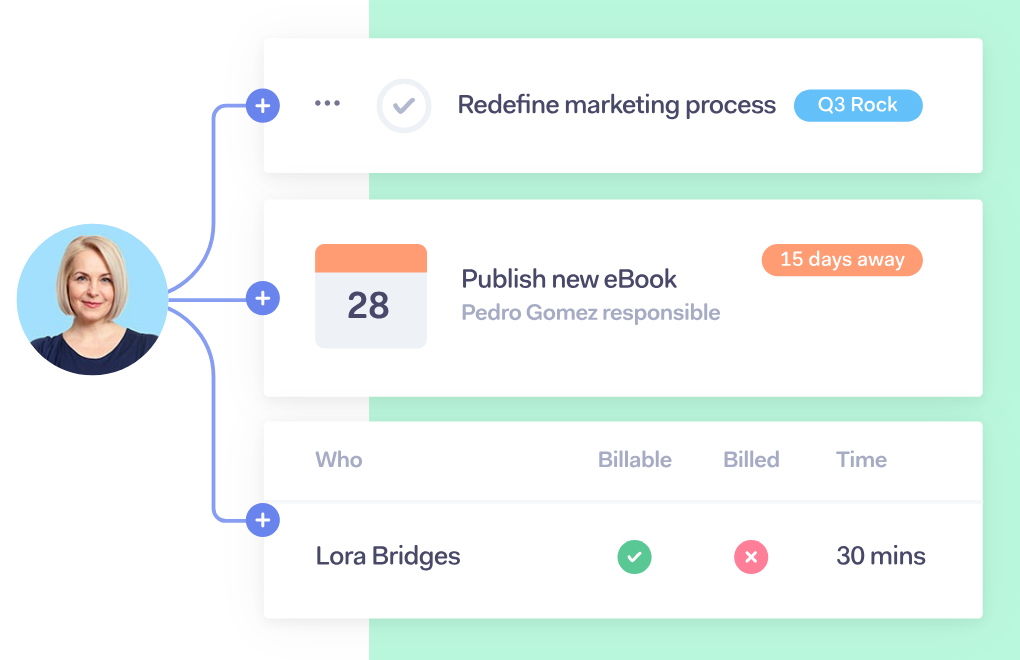
A project manager starts from a template and sends the client an intake form (Basics and up). The client joins as a client user, who can comment, add tasks and log time at no cost, because only standard users count toward the subscription. Collaborators are also free on every plan but can't log or view time.
Creative files go through Proofs: upload one file up to 105 MB or add a link, set a due date, and invite reviewers by email. They don't need a Teamwork account, and each is set to Can review or Can approve. The plan limits proofs: Free allows 5, Basics 20 and Accelerate and up are unlimited.
Time tracking and billable time run on every plan, including Free. User rates and company timesheets start on Accelerate at $24.99, which also adds time budgets and time-based retainers and a Workload Planner. Financial budgets, fixed-fee budgets and project profitability need Optimize, which has no public price. Xero, QuickBooks and FreshBooks sync from Accelerate.
- you bill clients by the hour and want billable time, proofs, intake forms and free client logins together
- you want client users and reviewers who cost no seat on a paid plan
- you need workload planning, retainers or accounting sync: those start on Accelerate at $24.99 with a 5-user minimum
- you want profitability or financial budgets: those sit on Optimize, which has no public price
- Users like
- project management capabilities (52 mentions)
- Users dislike
- steep learning curve (22 mentions) and missing invoicing features (19 mentions)
- Source: G2, 1,218 reviews
How it works in practice
Teamwork's active-project cap is quite generous after the free plan: Free 5, Basics 300, Accelerate 600, Optimize and Enterprise unlimited. We couldn't confirm Adobe Creative Cloud or Figma integrations on Teamwork's integrations page.
- Starting price
- Free up to 5 users; Basics $9.99, Accelerate $24.99 per user per month billed yearly
- Free plan
- 5 users, 5 projects, 100 MB, 100 automations
- Dependencies
- All plans, including Free; critical path from Accelerate
- Client users
- Free, Basics and up, only in client companies
- Automations
- Basics 5,000, Accelerate 20,000 per month
- Seat minimum
- Basics 3, Accelerate 5
- Critical path
- Accelerate and up ($24.99), not Free or Basics
- Date changes
- Dependents move only if you pick 'including dependents' in the date picker
- Dependency types
- Finish-to-start and finish-to-finish shown in help; others not confirmed
- Microsoft Project
- Accelerate and up
- Client project cap
- Up to 5 active projects each
- Free proof reviewers
- No license or account needed to approve
- Collaborators
- Free, limited to completing tasks, comments, viewing files
- Client invoicing and intake forms
- Accelerate and up ($24.99)
- SSO
- Enterprise only; 2FA on all plans
- White label or custom domain
- Not confirmed
- Audit log
- Not confirmed
- Client seat rule
- Client users free and unlimited on Basics and up
- Active project cap
- Free 5, Basics 300, Accelerate 600, Optimize and Enterprise unlimited
- Client proofing
- Proofs area: one file up to 105 MB or a link, reviewers invited by email with no Teamwork account; 'Can approve' lets them request changes or approve. Free 5 proofs, Basics 20, Accelerate and up unlimited
- Billable time
- All plans including Free; user rates and company timesheets from Accelerate; timesheet approvals from Optimize
- Retainers and budgets
- Time budgets and time-based retainers from Accelerate; financial budgets, fixed-fee budgets and profitability from Optimize
- Intake forms
- Basics and up; conditional logic from Accelerate
- Workload planner
- Accelerate
- Accounting integrations
- Xero, QuickBooks and FreshBooks from Accelerate; Salesforce and NetSuite from Optimize
- Proofs
- Free 5, Basics 20, Accelerate and up unlimited
- Retainers
- Time-based from Accelerate
Productive
Productive
Agency operations platform with free clients, rate cards and recurring retainer budgets.
Productive fits an agency that sells fixed fees and retainers and needs the project, the time and the budget in the same record.
Productive works from the budget outward. A project or deal carries a budget, tasks and time are booked against it, and the budget shows what has been used. Clients are added as users free of charge and with no limit, while freelancers and contractors are charged like employees. On Essential a client gets Client Collaborator access to projects and tasks only. Clients with Client Lead permission, on Professional and up, can also see a budget.
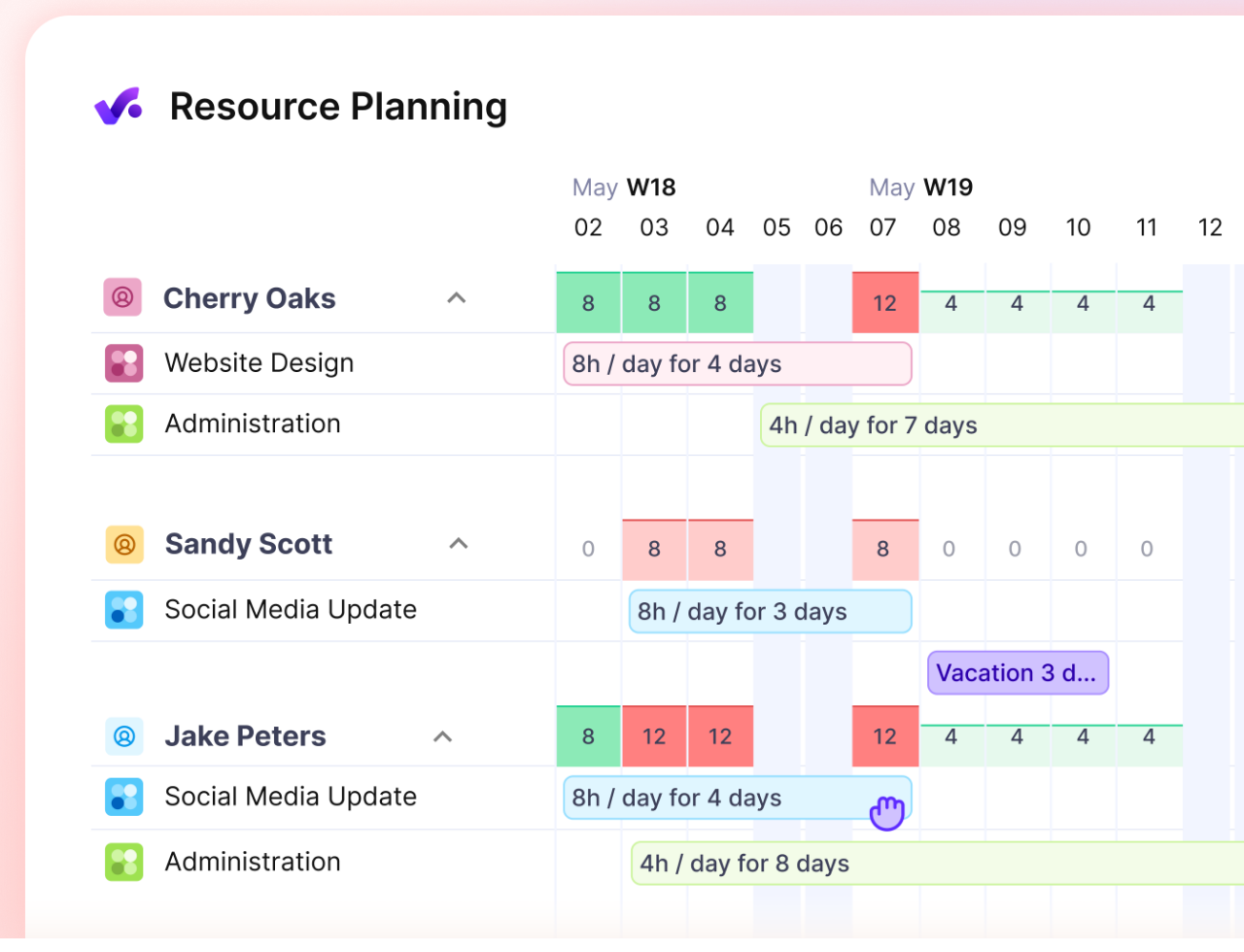
Retainers are a documented feature: a recurring budget runs weekly to annually, can roll over unused or overused hours and can create invoice drafts automatically. Marking a retainer deal as won creates the recurring budget. This starts on Professional. Rate cards, billable time approvals and the invoicing integrations are also on Professional. QuickBooks and Xero are on the integrations page.
The gaps matter for a creative agency. We found no proofing or annotation feature on Productive's vendor pages, and no plan for intake forms, dependencies or portfolio rollups, which is a clear gap for creative work. Adobe Creative Cloud, Figma and Google Drive aren't on the integrations page, so creative review would run in a separate tool.
- you bill by project or retainer and want budgets, rate cards and recurring retainer budgets in the same tool as time and resourcing
- you want clients added free, with budget visibility on Professional
- you need creative proofing: no annotation feature is documented, so you'd pair it with a separate review tool
- you need dependencies, a Gantt view or intake forms: none could be confirmed with a plan on vendor pages
- Users like
- ease of use (10 mentions) and customization (8)
- Users dislike
- missing features (3) and lack of integrations (3), reporting that is hard to work with (2)
- Source: G2, 99 reviews
How it works in practice
Productive's pricing page shows inconsistent annual and monthly figures between sections, with a three-seat minimum on every plan, so get a written quote for your seat count.
- Starting price
- Essential about $10 to $12, Professional about $25 to $29 per user per month
- Trial
- 14 days, no credit card
- Rate cards
- Professional
- Scenario Builder and revenue forecasting
- Ultimate
- Tentative bookings
- Excluded from scheduled hours until confirmed
- API
- From Essential
- Client seat rule
- Clients free and unlimited
- Retainers
- Recurring budgets on Professional
- Minimum seats
- 3
- Proofing
- Not documented
- Intake, portfolio and dependencies
- Not confirmed with a plan on vendor pages
- Accounting integrations
- QuickBooks, Xero, HubSpot and Slack on the integrations page; Adobe Creative Cloud, Figma and Google Drive not listed
- Billable time approvals
- Professional and up
Wrike
Wrike
Request forms, guest review and Creative Cloud extension on Business; billable time on Pinnacle.
Wrike fits an agency whose main pain is feedback rounds on creative files, such as performance creative, and requests from clients.
A client request starts in a request form on Business, built without code, with conditional logic and a public link, so people without a seat can submit it. The submission becomes a task, a project or a blueprint item. When files come back for review, you select them and click Start guest review. The reviewer gets an email, needs no Wrike account and sees only the files assigned to them. Business also adds file proofing, guest approvals, custom approval flows, time tracking, workload charts and the Adobe Creative Cloud extension.
Billable time is where agencies really get caught. Wrike lists billable versus non-billable time and budgeting with bill and cost rates on Pinnacle and up, not on Business. Pinnacle has no public price. QuickBooks and Power BI are native only on Pinnacle and up, although cloud storage connections work on all plans. Viewers are free to view and comment, but contributors and external users who edit are paid seats.
- you run client reviews on creative files and want guest reviewers, approvals and the Adobe Creative Cloud extension on Business
- you need request forms with a public link so clients can submit work without a seat
- you need billable time or budgets: they start on Pinnacle, which has no public price
- you want a flat, quick start: G2 reviewers name the learning curve (305 mentions) and call it not intuitive (239)
- Users like
- project tracking (477 mentions in G2's pros summary)
- Users dislike
- a steep learning curve (305 mentions), not intuitive (239) and a lack of built-in templates (203)
- Source: G2, 4,553 reviews

How it works in practice
We couldn't confirm native client invoicing in Wrike, or the plan tier for portfolio management, because the comparison table doesn't state it.
- Starting price
- Team $10 (2 to 15 users), Business $25 (5 to 200 users) per user per month billed yearly
- Free plan limit
- 200 active tasks and one shared space, no Gantt
- Board view
- All plans including Free
- Task dependencies
- Team and up, FS, SS, FF, SF
- Workload charts and request forms
- Business and up
- Programme timeline
- Pinnacle and Apex (quote)
- Automation actions per month
- 50 per seat Team, 200 Business
- SAML SSO
- Pinnacle and Apex only; SCIM also Pinnacle and Apex
- Audit reports
- Pinnacle and Apex: logins, role changes, SSO and 2FA changes, exports, sharing; export cap 65,000 events as XLS
- Portfolios
- Team and up
- Resource management
- Workload and time tracking from Business; job roles, bookings, budgeting and utilization dashboard on Pinnacle and Apex
- Trust Center
- SOC 2 Type II, ISO 27001, ISO 27018, HIPAA, GDPR
- Regions
- US and EU data centers; plan tier not stated
- Critical path
- Business, Pinnacle and Apex; not Free or Team (Wrike help)
- Gantt dependencies
- All four types with lead and lag; dependents move with a moved task, completed tasks stay put (Wrike Gantt page)
- Client seat rule
- Viewers free; guest reviewers on Business
- Client proofing
- File proofing, guest approvals and custom approval flows on Business and up; HTML5 proofing on Pinnacle and up. Guest reviewers get an email invite and see only files assigned to them.
- Time tracking
- Business and up (timer, manual entries, timesheets)
- Billable time and budgets
- Billable vs non-billable time and budgeting with bill and cost rates on Pinnacle and up, not Business
- Request forms
- Business
- Resource planning
- Resources view and workload charts on Business; job roles, bookings and utilization on Pinnacle
- Adobe Creative Cloud
- Business
- Native client invoicing
- Not confirmed
- Billable time
- Pinnacle
Asana
Asana
Forms, proofing and approvals on Advanced, with free guests; billing needs an add-on.
Asana fits an agency that runs many similar client projects from a form and wants approvals and proofing to be part of the work.
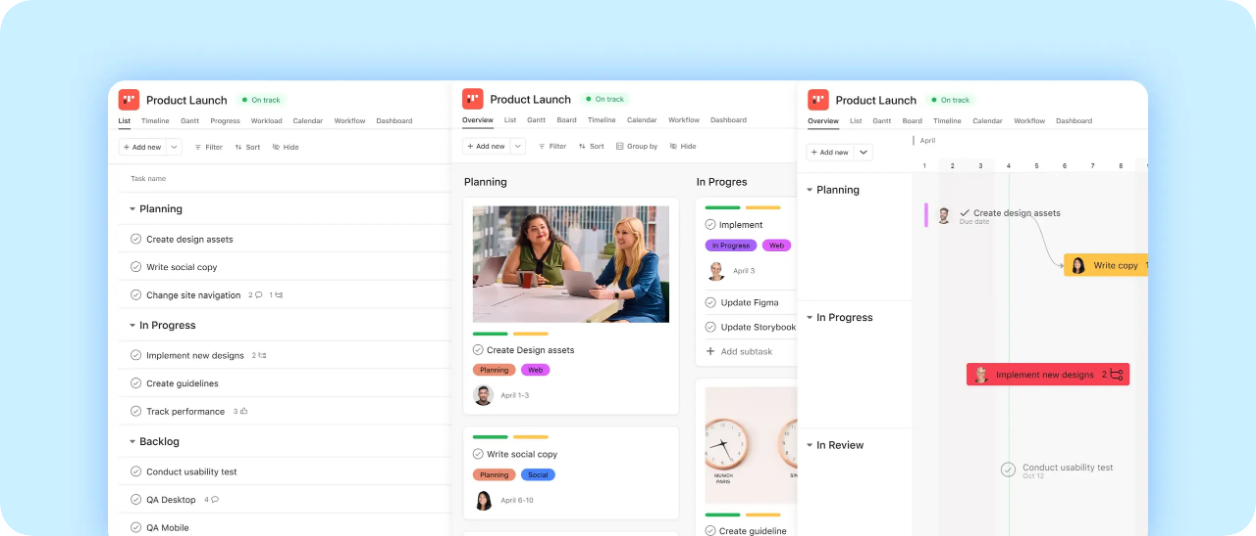
Forms turn client requests into tasks in the right project. Starter includes forms, templates and custom fields, and Advanced adds branching and customization. For review, you click a spot on an image or PDF attached to a task and add feedback, which creates a subtask that can have an assignee and due date. Approval tasks end in Approved, Changes requested or Rejected. Both proofing and approvals are on Advanced and up.
Guests are free on Starter and up but need an email domain different from your own. Clients can also get a private portal through the Client Management add-on, which runs on top of a Starter or Advanced base plan, but Asana's own agency page says agencies must join a waitlist for it. Portfolios and workload within one portfolio are on Advanced. Universal resource management across portfolios is on Enterprise.
Billable rates, project budgets and cost reporting come from the Timesheets and Budgets add-on, which has no published price. We found no retainer feature. Asana lists Adobe Creative Cloud, Figma, Slack, Google Drive and Xero among its integrations.
- you run many client projects through forms and want proofing, approvals and portfolio views on Advanced
- your clients and freelancers are guests from other email domains and you want them free
- you need billable rates or budgets: they come from a paid add-on with no published price
- you plan on the Client Management portal: Asana's own agency page says agencies must join a waitlist
- Users like
- ease of use (1,525 mentions) and task management (1,464)
- Users dislike
- a steep learning curve (605 mentions), missing features such as time tracking (597) and power tools locked behind higher tiers (531)
- Source: G2, 14,107 reviews
How it works in practice
If you're choosing between Asana and a work tool for your own portfolio, our Asana pricing and Asana review pages go further.
- Starting price
- Starter $10.99, Advanced $24.99 per user per month billed yearly
- Board view
- Included on the free Personal plan with list and calendar views; no native WIP limits per Asana forum answers
- Dependencies
- Starter and up; four types (FS, FF, SS, SF) with auto-shifting dates per the Asana help center
- Automations
- Custom builder from Starter, no monthly cap shown on the pricing page; 50 automations per project, 20 triggers and 20 actions each
- Portfolios
- Advanced and up; Enterprise adds universal resource management and capacity planning
- Import from Trello
- No first party Trello importer found; CSV importer lists Trello, about 2,000 rows, no comments or attachments per partner guide; Migrator.xyz listed as app
- Integrations
- Jira Cloud two way sync, Slack, Microsoft Teams and GitHub pull request sync listed on asana.com/apps
- Enterprise tier
- SAML SSO, SCIM provisioning, portfolios and dashboards, universal resource management, goals, Audit Log API (pricing page); quote only
- Trust page
- SOC 2 Type 2, ISO/IEC 27001:2022, HIPAA, GDPR
- Data residency
- Data centers in Europe, Australia and Japan; opt-in for Enterprise
- Client seat rule
- Guests free on Starter and up
- Client Management
- Add-on with a client portal (progress updates, shared tasks, New request); Asana's agency page says agencies must join a waitlist
- Proofing
- Advanced
- Approvals
- Advanced
- Time and budgets
- Timesheets and Budgets add-on (Starter and up), no published price; billable rates and cost budgets sit there; no retainer feature found
- Intake forms
- Forms on Starter; branching and customization on Advanced
- Portfolio and workload
- Portfolios and workload within one portfolio on Advanced; universal resource management on Enterprise
- Integrations for agencies
- Adobe Creative Cloud, Figma, Slack, Google Drive, Xero and Harvest listed
- Billable rates
- Paid add-on
monday.com
monday.com
Customizable boards and forms on every plan; time tracking and workload from Pro.
monday.com fits an agency that wants to build a board for each client and is willing to put time and workload on a higher plan.
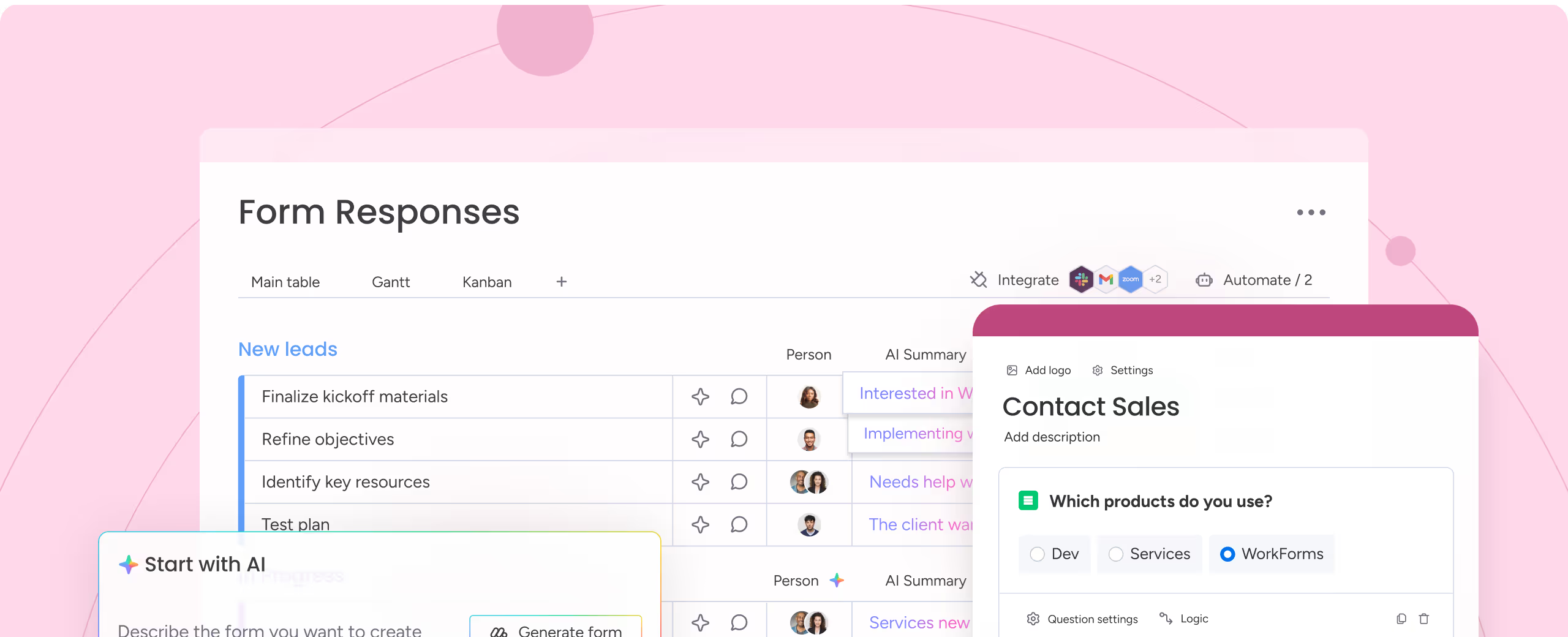
Each client gets a board, and that's the appeal. The Forms view turns a board into a form and each submission becomes an item, and this works on every plan including Free. Guests are definitely the cost to watch: Basic has none, Standard includes three free guests and then bills one seat for every group of four, and Pro and Enterprise allow unlimited guests. Viewers are free.
The Time Tracking column, with a timer, manual sessions and subitem roll-up, is Pro and Enterprise only. monday has no native billable rates or invoicing in work management, and billable cost is calculated with a formula column. Workload view is on Pro, while the resource planner and capacity manager are on Enterprise. File annotations let people pin comments on images, PDFs and video, but monday describes them as a trial feature, so we treat proofing as unconfirmed. There is an Adobe Creative Cloud plugin.
Timeline and Gantt start on Standard, and the dependencies column and critical path on Pro.
- your agency wants customizable boards and a request form on every plan, with guests on Standard
- you already know you need workload view and time tracking and can pay for Pro
- you need billable rates, retainers or invoicing: none is native in work management
- you have many clients logging in: Standard bills one seat per four guests after the first three
- Users like
- intuitive everyday use (1,695 mentions) and customizable boards and workflows (1,069)
- Users dislike
- steep learning curve (278 mentions) and glitchy or limited integrations (221)
- Source: G2, 17,940 reviews
How it works in practice
Plan details change often, and monday's help center says some paid features may require payment. Confirm the guest rule and proofing tier in writing for your headcount.
- Starting price
- Basic $9, Standard $12, Pro $19 per seat per month billed annually, 3 seats minimum
- Kanban
- Available on every plan including Free; cards come from Status labels, per-column task limit via Set column limit, lanes via Divide by
- Trello import
- Built-in importer carries task name, label and dates; descriptions, checklists, activities and files are not supported; 10K rows at a time
- Dependencies
- Dependency column on Pro and Enterprise; Gantt from Standard, critical path and milestones from Pro; cross-project dependencies Enterprise
- Automation actions per month
- Standard 250, Pro 25,000, Enterprise 250,000; multi-recipient notifications use one action each
- Guests
- None on Basic; Standard 3 free then 4 guests per billed seat; unlimited on Pro and Enterprise
- Portfolio
- Portfolio board and All Projects Dashboard are Enterprise only; Pro standalone projects cannot be added
- SCIM
- Enterprise only
- Trust center
- SOC 2 Type II, ISO 27001:2022, ISO 27017, 27018, 27701, HIPAA through a BAA; FedRAMP not listed
- Enterprise limits
- 250 workflows, 250,000 automation and integration actions per month, 25,000 API calls per day (Pro: 20, 25,000, 10,000); 99.9% uptime SLA
- Guests on Basic
- Not available; shareable boards start at Standard
- Guests on Standard
- 3 free, then every 4 guests use 1 billed seat
- Guests on Pro/Enterprise
- Unlimited guests
- Viewers
- Unlimited, free, read-only; see all Main boards
- Guest scope
- Only shareable boards they are invited to
- Guest edits
- Can add items, columns, comments; cannot own boards
- WorkForms
- Public link, no account needed; creates board items
- Guest email rule
- Must use a different email domain than your account
- Client seat rule
- 3 free guests on Standard, then 4 per seat
- Time tracking
- Pro
- Proofing
- No plan-tiered proofing product confirmed; file annotations (pin comments on images, PDFs and video) are described as a trial feature
- Intake forms
- Forms view on Free and all paid plans
- Workload
- Pro
- Adobe Creative Cloud
- Plugin exists per the vendor's Adobe integration page
- Retainers and invoicing
- Not confirmed in work management (invoices exist in monday CRM, a separate product)
- Forms
- All plans
ClickUp
ClickUp
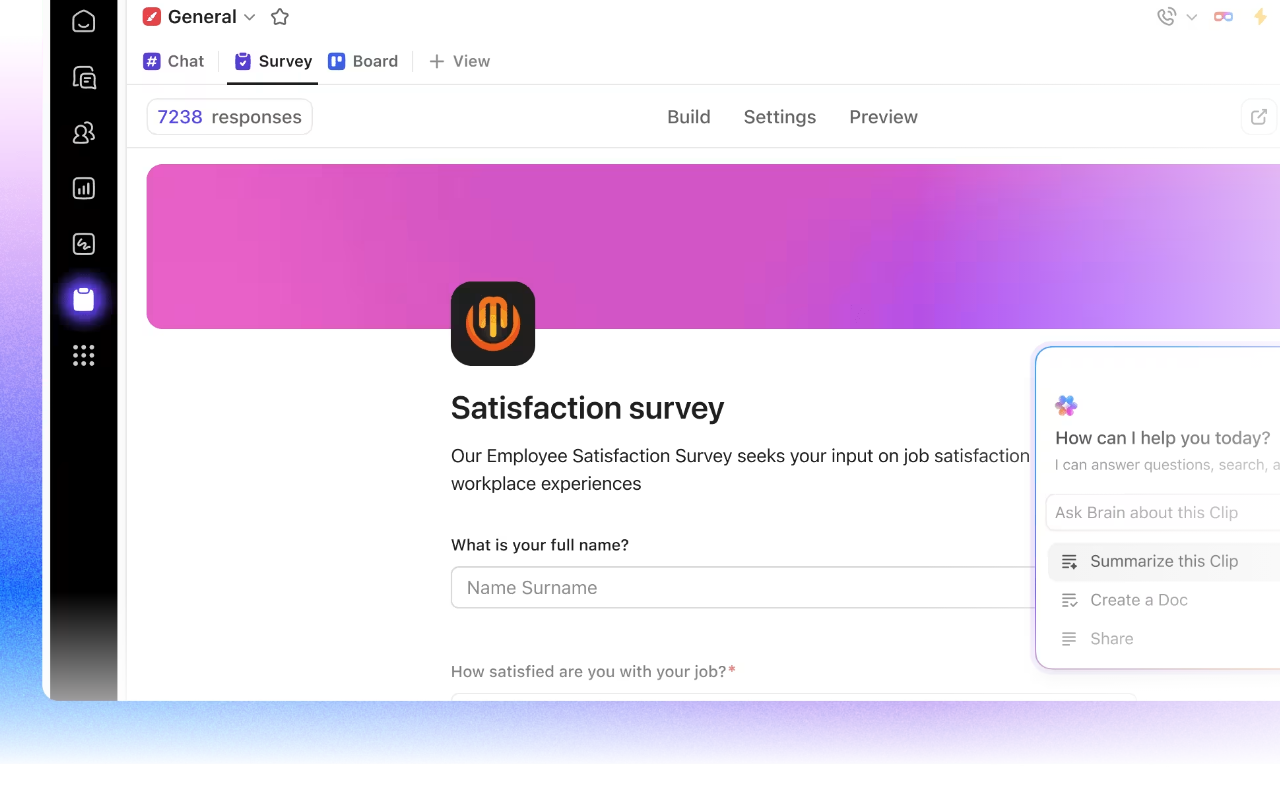
Time tracking on every plan, forms from Core and proofing from Business.
ClickUp fits a small agency that wants time tracking, forms and proofing at a low per-user price and is happy to configure its own approval flow.
A form creates a task at a chosen location, with a task template and auto-assignment. Free allows one form and Core and up allow unlimited forms. Time tracking is on every plan, including Free, and entries can be marked billable, with a default per Workspace or Space. The Timesheets Hub, which shows billable against non-billable time, starts on Business.
For creative review you open the attachment and click the spot you want to comment on, which works on images, video with timestamps and PDFs. Proofing is unlimited on Business and up, with 100 uses on Free. ClickUp has no formal approval object, so the help center recommends custom statuses such as Design review and Design approved, plus an automation that tags the approver.
Paid plans include a pool of permission-controlled guest seats: Core 5 for a one-member workspace plus 2 per member, Business and up 10 plus 5 per member. Guests can't open the Workload view, which sits on Business. We found no Adobe Creative Cloud connection on the integrations page, and no retainer or invoicing feature.
- you want time tracking on every plan, proofing from Business and unlimited forms from Core in one workspace
- you run a small agency and want guests and a form on a low per-user price
- you need formal approval flows: ClickUp uses custom statuses and proofing comments, not an approval object
- you need retainers or invoicing: not confirmed in the product
- Users like
- ease of use (4,220 mentions), flexibility (3,219)
- Users dislike
- missing features such as sub-folders (2,039 mentions), then the learning curve (1,751)
- Source: G2, 15,312 reviews
How it works in practice
ClickUp's pricing page now shows Free, Core, Business, Enterprise and Max, while some help articles still use older plan names such as Unlimited and Business Plus.
- Starting price
- Core $9, Business $17 per user per month billed yearly (regular $12 and $25)
- Board view
- Kanban Boards on Free Forever, subgroups (swimlanes) on every plan, WIP limits on Business and above
- Dependencies
- Blocks and Blocked by on all plans, optional reschedule and warning ClickApps
- Trello import
- Official importer, unlimited on all plans, imports assignees, comments, checklists, attachments up to 1GB, custom fields; cover images not supported
- Free limits
- 60 MB storage, Gantt, Dashboards and Custom Fields trial only
- Automations
- 1K actions per month on Core, 10K on Business, 1M on Enterprise and Max
- Client seat rule
- Guest seat pool per plan
- Proofing
- Business
- Time tracking
- All plans
- Intake forms
- Free 1 form; unlimited on Core and up; each submission creates a task
- Workload
- Unlimited on Business; the pricing page lists Resource Management under Business
- Adobe Creative Cloud
- Not found on the integrations page; Figma, Slack, Google Drive, Harvest and Toggl listed
- Retainers and invoicing
- Not confirmed
- Forms
- Unlimited from Core
Basecamp
Basecamp
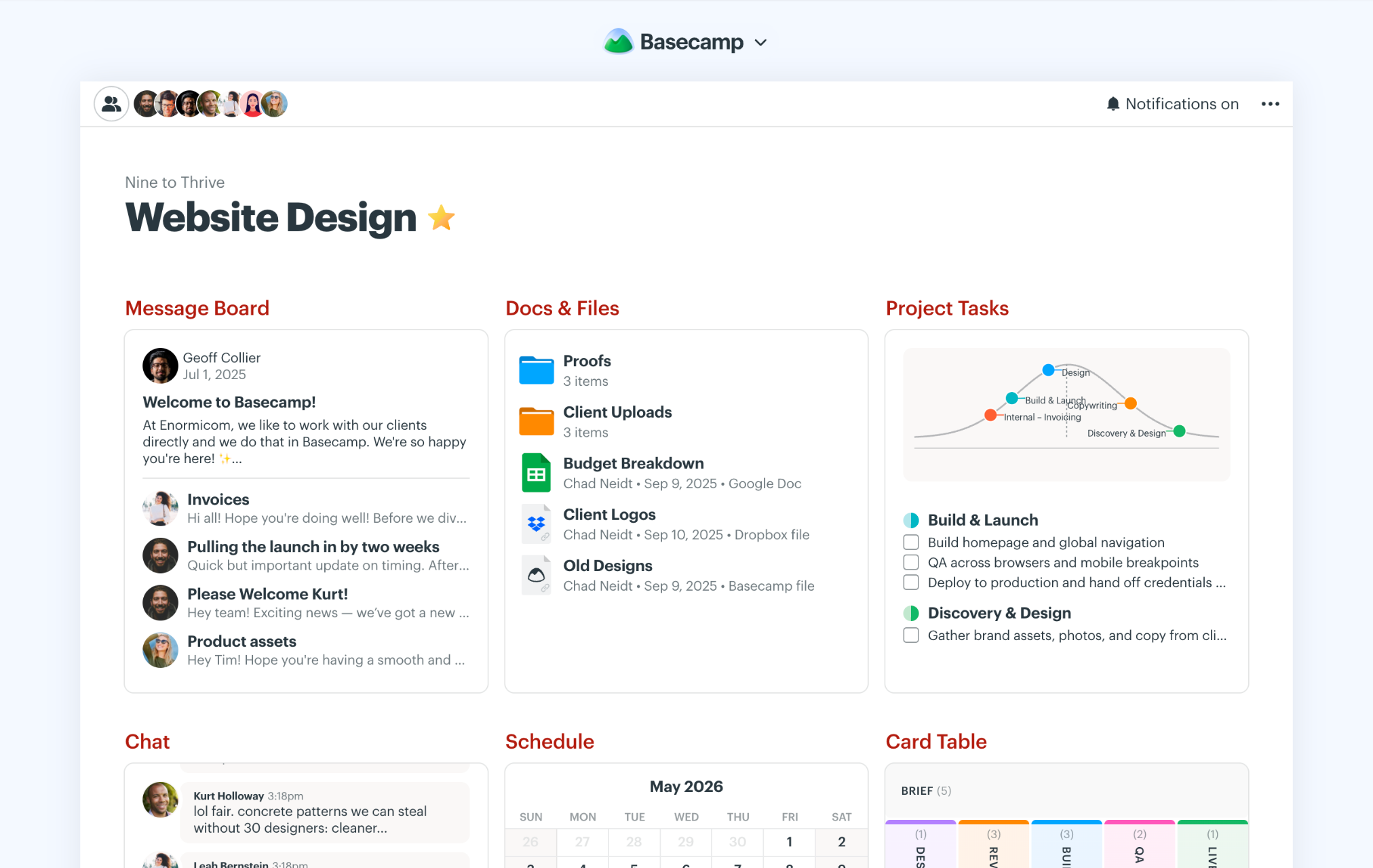
Flat-priced project hub with client mode per project, but no native proofing or billing.
Basecamp fits a small agency that wants one flat monthly price, a place for client conversations and as little configuration as possible.
You invite someone at your company, an outside contractor, or a client you're working for. Client mode is set per project, so you decide what clients see before you add them, and the setting can be saved in a project template, which needs Pro. Work lives in to-do lists, Card Tables, a message board, group chat and a schedule, and each plan includes check-ins and reports.
The limits matter quite a lot for agencies. Guests and clients count toward the user cap: Free 3, Freelancer 5, Pro 10, Pro Plus 15, and Pro Unlimited has no cap. Time tracking starts on Pro Plus and clients can't open the Timesheet. We found no native proofing, billable rates, budgets, intake forms, workload view or task dependencies. The Lineup plots projects on a timeline. Basecamp's integrations directory lists third-party tools for time, client portals and proofing, such as Harvest and Pinapprove.
- you are a small agency that wants one flat price, a per-project client mode and no seat counting for the team beyond the cap
- you review work through comments and files, not annotated proofs
- you bill by the hour: time tracking starts on Pro Plus and billable rates are not native
- you have many clients or contractors: each counts toward the user cap on all but Pro Unlimited
- Users like
- ease of use (163 mentions)
- Users dislike
- lacks advanced features such as reporting and planning (65 mentions)
- Source: G2, 5,489 reviews
How it works in practice
Basecamp lists Slack and Zapier as integrations and no Adobe Creative Cloud, Figma or QuickBooks connection. If the user cap or the missing planning features are pushing your agency out, our Basecamp alternatives guide shows which tools keep client access and add dependencies.
- Starting price
- Free (1 project, 3 users); Freelancer $29, Pro $79, Pro Plus $99 per month flat; Pro Unlimited $199 per month billed annually
- Free plan
- 1 project, 1 GB, 3 users
- Paid tiers
- Freelancer $29 (3 projects, 5 users), Pro $79 (8 projects, 10 users), Pro Plus $99 (12 projects, 15 users), Pro Unlimited $199 annual or $329 monthly (unlimited), flat per plan
- Pricing model
- Flat per plan, not per seat
- Task features
- To-do lists with assignees, due dates, files and subtasks; Card Table kanban; calendars
- Integrations
- Only third-party bridges listed (Unito, Zoho Flow and others)
- Client seat rule
- Clients count toward the user cap
- User caps
- Free 3, Freelancer 5, Pro 10, Pro Plus 15
- Default visibility
- Everything private to team until marked client-visible
- Client actions
- Post messages, upload files, complete to-dos
- Client restrictions
- No Hill Charts, Templates or project admin
- Approvals, forms, invoicing
- Not confirmed
- White label, SSO, 2FA
- Not confirmed
- Client visibility
- Client mode per project controls what clients see; it can be saved in templates, which need Pro
- Proofing
- Not native
- Time tracking
- Pro Plus
- Intake forms
- No native request form found
- Workload and dependencies
- No workload view, portfolio rollup or task dependencies; The Lineup shows projects on a timeline
- Dependencies
- None
Adobe Workfront
Adobe Workfront
Enterprise intake, proofing and resource management in three plans, all by quote.
Adobe Workfront fits a large agency or an in-house creative department that has to govern intake, review and capacity across many teams.
Intake runs through request queues with custom forms and auto-routing. Projects have task predecessors with lag, a Gantt view and predecessors across projects. Review runs through proofs: advanced proofs can allow guest reviewers without a Workfront login, require electronic signatures and lock the proof. Comments and approvals also work inside InDesign, Illustrator, Photoshop, XD, Premiere Pro and After Effects through an Adobe Exchange add-in.
Adobe sells three plans, Select, Prime and Ultimate, and all three list review and approval, intake and resource management. Portfolio management with business cases and scorecards is not in Select. Billing records track billable hours and expenses, but Workfront doesn't issue invoices. We found no retainer feature and couldn't confirm whether clients count as licensed users in the core app. Connectors for Slack, Microsoft Teams and Figma run through Workfront Fusion, which is licensed separately.
- you are a large agency or in-house creative team that needs intake, proofing, resource planning and Adobe Creative Cloud in one governed system
- you need portfolio management with business cases and scorecards (Prime and up)
- you want to see a price before a sales call: Adobe publishes none
- you are a small agency: G2 reviewers name the learning curve and a tool that is not intuitive
- Users like
- project management and ease of use
- Users dislike
- learning curve and not intuitive
- Source: G2, 1,244 reviews
How it works in practice
G2 reviewers name a learning curve and a tool that isn't intuitive, which is typical of an enterprise system that needs an administrator, yet the depth is also the point. Adobe publishes no US price, so you'll need to budget time for a sales cycle.
- Starting price
- No public price; Select, Prime and Ultimate by quote
- Plans
- Select, Prime, Ultimate
- Portfolio management
- Prime and Ultimate
- Review and approval
- Listed in all three plans; advanced proofs allow guest reviewers without a Workfront login, optional login, e-signature and locking
- Creative Cloud
- Add-in for six apps
- Intake
- Request queues with custom forms and auto-routing, listed in all three plans
- Resource management
- Project-level and global allocation, listed in all three plans; depth per tier not confirmed
- Dependencies
- Task predecessors with lag, cross-project predecessors and a Gantt view
- Client seat rule
- Not confirmed for the core app; proof guest reviewers need no login
- Billing
- Billing records track billable hours and expenses; Workfront doesn't issue invoices
- Retainers
- No retainer feature found
- Connectors
- Slack, Microsoft Teams and Figma through Workfront Fusion, a separate licence
- Proofing guests
- No login needed
How one client job moves through each tool
A client job has four moments where tools differ greatly: the request arrives, files come back for review, hours are logged, and the budget is checked. This is where each tool handles them, and what usually breaks.
- Step 1Request arrives
- Wrike
- Asana
- Teamwork.com
- Adobe Workfront
Breaks when the form isn't mapped to a template, so every request is a blank task - Step 2Files go for review
- Wrike
- Asana
- ClickUp
- Teamwork.com
Breaks when the reviewer comments in email because the plan limits proofs or guests - Step 3Hours are logged
- Teamwork.com
- ClickUp
- monday.com
- Basecamp
Breaks when time is tracked, but the rate and billable flag live in a spreadsheet - Step 4Budget is checked
- Productive
- Teamwork.com
- Wrike
Breaks when the retainer resets and nobody sees the carried-over hours
Where proofing, time, budgets and forms start in each plan
Plan names change, so you'll want to check the pricing page for the current tier before you sign. This table shows where each capability first appears in the documentation we read.
| Tool | Request forms | Proofing | Billable time | Retainers or budgets |
|---|---|---|---|---|
| Teamwork.com | Basics | All plans (limited by plan) | All plans; user rates from Accelerate | Time budgets from Accelerate, financial from Optimize |
| Productive | Not confirmed | Not documented | Essential | Recurring budgets from Professional |
| Wrike | Business | Business | Pinnacle | Budgeting from Pinnacle |
| Asana | Starter | Advanced | Paid add-on | Paid add-on |
| monday.com | All plans | Not confirmed | Time tracking from Pro, no rates | Not confirmed |
| ClickUp | Free (1 form), Core | Business | All plans | Not confirmed |
| Basecamp | None found | None found | Pro Plus | None found |
| Adobe Workfront | All plans (quote) | All plans (quote) | Billing records, plan not confirmed | None found |
Which tool fits which agency?
- A 10-person agency bills clients by the hour and wants clients logged in for freeTeamwork.com
- A studio sells monthly retainers and needs unused hours to roll overProductive
- A creative team sends proofs to clients who won't create accountsWrike
- An agency runs dozens of similar client projects from request formsAsana
- An agency wants a custom board per client and has the budget for Promonday.com
- A small agency wants time tracking and forms on the cheapest paid planClickUp
- A freelancer-led shop wants one flat price and few features to learnBasecamp
- A global in-house creative group needs governed intake, review and capacityAdobe Workfront
Is there free agency project management software?
Yes, but each free plan stops well before an agency's needs. Teamwork's free plan allows 5 users, 5 projects and 5 proofs, with billable time and dependencies, but no client users. Wrike's free plan has unlimited users, 200 active tasks and one shared space. ClickUp's free plan includes time tracking, one form and 100 proofing uses. monday.com's free plan has 2 seats, up to 3 boards and a Forms view. Asana's free plan covers up to 2 users. Basecamp's free plan has one project and up to 3 people. Productive and Adobe Workfront have no permanent free plan.
For a studio of two to five people the free plans of Teamwork or ClickUp are enough to test a real client job. Once a client logs in or you track a retainer, you'll want the first paid tier.
Project management software for software agencies
A software agency usually needs sprints, a backlog and a link to code, which a creative agency doesn't, and the choice here is clearly different. Of the eight tools here, none is sprint-first: Teamwork documents no native git integration, and the others are work management tools that handle boards and timelines. A software agency often pairs a client-facing tool from this list with Jira for the engineering work, then needs a way to see dependencies across the two. Our task management software and resource management software guides cover the planning and capacity side.
How to choose agency project management software
Run these checks against a real client job before you sign, and don't skip the retainer test:
- List how many clients, freelancers and guests need a login and check who counts as a paid seat
- Send one request through the intake form and confirm it lands in the right project with an owner
- Upload a file for review and have a client comment without creating an account
- Log billable time with a rate and check the timesheet approval step
- Set up one retainer and see what happens to unused hours
- Find the plan that holds all five agency needs and use its price in your budget
Where The Program Manager fits
The Program Manager isn't a project tool for client work, and it isn't a ranked entry in this list. It sits above the tools, and it's built for the gaps between them. If your agency runs client programs across Jira and Asana, it maps dependencies between them and watches milestones for risk. It doesn't replace proofing, time tracking or billing, and it doesn't offer budgets or capacity planning, so it's an addition and not an alternative.
FAQ
What is the best project management software for a small agency?
Teamwork suits agencies that bill by the hour, because client users are free from Basics and billable time runs on every plan. ClickUp suits a tighter budget, with time tracking on every plan and forms from Core. Basecamp suits teams that want one flat price and few features.
Do clients count as paid seats?
Whether clients count as paid seats depends on the tool. Teamwork and Productive add clients free of charge. Asana guests are free on Starter and up. monday.com includes three free guests on Standard, then bills one seat per four guests. Basecamp counts clients toward the user cap on every plan except Pro Unlimited.
Which tools have built-in client proofing?
Teamwork has Proofs with guest reviewers. Wrike offers file proofing and guest reviewers on Business. Asana has proofing and approvals on Advanced. ClickUp has proofing on Business. Adobe Workfront lists review and approval in all plans. Productive and Basecamp don't document native proofing.
Is there free agency project management software?
Free plans exist at Teamwork, Wrike, ClickUp, monday.com, Asana and Basecamp, but each limits users, projects or features. Productive and Adobe Workfront have no permanent free plan.
Do I need PSA software as well as a project management tool?
Only if you quote fixed fees and need profitability reporting. Productive and the higher Teamwork plans cover budgets and retainers. Otherwise a project tool with billable time is enough.
Which tool is cheapest for billable time?
Teamwork and ClickUp track billable time on every plan including the free one. monday.com needs Pro, Wrike needs Pinnacle for billable versus non-billable time, and Asana needs a paid add-on.