A program management template is a reusable document that records one part of a program: why it exists, who decides, what could go wrong, what it's meant to deliver and how it's going. This page gives you ten of them in the order a program needs them, from charter to closure. Five open right here as filled-in examples with Word and Excel downloads, and five link to our full guides.
- A program needs ten documents more than a single project does: charter, program plan, roadmap, RACI, stakeholder register, RAID log, risk register, benefits register, status report and a closure checklist.
- Most project template lists stop at the project plan, but a program doesn't. The documents that make a program different are the ones that cross projects: the roadmap, the dependency view in the RAID log and the benefits register.
- Use one owner per template and one place to store it. A template nobody owns won't stay current for long.
- Every download on this page is free, and you don't need to sign up. The grey values are examples, so replace them with your own.
What Are Program Management Templates?
Program management templates are standard documents that a program manager or PMO fills in once per program, or once per reporting period, so every program records the same things in the same way, which isn't possible when each manager invents their own format. The difference to a project template is the scope. A project template describes one piece of work. A program template describes how several projects add up to an outcome, so it has fields for cross-project dependencies, shared risks, benefits and governance.
That's the gap in published template lists. Unito's list has 22 project management templates in five categories, and ProjectManager's list has 22 project planning templates, mostly for Excel or Word. They're useful for a single project, but they hardly touch the documents a program needs, such as a benefits register or a program-level roadmap. If you're still sorting out the difference, our guide to program management explains where programs end and projects begin, and program manager vs project manager covers who owns which document.
A template isn't a process. It gives you the fields, but you still have to decide who fills them in and how often. We say who owns each one below, and that's the part most downloads leave out.
The 10 Program Management Templates by Program Stage
Read the table top to bottom and you've followed a program from authorization to closure. The last column shows whether a template opens on this page or links to our full guide, and the owner column is the one most downloads leave out.
| Template | Program stage | What it answers | Typical owner | Where to get it |
|---|---|---|---|---|
| Program charter | Start | Why does the program exist and who authorized it? | Sponsor with program manager | Project charter template |
| Program management plan | Plan | How will the program be run? | Program manager | Program management plan template |
| Program roadmap | Plan | When does each project land and what depends on what? | Program manager | On this page |
| RACI matrix | Govern | Who's responsible, accountable, consulted, informed? | Program manager | RACI chart guide |
| Stakeholder register | Govern | Who needs what from the program, and how often? | Program manager | On this page |
| RAID log | Track | What are the risks, assumptions, issues and dependencies across projects? | PMO or program manager | RAID log guide |
| Risk register | Track | Which risks matter most and who owns them? | Risk owner per line | Risk register guide |
| Benefits register | Track | What will the program deliver and how will we measure it? | Benefit owner per line | On this page |
| Status report | Track | Is the program on track and what decisions are needed? | Program manager | On this page |
| Closure checklist | Close | Is everything handed over and signed off? | Program manager and sponsor | On this page |
You don't need all ten on day one. A small program can start with the charter, the roadmap, the RAID log and the status report, and add the others when the program grows or a sponsor asks for them. A program with a regulator, a large budget or many stakeholders will need all ten from the start, although even then you can fill them in gradually.
Start and Plan: Charter, Program Plan and Roadmap
The first two templates settle authority and approach, and they're short. The charter is the short document that authorizes the program and names the sponsor. Our project charter template has the fields, a filled-in example and a section on what changes when you write one for a program. It's the document to sign before spending money, and it shouldn't run longer than a few pages.
The program management plan comes next and is longer. It describes how the program will be governed, how benefits, risks and communication will be handled, and how the projects fit together. Our program management plan template gives copy-ready sections and an example, so we don't repeat it here.
The roadmap is the third document, and it's the one a program uses most. Lucen Software offers a free PowerPoint slide that shows several projects on one Gantt chart, together with requirements, resources and risks, so an executive can read the whole program at once. That's the right idea, but it's a slide rather than a working document, and a roadmap's job is to show projects side by side and mark where one waits for another. The template below does the same in a table you can paste into Excel or Word, with a column for the dependency that most often decides the date.
Program roadmap template
One row per project or milestone. The dependency column is the one that tells you why a date moves. Grey values are examples.
- Program name
- Customer platform consolidation
- Sponsor
- Chief operating officer
- Program manager
- A named person
- Last updated
- 2026-10-27YYYY-MM-DD
| Project or milestone | Owner | Start | Finish | Depends on | Status |
|---|---|---|---|---|---|
| Data migration | Data lead | Jan | Mar | Vendor contract signed | On track |
| Billing integration | Engineering lead | Feb | May | Data migration, test environment | At risk |
| Staff training | Operations lead | Apr | Jun | Billing integration | Not started |
| Go-live | Program manager | Jun | Jun | All of the above | Not started |
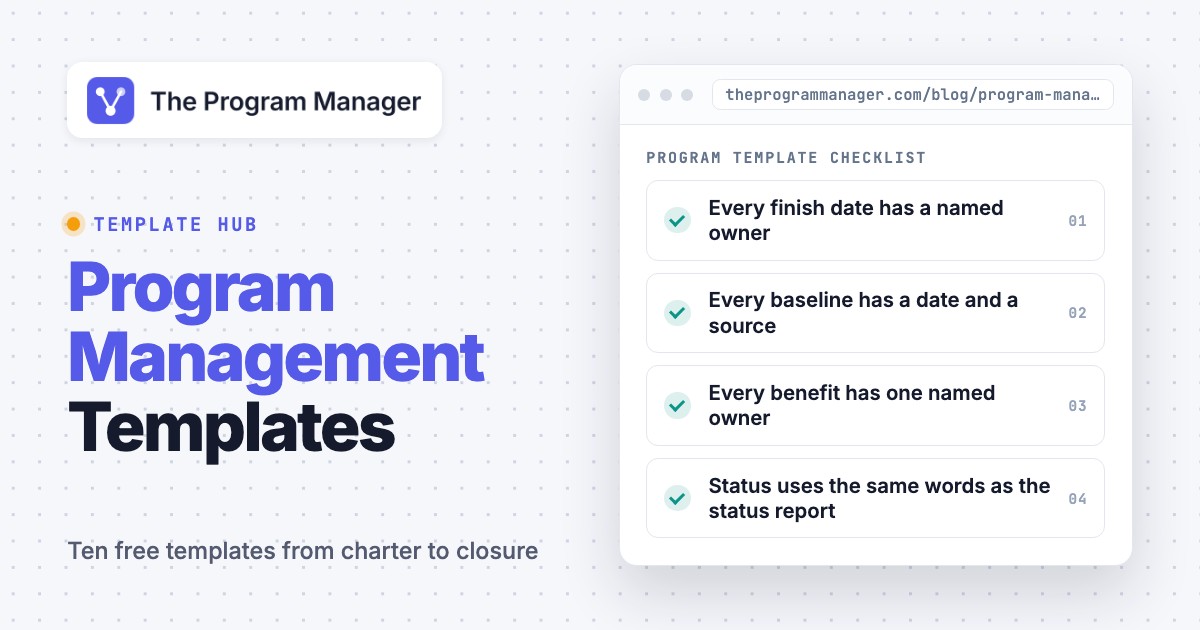
- Every finish date has a named owner
- Every dependency points to a row in this table or to the RAID log
- Status uses the same words as the status report
Keep the roadmap to one page. If it needs scrolling, don't add more rows; instead group the rows by project and show only milestones that other projects wait for. The detail belongs in each project's own plan.
Govern: RACI Matrix and Stakeholder Register
Governance templates answer two questions, who decides and who needs to hear about it. The RACI matrix answers the first. It assigns each deliverable to someone who's responsible, someone who's accountable, and lists who's consulted and informed. Our RACI chart guide has the matrix, examples and a downloadable version, and it explains why each row should have exactly one accountable person.
The stakeholder register answers the second question. Atlassian's guide lists the typical fields as name and role, contact details and preferred communication method, level of influence and interest, key concerns and expectations, and an engagement strategy with a communication frequency. It suggests rating influence and interest as low, medium or high, so that high-influence, high-interest people get close management and the rest get milestone updates. It also says to revisit the register at each major phase or milestone and when roles change, which fits a program well, since the list changes whenever a new project starts.
Stakeholder register template
Fields follow the common set described by Atlassian. The last two columns turn the register into a communication plan. Grey values are examples.
| Stakeholder | Role | Influence | Interest | Main concern | Engagement approach | Contact frequency | Owner |
|---|---|---|---|---|---|---|---|
| Chief operating officer | Sponsor | High | High | Benefits arrive before the next budget cycle | Manage closely | Every two weeks | Program manager |
| Head of finance | Budget approver | High | Medium | Spend stays inside the approved range | Keep satisfied | Monthly | Program manager |
| Support team leads | Affected team | Low | High | Training time during peak weeks | Keep informed | Monthly | Operations lead |
- Re-rate influence and interest at every stage gate
- Add stakeholders when a new project starts
- Remove names only after the sponsor agrees
The register shouldn't be shared widely, because it contains frank notes about people. It's a working document for the team, not a publication. Keep it with the program team and the sponsor, and don't publish anything except the communication schedule that comes out of it.
Track: RAID Log, Risk Register, Benefits Register and Status Report
Tracking documents change the most, so they need an owner and a review rhythm more than the others. There are four of them, and they work as a set.
The RAID log holds risks, assumptions, issues and dependencies in one list. It's the document that matters most when a program has several projects, because dependencies between projects live there. Our RAID log guide shows how to run one across a program. The risk register is the detailed list of risks, with scoring, owners and responses, and our risk register guide builds one with examples. Many programs keep risks in the RAID log and don't use the register for anything but the top ten.
The benefits register is the one most project lists miss. A program exists to deliver benefits, and the register is where you write down each one, how it'll be measured and who's accountable. The NSW Government's benefits profile template defines the useful fields. Each benefit has an ID, a name, a type that's financial or non-financial, dependencies, assumptions, risks, and a benefit owner described as the accountable executive responsible for realization. Each measure then has a unit, a baseline value, a target value, a data source, a start and end date, an owner and a review frequency. The template below flattens that into one row per benefit so you can keep a whole program on one sheet.
Benefits register template
One row per benefit. Take the baseline before the change starts, or you can't show later that anything improved. Grey values are examples.
| ID | Benefit | Type | Measure | Unit | Baseline | Target | Target date | Data source | Benefit owner | Depends on |
|---|---|---|---|---|---|---|---|---|---|---|
| B1 | Fewer repeat support tickets | Non-financial | Repeat tickets | Per month | To be measured in week 2 | Set with sponsor | End of Q2 | Ticketing system report | Head of support | Help center relaunch |
| B2 | Lower cost per invoice | Financial | Cost per invoice | Dollars | To be measured in week 2 | Set with finance | End of Q3 | Finance system export | Head of finance | Billing integration |
- Every benefit has one named owner who isn't the program manager
- Every baseline has a date and a source
- Every benefit depends on at least one project in the roadmap
Notice that the example leaves the baseline and target numbers open on purpose. They can't be invented here, so they have to come from your own data, and an invented number in a template tends to survive into the real register. Write "to be measured" with a date instead, and don't leave the cell empty.
The status report is the document steering committees actually read. Project Management Compass suggests three separate RAG ratings for schedule, scope and quality, and budget and resources rather than one overall color, followed by a four-sentence narrative, the decisions needed, two or three completed and upcoming milestones, and the top three risks with an owner. Its example thresholds treat milestones within 10 percent of the original dates as green, and it says to agree such thresholds with the sponsor at kickoff. The numbers are one author's convention, not a standard, so set your own. What's worth copying isn't the thresholds, but the rule that amber must come with a decision request.
Program status report template
Fits on one page. Fill in the three ratings first, then write the narrative. Grey values are examples.
| Area | Rating | Reason in one sentence |
|---|---|---|
| Schedule | Amber | Billing integration is two weeks behind the baseline |
| Scope and quality | Green | No unapproved changes this period |
| Budget and resources | Green | Spend is within the agreed range |
- Where we are
- The program is amber on schedule.One sentence
- What changed
- The test environment arrived late.One sentence
- Effect on the critical path
- Go-live moves by two weeks unless we add testers.One sentence
- What we need
- A decision on extra testers by Friday.One sentence
| Decision | Options | Recommendation | Needed by | Owner |
|---|---|---|---|---|
| Add two testers | Add testers, move go-live, do nothing | Add testers | Friday | Sponsor |
| Milestone | Baseline date | Forecast date | Status |
|---|---|---|---|
| Data migration complete | Mar 15 | Mar 15 | Done |
| Billing integration complete | May 10 | May 24 | At risk |
| Risk | Owner | Response |
|---|---|---|
| Test environment unstable | Engineering lead | Reserve a second environment |
| Training overlaps peak season | Operations lead | Move sessions to the quiet weeks |
Close: Program Closure Checklist
Programs don't end as cleanly as projects, because the benefits often show up after the last project finishes. A closure checklist makes sure nothing's left hanging. It isn't based on a published source like the others, since we wrote it ourselves from general practice, so adapt it freely.
Program closure checklist
Run it with the sponsor in the last steering meeting. Our own checklist, so it's a starting point, not a standard.
- All projects in the roadmap are closed or formally transferred
- Open risks and issues have a new owner or are closed
- Benefits register shows who keeps measuring each benefit and until when
- Contracts, licenses and budgets are closed or handed over
- Sponsor signs off the final status report
- Documents are stored where the owning team can find them
- Lessons learned session held and written up
- Team members are released and thanked
- Benefit review date is in the benefit owners' calendars
- Sponsor receives the first benefits report
Word, Excel or PDF: Which Format Should You Use?
The format matters less than who can edit it and where it lives. Each template above comes as a Word file and an Excel file, so you aren't forced into one format and can pick the one that fits the document.
| Format | Best for | Watch out for |
|---|---|---|
| Excel or Google Sheets | Roadmap, stakeholder register, benefits register, RAID log | Several people editing different copies |
| Word or Google Docs | Charter, program plan, status report narrative | Long documents nobody updates |
| Signed charter, closure sign-off | Anyone editing the wrong copy later |
A shared sheet works for the registers because they're lists, and a document works for the charter and the plan because they're prose. Whatever you choose, keep one master copy and name an owner. Our simplest rule is that if two people can't say where the current version lives, the template's already out of date.
How to Adapt These Templates to Your Program
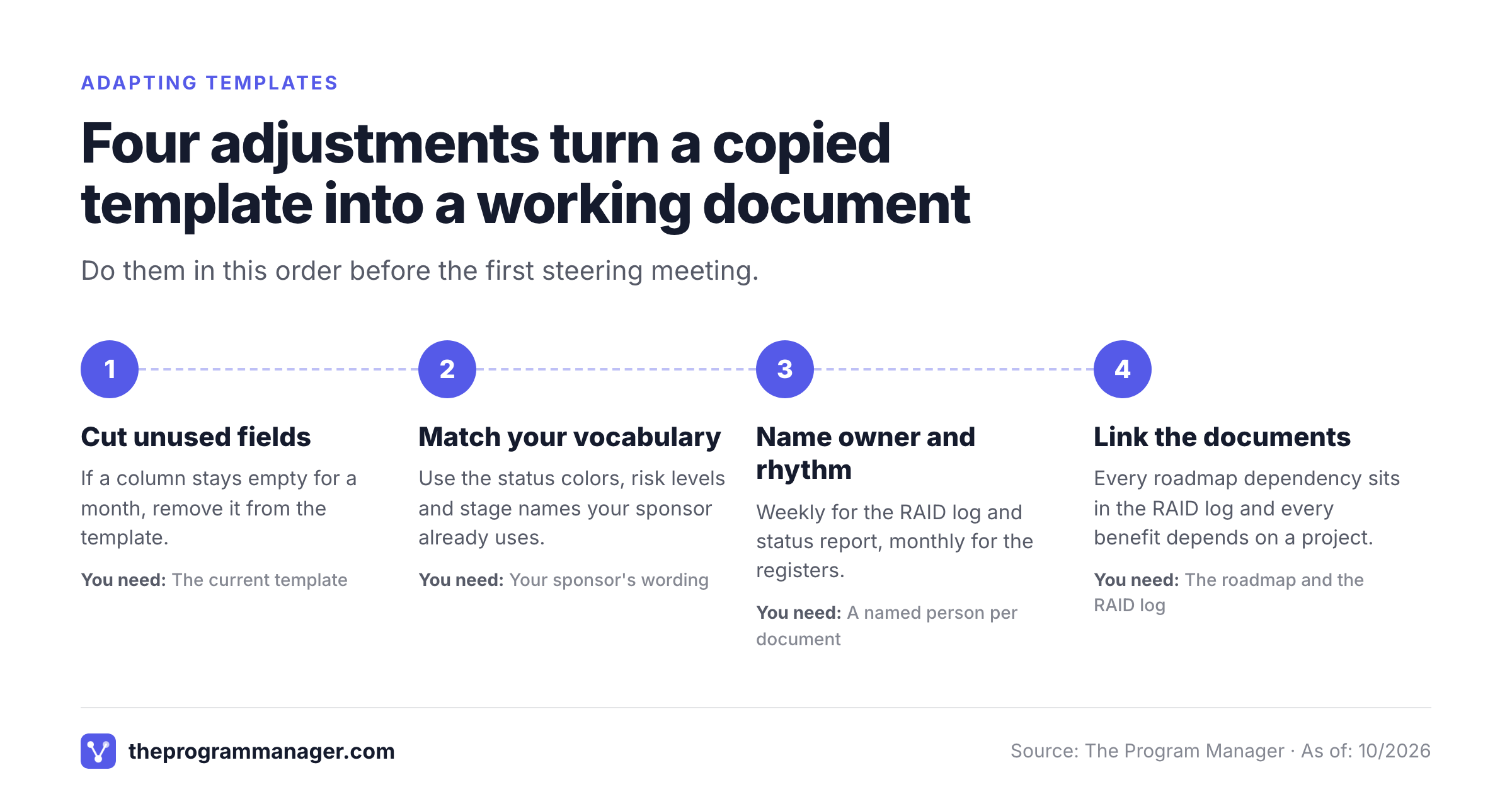
Templates fail when they're copied whole, yet most people copy them whole. Four adjustments make them fit.
- Cut fields nobody uses. If a column stays empty for a month, remove it; it's clutter. A short register that's current beats a long one that isn't.
- Match your vocabulary. Use the words your sponsor and PMO already use for status colors, risk levels and stage names.
- Name an owner and a rhythm. Weekly for the RAID log and status report, monthly for the stakeholder and benefits registers, and at each stage gate for the roadmap and the plan is a reasonable start.
- Link the documents. Every roadmap dependency should appear in the RAID log, every benefit should depend on a project in the roadmap, and every risk should have an owner who's in the RACI matrix.
The fourth adjustment is where spreadsheets struggle. Once a program has more than a handful of projects, however, keeping the roadmap, the dependencies and the status report consistent by hand takes real effort. Some teams move that work into a tool, and our guide to program management software compares the options.
Frequently Asked Questions
What are program management templates?
They're standard documents a program manager fills in so every program records the same things: a charter, a program plan, a roadmap, a RACI matrix, a stakeholder register, a RAID log, a risk register, a benefits register, a status report and a closure checklist. Unlike project templates, they cover dependencies between projects, shared risks and benefits.
Which program management templates do I need first?
The first program management templates you need are the charter, the roadmap, the RAID log and the status report. Those four authorize the program, show how its projects fit together, track what could go wrong and give the sponsor a regular update. Add the others as the program grows.
Are these templates really free?
Yes, these program management templates are free. Each template on this page can be copied or downloaded as a Word and an Excel file, with no sign-up. You don't need an account, but you should replace the grey example values with your own.
What should a program benefits register include?
One row per benefit with an ID, a name, a type, a measure and unit, a baseline, a target, a target date, a data source and a named owner. The NSW Government's benefits profile template uses the same elements and adds dependencies, assumptions and a review frequency.
How is a program status report different from a project status report?
A program status report rolls up several projects, so it focuses on cross-project dependencies, program-level risks, benefits and the decisions the steering committee has to make. Rate schedule, scope and budget separately, and attach a decision request to any amber or red rating.
Should I use Excel or Word for program templates?
Use Excel or Google Sheets for registers and logs, because they're lists that people sort and filter, and they don't need layout. Use Word or Google Docs for the charter, the plan and the narrative parts of a status report. Export a PDF only for signed copies.
Leave a Reply